> ## Documentation Index
> Fetch the complete documentation index at: https://help.fieldpulse.com/llms.txt
> Use this file to discover all available pages before exploring further.
# Customers & Scheduling: Quick Start
> Add customers three ways and start booking jobs, keeping profiles, notes, records, and schedules in one CRM.
Now that you've setup your company settings and enabled features and plugins, it's time to learn how to manage your customers in FieldPulse!
FieldPulse offers a robust Customer Relationship Management system that makes storing and finding related customer information easy. You can create and edit customer profiles to store detailed customer information, notes, and related records such as jobs, estimates, invoices, files, assets, maintenance agreements and more.
***
# Add Your Customers to FieldPulse
FieldPulse offers three ways to add customers into your account.
1. [Adding Customers Manually](/using-fieldpulse/customers/creating-a-customer)
2. [Importing a Customer List](/using-fieldpulse/data-imports-exports/importing-customers)
3. [Importing Customers from a QuickBooks Sync](/integrations-partners/accounting)
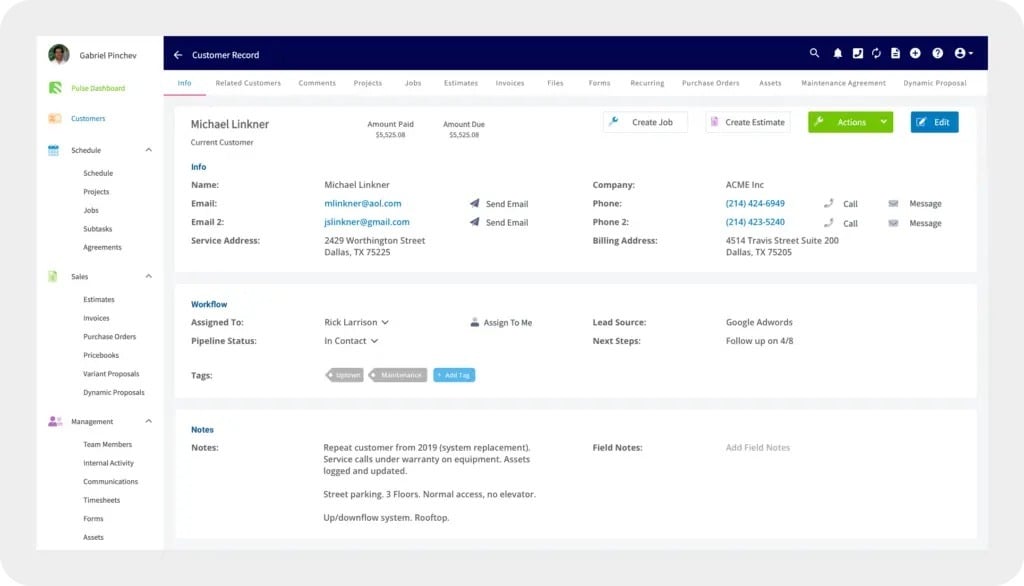 To learn more about customers, visit [our Customer articles](/using-fieldpulse/customers) in the Help Center.
***
# Creating a Job
After getting comfortable with creating customers, [how to create jobs](/using-fieldpulse/work/creating-a-job) to learn to create jobs.
To learn more about customers, visit [our Customer articles](/using-fieldpulse/customers) in the Help Center.
***
# Creating a Job
After getting comfortable with creating customers, [how to create jobs](/using-fieldpulse/work/creating-a-job) to learn to create jobs.
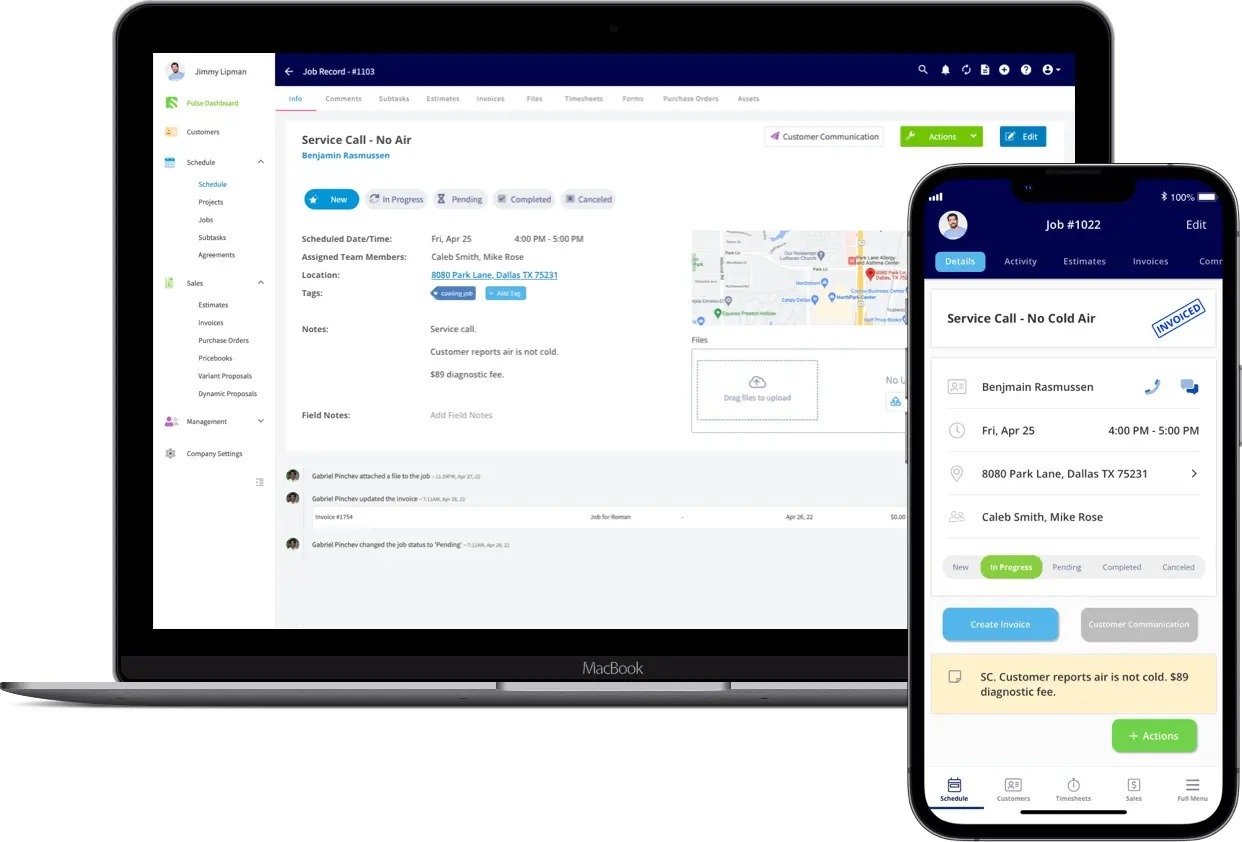 To learn more about jobs, visit [our Work articles](/using-fieldpulse/work) in the Help Center.
***
# Scheduling
You can schedule a job directly from the job record, or use the schedule to add jobs.
To learn more about jobs, visit [our Work articles](/using-fieldpulse/work) in the Help Center.
***
# Scheduling
You can schedule a job directly from the job record, or use the schedule to add jobs.
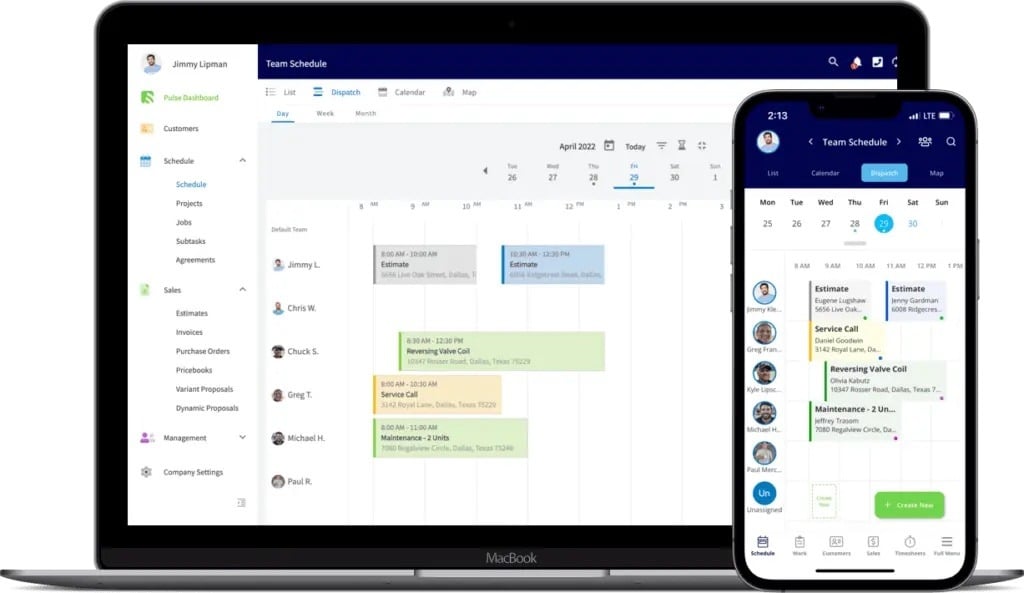 To learn more about scheduling jobs, [scheduling and dispatch options](/using-fieldpulse/scheduling-dispatch/dispatch-availability-scheduling).
***
# Video Tutorial
***
## To learn more about Customers, Jobs, and Scheduling, visit the ['How To' Articles](/using-fieldpulse) in the Help Center
***
**Have additional questions?**
*Contact us at [support@fieldpulse.com](mailto:support@fieldpulse.com) or use the chat feature in the bottom right corner of your screen.*
To learn more about scheduling jobs, [scheduling and dispatch options](/using-fieldpulse/scheduling-dispatch/dispatch-availability-scheduling).
***
# Video Tutorial
***
## To learn more about Customers, Jobs, and Scheduling, visit the ['How To' Articles](/using-fieldpulse) in the Help Center
***
**Have additional questions?**
*Contact us at [support@fieldpulse.com](mailto:support@fieldpulse.com) or use the chat feature in the bottom right corner of your screen.*