> ## Documentation Index
> Fetch the complete documentation index at: https://help.fieldpulse.com/llms.txt
> Use this file to discover all available pages before exploring further.
# Estimates & Invoices: Quick Start
> Send quotes and bills to customers without duplicate data entry, since one shared record layout covers both estimates and invoices from any starting point.
Once you've added customers, scheduled and set up some jobs, you're now ready to create your first estimate or invoice! Regardless of the record type, you will follow the same process.
You can create an estimate or invoice multiple ways. The most common methods include:
1. From a Customer Record.
2. From the *Estimates* or *Invoices* tab in the left-side menu.
3. From a Job Record.
***
## From a Customer Record
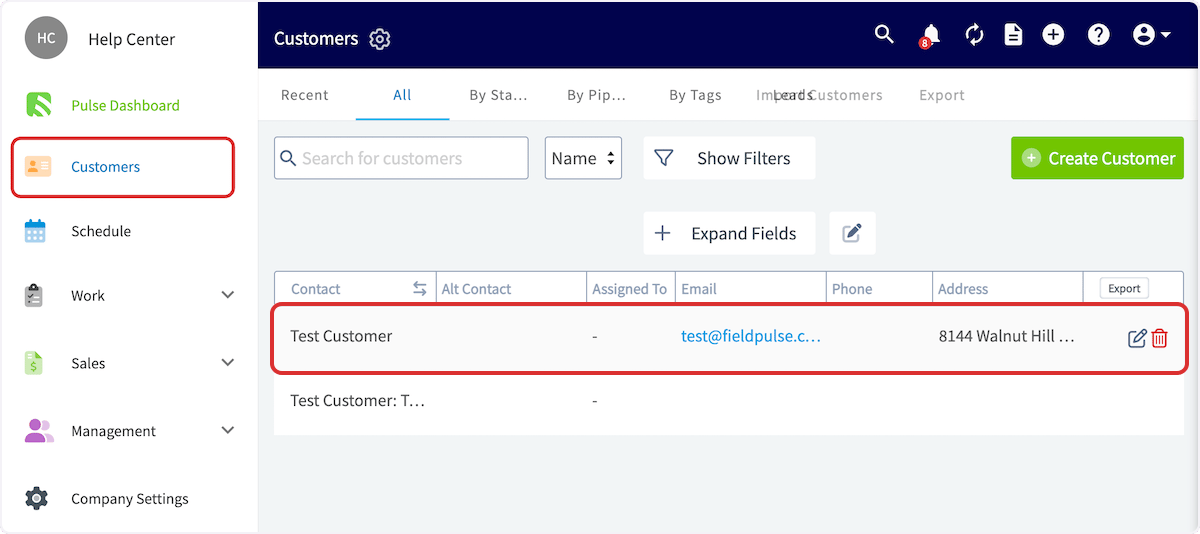
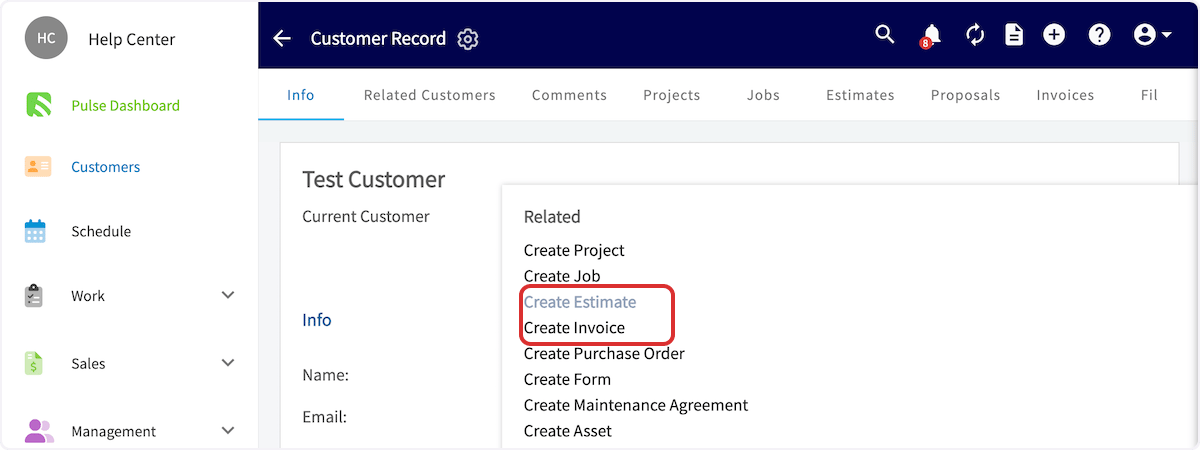
From the left-side menu, click on the *Customers* tab. Then you can search for and click on the customer you'd like to create the estimate/invoice for. From the *Actions* drop down, select *Create Estimate* or *Create Invoice*.
 ## From the Estimates or Invoices Tabs
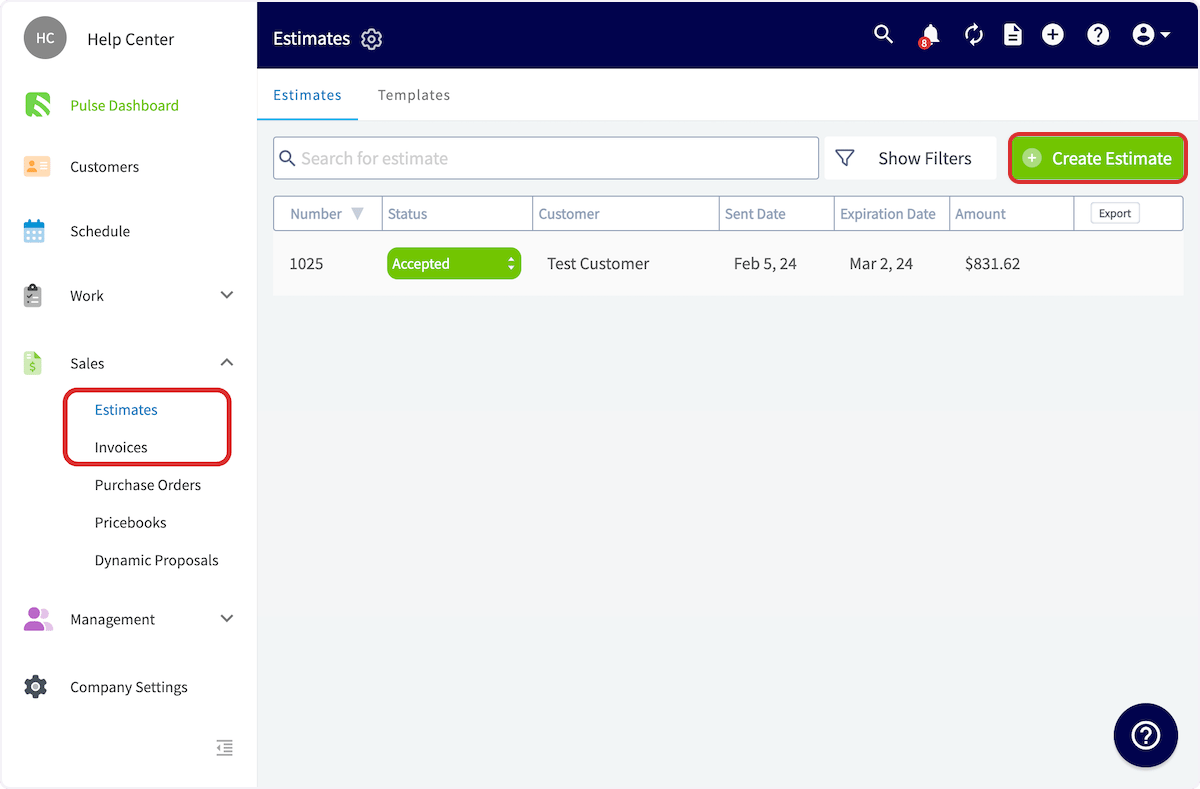
On the left-side menu, click on either *Estimates* or *Invoices*. Then select *Create Estimate/Invoice*.
## From the Estimates or Invoices Tabs
On the left-side menu, click on either *Estimates* or *Invoices*. Then select *Create Estimate/Invoice*.
 ## From a Job Record
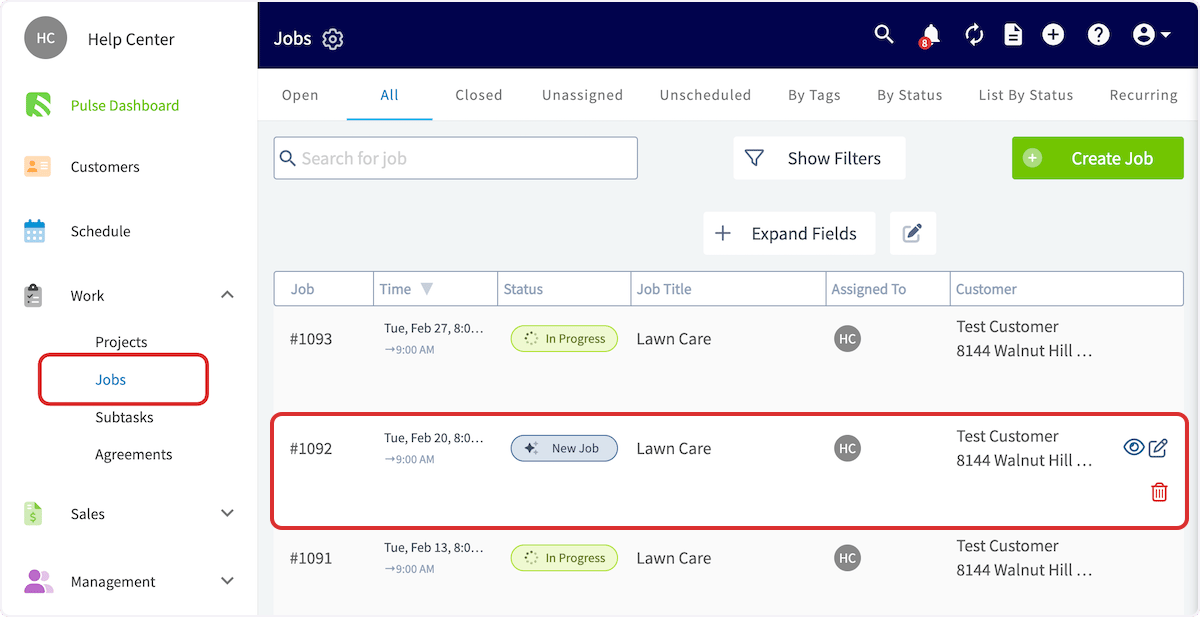
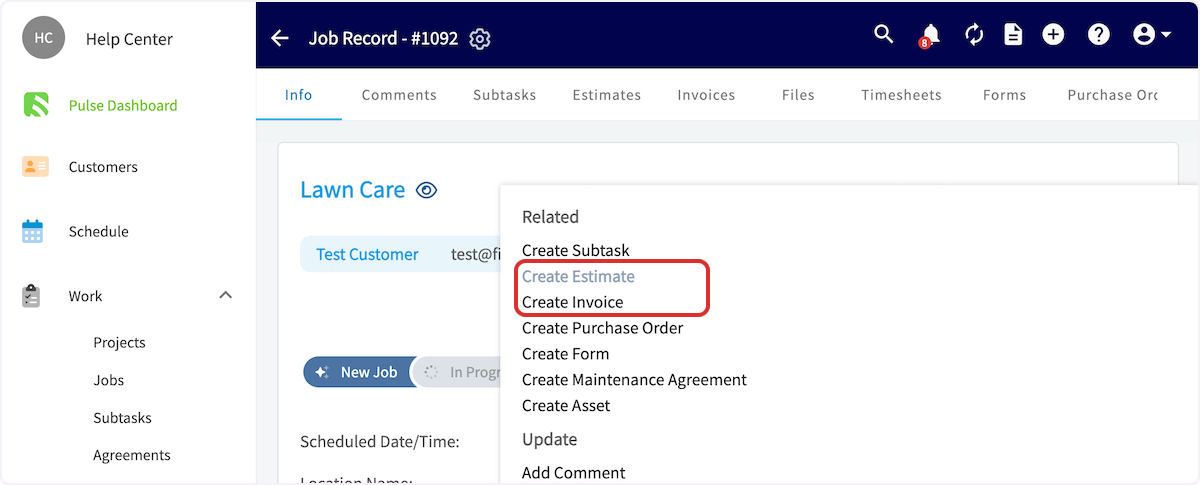
From the left-side menu, click on the *Jobs* tab. Then you can search for and click on the job you'd like to create the estimate/invoice for. From the *Actions* drop down, select *Create Estimate* or *Create Invoice*.
## From a Job Record
From the left-side menu, click on the *Jobs* tab. Then you can search for and click on the job you'd like to create the estimate/invoice for. From the *Actions* drop down, select *Create Estimate* or *Create Invoice*.
 ***
# Video Tutorial
***
## To learn more about estimates and invoices, visit the ['How To' Articles](/using-fieldpulse) in the Help Center
***
**Have additional questions?**
*Contact us at [support@fieldpulse.com](mailto:support@fieldpulse.com) or use the chat feature in the bottom right corner of your screen.*
***
# Video Tutorial
***
## To learn more about estimates and invoices, visit the ['How To' Articles](/using-fieldpulse) in the Help Center
***
**Have additional questions?**
*Contact us at [support@fieldpulse.com](mailto:support@fieldpulse.com) or use the chat feature in the bottom right corner of your screen.*