> ## Documentation Index
> Fetch the complete documentation index at: https://help.fieldpulse.com/llms.txt
> Use this file to discover all available pages before exploring further.
# Setting Up Default Customer Name Preference for QuickBooks
> Choose which name field shows as the primary name on customers, estimates, and invoices in FieldPulse without rewriting your QuickBooks customer list.
> **Who uses this:** Admins set the preference; it applies to the account's records. **Availability:** For users who integrate with QuickBooks Online **or** QuickBooks Desktop.
The default customer name preference lets you choose which name field shows as the primary name on your customer, estimate, and invoice records — either **Company/First Name** or **Display Name** — without editing your whole [QuickBooks](https://www.fieldpulse.com/company/partners/quickbooks) customer database. It solves the mismatch that happens when your QuickBooks customer records and display names use different naming.
## Overview
Many companies store one value in a customer's name field and a different value in the display name field. The default customer name preference lets you pick which of those shows as the primary name across FieldPulse records, so customers appear the way you want them to without rewriting every record. This preference works with both QuickBooks Online and [QuickBooks Desktop](/integrations/accounting/quickbooks-desktop/overview).
## Before you begin
* Have an active QuickBooks Online or QuickBooks Desktop integration.
* Decide whether you want **Company/First Name** or **Display Name** as the primary name shown on records.
## Step-by-step setup
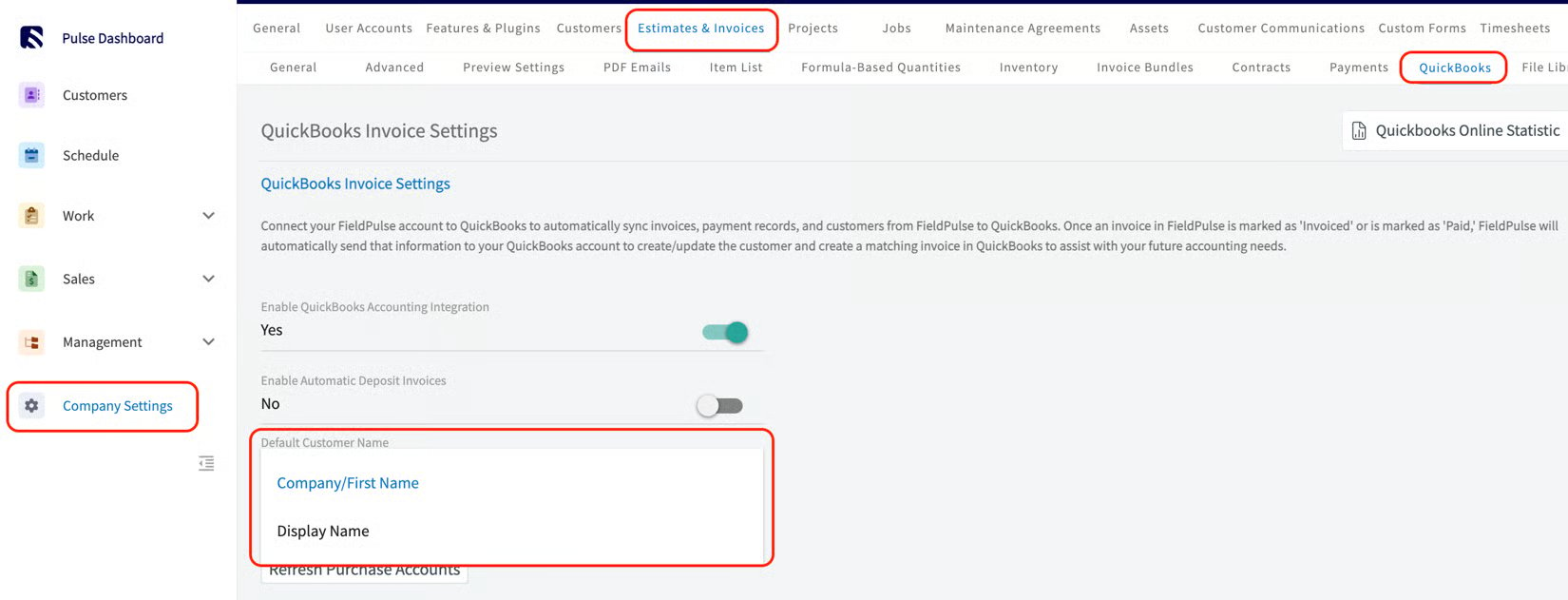
1. Go to **Company Settings > Estimates & Invoices > QuickBooks**.
2. Find the field titled **Default Customer Name**.
3. From the dropdown, select either **Company/First Name** or **Display Name**.
 ## Settings reference
| **Option** | **What it does** |
| ---------------------- | ---------------------------------------------------------------------------------------------------------------------------------------- |
| **Company/First Name** | The default. The customer's company or first name appears as the primary name on records. |
| **Display Name** | The customer's Display Name appears as the primary name. Selecting this makes **Display Name** a **required** field on customer records. |
## Settings reference
| **Option** | **What it does** |
| ---------------------- | ---------------------------------------------------------------------------------------------------------------------------------------- |
| **Company/First Name** | The default. The customer's company or first name appears as the primary name on records. |
| **Display Name** | The customer's Display Name appears as the primary name. Selecting this makes **Display Name** a **required** field on customer records. |
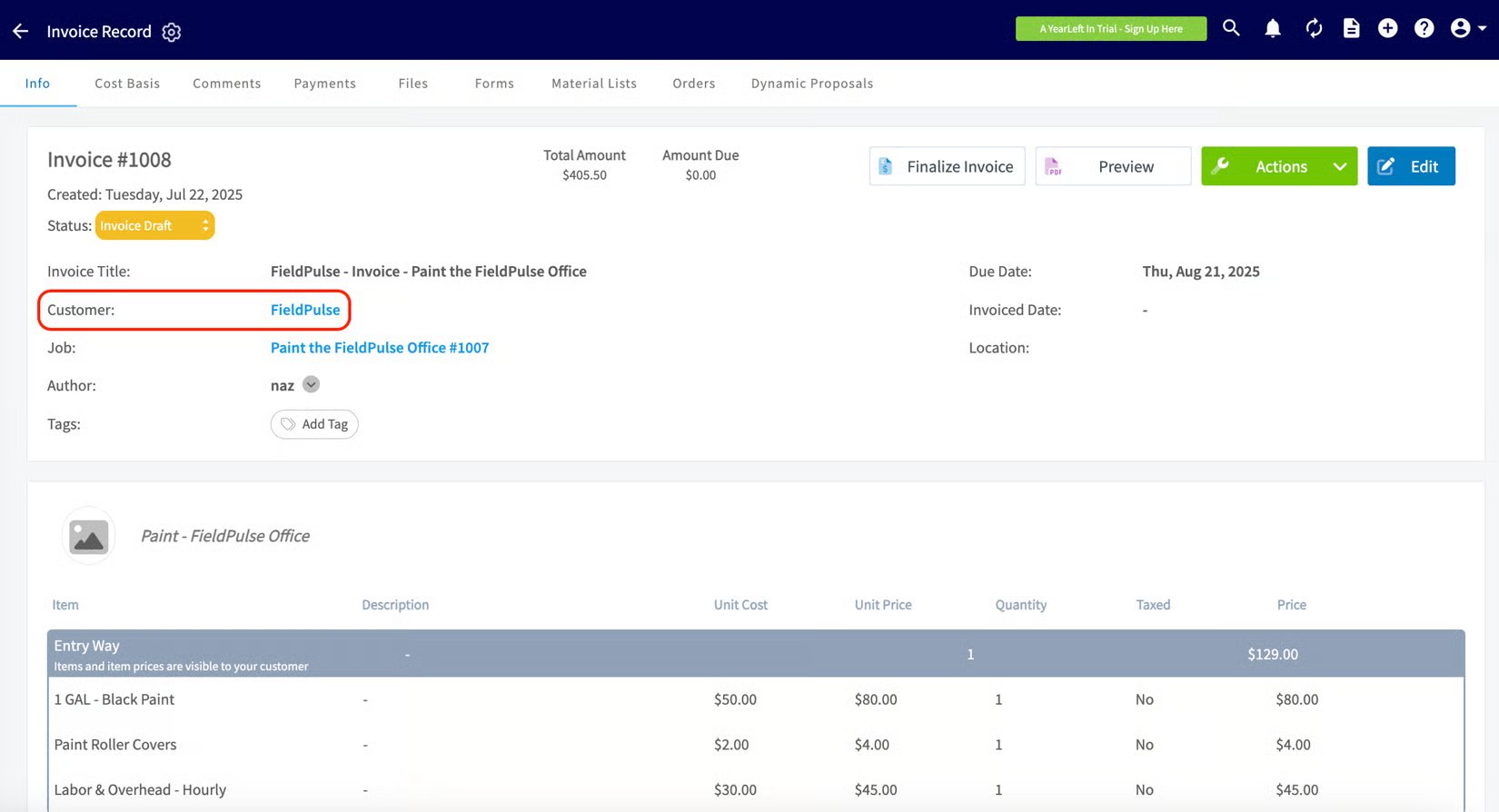
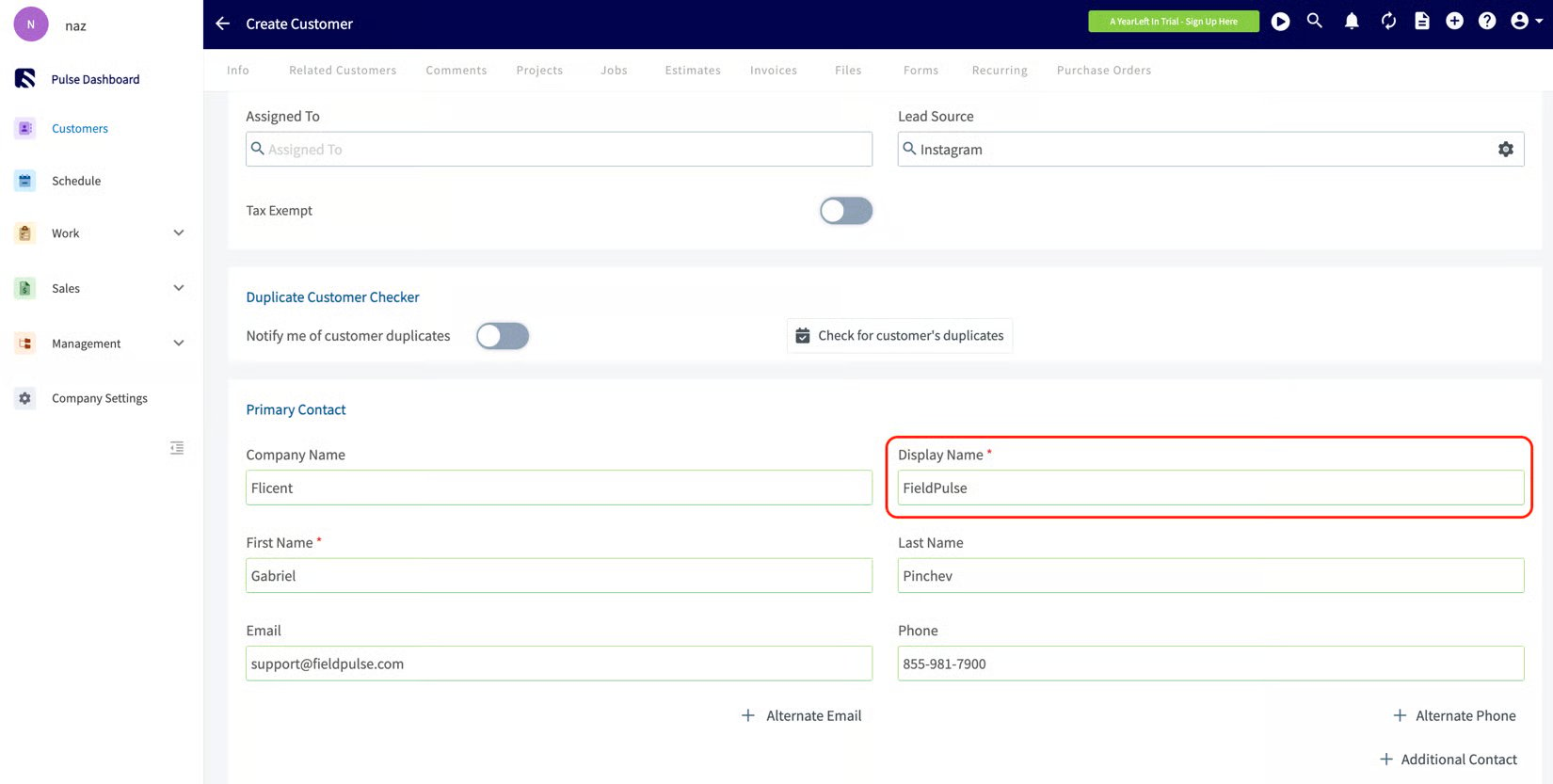 When you select **Display Name**, the Name field reflects the customer's Display Name (instead of Company/First Name) on all of the following records, and in [FieldPulse reporting](https://www.fieldpulse.com/features/dashboards-and-reporting):
* [Customers](https://www.fieldpulse.com/features/customer-management)
* [Estimates](https://www.fieldpulse.com/features/estimates-and-invoices)
* Invoices
* Jobs and Assets
* [Maintenance Agreements](https://www.fieldpulse.com/features/maintenance-agreements)
* [Custom Forms](https://www.fieldpulse.com/features/custom-forms)
* Dynamic Proposals
When you select **Display Name**, the Name field reflects the customer's Display Name (instead of Company/First Name) on all of the following records, and in [FieldPulse reporting](https://www.fieldpulse.com/features/dashboards-and-reporting):
* [Customers](https://www.fieldpulse.com/features/customer-management)
* [Estimates](https://www.fieldpulse.com/features/estimates-and-invoices)
* Invoices
* Jobs and Assets
* [Maintenance Agreements](https://www.fieldpulse.com/features/maintenance-agreements)
* [Custom Forms](https://www.fieldpulse.com/features/custom-forms)
* Dynamic Proposals
 ## Related articles
* [QuickBooks Online Overview](/integrations/accounting/quickbooks-online/overview)
* [How to Enable Automatic Deposit Invoices in QuickBooks](/integrations/accounting/quickbooks/automatic-deposit-invoices)
Your preference is working when a customer's chosen name field appears as the primary name on their customer record, estimates, and invoices — and, if you chose Display Name, that field now shows as required on customer records.
## Related topics
- [QuickBooks Desktop Overview](/integrations/accounting/quickbooks-desktop/overview.md)
- [QuickBooks Online Overview](/integrations/accounting/quickbooks-online/overview.md)
- [QuickBooks (Shared)](/integrations/accounting/quickbooks/index.md)
- [How to Enable Automatic Deposit Invoices in QuickBooks](/integrations/accounting/quickbooks/automatic-deposit-invoices.md)
## Related articles
* [QuickBooks Online Overview](/integrations/accounting/quickbooks-online/overview)
* [How to Enable Automatic Deposit Invoices in QuickBooks](/integrations/accounting/quickbooks/automatic-deposit-invoices)
Your preference is working when a customer's chosen name field appears as the primary name on their customer record, estimates, and invoices — and, if you chose Display Name, that field now shows as required on customer records.
## Related topics
- [QuickBooks Desktop Overview](/integrations/accounting/quickbooks-desktop/overview.md)
- [QuickBooks Online Overview](/integrations/accounting/quickbooks-online/overview.md)
- [QuickBooks (Shared)](/integrations/accounting/quickbooks/index.md)
- [How to Enable Automatic Deposit Invoices in QuickBooks](/integrations/accounting/quickbooks/automatic-deposit-invoices.md)