> ## Documentation Index
> Fetch the complete documentation index at: https://help.fieldpulse.com/llms.txt
> Use this file to discover all available pages before exploring further.
# Creating Related Customers
> Link a customer's multiple service addresses under one parent record while still booking and tracking jobs per location.
If you have one customer with multiple locations that you service, you can set the customer up as a *Parent Customer* and set up their various locations as *Related Customers*. This allows you to keep all of the locations organized under one central customer while still setting up individual jobs for each location.
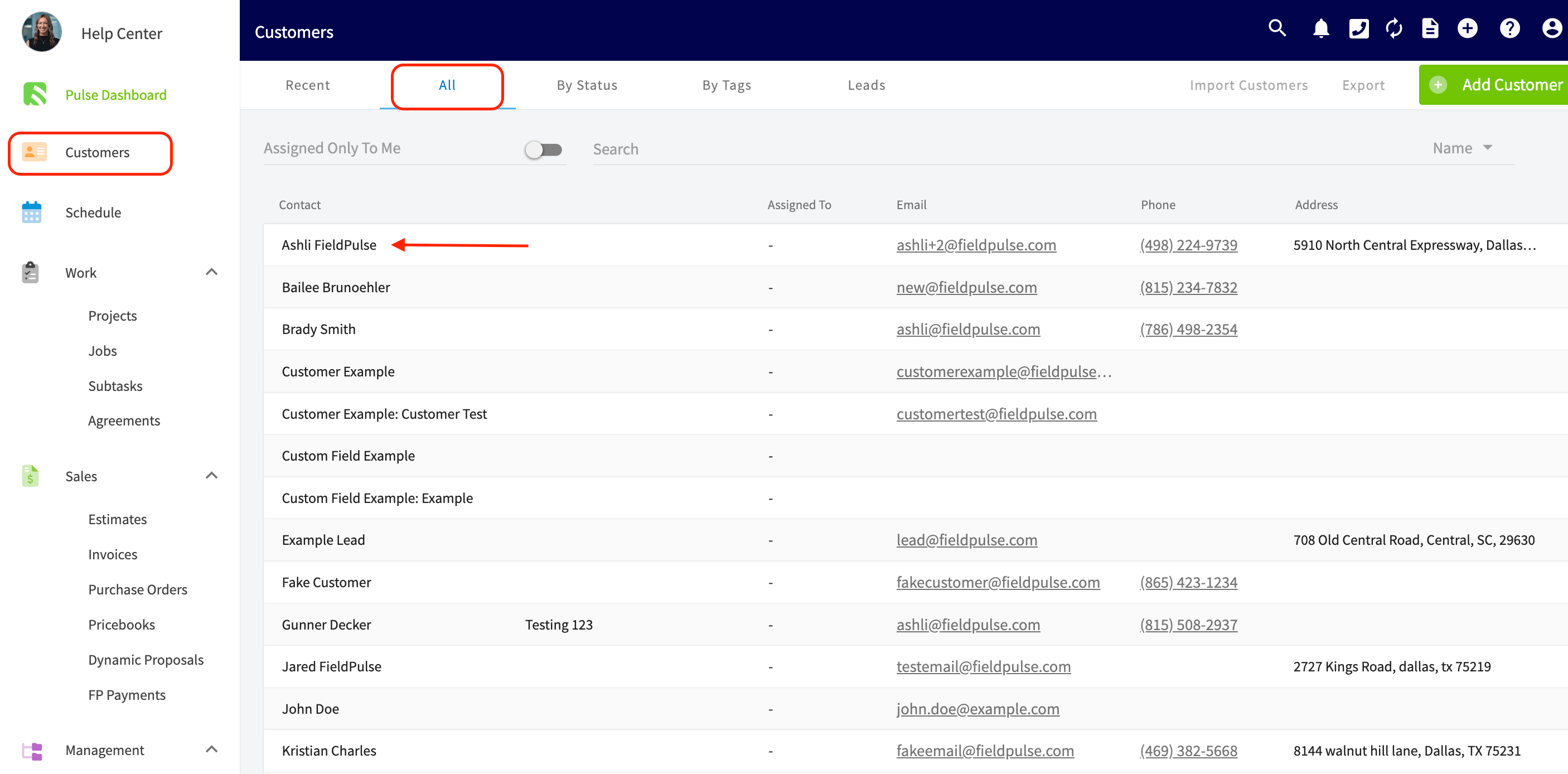
To do this, go to your *Customers* list on the left hand menu, then select the company that you want to set up multiple locations for.
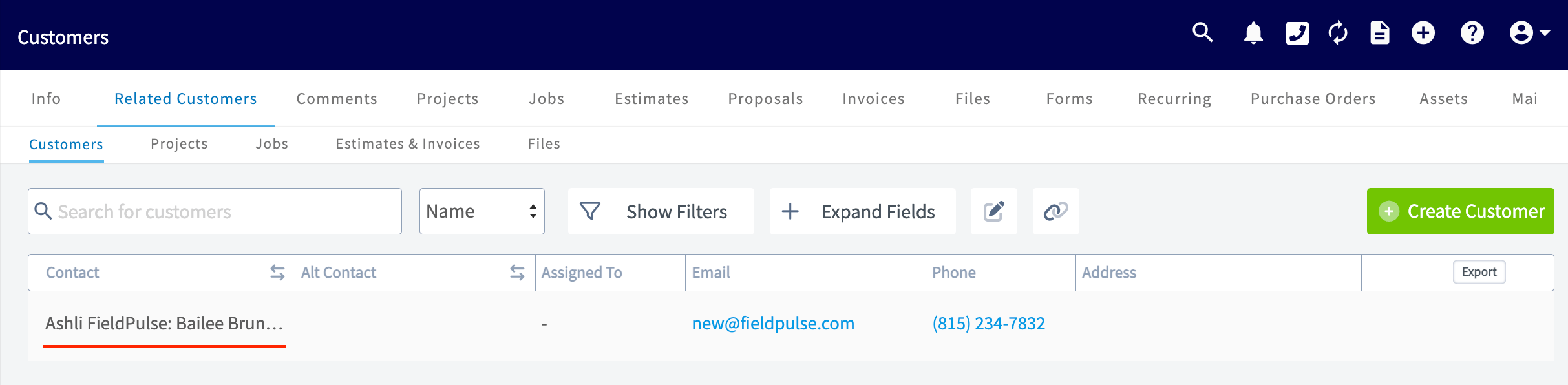
 On the customer record for the *Parent Customer,* click on *Related Customers* in the header. On the *Related Customers* page, click on *Create Customer*.
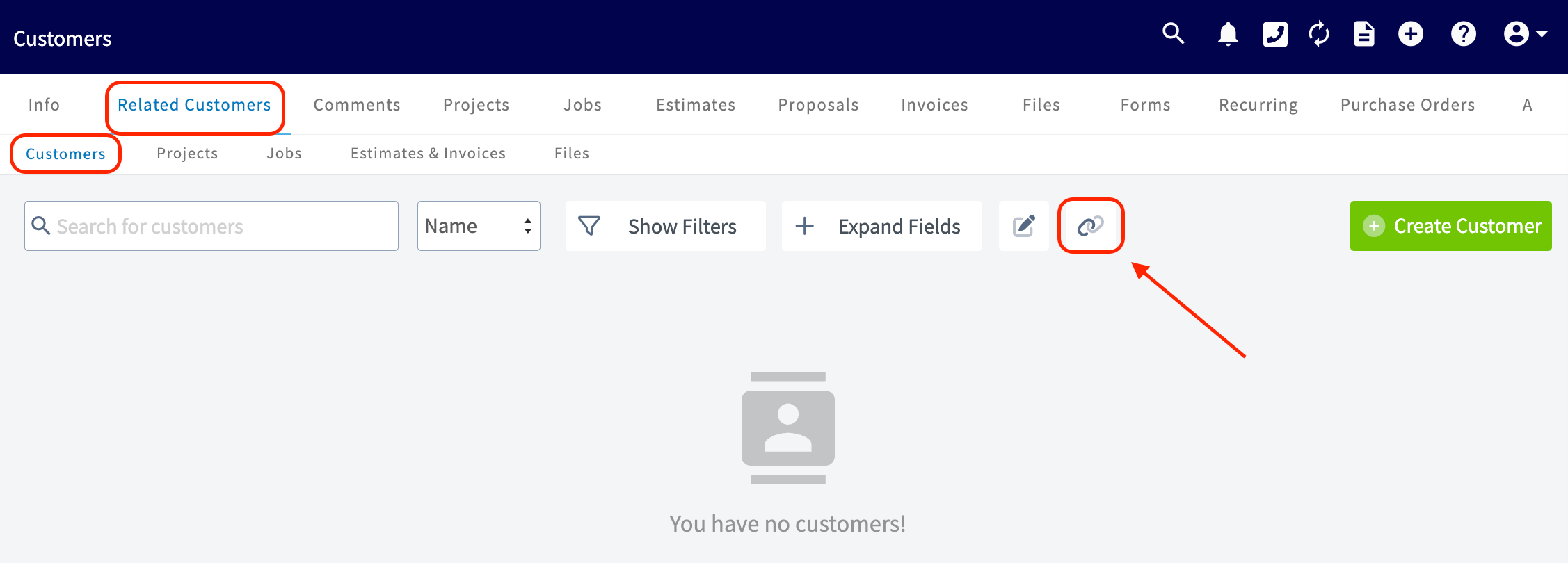
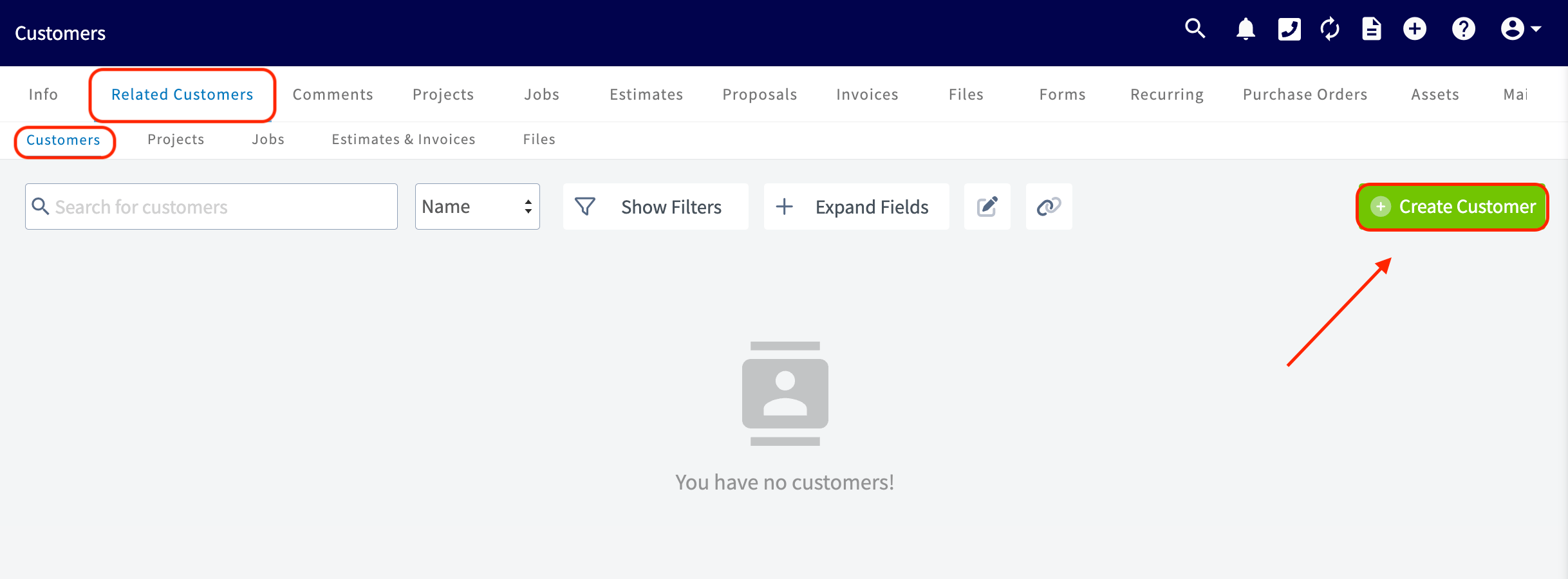 This will allow you to create a new customer that is linked to the parent customer. You can also choose to link an existing customer as a *Related Customer* using the *Link Customer* button.
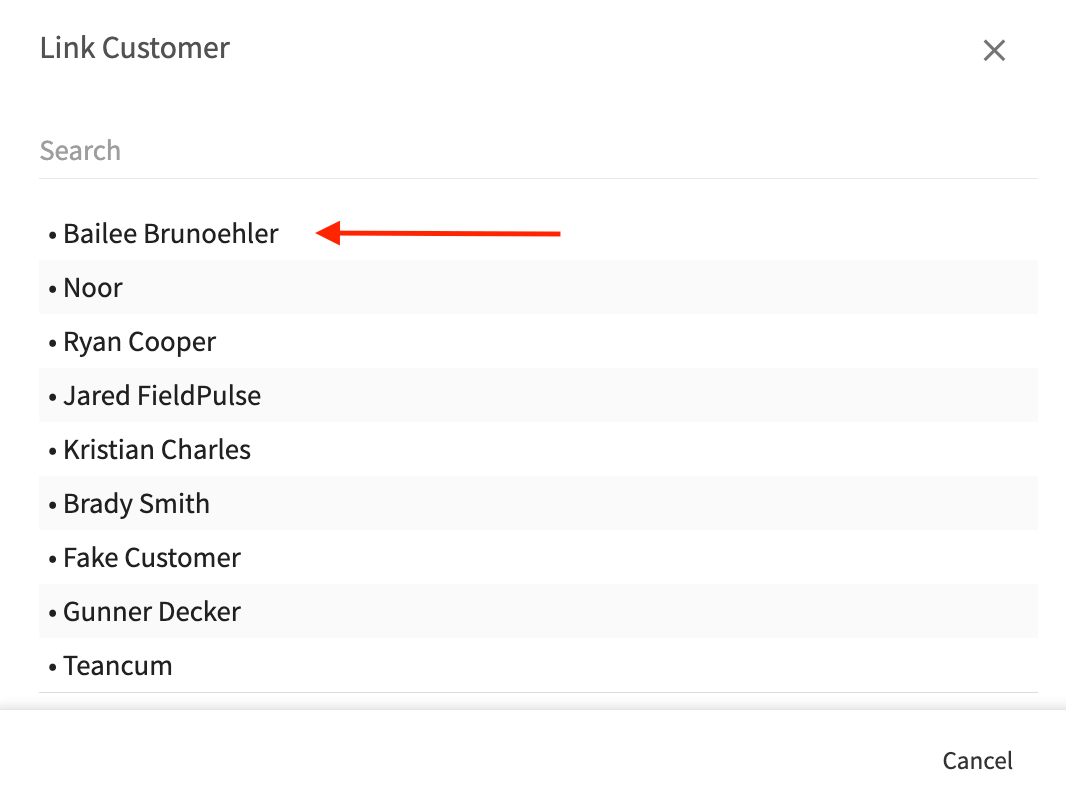
 You'll then select which pre-existing customer you want to link to the Parent record from the pop-up.
 You will then see that *Child Customer* is linked under the *Related Customers* tab for that *Parent Customer*.
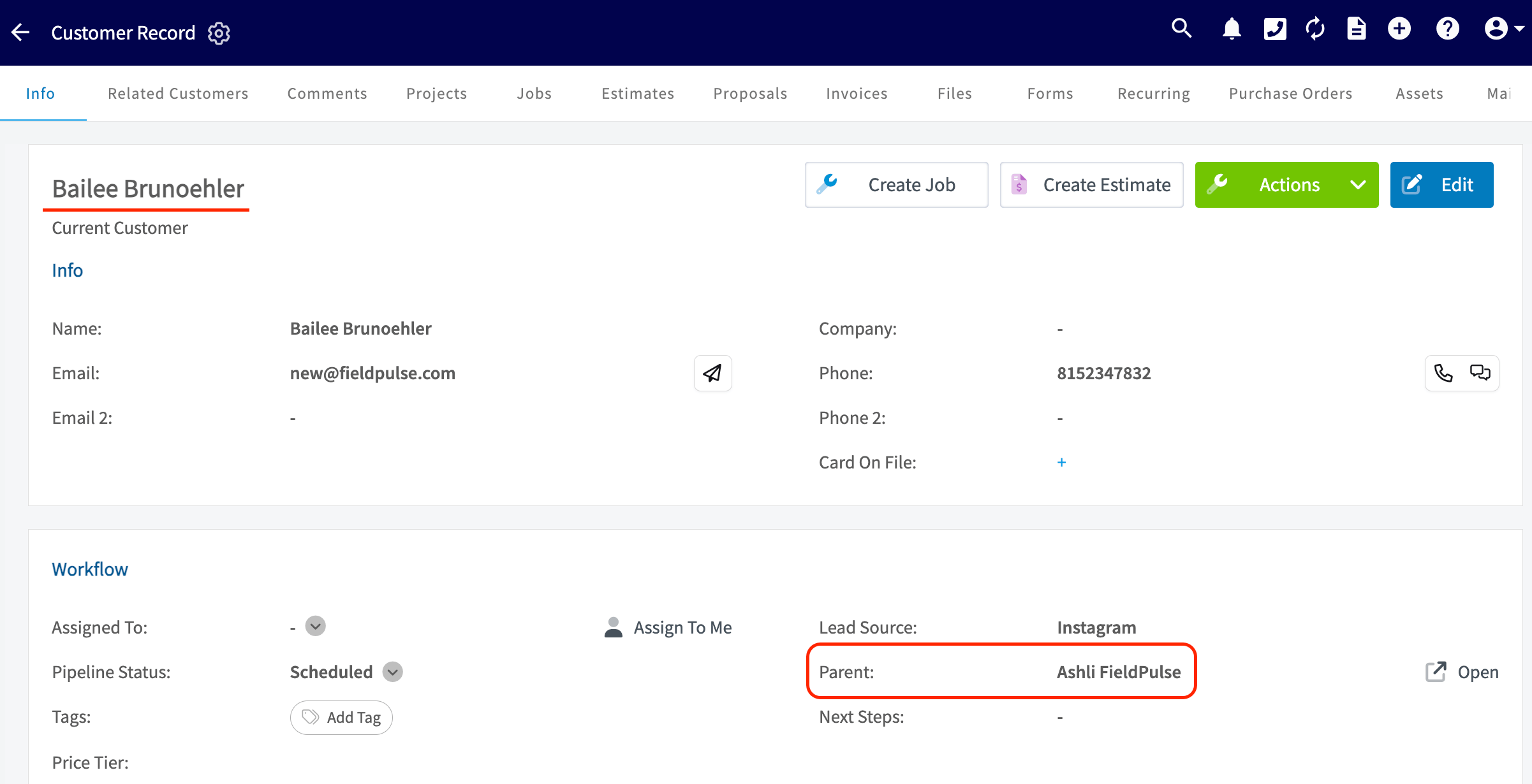
 On the *Child* customer record, you'll see the *Parent Customer* linked underneath the name of this location.
 *(**Note:** you can add as many related customers as needed.)*
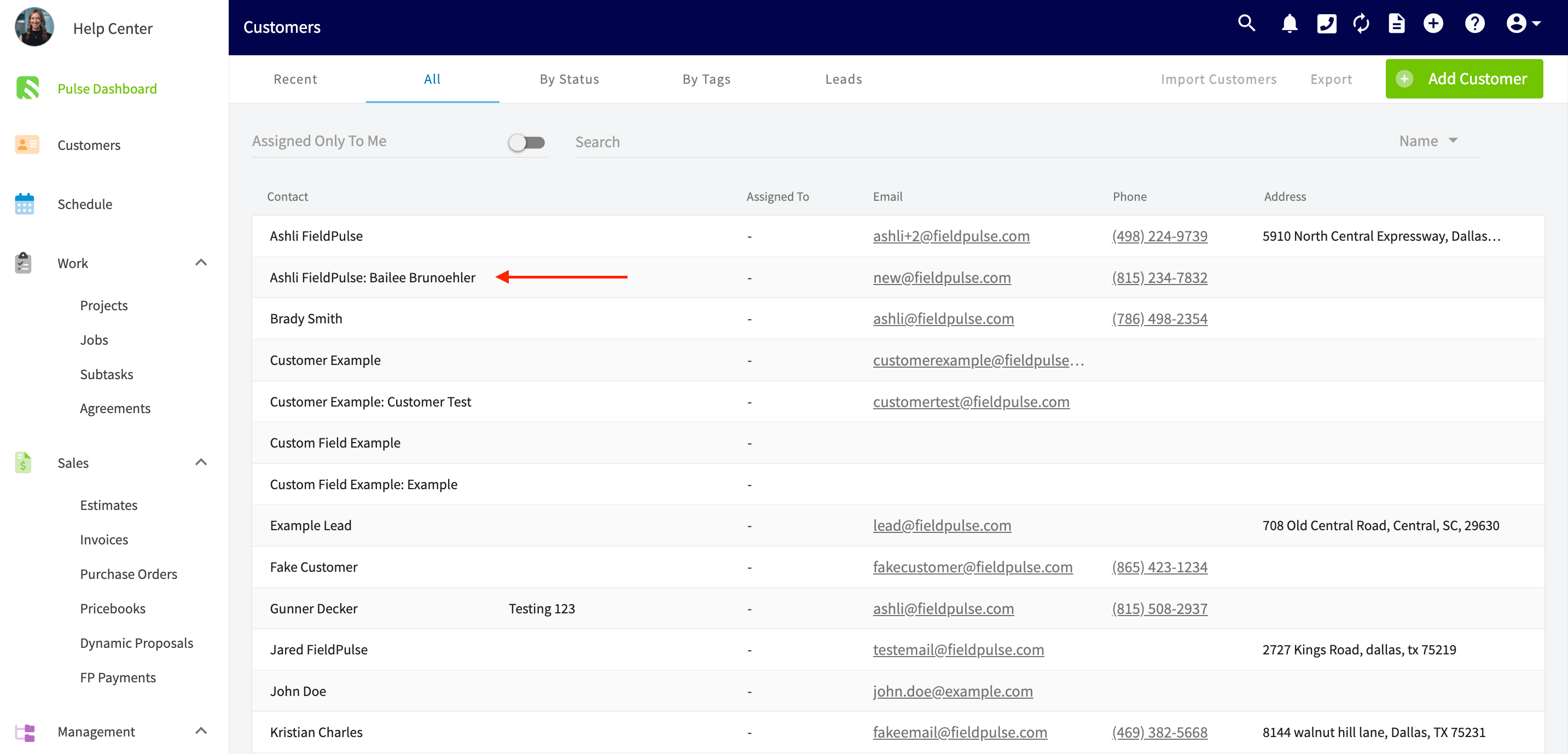
In the main customer list, the name of related customers will be displayed as: "Parent Customer: Related Customer."
*(**Note:** you can add as many related customers as needed.)*
In the main customer list, the name of related customers will be displayed as: "Parent Customer: Related Customer."
 ***
# Video Tutorial
***
**Have additional questions?**
*Contact us at [support@fieldpulse.com](mailto:support@fieldpulse.com) or use the chat feature in the bottom right corner of your screen.*
***
# Video Tutorial
***
**Have additional questions?**
*Contact us at [support@fieldpulse.com](mailto:support@fieldpulse.com) or use the chat feature in the bottom right corner of your screen.*