

Documentation Index
Fetch the complete documentation index at: https://fieldpulse.mintlify.app/llms.txt
Use this file to discover all available pages before exploring further.
Why Enable Customer & Job-Level Sales Accounts?
If your business works across different customer types (e.g. residential vs commercial) or service types (e.g. maintenance vs construction), you may want to separate revenue by sales account in your accounting system. This helps ensure accurate reporting, forecasting, and compliance. ⚠️ Important: Always consult your accountant before changing sales account structures or Xero sales accounts. Incorrect settings may impact your financial reporting. Note: The Xero integration is only available for customers in Australia and New Zealand.How It Works
If enabled, sales accounts will now follow a hierarchy:- Company Default – Used if no other override is set.
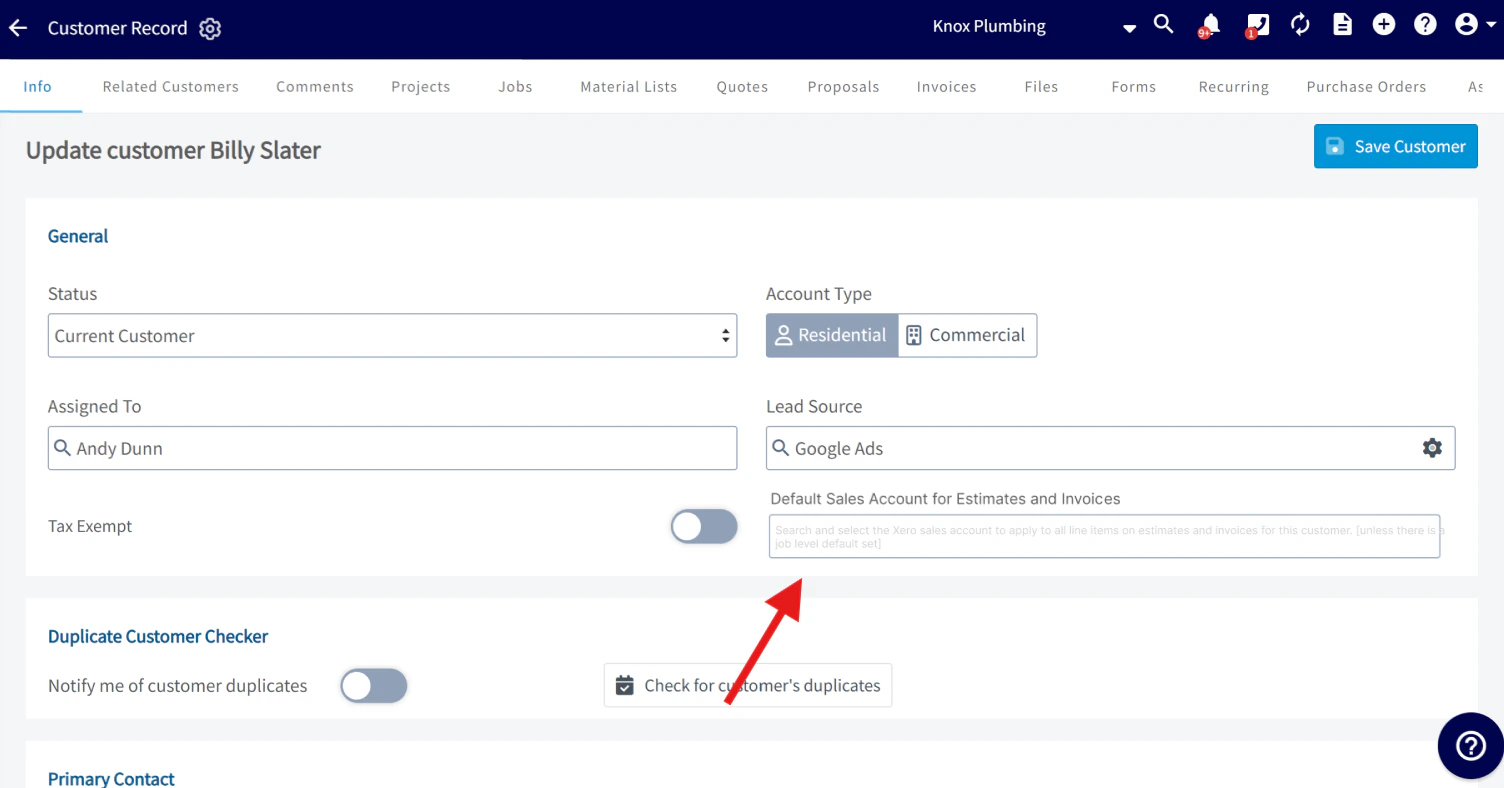
- Customer-Level Default – Overrides the company-wide default.
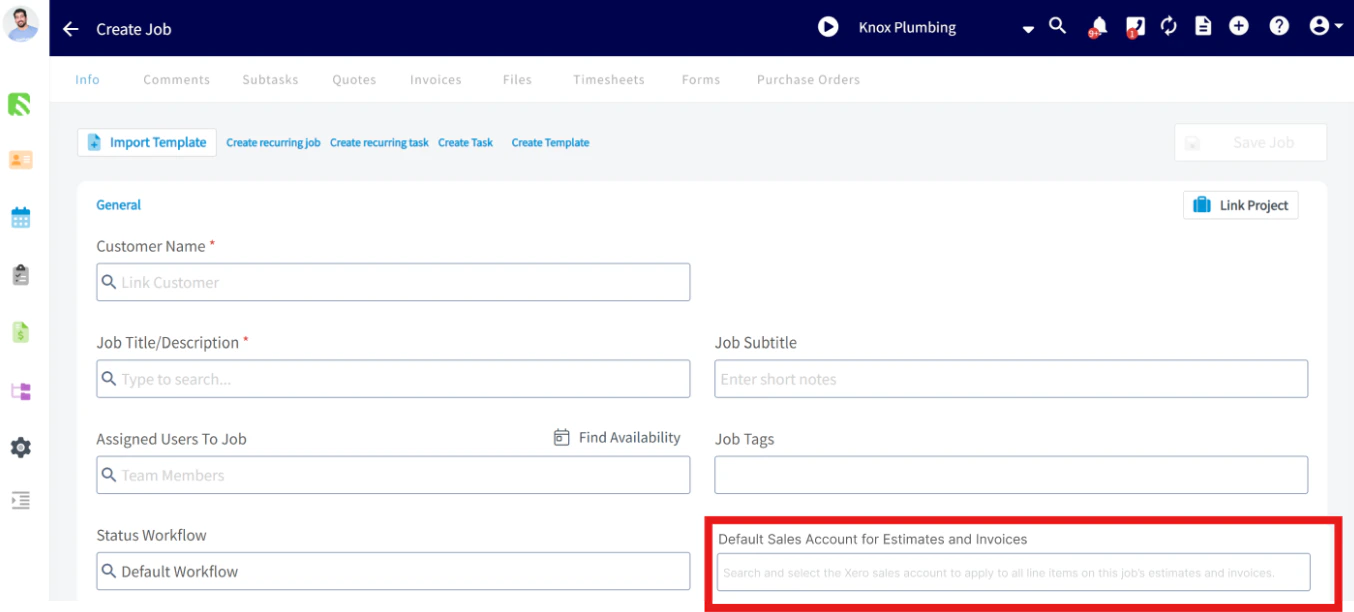
- Job-Level Default – Always overrides both company and customer-level defaults.
How to Enable Customer/Job-Level Sales Accounts
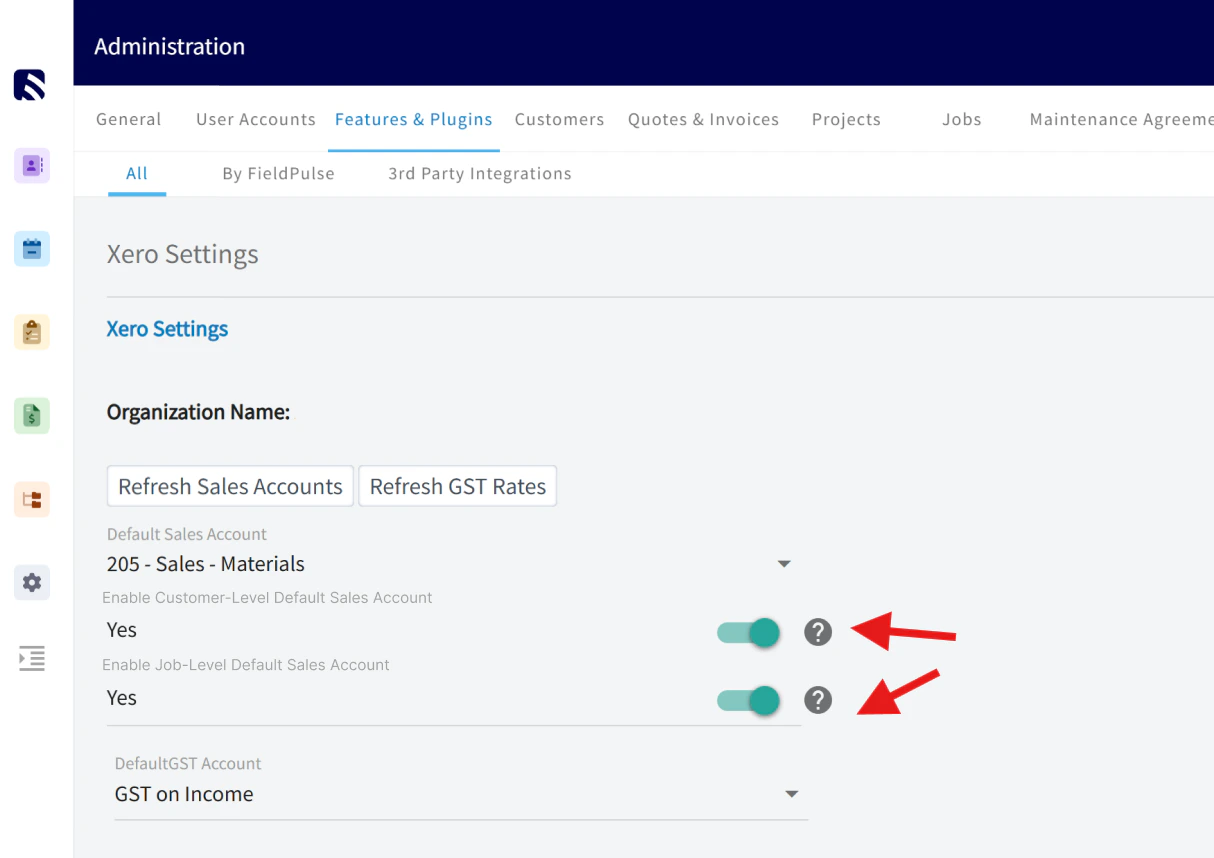
- Go to Company Settings
- Select Features & Plug-Ins > Xero > Settings

- Toggle Enable Customer & Job-Level Default Sales Account to ON
How to Use It
- Customer-Level Setup:
- Job-Level Setup:
Reporting
A new column called Default Sales Account for Estimates & Invoices will appear in Customer & Job reports, so you can easily track and filter your customers and jobs by their associated sales account.Important Note
This feature only applies to new estimates and invoices created after customer or job level sales account defaults have been enabled. FieldPulse will not retroactively update the sales account on any existing estimates or invoices — regardless of their status. The new defaults only apply moving forward from the time the feature is turned on.Video Tutorial
Have additional questions? Contact us at support@fieldpulse.com or use the chat feature in the bottom right corner of your screen.