

By recording the costs of your line items internally, you can easily track the cost basis and profit margins of your estimate or invoice. Don’t want team members to see the costs of the line items? Although your item list can store the unit cost, you can hide the unit costs from your team members when they create estimate or invoices. (Note: If you have not entered costs for your line items, a cost basis cannot be generated.)Documentation Index
Fetch the complete documentation index at: https://fieldpulse.mintlify.app/llms.txt
Use this file to discover all available pages before exploring further.
Enabling Invoice Cost Basis
To enable invoice cost basis, navigate to Company Settings in the left-side menu and click Estimates & Invoices. Then click Advanced in the sub header. On the Advanced Invoice Settings page, toggle Invoice Cost Basis on.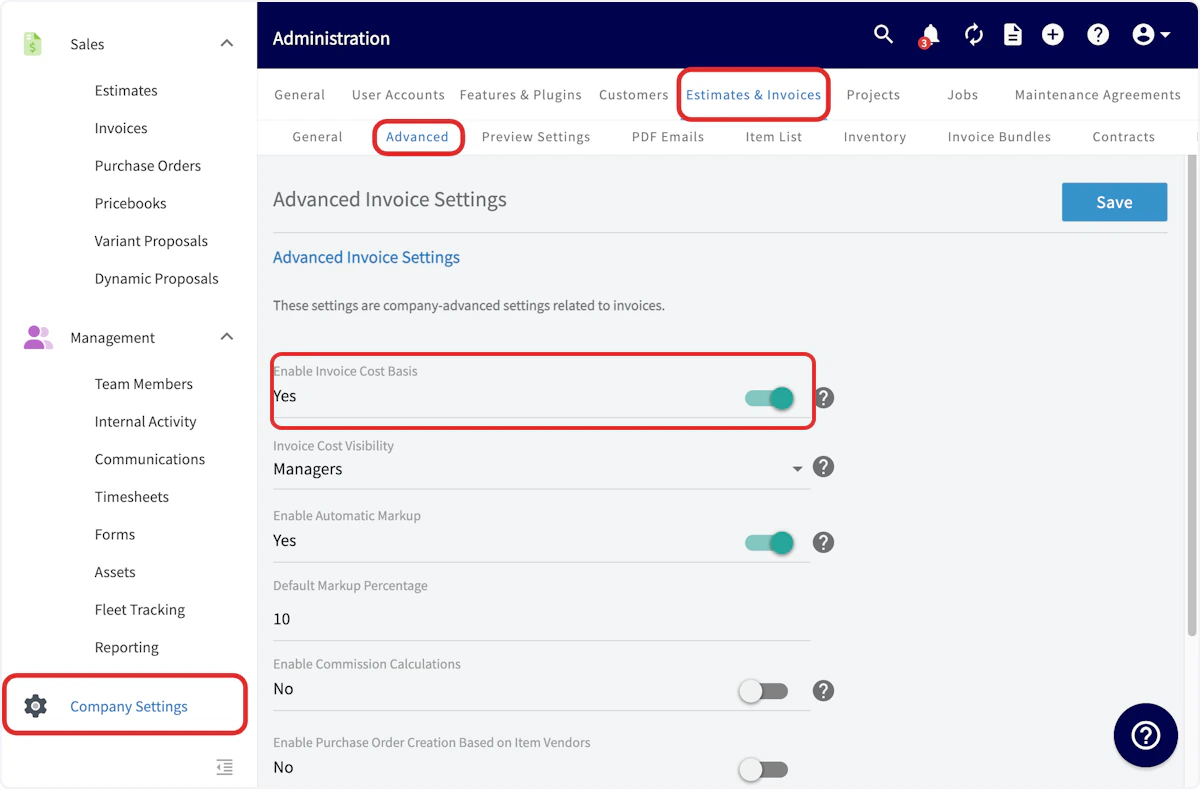
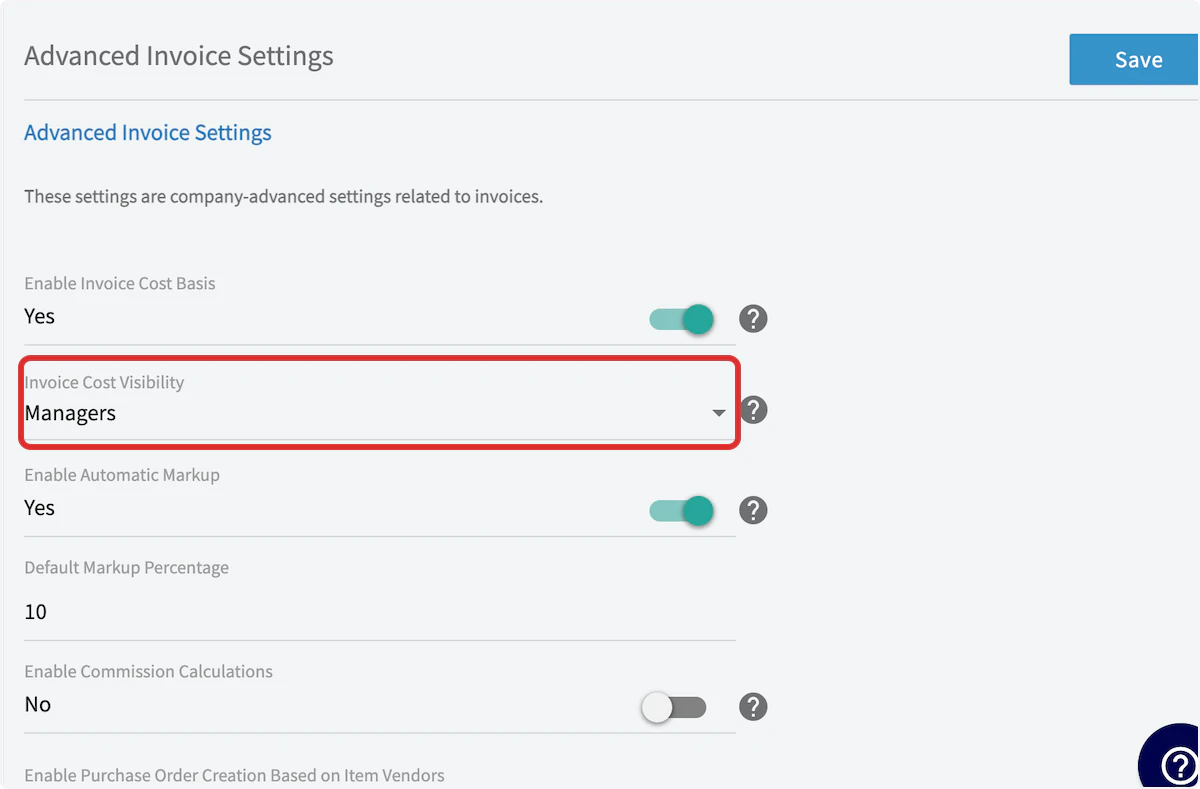
Viewing Invoice Cost Basis
Now, you’ll want to open an existing invoice record or create a new invoice. Once you’ve entered your line items with their respective unit costs and the other relevant information, scroll down to the bottom of the page and click Save to create the invoice. Then, on the Invoice Record page, click on Cost Basis in the top menu.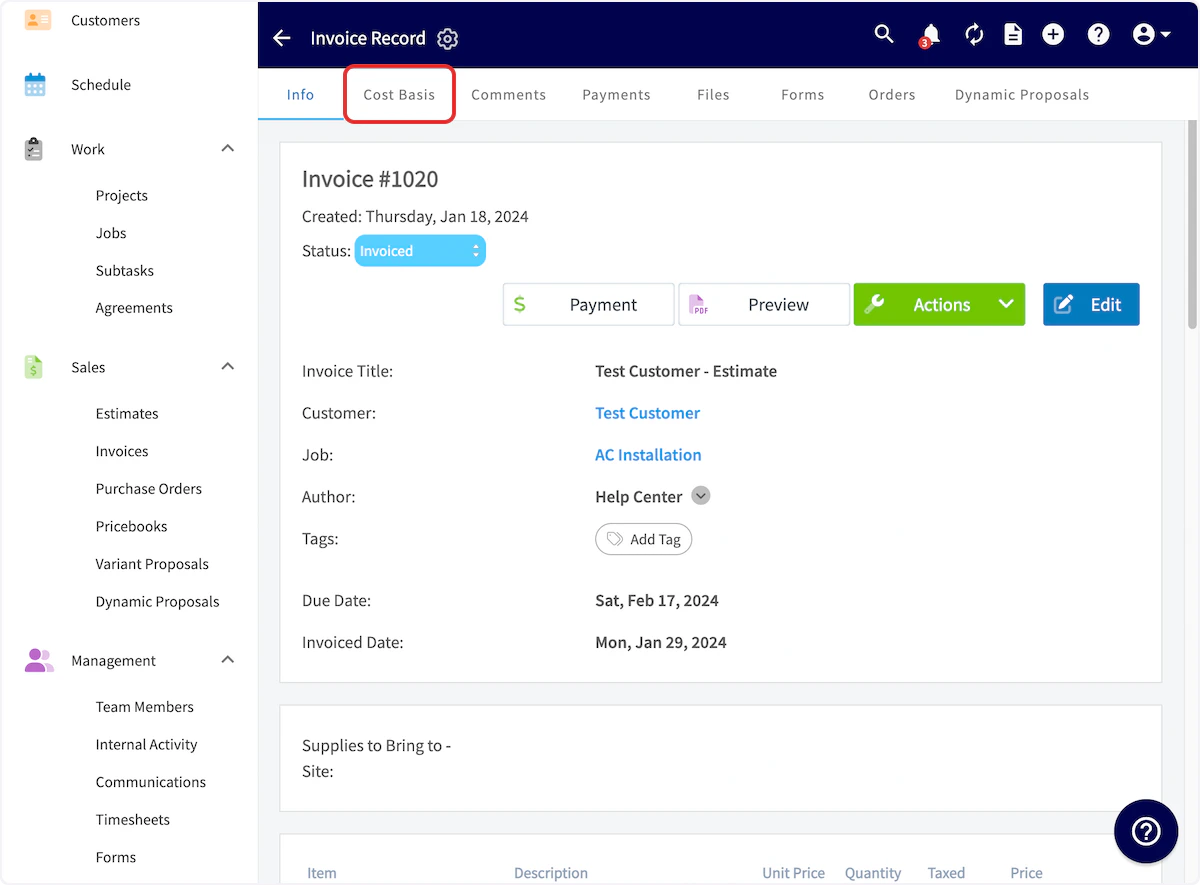
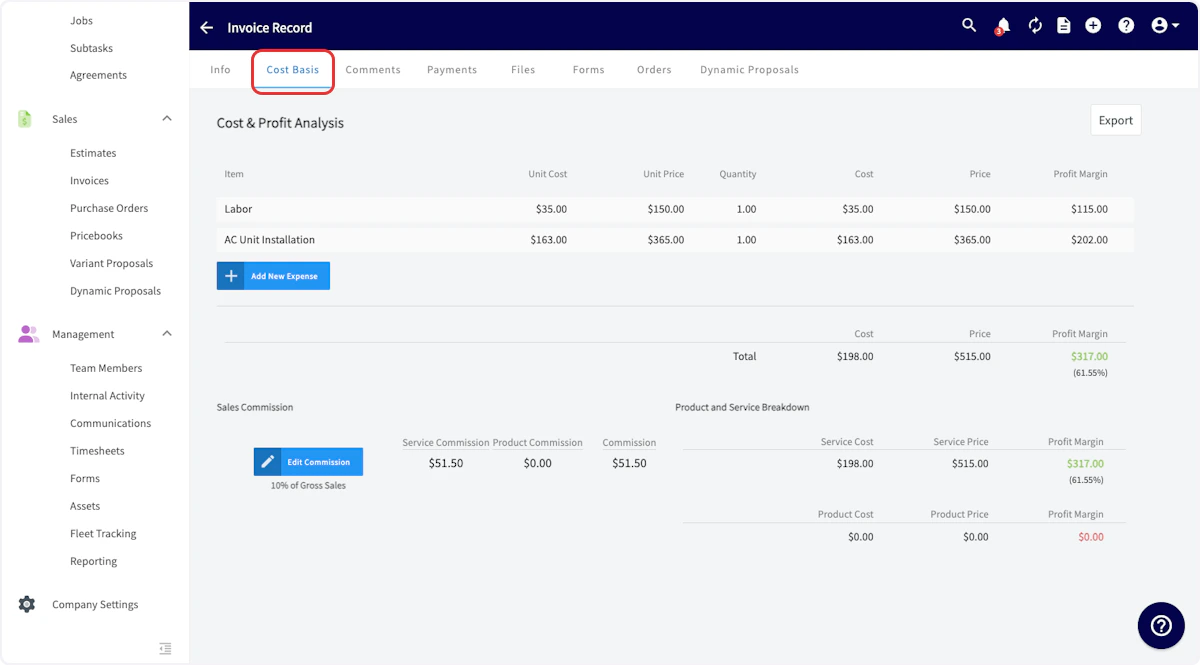
Reminder: Discounts will not appear on the invoice cost basis tab and are not factored into the cost basis calculation. The total invoice amount displayed reflects the pre-discount total.
Video Tutorial
Have additional questions? Contact us at support@fieldpulse.com or use the chat feature in the bottom right corner of your screen.