

In FieldPulse, you have the ability to create contracts that can be attached to your estimates and invoices. Customers can conveniently sign directly within the mobile app, or you can request their signature via email. If you require a signature on an estimate before starting work for your customer, you must attach a contract.Documentation Index
Fetch the complete documentation index at: https://fieldpulse.mintlify.app/llms.txt
Use this file to discover all available pages before exploring further.
Creating a Contract
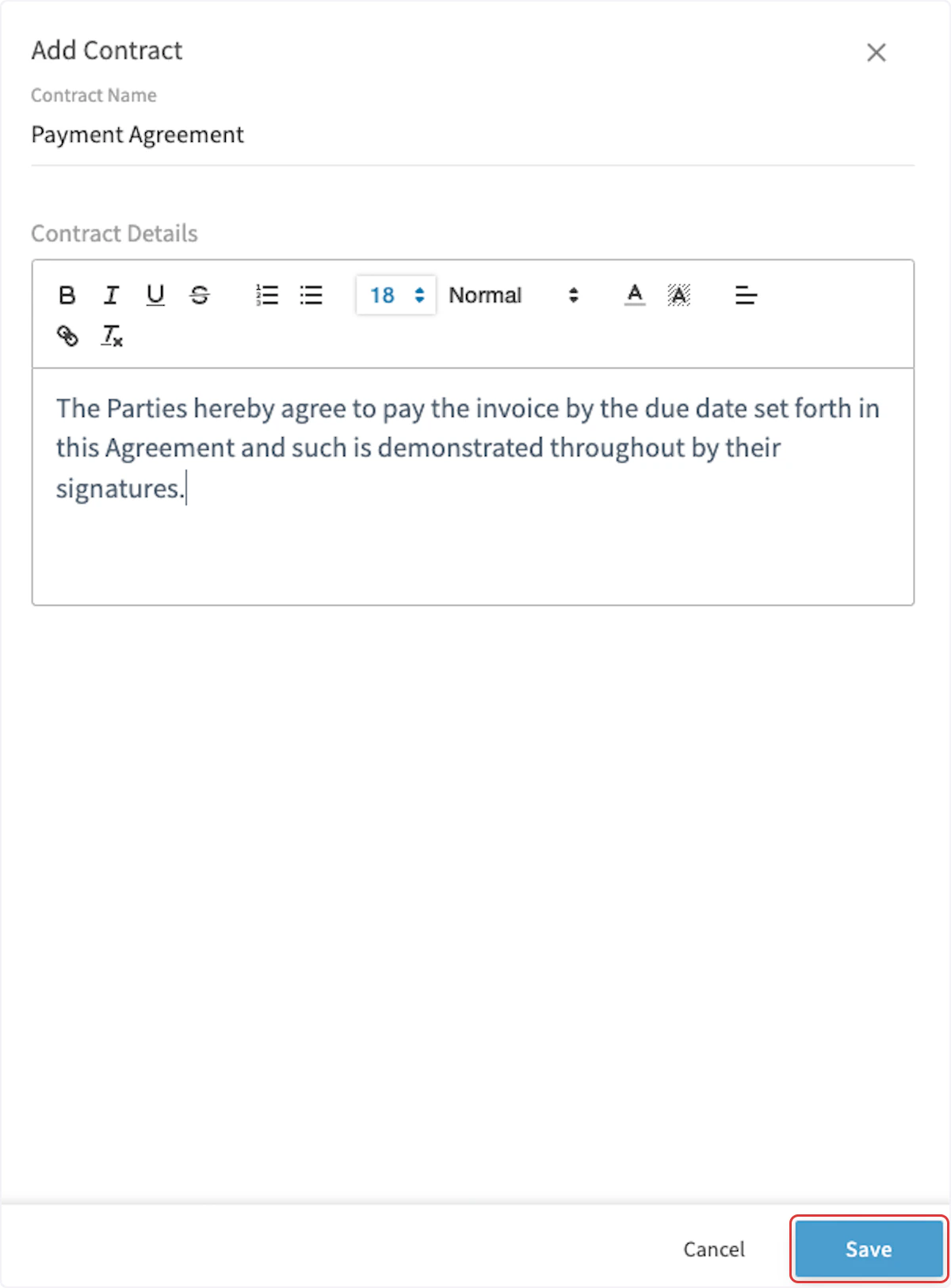
To create a new contract, navigate to Company Settings in the left-side menu, then click on Estimates & Invoices. Navigate to Contracts in the sub-header. Once on the Contracts page, click Create New.

Setting a Default Contract
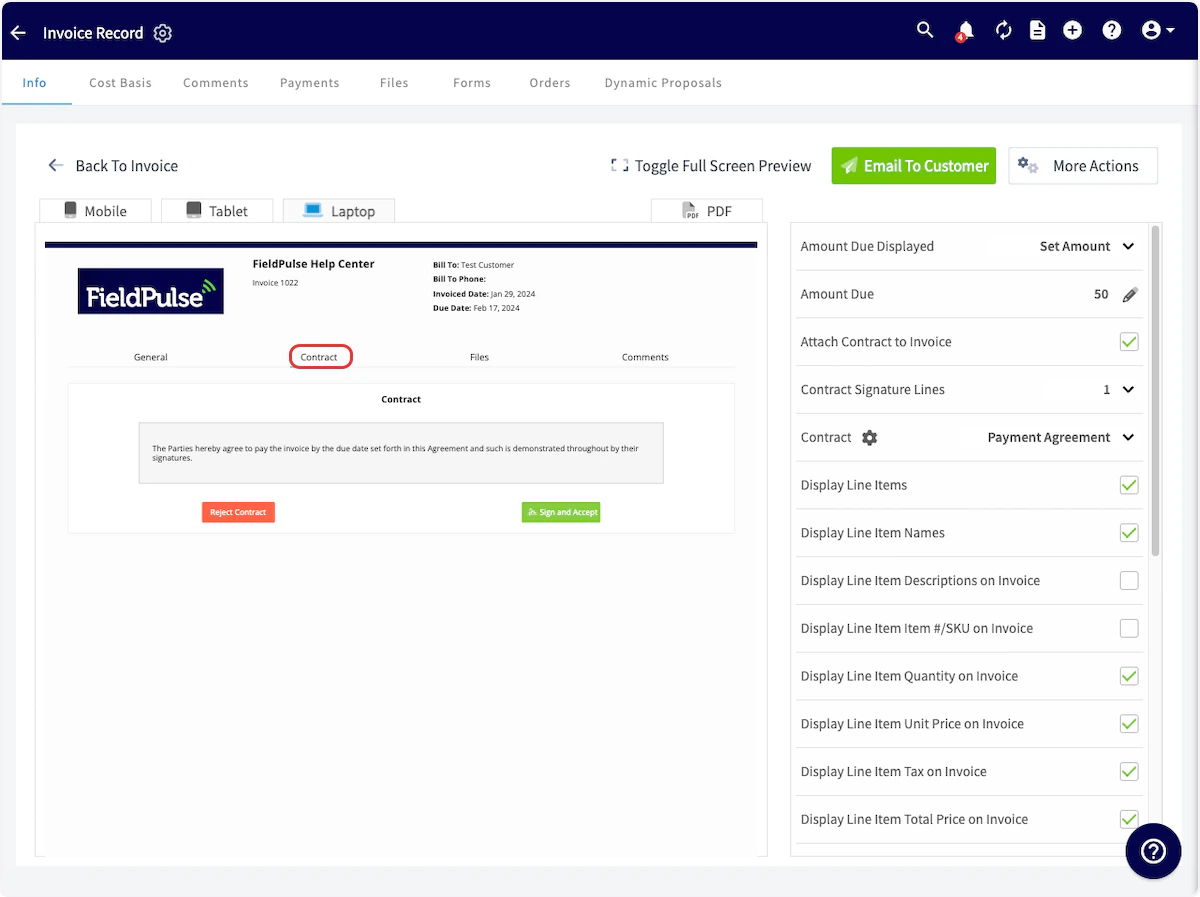
To automatically add your new contract to all of your estimates and invoices, click on Preview Settings under Estimates & Invoices and toggle on Attach Contract to PDF.


Video Tutorial
Have additional questions? Contact us at support@fieldpulse.com or use the chat feature in the bottom right corner of your screen.