
Use Supplier Chat to
- Streamline your purchase order management by sending purchase orders created in FieldPulse via Supplier Chat to your suppliers. This functionality is available on our web and mobile app!
- Ask suppliers a variety of questions including but not limited to the following: inventory, pricing, order status, and more.
Please Note: This feature is currently only available for users in the United States.
Industries
The following are industries you can chat with via Supplier Chat:- Appliances
- Carpet / Flooring
- Doors
- Electric
- Equipment
- Fastener
- Fencing
- Fire & Fabrication
- Glass
- Home Furnishing
- HVAC
- Insulation
- Irrigation
- Locks and Keys
- Lumber
- Other
- Paint
- Plumbing
- Pool
- Rental
- Retail Hardware
- Roofing / Building Supplies
- Specialty Construction
- Steel / Metal
- Stone & Concrete
- Water Softening
- Waterworks
How to Enable Supplier Chat
Start by clicking on Company Settings from the menu on the left hand side of your screen and selecting Features & Plugins. Navigate to Supplier Chat and select Enable.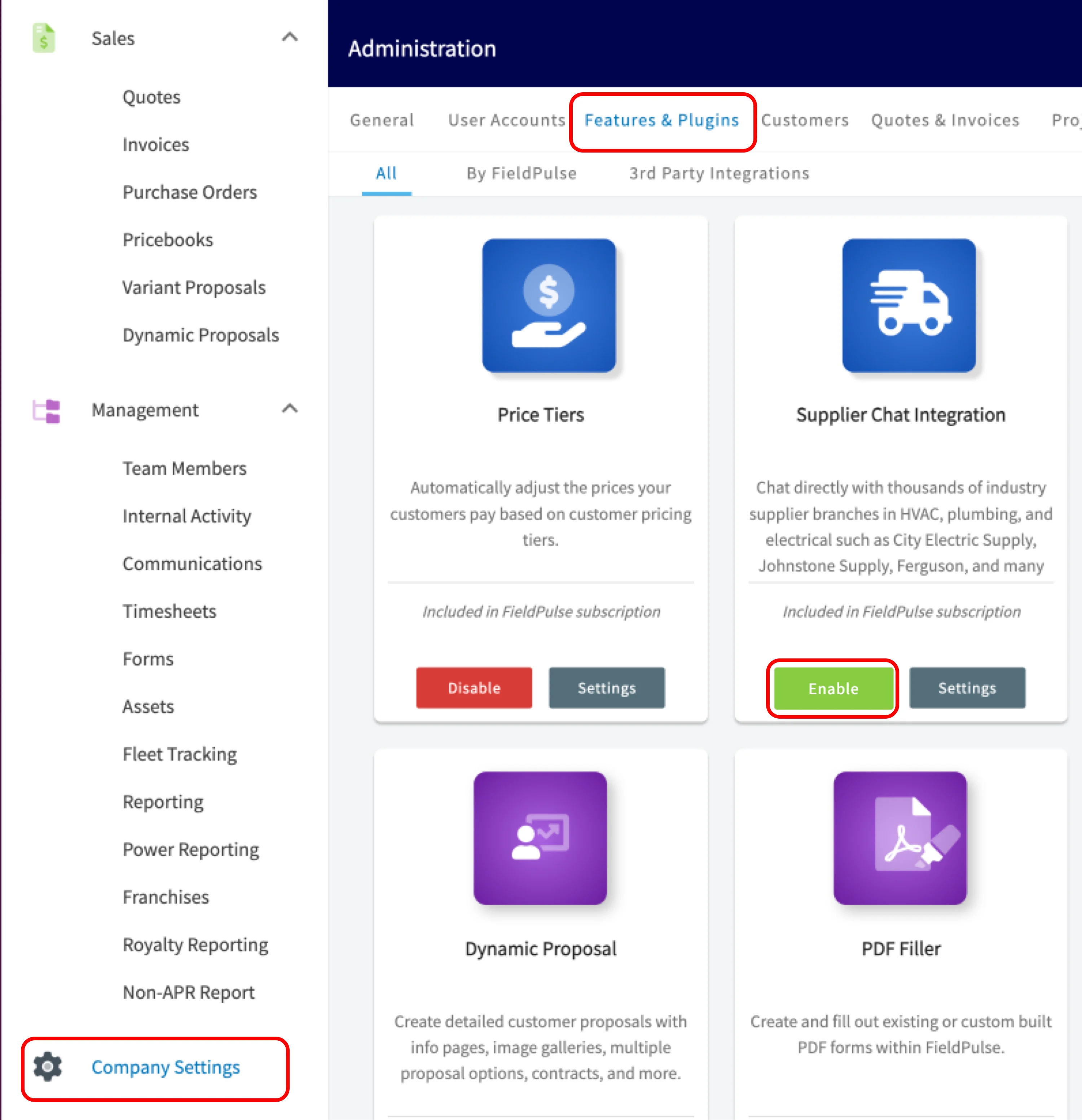
Permissions
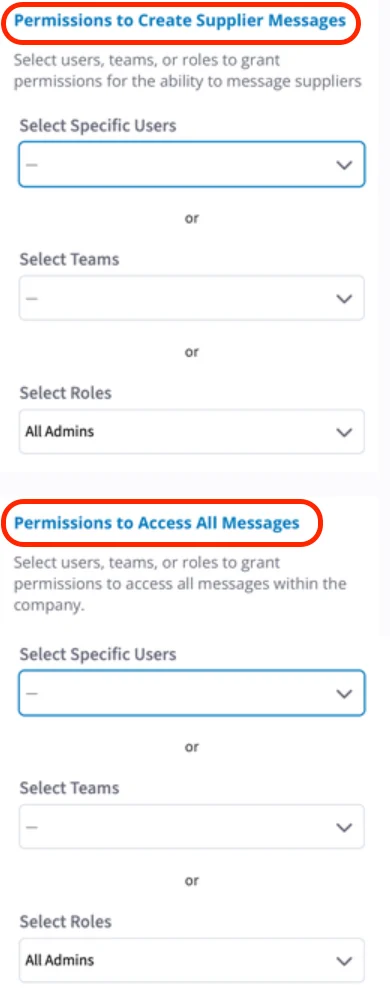
Permissions to Create Supplier Messages
This means the user can create a brand new message and reply to messages.Permissions to Access All Messages
This means the user can view all threads and every message.If the user has permission to both Create and Access, that means they can view and send messages in all message threads.
Begin Chatting
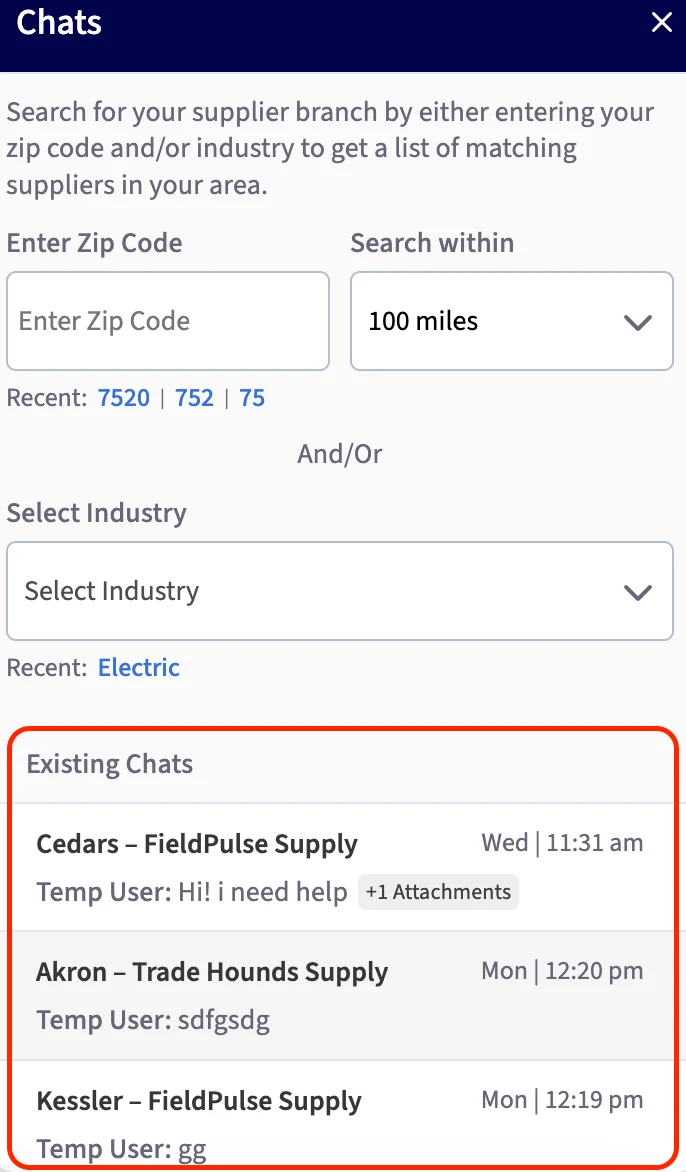
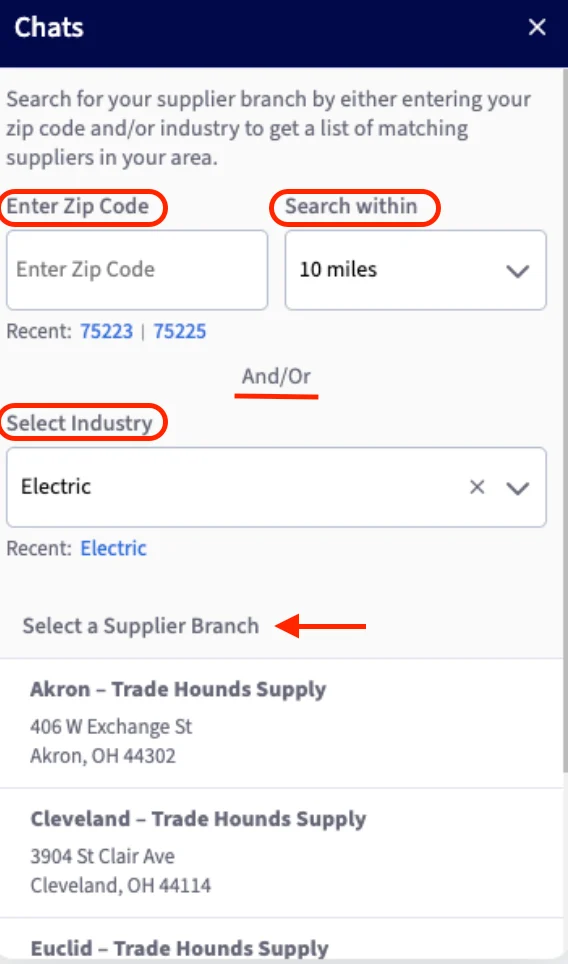
To initiate a chat with a supplier, click the truck icon from the navigation menu near the top right of your screen.

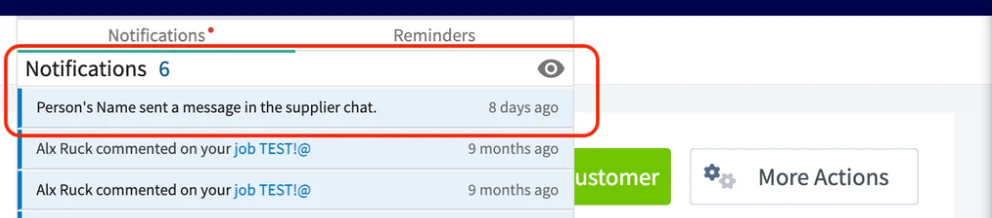
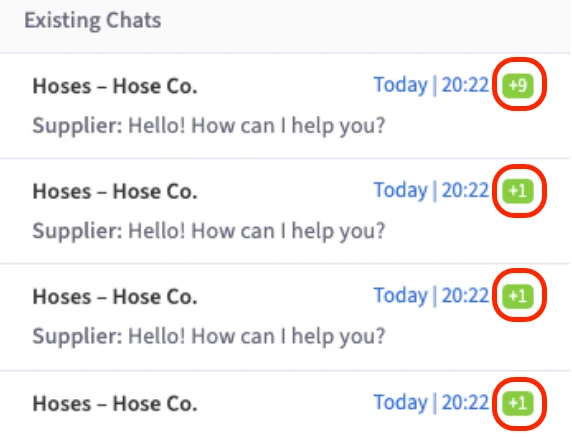
Send Purchase Orders Via Supplier Chat - Web App
If your supplier uses our Supplier Chat feature, you can send them the purchase orders you create in FieldPulse directly through Supplier Chat. Once you have created your purchase order, simply click the Send via Supplier Chat button to send it to them.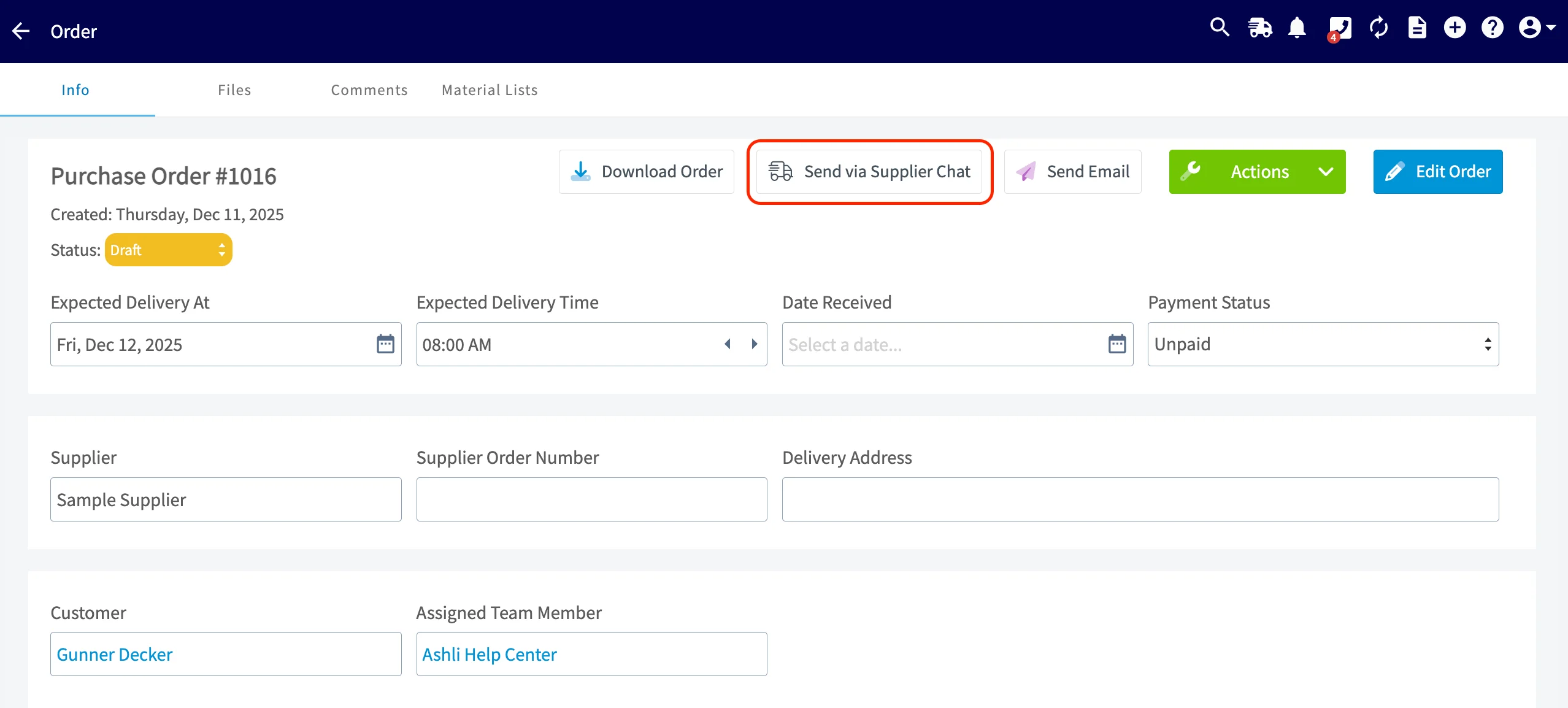
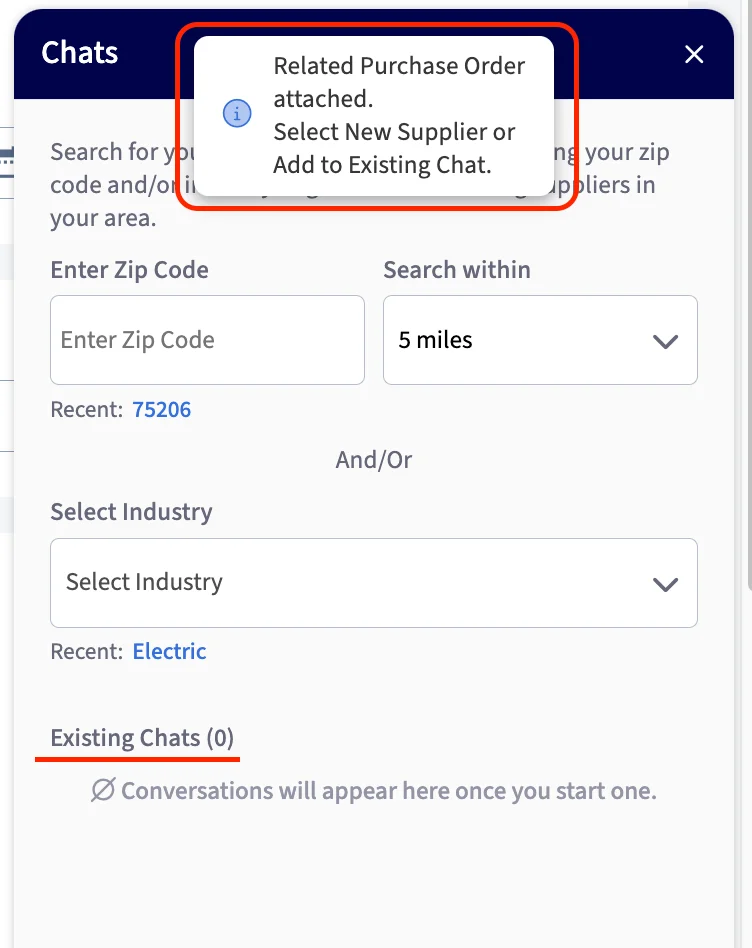
- Attaching it to an existing chat with a supplier.
- Searching for a new supplier and starting a chat with them.
Supplier Chat on Mobile App
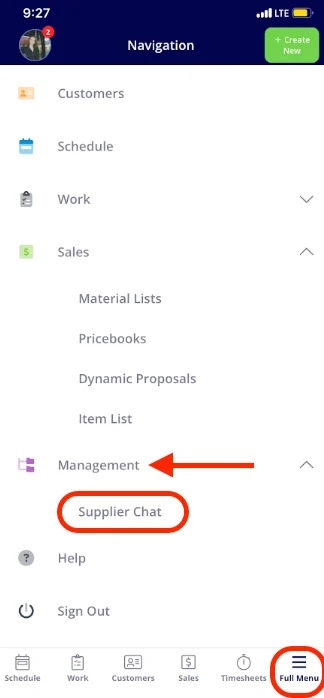
Our Supplier Chat feature, designed to streamline communications with your suppliers and keep your entire team informed, is also available on our mobile app! Note: Access to this feature is based on the user permissions set up within your Company Settings. To use Supplier Chat on the mobile app, follow these steps:- Open the app and go to Full Menu.
- Select the Management tab.
- Tap on Supplier Chat to get started!
Send Purchase Orders Via Supplier Chat - Mobile App
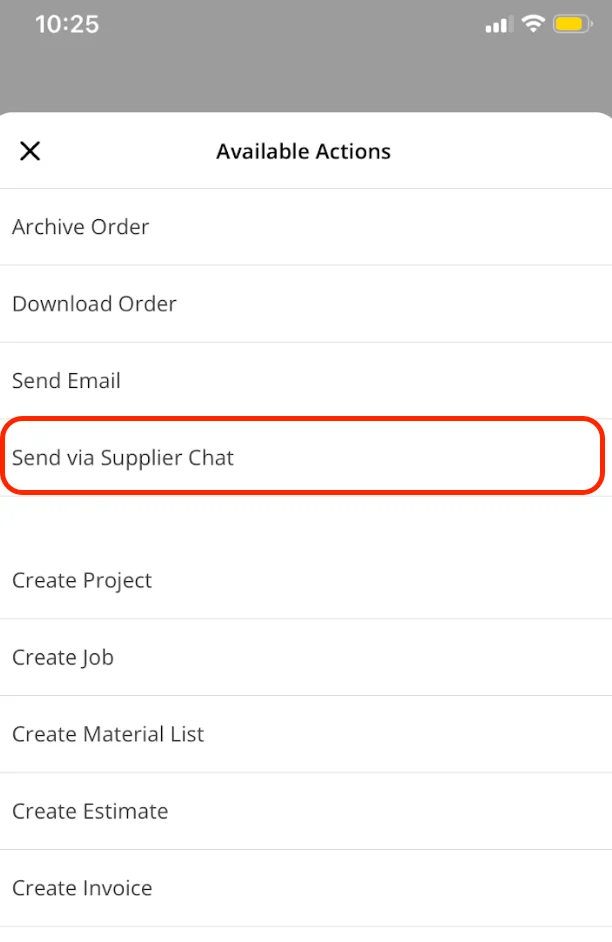
If your supplier uses our Supplier Chat feature, you can send them the purchase orders you create in FieldPulse directly through Supplier Chat. Once you have created your purchase order, simply click the Actions button. From here, select the Send via Supplier Chat button.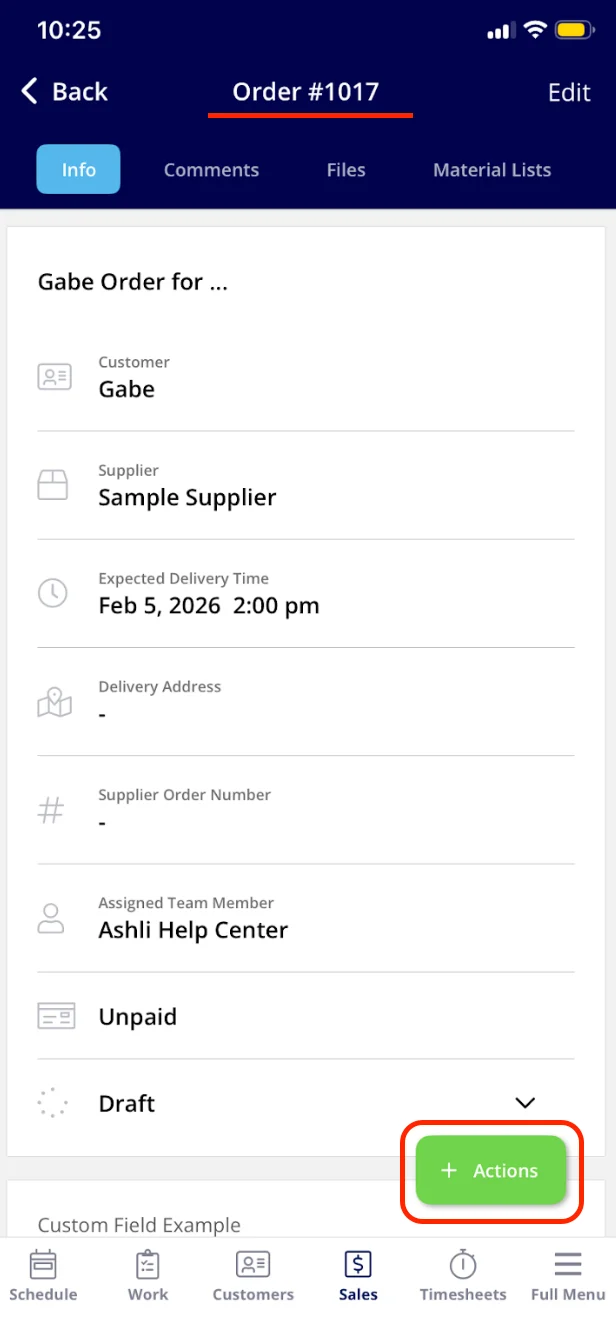
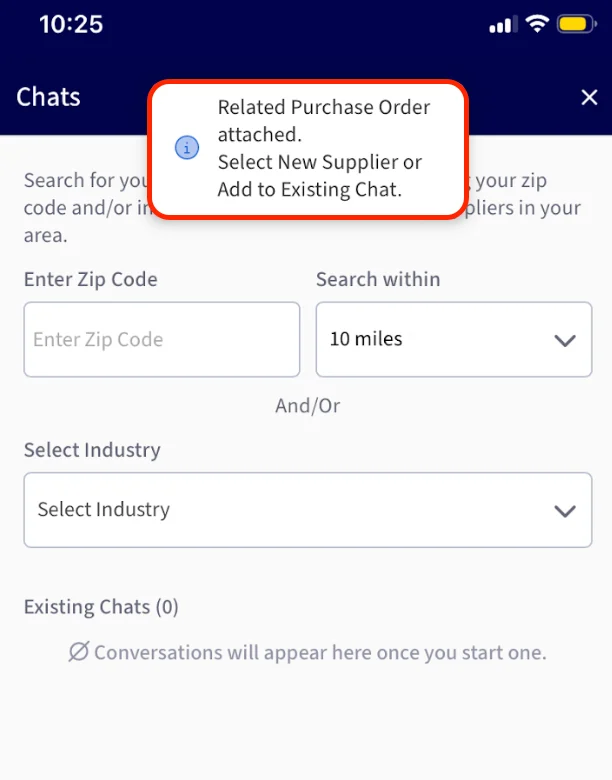
- Attaching it to an existing chat with a supplier.
- Searching for a new supplier and starting a chat with them.
Have additional questions? Contact us at support@fieldpulse.com or use the chat feature in the bottom right corner of your screen.