
Who uses this: Anyone reviewing how records transfer between the two systems. Availability: Requires a connected Xero account; the FieldPulse Xero integration is available for customers in Australia and New Zealand only.This page is a reference for how your records transfer between FieldPulse and Xero — which direction each record type moves and how its key fields map from one system to the other. Use it to preview what to expect before or after you run the sync.
Overview
The Xero sync moves five record types between the two systems. Four of them — customers, line items, invoices, and payments — sync both ways once connected. Estimates (quotes) sync one way only, from FieldPulse to Xero. The tables below show each record type’s direction and how its fields translate.Sync direction by record type
How customer fields map
In FieldPulse:
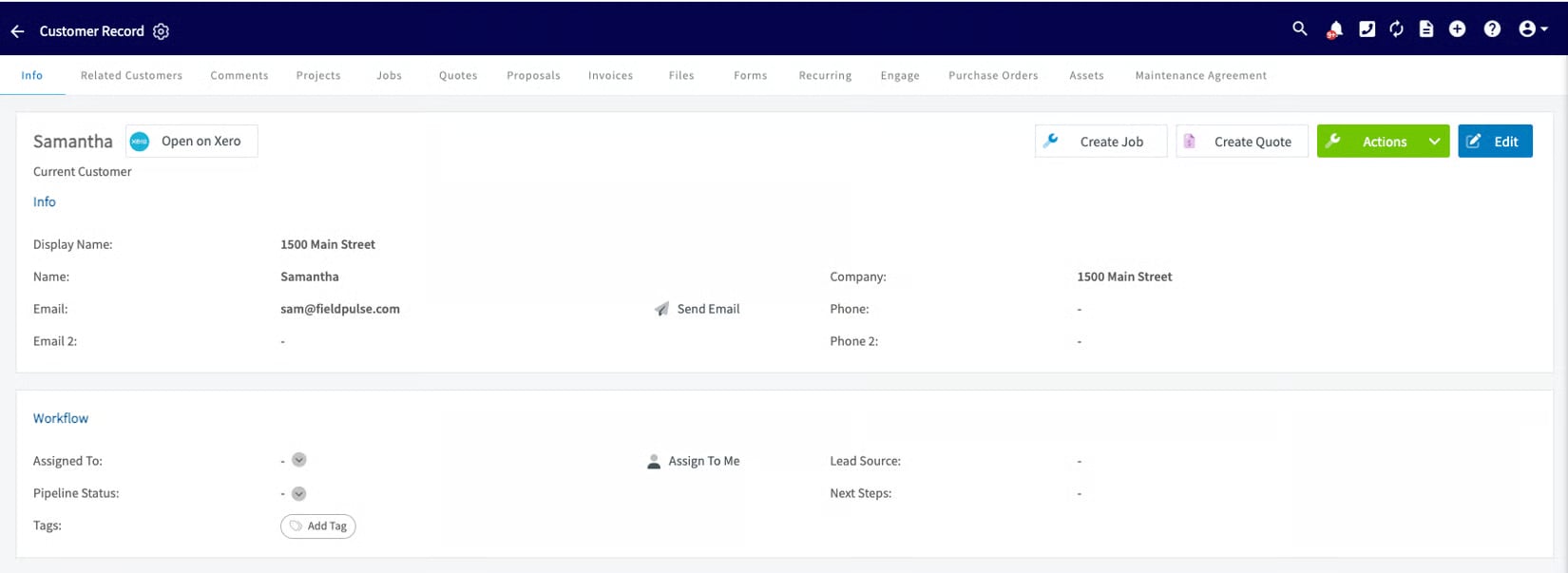
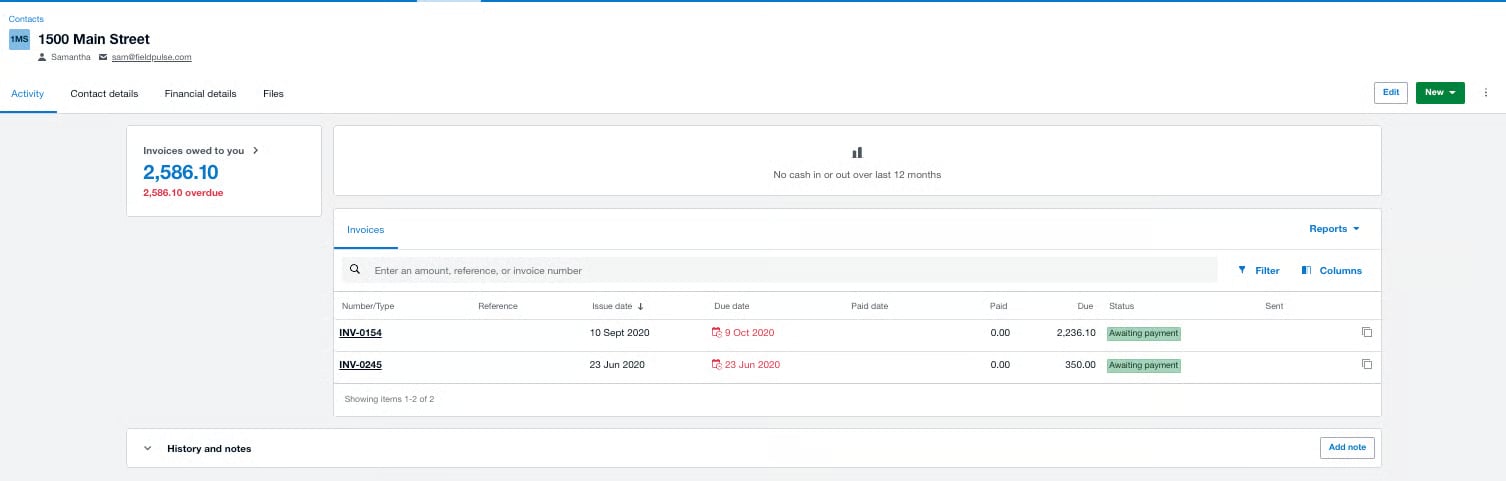
How line-item fields map
In FieldPulse:
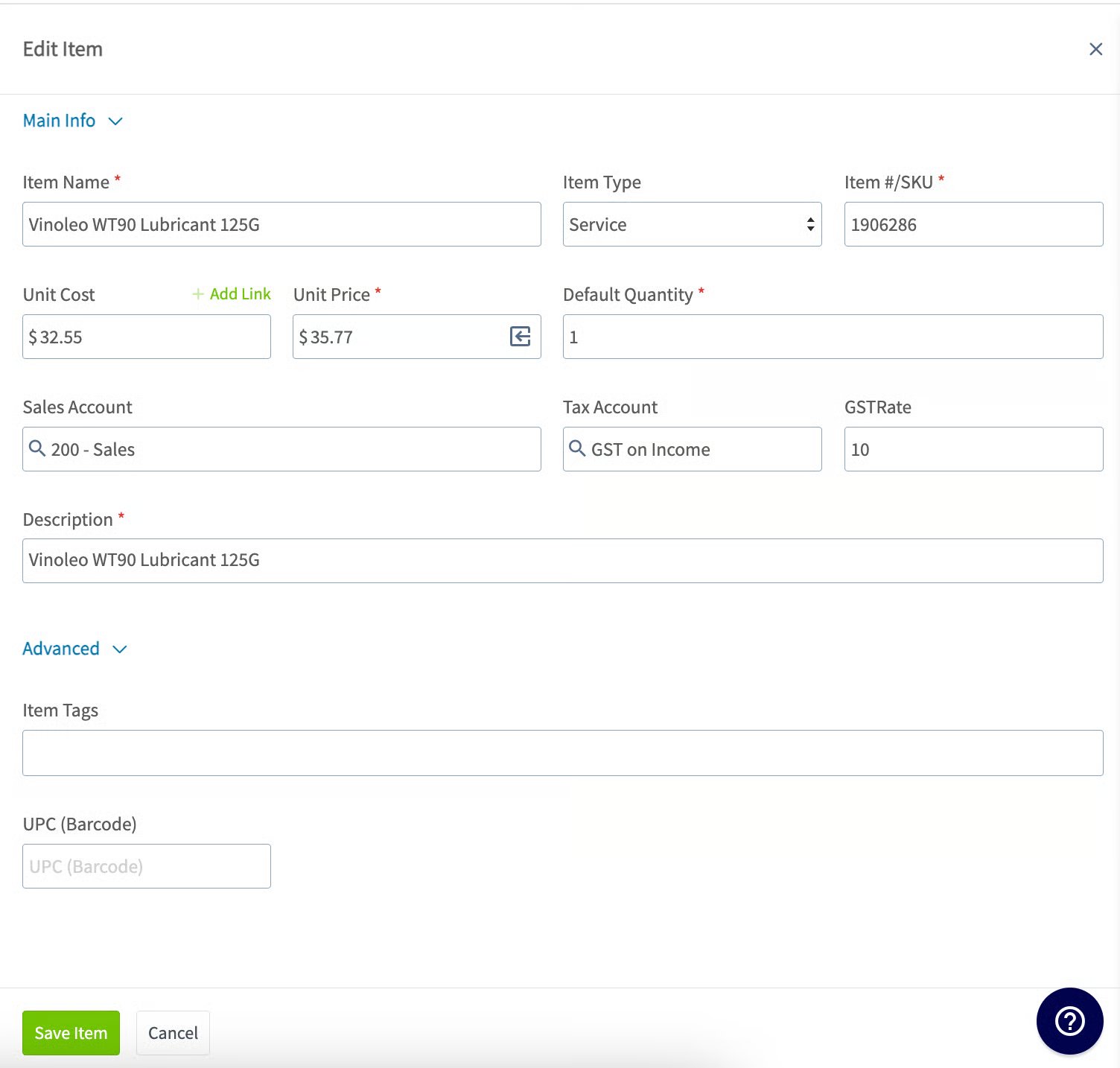
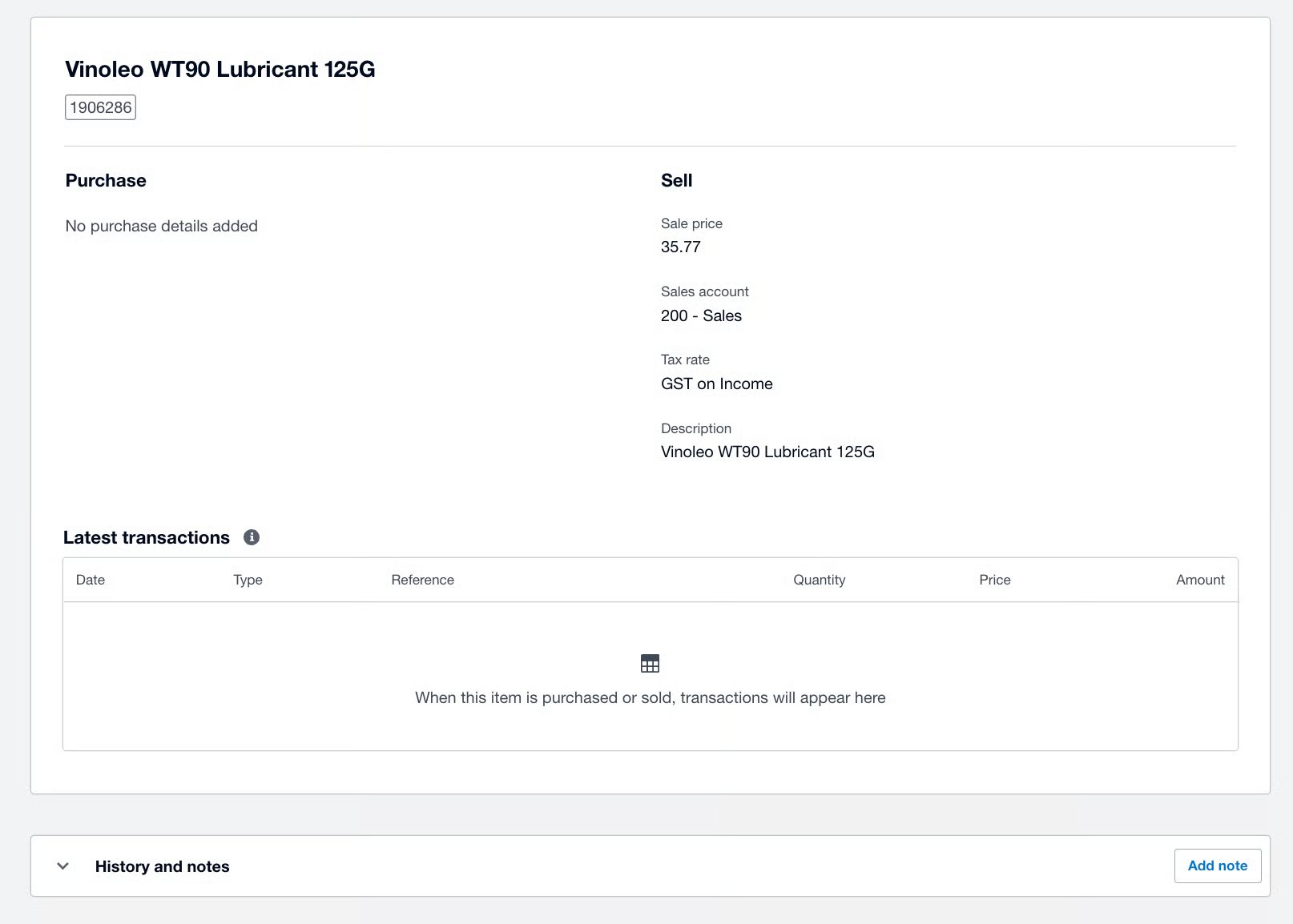
How estimate fields map
In FieldPulse:
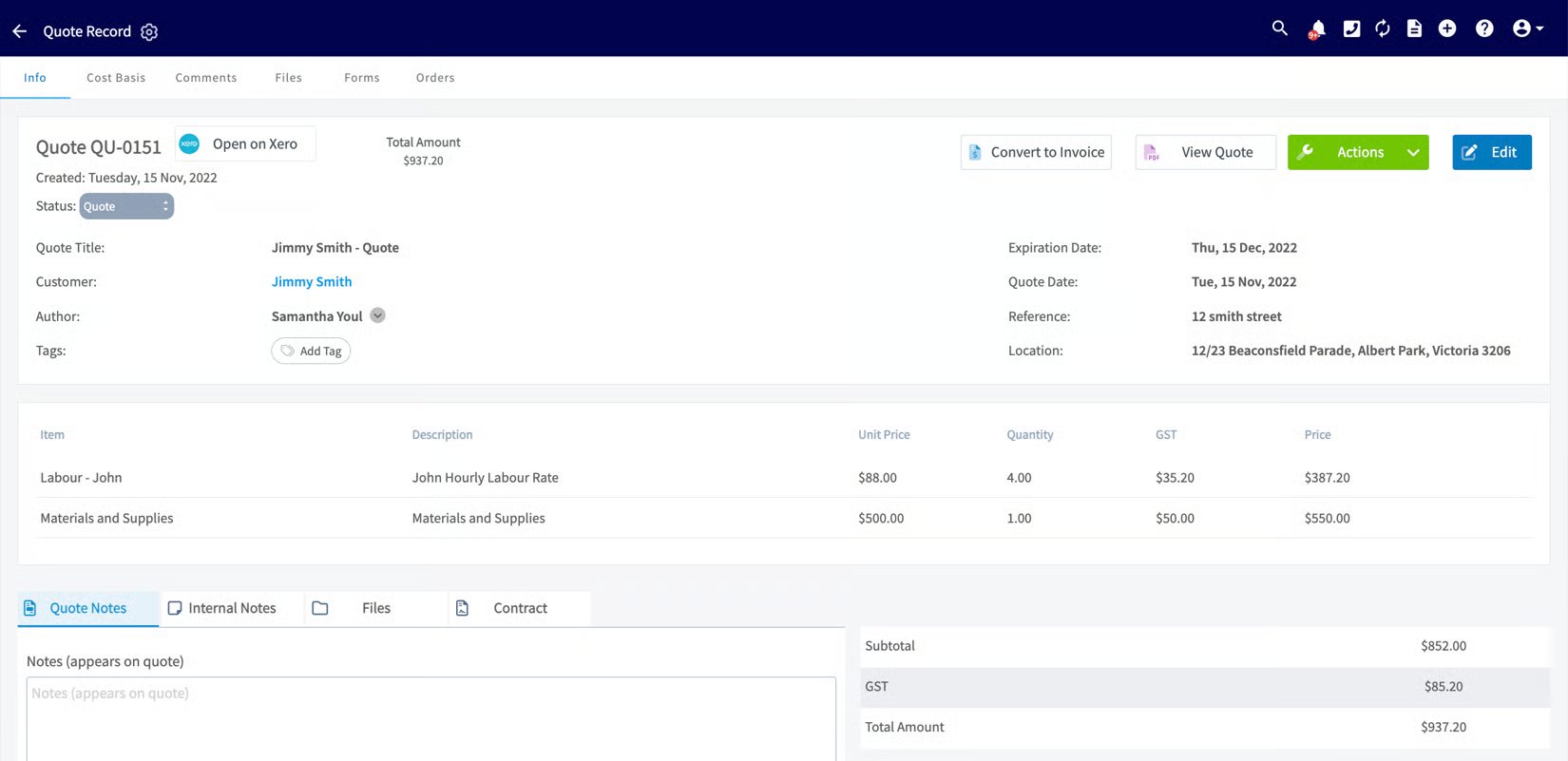
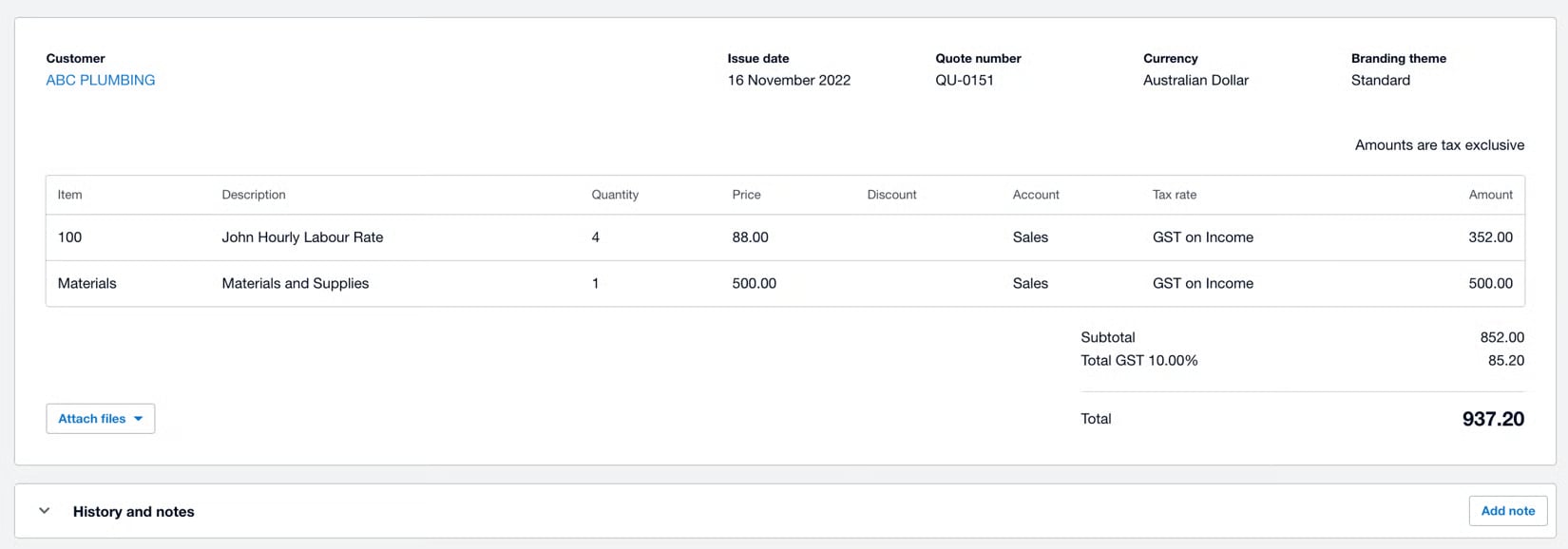
How invoice fields map
In FieldPulse:
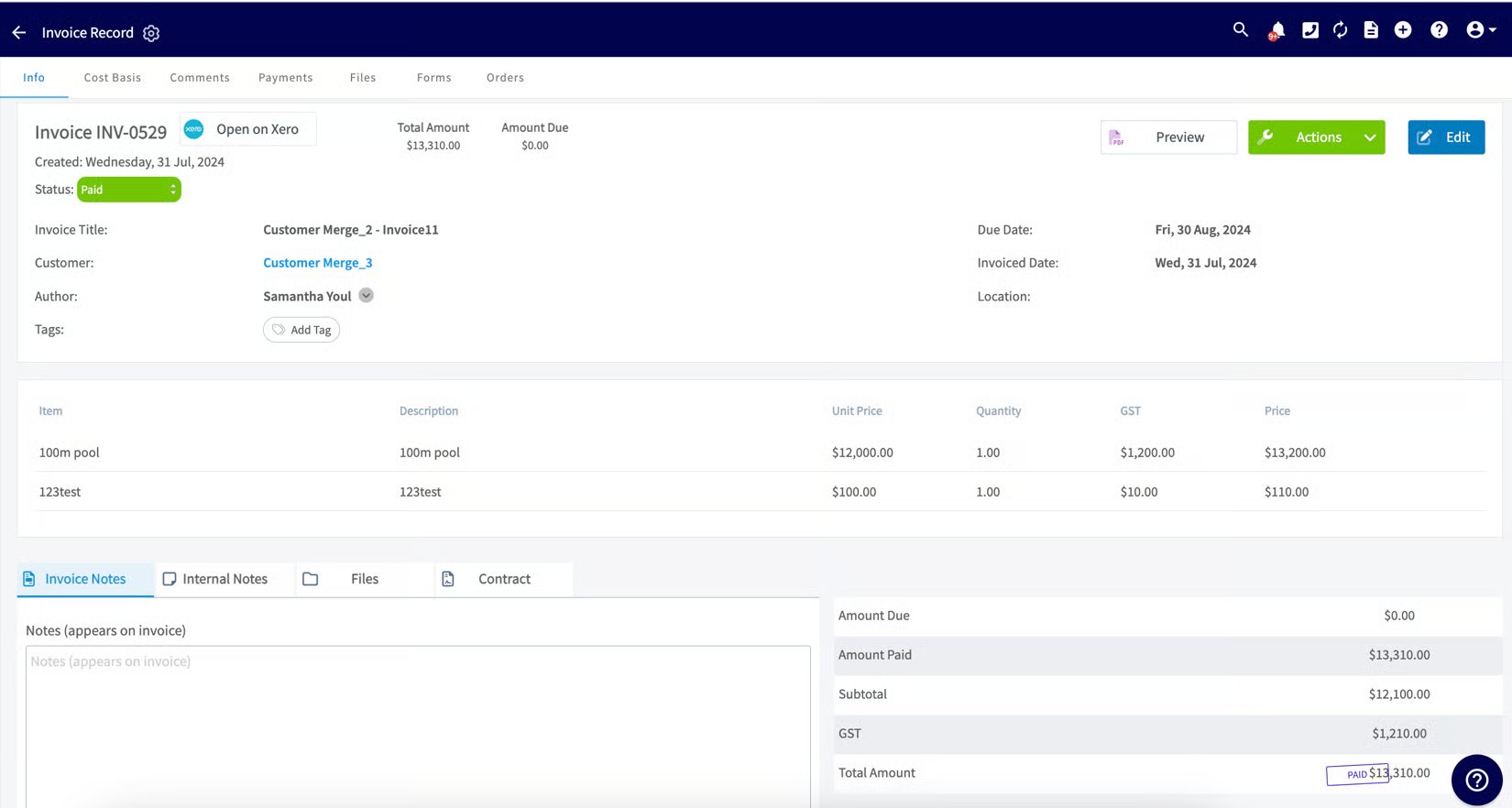
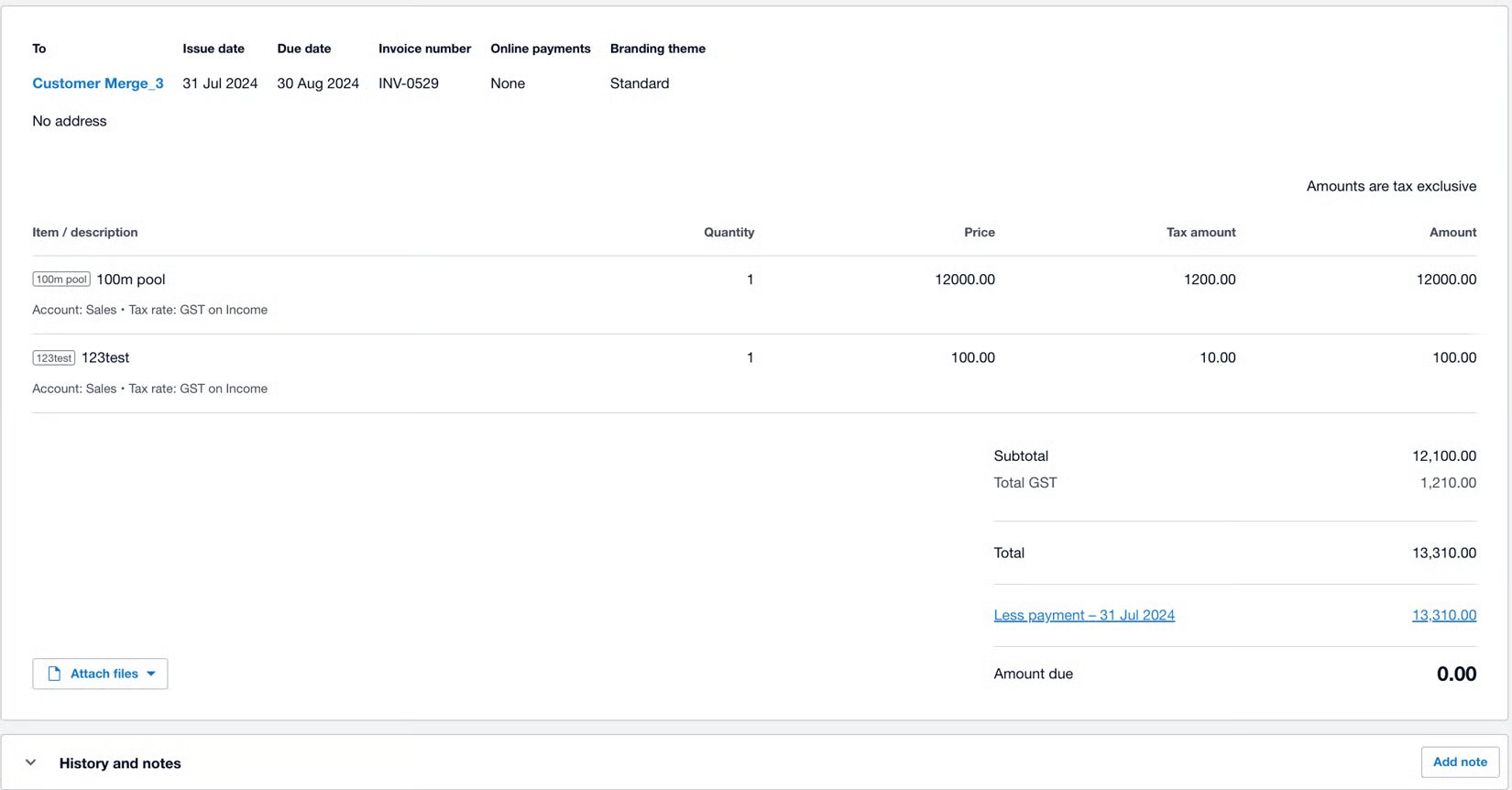
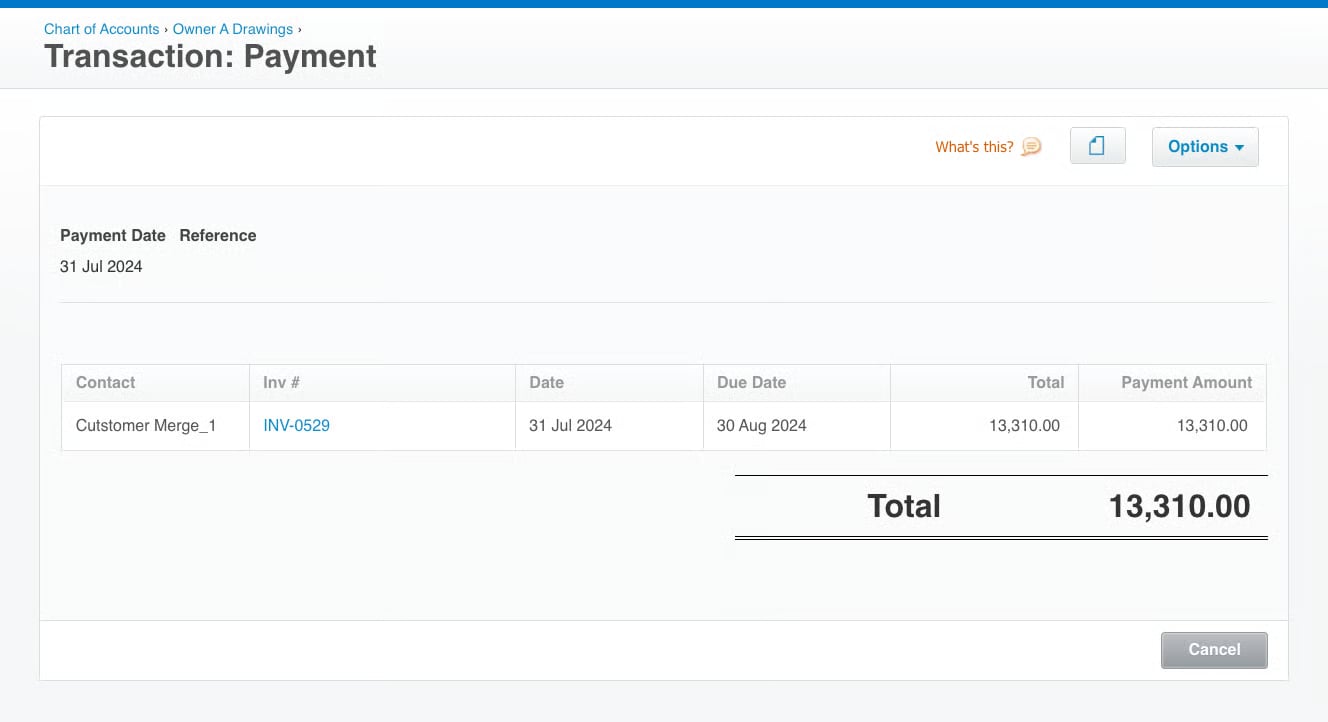
How payment fields map
In FieldPulse:

Notes & limitations
- Tax rate is pulled from Xero. Set your tax rate in Xero first; FieldPulse reads it from there.
- Estimates are one-way. Changes made to a quote in Xero do not sync back to FieldPulse.
- Sync order is fixed: customers, then line items, then invoices. A record won’t appear until the records it depends on have synced.
- Contacts cap at 5 in Xero even though FieldPulse holds unlimited contacts per customer.