

Let your customers know when to expect you! You can set a Customer Arrival Window date/time on jobs. This can be used in customer communication templates to send a different time window to the customer than what you store on the job for internal use.Documentation Index
Fetch the complete documentation index at: https://fieldpulse.mintlify.app/llms.txt
Use this file to discover all available pages before exploring further.
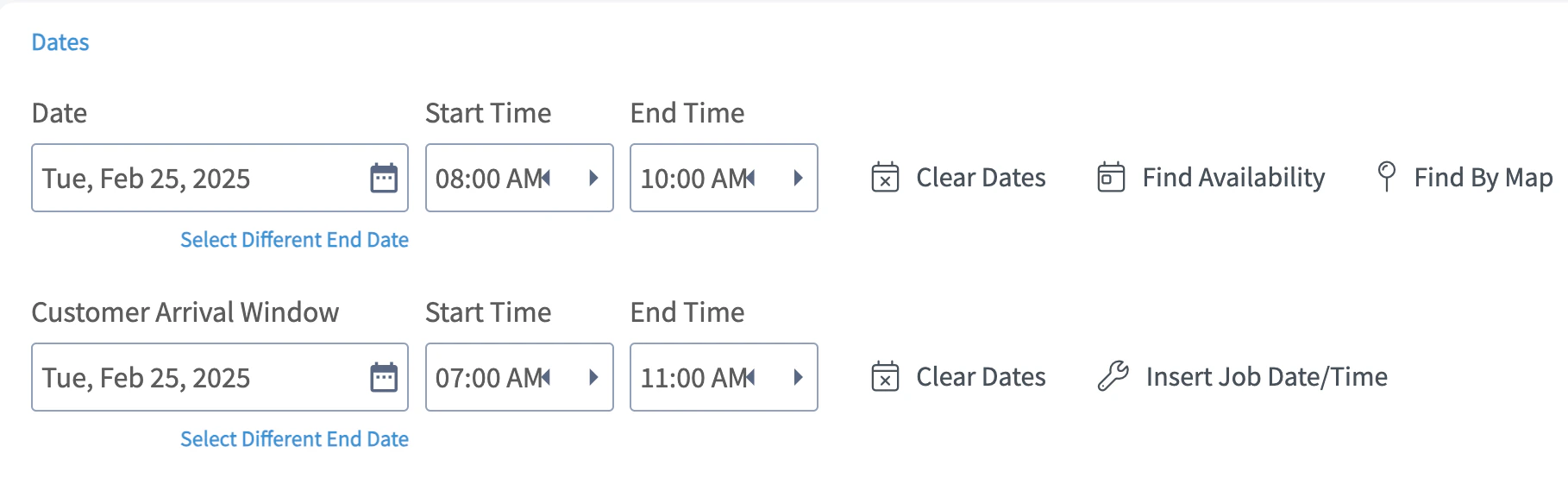
Enabling Customer Arrival Window
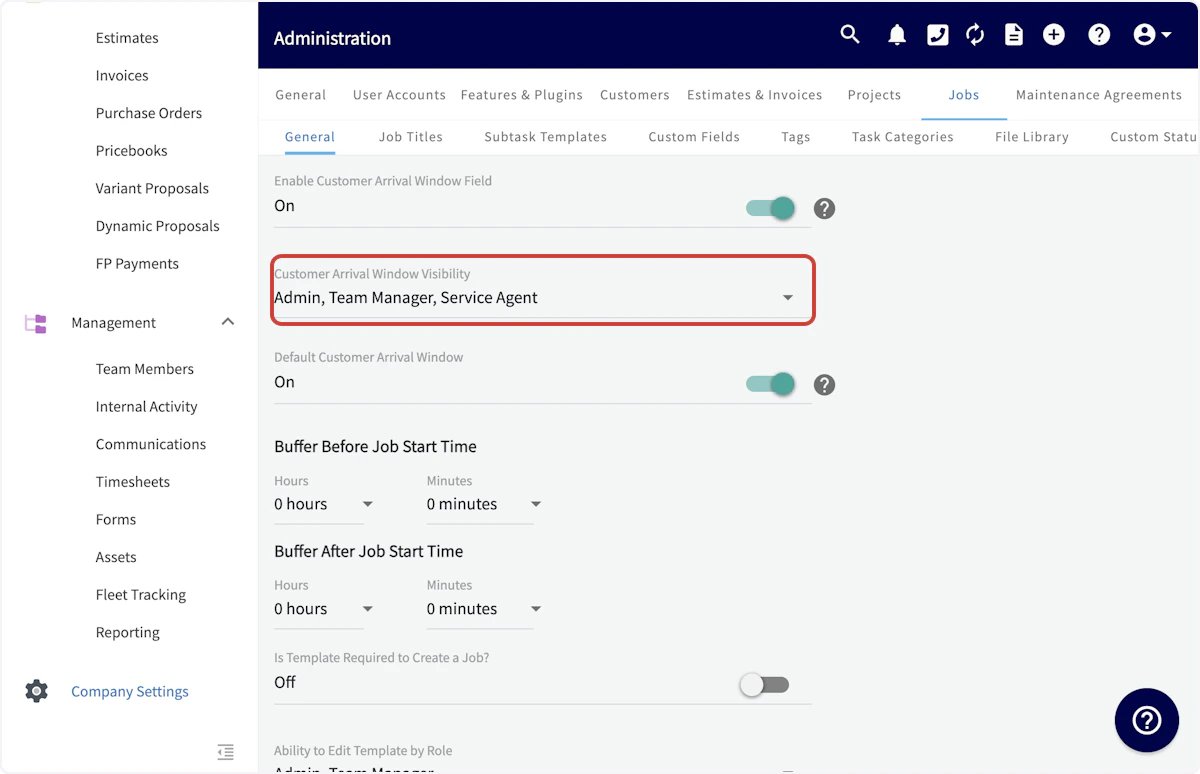
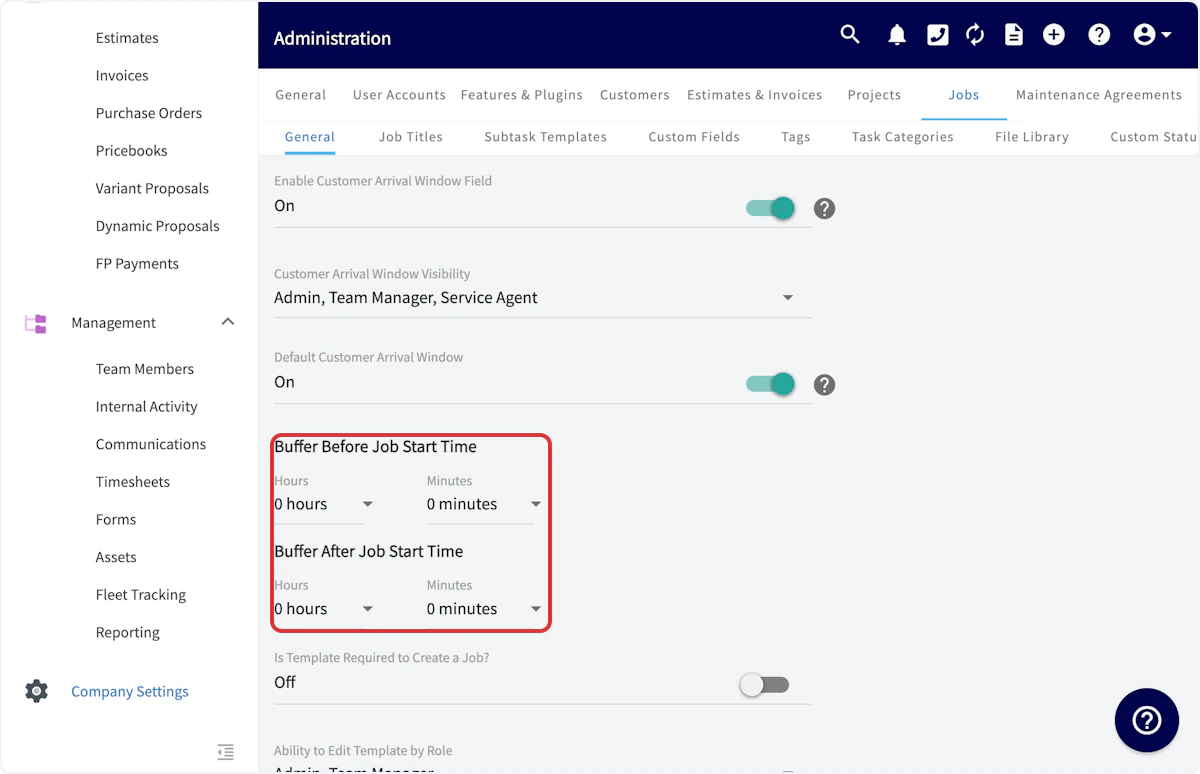
Begin by navigating to Company Settings, then select Jobs. Scroll down and toggle on Default Customer Arrival Window.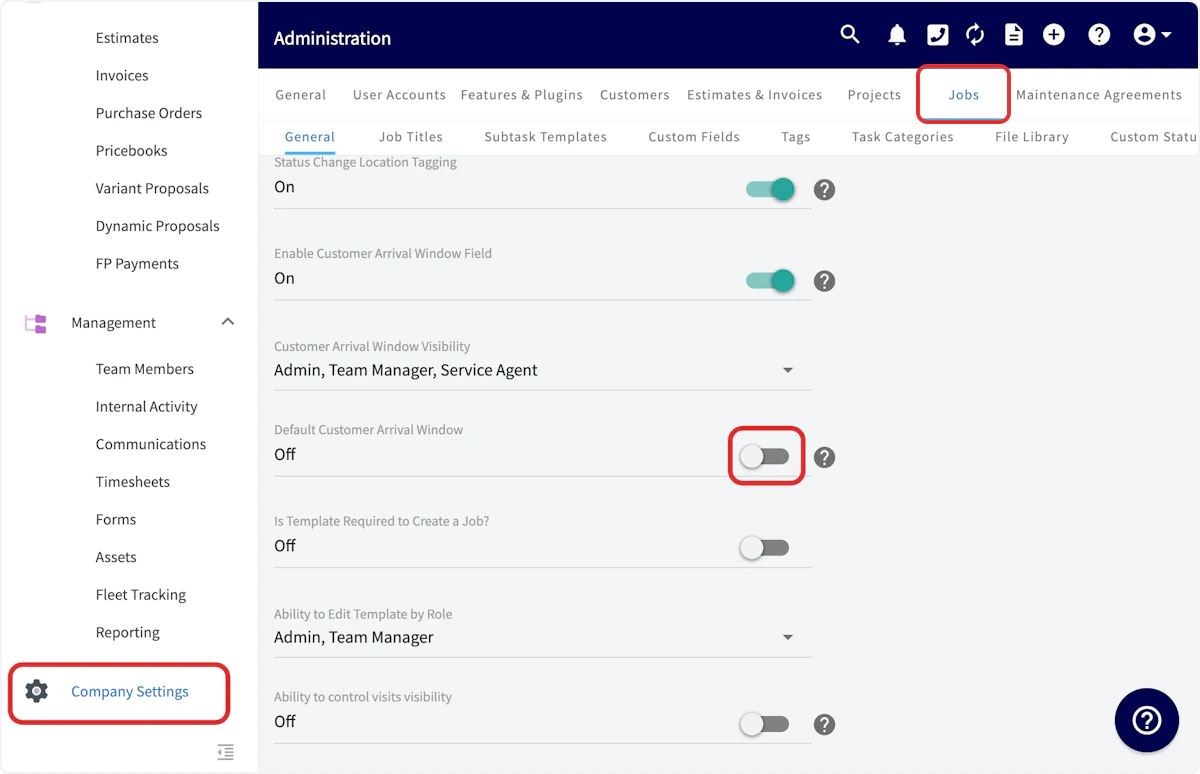
Customer Arrival Window & Customer Communications
When creating a customer communication email or SMS template, you can input a variety of field values. The customer arrival window start date, start time, end date, and end time are all field values that can be included in your customer communication templates. Simply select Insert Field Value and select the customer arrival window component you’d like to include. To learn more, see the Customer Communications guide.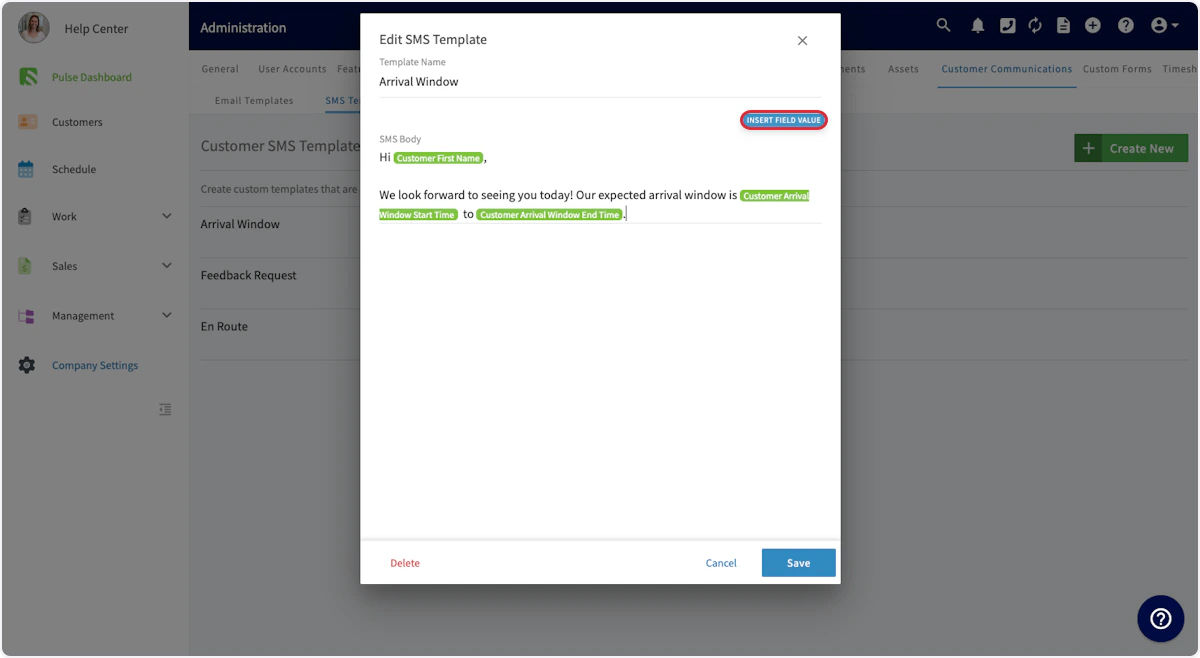
Have additional questions? Contact us at support@fieldpulse.com or use the chat feature in the bottom right corner of your screen.