
Who uses this: Merging is done from a customer record’s Actions menu. Availability: All regions.When the same customer has been entered twice, their work is split across two records — a job booked on one, an invoice sent from the other. Merging duplicate customers combines the two records into one and lets you decide which details the surviving record keeps.
Overview
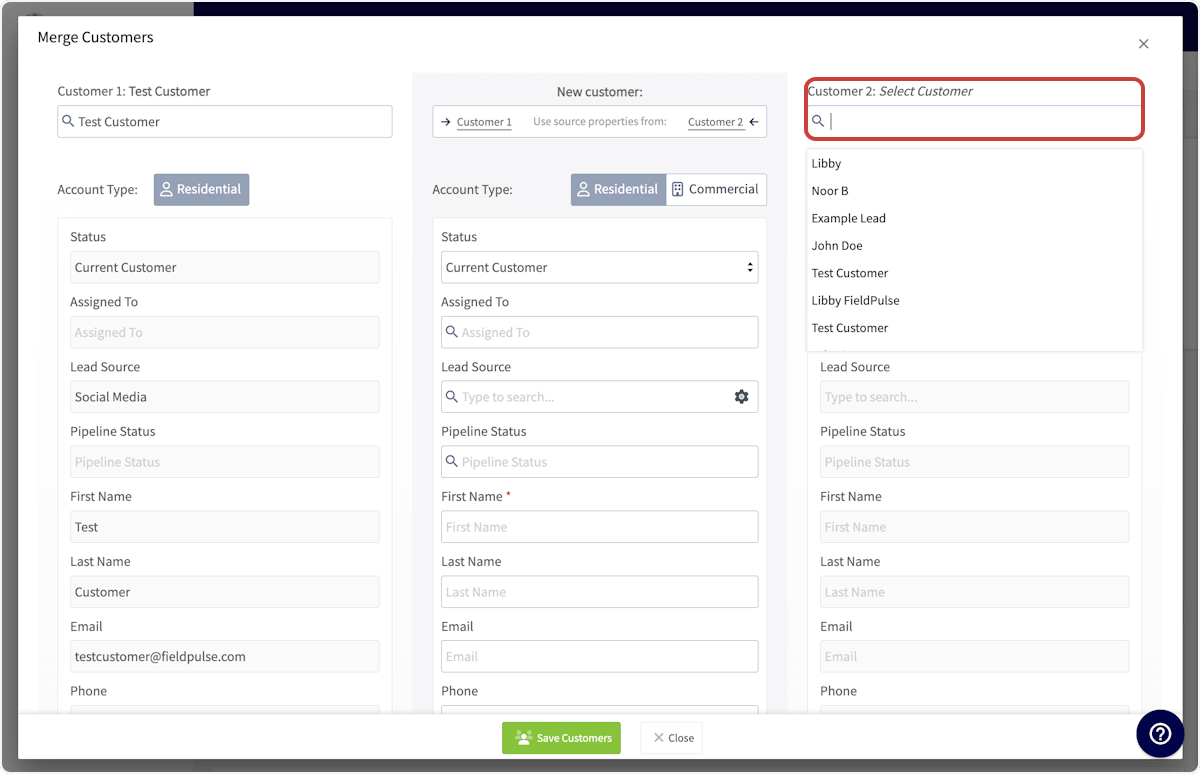
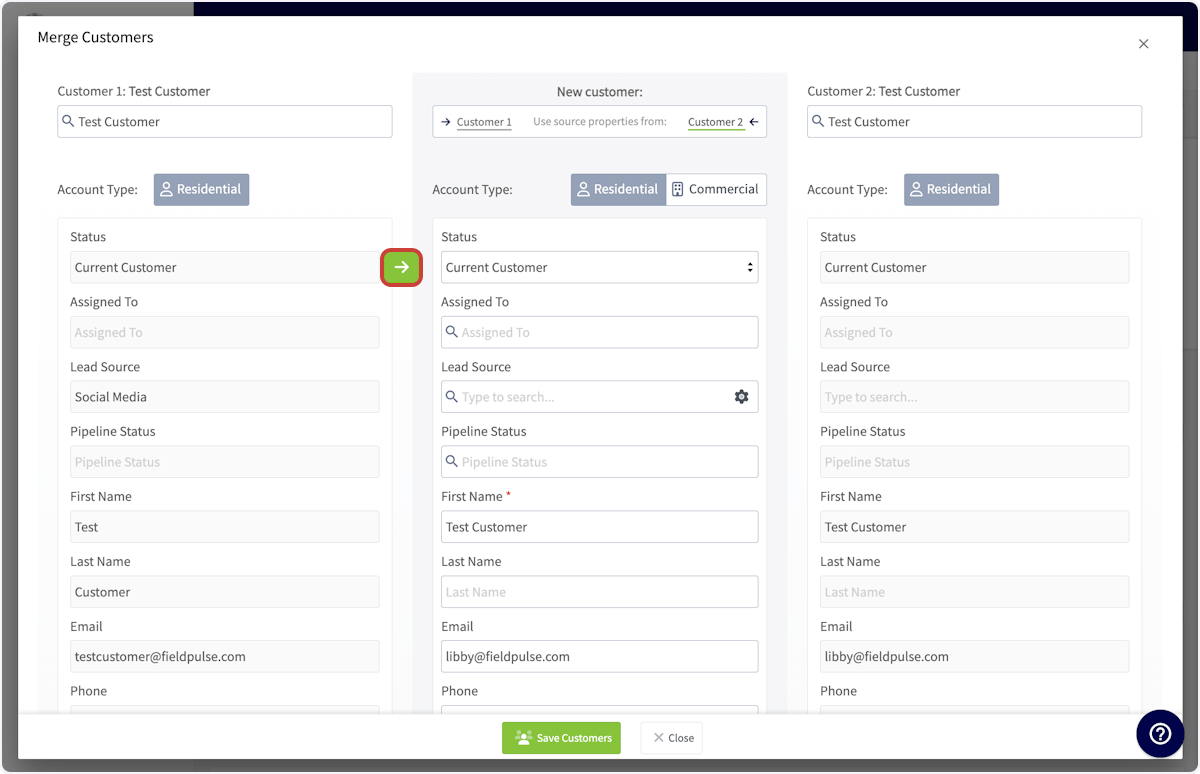
You start a merge from one of the two duplicate customer records, using Merge Customers on the Actions menu. The Merge Customers window puts the record you started from on the left as Customer 1, the record you search for on the right as Customer 2, and the merged record in the center column. You copy details from either side into that center column, then select Save Customers to combine the two records into one.Video walkthrough
Watch a short walkthrough of merging two customer records, then follow the written steps below.Video walkthrough: merging duplicate customer records in FieldPulse
Before you begin
- Confirm the two records are the same customer. Merging combines them into a single customer record.
- Know which details you want to end up with. The merged record keeps only what appears in the center column of the Merge Customers window.
On web
Start the merge
-
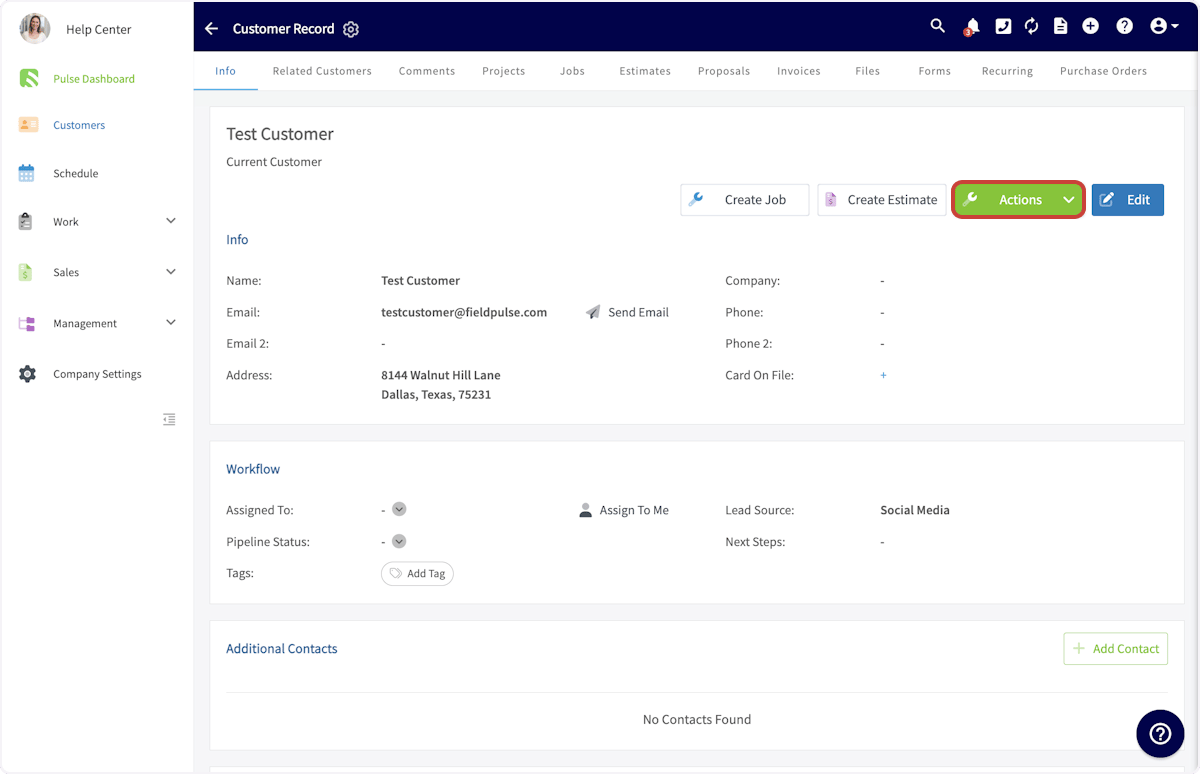
Open the customer record of one of the two duplicates and select Actions.
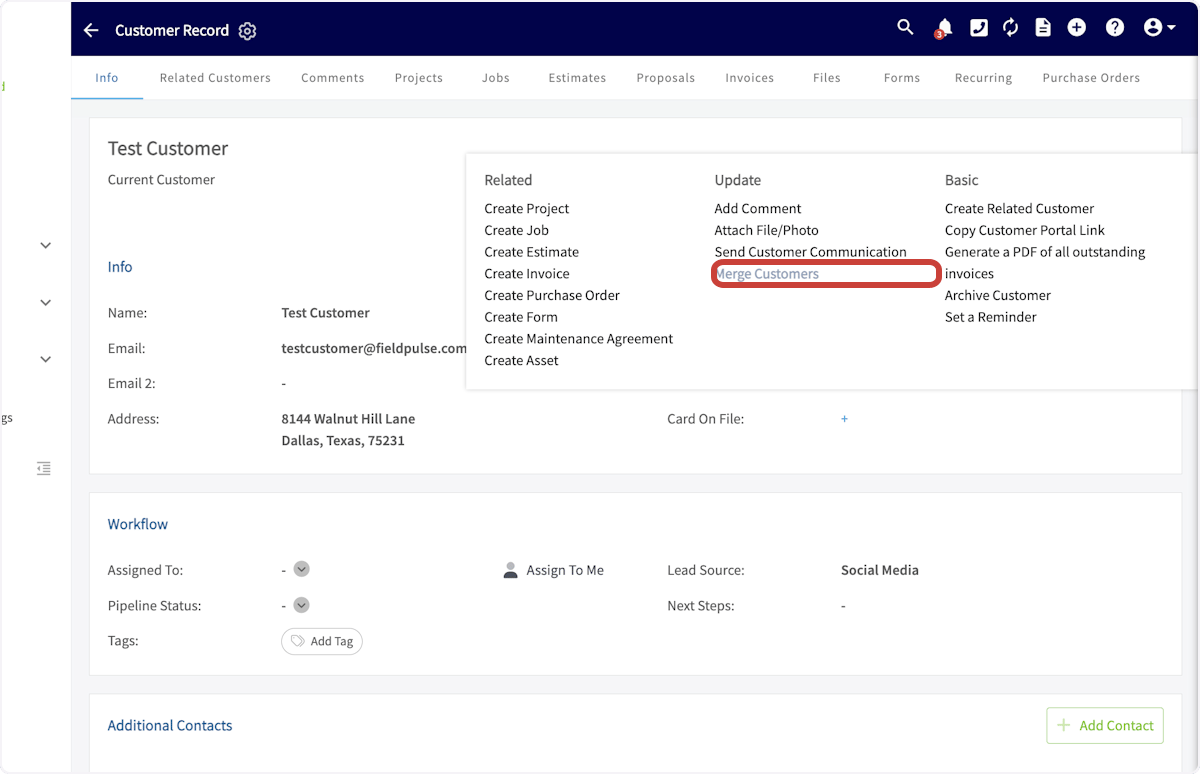
- Select Merge Customers under Update on the Actions menu.
Choose which details to keep
-
In the Merge Customers window, search the Customer 2 field on the right and select the duplicate record you want to combine with the first.
-
To take every detail from one record, select Customer 1 or Customer 2 next to Use source properties from at the top of the New customer column.
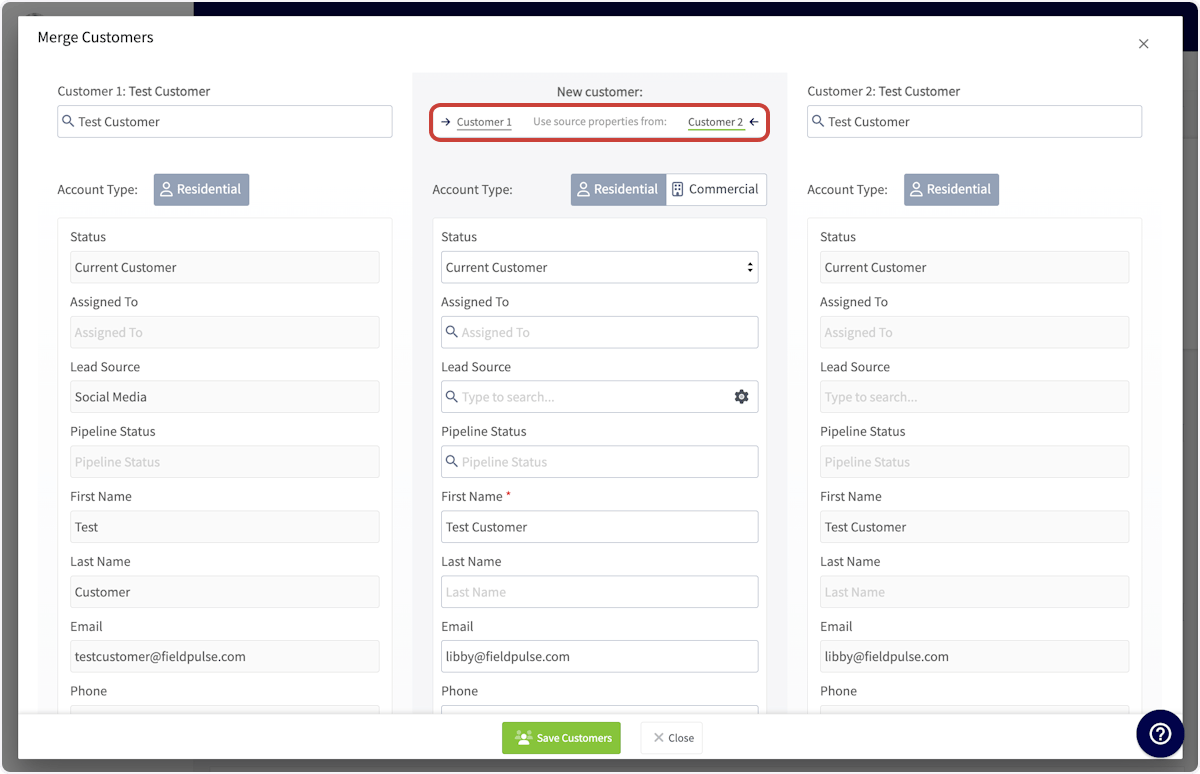
- To take one detail on its own, hover over that field on the record you want it from and select the green arrow icon to copy it into the New customer column.
Save the merged record
- Review the New customer column in the center. The merged record keeps only the details shown there.
- Select Save Customers.