Who uses this: Admins can enable it. Availability: Requires a Mailchimp account. The Mailchimp free plan allows only one audience.The Mailchimp integration connects your FieldPulse customer list to Mailchimp so you can build, send, and track email campaigns to your customers without exporting and re-importing lists by hand. When you create or edit a customer in FieldPulse, their details sync to your Mailchimp audience automatically.
Overview
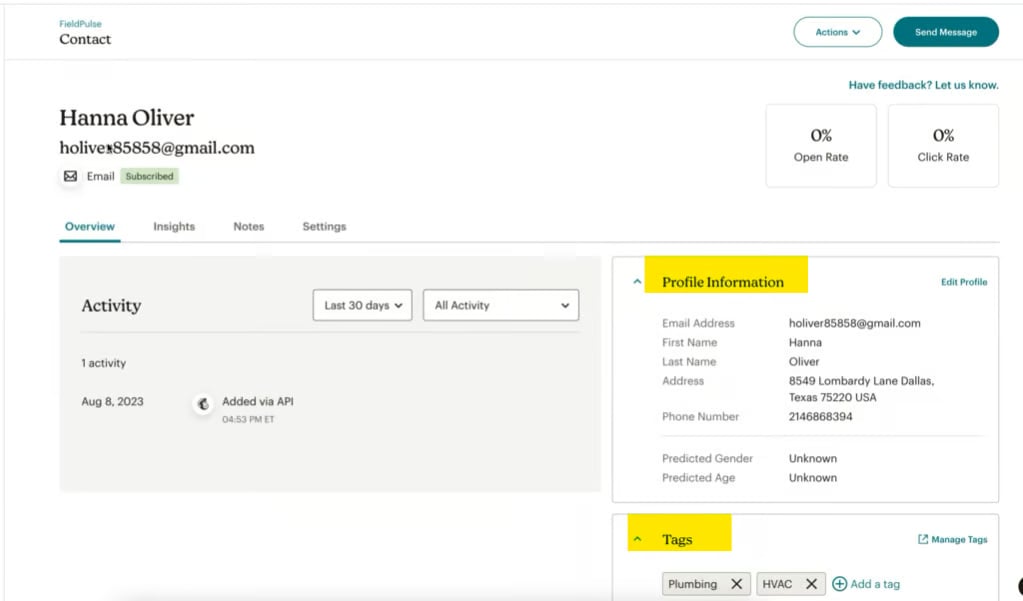
Mailchimp is an email marketing platform for creating, sending, and tracking email campaigns. Connected to FieldPulse, it pulls customer details from your FieldPulse list into a Mailchimp audience. The sync is one-way — FieldPulse to Mailchimp — and runs whenever you create or edit a customer. These fields sync:- Customer First and Last Name
- Address
- Phone Number
- Tags
Before you begin
- You need a Mailchimp account and a Mailchimp API key. In Mailchimp, go to Account Settings > Extras > API Keys to create one.
- Create a new Mailchimp audience for FieldPulse. See Mailchimp’s guide on creating an audience.
- The Mailchimp free plan allows only one audience. If you already have another audience, you will need to upgrade your Mailchimp plan to add the FieldPulse one — see Mailchimp pricing.
Connect Mailchimp
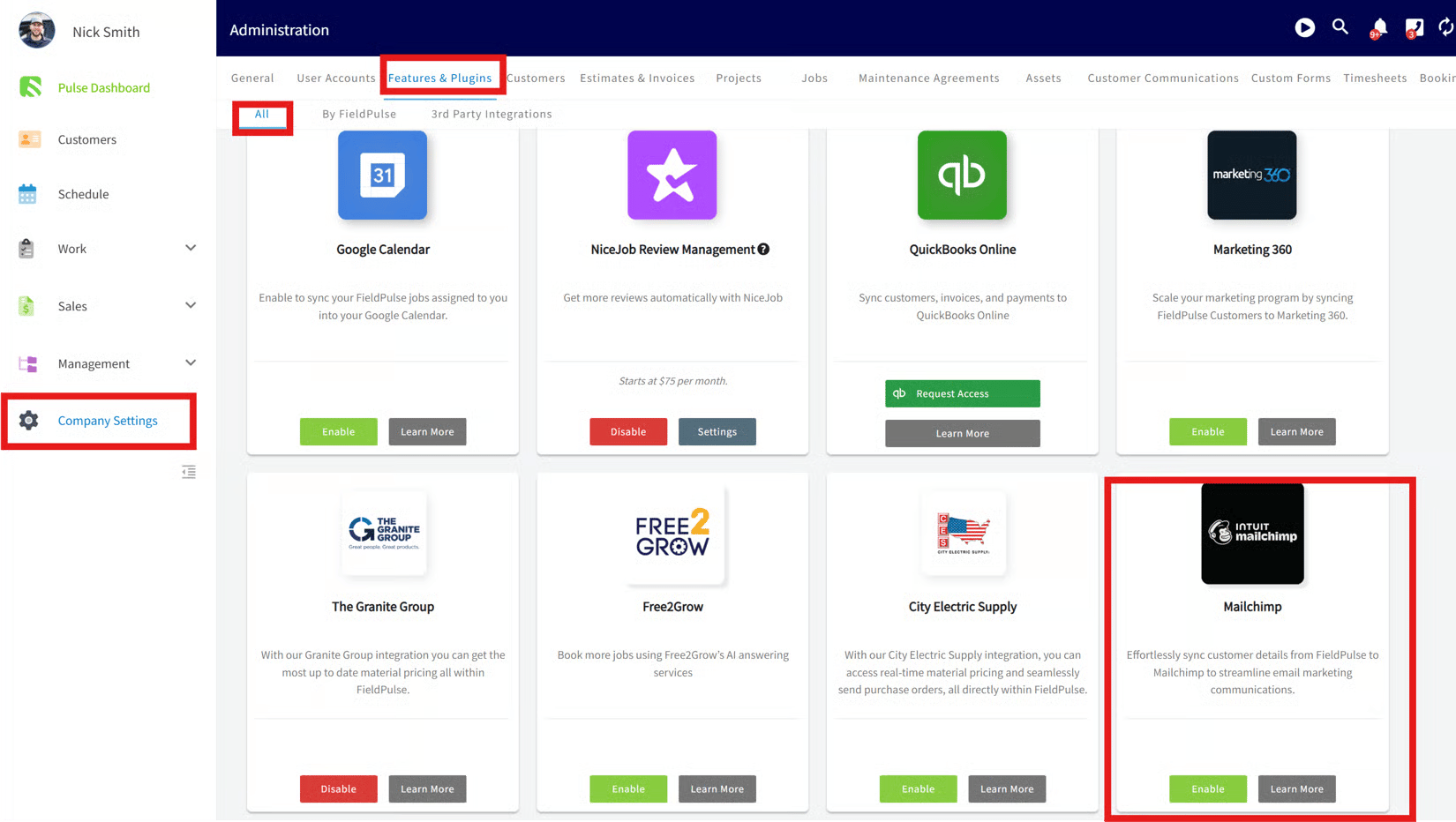
- In FieldPulse, go to Company Settings > Features & Plugins.
-
Scroll to the bottom, locate the Mailchimp tile, and select Enable.
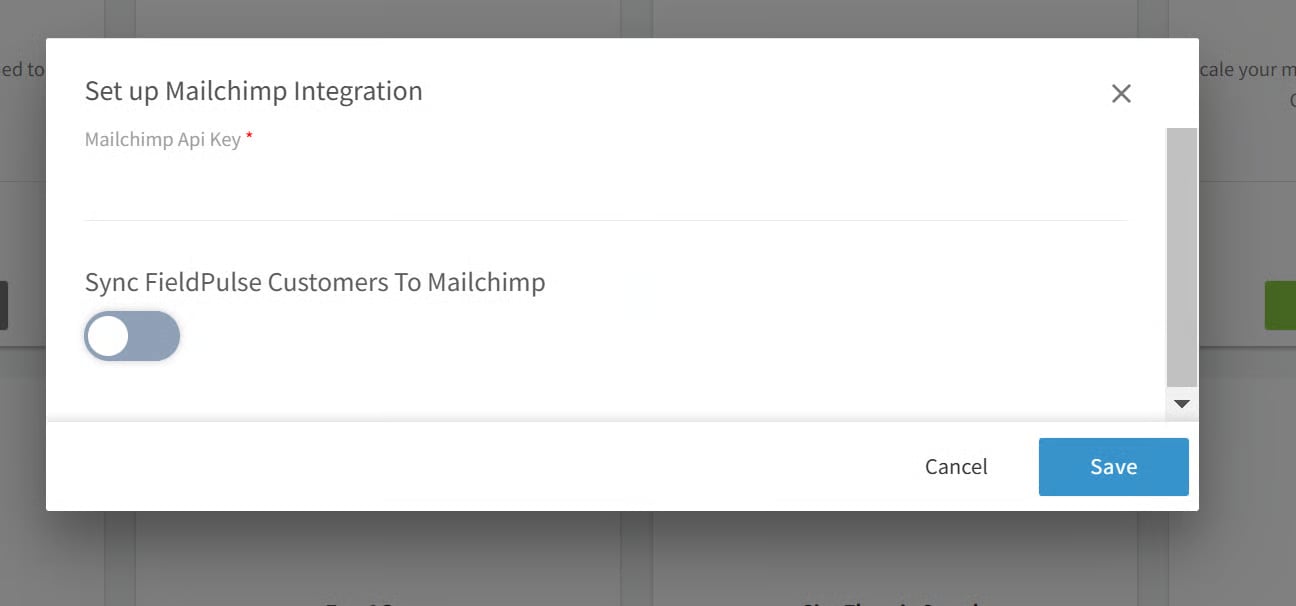
- Enter your Mailchimp API key.
- Optionally, toggle Customer Sync on to activate the sync.