
Who uses this: Admins can enable it. Availability: Requires a CHIIRP account (booked through a CHIIRP demo).The CHIIRP integration connects CHIIRP’s automated follow-up to your FieldPulse leads and customers, so every new lead, open estimate, and dormant customer gets a text, email, or ringless voicemail sequence without anyone in the office chasing it by hand. This is the problem CHIIRP is built to solve: as you grow, lead follow-up gets harder to keep up with, and the leads you already paid for slip through the cracks.
Eager to learn more about our partner? Connect with them here.
Overview
CHIIRP is follow-up automation for home service businesses. Connected to FieldPulse, it runs text message, email, and ringless voicemail campaigns against your contacts — new leads, open estimates, canceled jobs, referral requests, cross-sell offers, review requests, and more. You control the flow, volume, and length of each campaign. CHIIRP also connects to lead sources like Facebook Lead Ads, Thumbtack, and Angi, so leads from those channels can enter a follow-up sequence too.
Before you begin
- You need a CHIIRP account. If you do not have one, schedule a CHIIRP demo to get set up with their team.
Connect CHIIRP
- In FieldPulse, go to Company Settings > Features & Plugins.
-
Scroll to the CHIIRP tile near the bottom and select Enable.
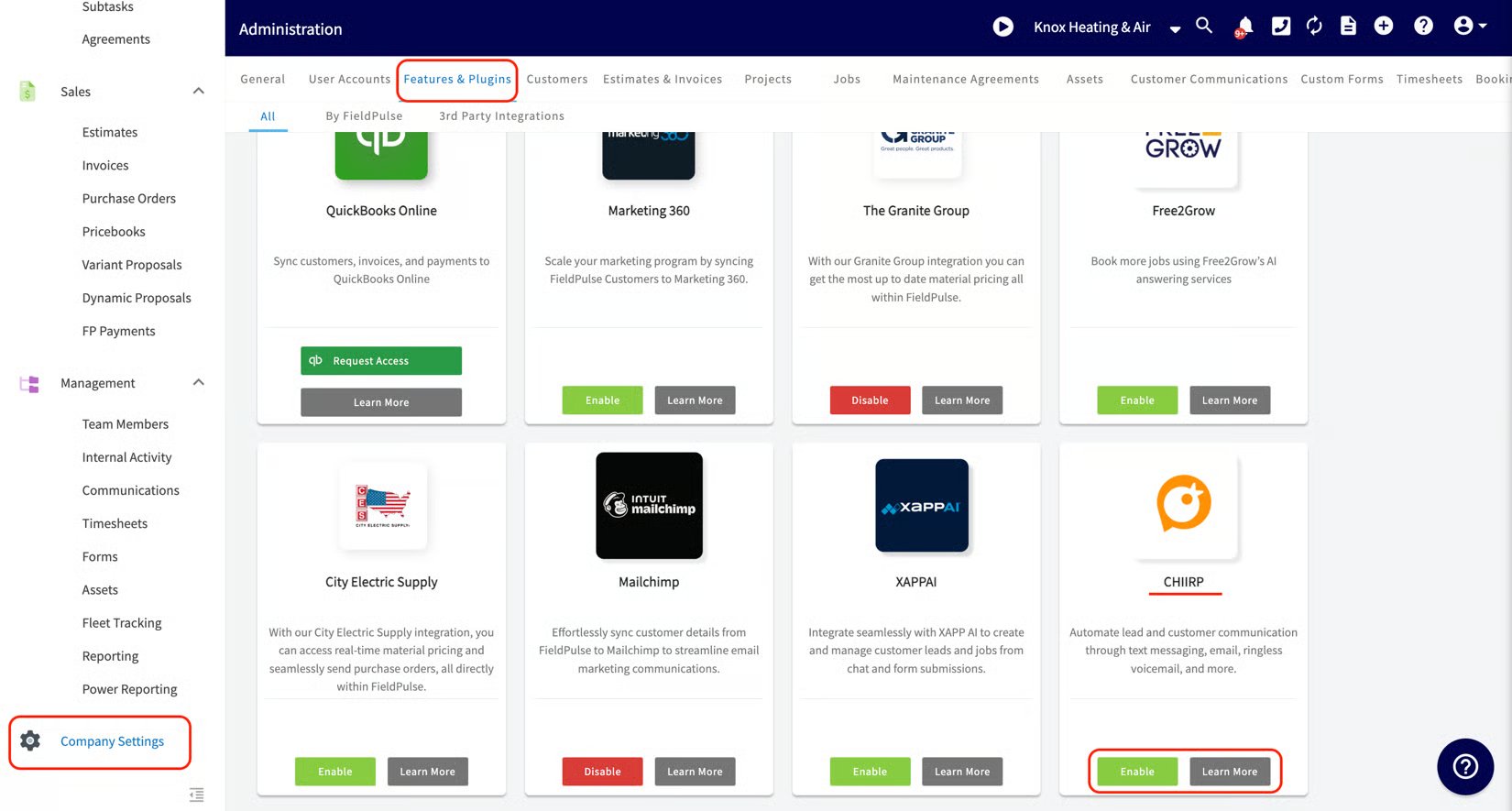
- Sign in to CHIIRP and follow the on-screen instructions to finish connecting your accounts.