Who uses this: An Admin requests the integration; anyone who builds estimates, invoices, or purchase orders uses it once it’s live. Availability: Requires an active Granite Group account; enabled by the FieldPulse Support team.The Granite Group integration pulls live Granite Group material pricing into FieldPulse so your estimates and invoices quote current supplier costs without manual lookups. To turn it on, you send your Granite Group account details to the FieldPulse Support team, who verifies them and activates the integration.
Eager to learn more about our partner? Check them out here.
Overview
The Granite Group integration connects your Granite Group account to FieldPulse and puts the Granite Group catalog inside your records. Once it’s live, three things flow between Granite Group and FieldPulse:- Catalog — Browse the Granite Group catalog by product category from inside an estimate, invoice, or purchase order.
- Pricing — Line items carry up-to-date Granite Group material pricing, so you quote at current cost.
- Ordering — Send purchase orders to Granite Group directly from FieldPulse.

Before you begin
- You need an active Granite Group account.
- Have your Granite Group account number, your ship-to address, and your company name ready.
- To place purchase orders with Granite Group, purchase orders must be enabled in your FieldPulse account first. See How to Manage Purchase Orders.
- If you previously created your own supplier record named “Granite Group,” do not select it — use the integrated Granite Group supplier instead.
Connect The Granite Group
- Contact the FieldPulse Support team at support@fieldpulse.com or through the in-app chat, and tell them you want to enable The Granite Group integration.
-
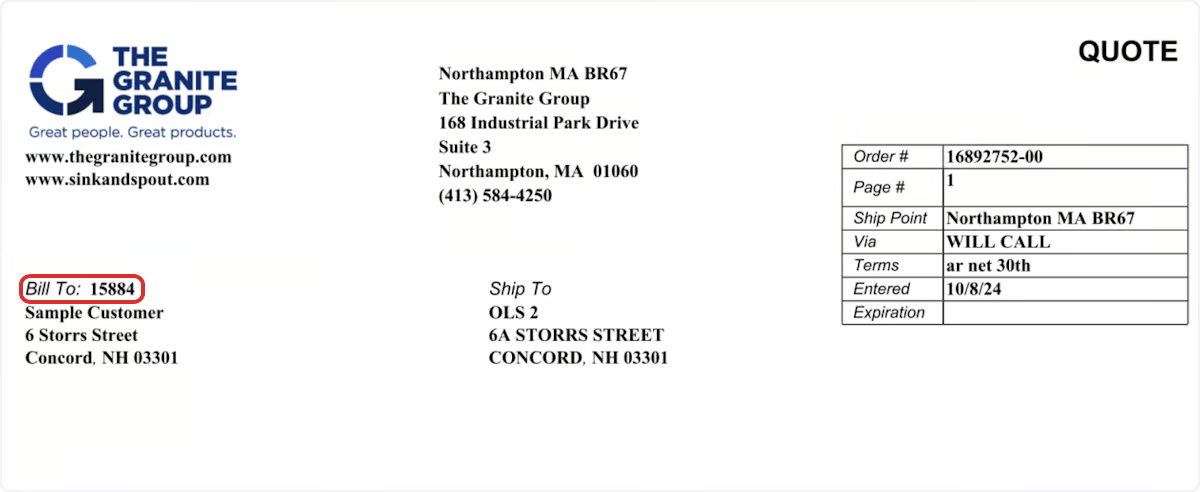
Provide your Granite Group account number, ship-to address, and company name. Find your account number here:
- Wait while FieldPulse verifies your details. The integration is typically activated in about two business days.
What syncs
Once the integration is live, the Granite Group catalog is available in the records where you price and order material:
Because Granite Group purchase orders are fulfilled through the supplier, prices are not locked when you add items: Granite Group charges the current price at the moment you select Order in FieldPulse. Fluctuations are usually minor but can affect job costing, so treat the quoted cost as an estimate until the order is placed.
If you need to check your order status, change, or cancel your order, contact your local Granite Group branch or use their contact form.
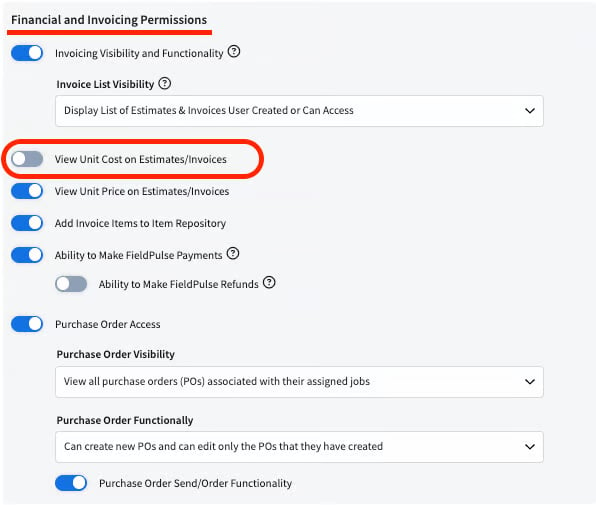
To keep item costs hidden from Service Agents, turn off the View Unit Cost on Estimates/Invoices permission for that role — this also hides the Granite Group catalog option from them.