
Who uses this: You set a reminder on a record from that record’s Actions menu, and the reminder alerts you — the person who set it. Availability: All regions.A reminder is a follow-up you attach to a record in FieldPulse — a job, customer, estimate, invoice, and more — that alerts you at the time you pick. You set a reminder from the record’s Actions menu, and your reminders are housed under the bell icon in the FieldPulse header. The process is the same on every record type.
Overview
Reminders solve a common problem: the follow-up that lives only in someone’s memory. A customer asks you to circle back next week; an estimate needs a nudge in three days. A reminder pins that follow-up to the record it belongs to and surfaces it at the time you set, so the record and the reminder stay together. Reminders work the same way on jobs, customers, estimates and invoices, and other records. This page uses a job as the example.How it works
You create a reminder in one pass through the record’s Actions menu — choose when the reminder should reach you, give it a title, and submit it. The reminder then appears under the bell icon in the FieldPulse header alongside your other reminders.Set a reminder
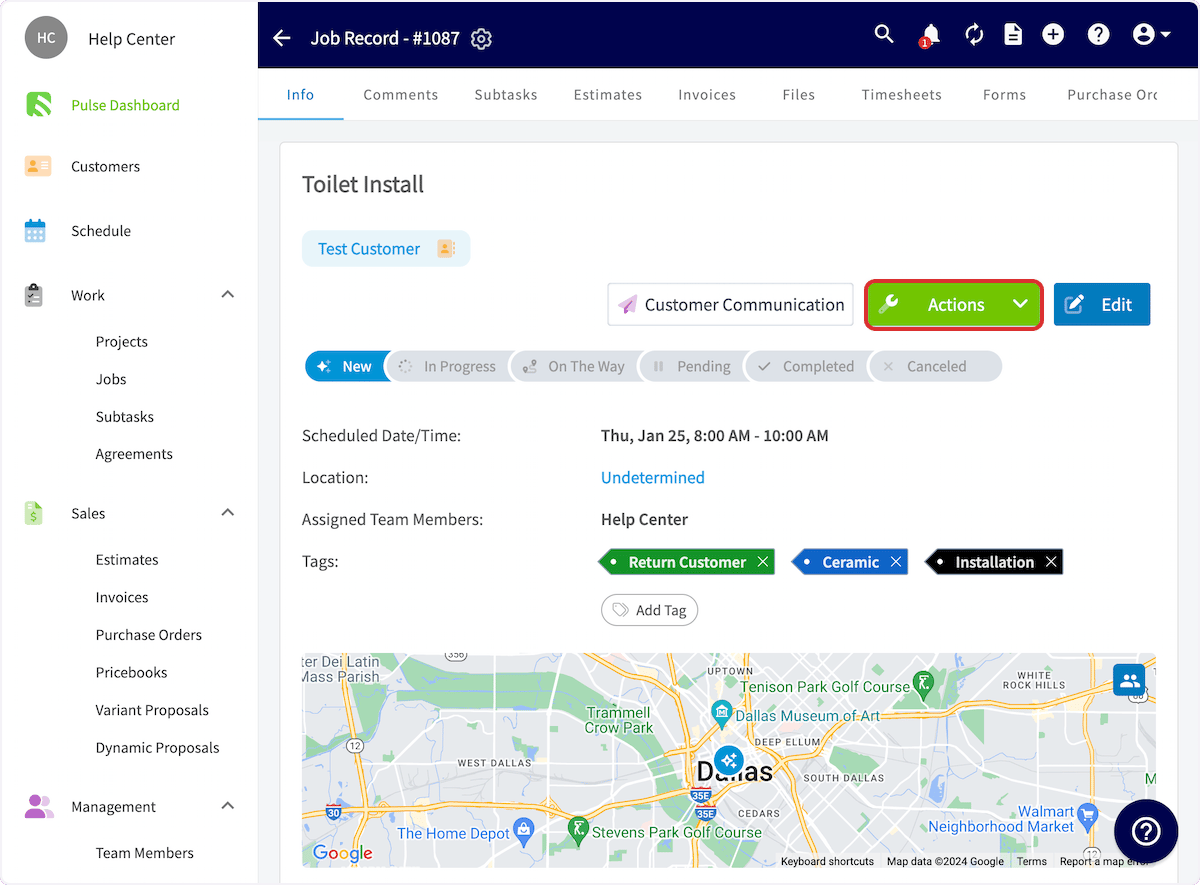
- Open the record you want to be reminded about — for this example, a job.
-
Select Actions.
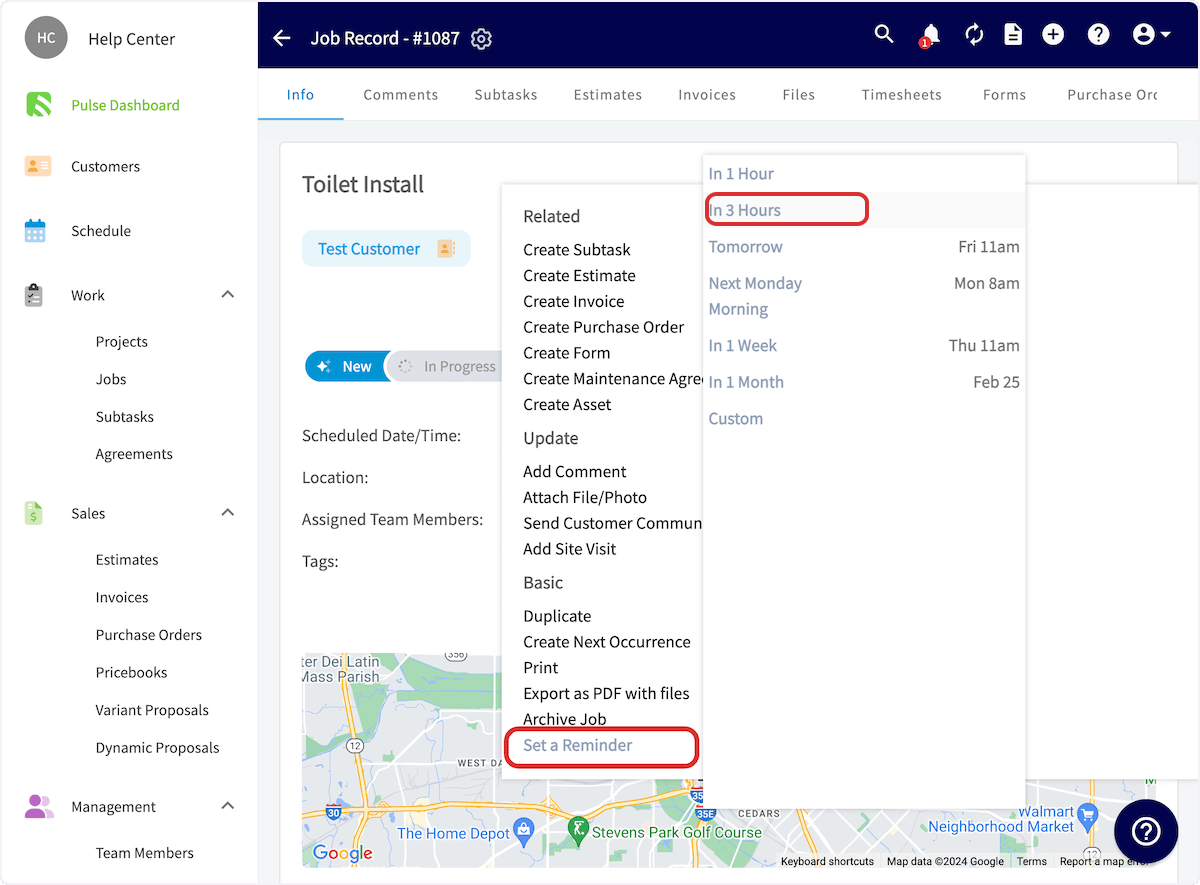
- In the dropdown, select Set a Reminder.
-
Select when you want to receive the reminder.
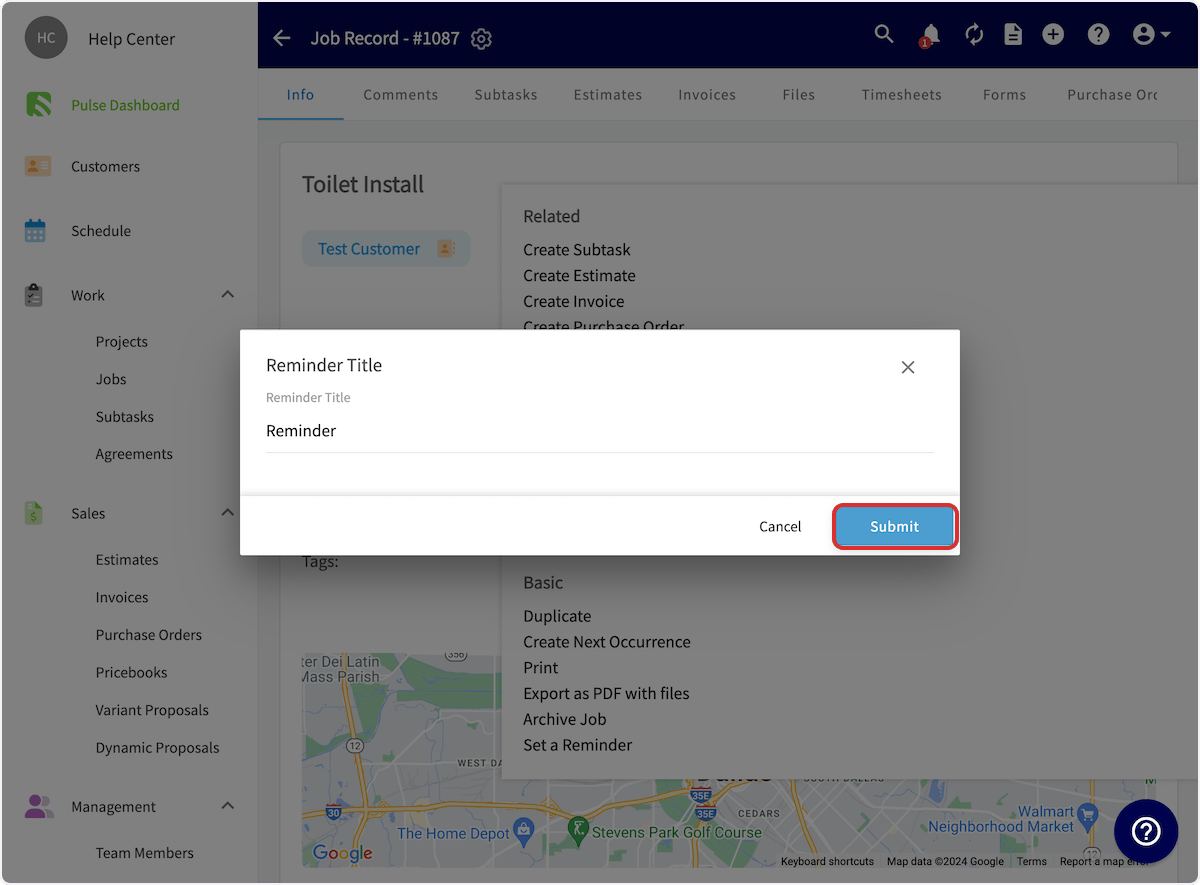
- Enter the text of the reminder in Reminder Title.
-
Select Submit.
Find your reminders
Your reminders are housed under the bell icon in the FieldPulse header. Select the bell icon, then select the Reminders tab to see everything you have been reminded about in one place. The Notifications tab sits beside it in the same panel. Reminders are also delivered to the FieldPulse mobile app — tap your photo or initials in the top-right corner and select Notifications/Reminders to view them.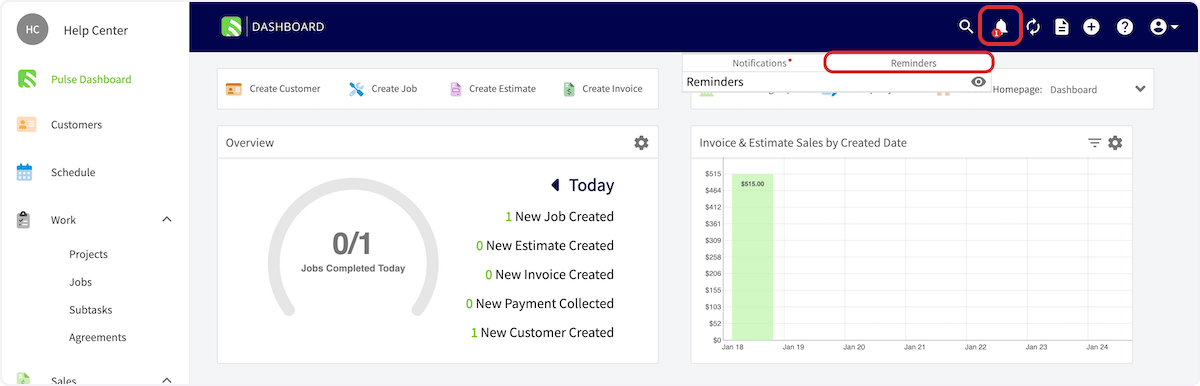
Video walkthrough: setting a reminder on a record