
Who uses this: Anyone who texts customers from FieldPulse — on an account without Engage, one customer’s opt-out blocks every user on the account from texting that customer. Availability: Applies to any account that sends SMS from FieldPulse, with or without the Engage add-on.When a customer receives a text message from your business, they see the option to reply STOP to unsubscribe. Once they reply STOP, FieldPulse stops sending them SMS — including the automated customer communications your account has set up. This page is the reference for what a STOP reply blocks, how the opt-out appears on your account, and the rules for getting a customer back on SMS.
Overview
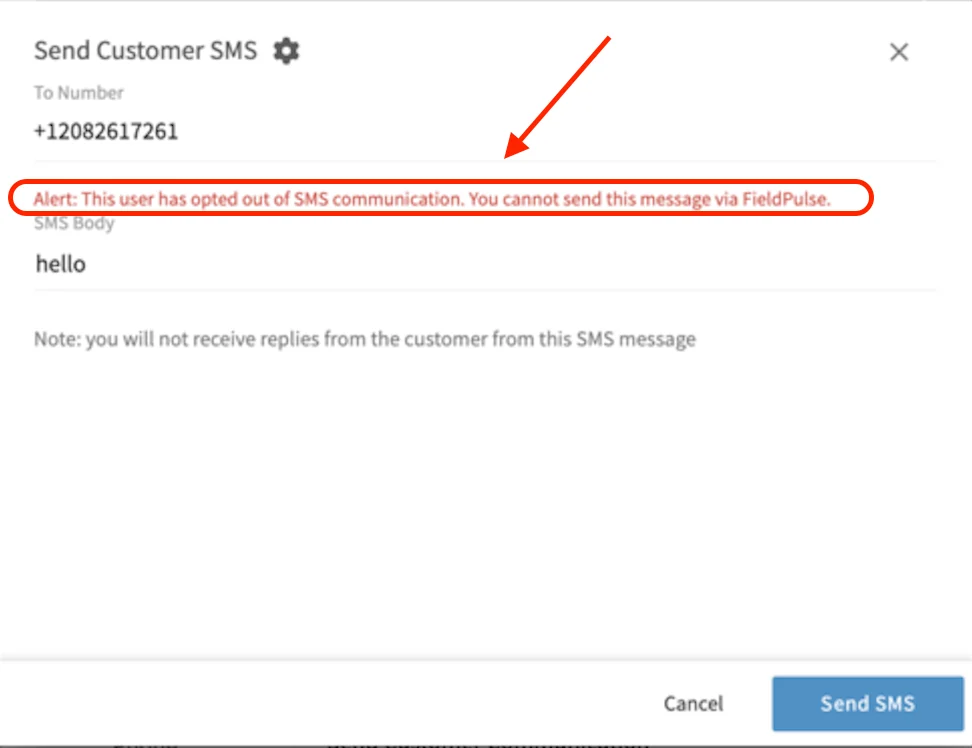
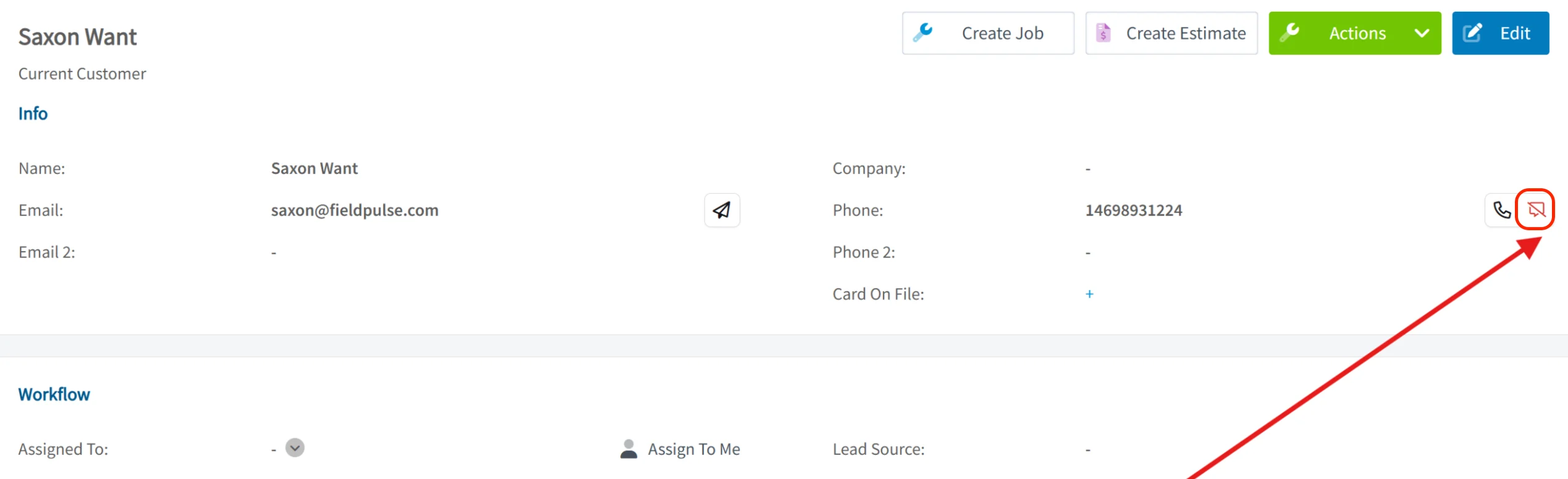
A customer opts out of SMS by replying STOP to a text from your business. From that point, the customer no longer receives any SMS from your company. Unchecking SMS in a customer’s Notification Settings fully unsubscribes that customer from all SMS communications, and re-checking the box does not override a customer’s own choice to opt out. Any attempt to send that customer an SMS, including from Engage, is blocked, and the sender gets a notice:Alert: This user has opted out of SMS communication. You cannot send this message via FieldPulse.
What a STOP reply blocks
A STOP reply blocks every text message to that customer, and leaves your other channels open.
The automated texts a STOP reply switches off are the ones your account sends on its own — see Setting Up Automatic Communication Triggers for the trigger options you can choose from.
How opt-out looks by account type
What you see when a customer opts out depends on whether your account has Engage.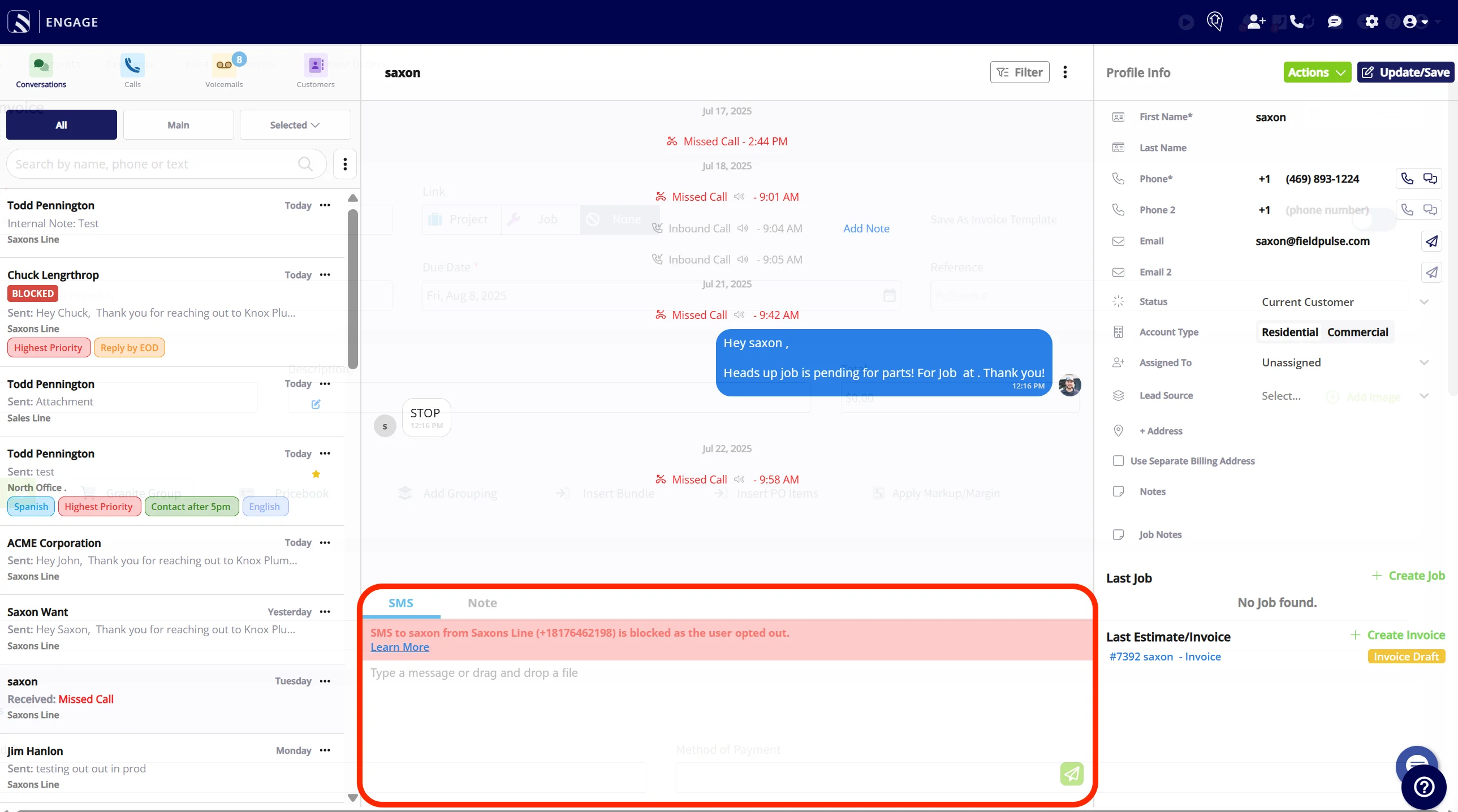
How a customer resubscribes
A customer who has opted out gets back on SMS only by texting START themselves. When they reply STOP, they receive an automatic confirmation that they have been unsubscribed and will not receive any more messages from that number, along with the instruction to reply START to resubscribe.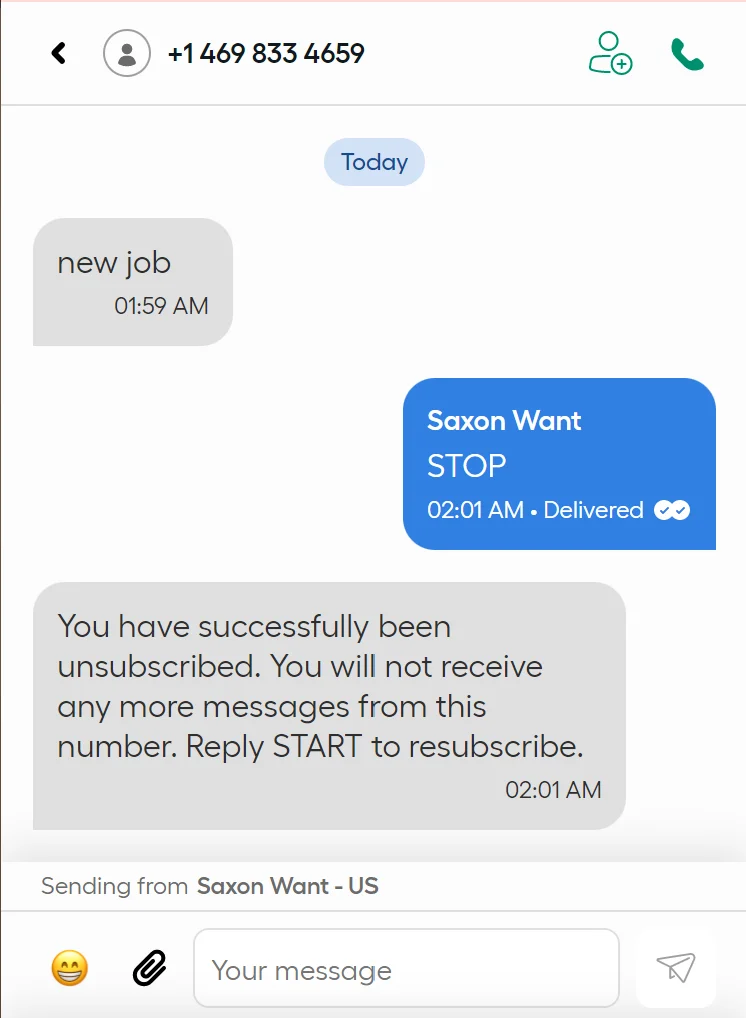
How to resubscribe: To resubscribe, your customer must text START from their own number. You cannot manually resubscribe a customer — this is legally prohibited.
Notes & limitations
- Opt-out only. At this time, FieldPulse only supports opt-out — you cannot resubscribe a customer yourself.
- Reach opted-out customers another way. You can still contact an opted-out customer by email or phone call.