
Who uses this: Admins can enable it. Availability: Requires a XAPPAI account and a FieldPulse API key issued by the FieldPulse Support team.The XAPPAI integration connects your XAPPAI chat and form widgets to FieldPulse so the leads they capture become Customer records — and pending Jobs — automatically. Setup is one-way: XAPPAI sends leads into FieldPulse using a FieldPulse API key you paste into XAPPAI.
Overview
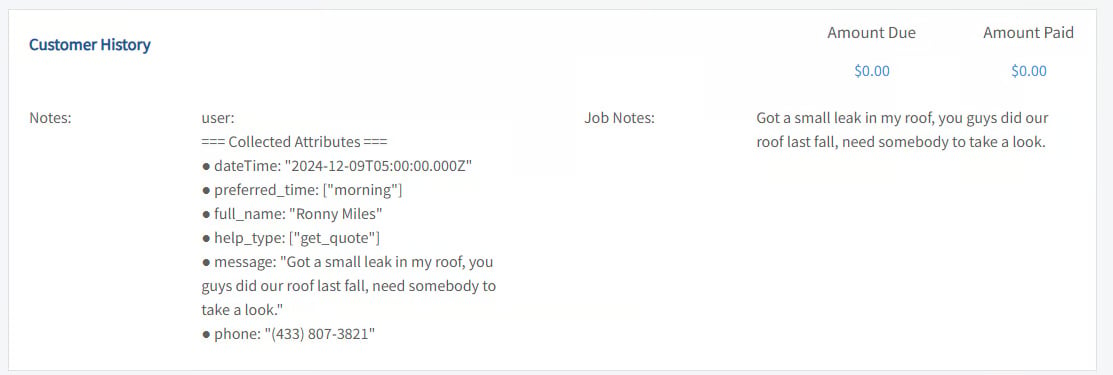
XAPPAI’s chat and form widgets send captured leads into FieldPulse. What gets created depends on the channel and how much the lead provides:- Customer lead only. If the lead provides just contact information and a message — more typical from chat — FieldPulse creates a customer lead, which you will find in the Customers section. Extra details appear under Customer History.
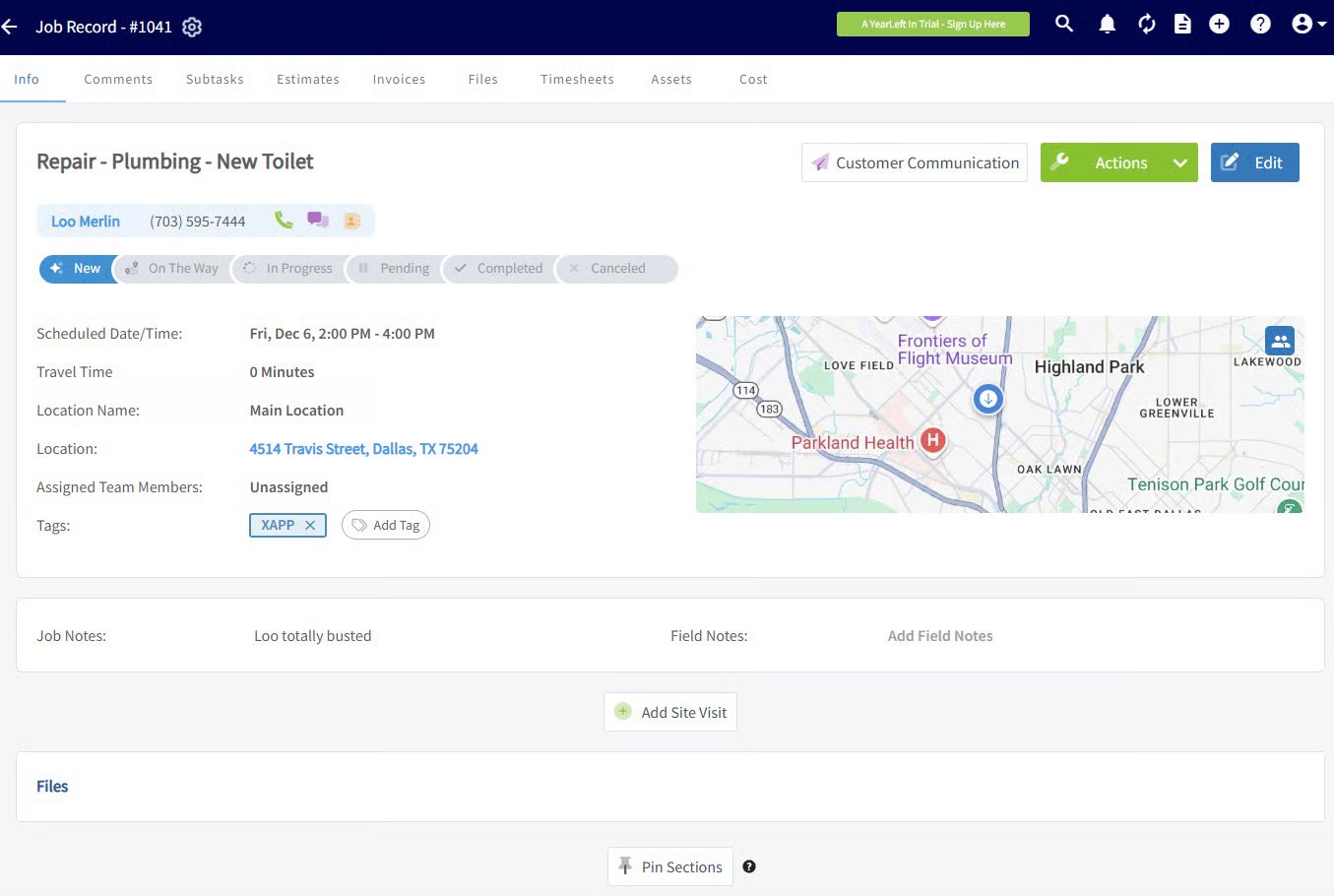
- Customer lead and a pending Job. If the lead specifies a service or visit, FieldPulse also creates a Job for that customer, with the requested work in the Job title and a preferred time to confirm with the customer.
Before you begin
- You need a XAPPAI account with chat or form widgets set up.
- You need a FieldPulse API key. Request one from the FieldPulse Support team through the chat or by phone.
Connect XAPPAI
- Request your FieldPulse API key from FieldPulse (chat or phone).
-
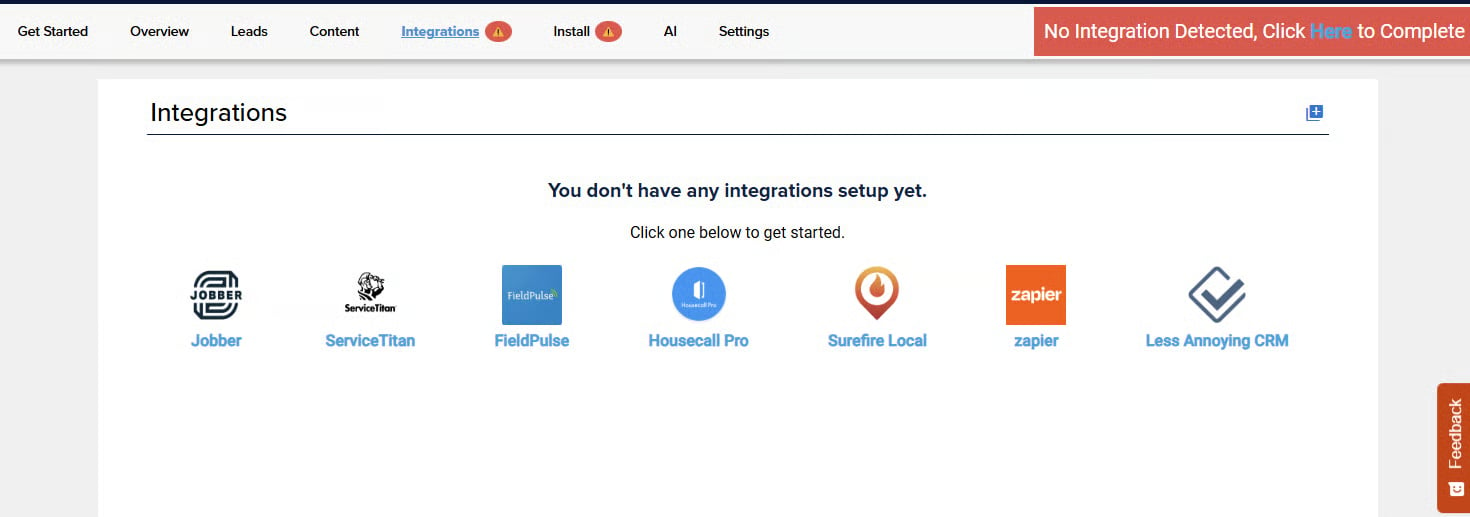
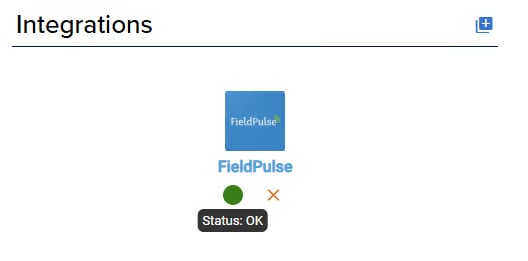
In XAPPAI, go to Studio > Integrations.
-
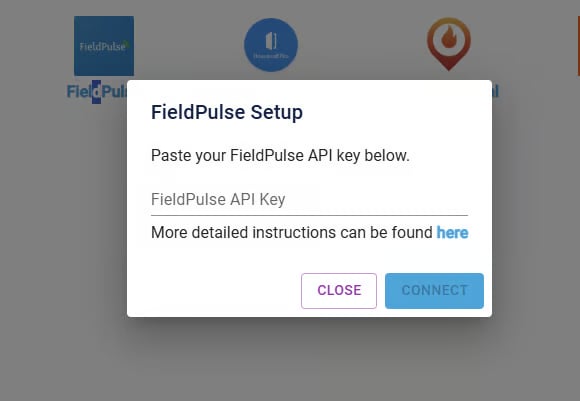
Select FieldPulse, paste your API key into the text field, and select Connect.
-
Check the status light next to the integration. Green means the API key is working.
- Confirm the connection: complete a lead from a XAPPAI form or chat and check that it arrives in FieldPulse.