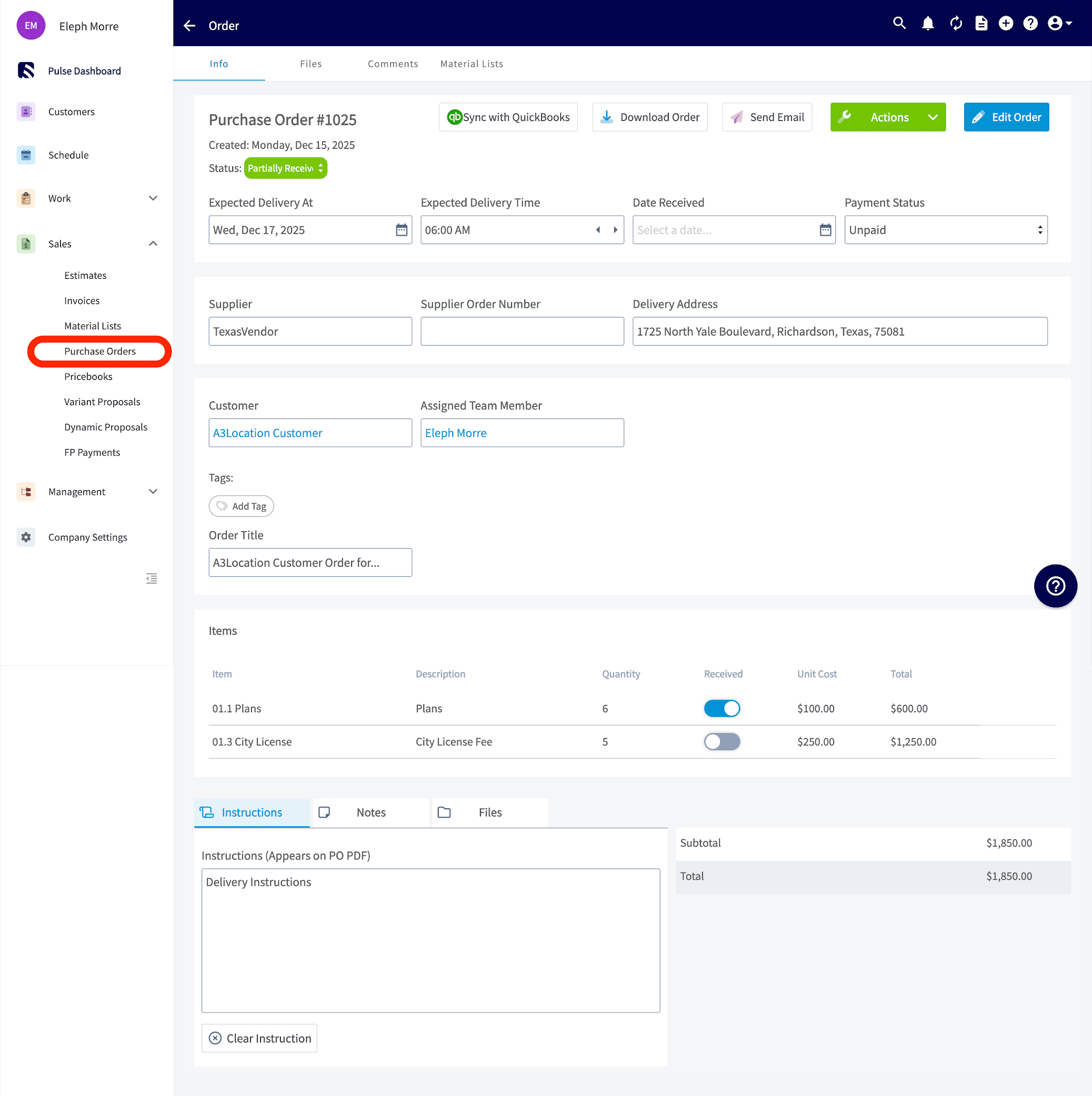
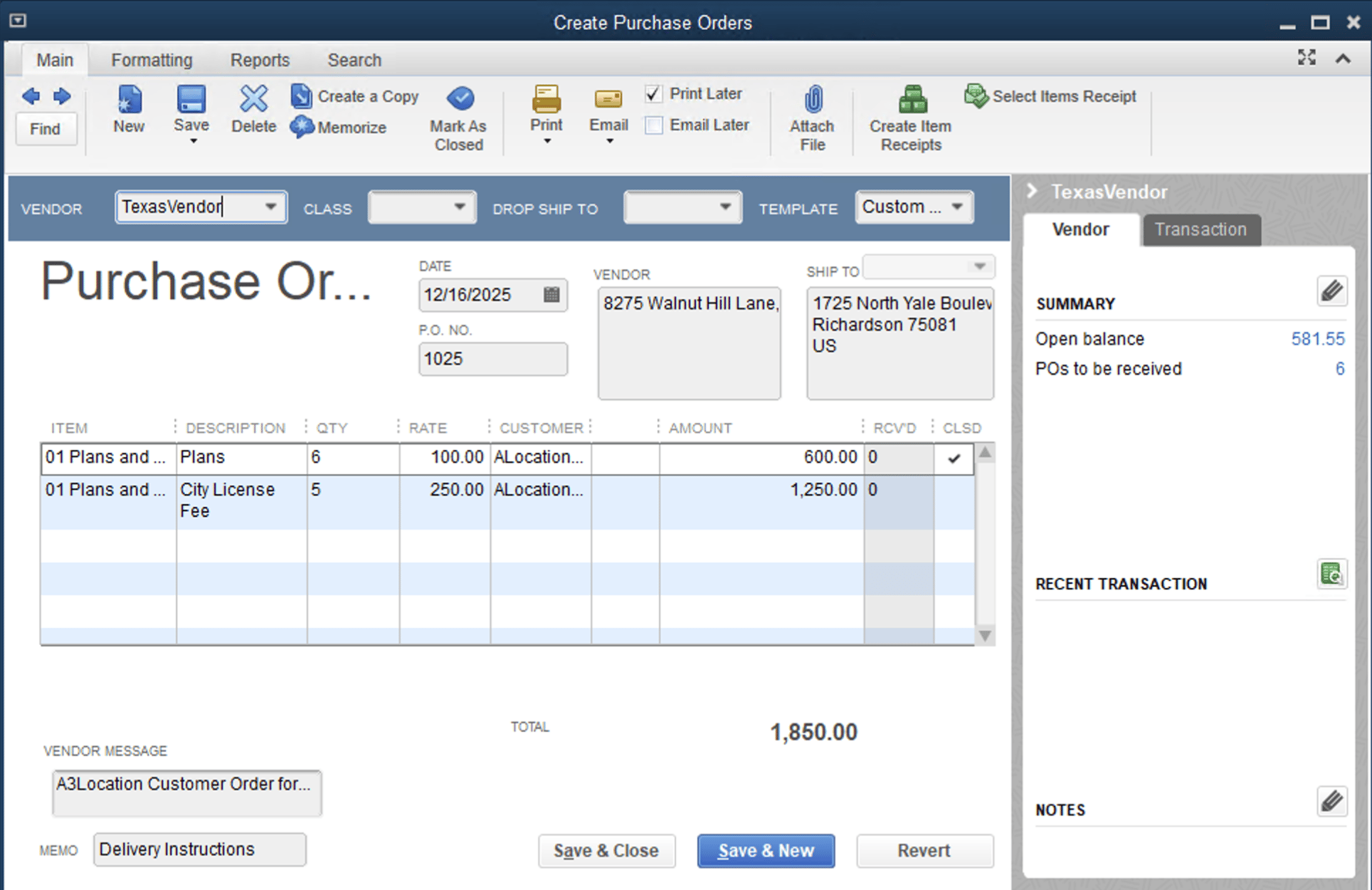
Who uses this: An admin turns on PO sync with FieldPulse; POs then push automatically. Availability: Requires QuickBooks Desktop + the sync connector.Purchase order sync pushes your FieldPulse purchase orders one way into QuickBooks Desktop, so POs land in your books without re-entry. Once it’s enabled, every newly created or updated purchase order pushes to QuickBooks Desktop on its own. This is a one-way sync from FieldPulse to QuickBooks, not two-way.
Overview
Purchase order sync is separate from the main QuickBooks Desktop sync and has to be turned on by FieldPulse. It saves you from re-keying POs: a supplier order raised in FieldPulse otherwise gets typed again into QuickBooks, and the two fall out of step. With PO sync on, the purchase order and its line items flow straight into QuickBooks Desktop. Because it’s one way, edits made in QuickBooks Desktop do not flow back to FieldPulse. FieldPulse integrates with QuickBooks Desktop 2024 and newer.Before you begin
- The main QuickBooks Desktop sync should be connected and running. See How to Sync With QuickBooks Desktop.
- Purchase order sync is enabled by request. Contact the FieldPulse support team through in-app chat or at support@fieldpulse.com to turn it on.
Turn on purchase order sync
- Contact the FieldPulse support team through in-app chat or at support@fieldpulse.com to initiate your purchase order sync.
- Once it’s enabled, no further action is needed: the sync triggers automatically whenever you create or update a purchase order, pushing it to QuickBooks Desktop.
Purchase order field mapping
These FieldPulse purchase order fields sync to QuickBooks Desktop and appear in the QuickBooks field shown. Any field not listed here does not sync.How PO statuses map
Each FieldPulse purchase order status reflects as either Open or Closed in QuickBooks Desktop.Example: a purchase order before and after syncing
Purchase Order in FieldPulse: