Who uses this: An admin resolving records that failed to sync; the sync itself runs on its own. Availability: Requires QuickBooks Desktop + the sync connector.
When a record fails to sync with QuickBooks Desktop — a customer, invoice, payment, or item — you can use the in-app troubleshooting tool to see the exact error and fix it. Select the Failed Sync button next to the record to open a page listing every sync error for that record. This page is the full error reference: find your error message below and follow the matching action. Failed Sync button opening the QuickBooks Sync Failed dialog with the error and its fix
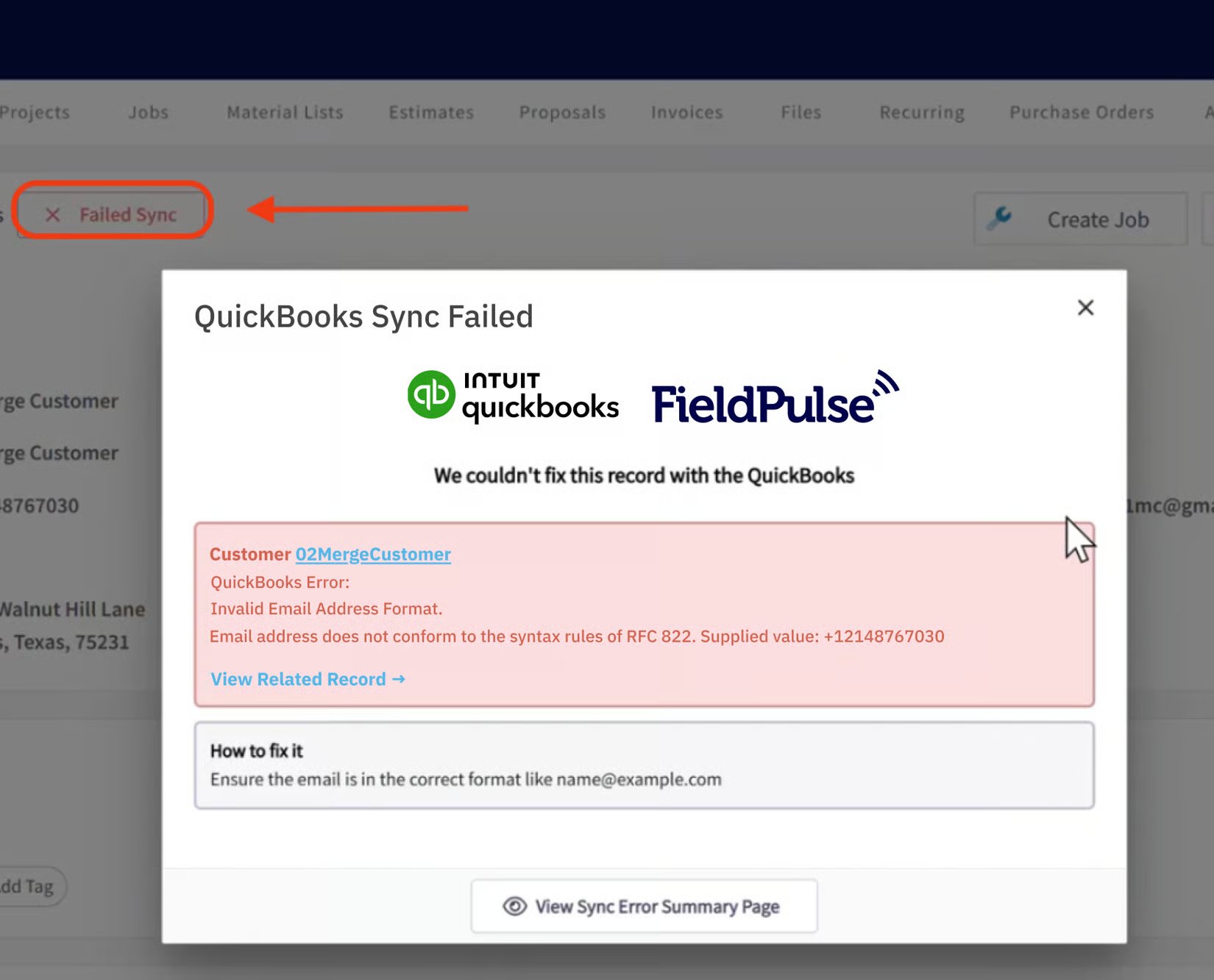
Overview

Every failed record in FieldPulse carries a Failed Sync button that opens a dedicated page listing all sync errors for that record. Most errors come down to a field that’s too long, a special character QuickBooks rejects, a duplicate name, a closed accounting period, or a referenced record that isn’t synced yet. Fix the cause named in the error and the record re-syncs. To see which records failed and when the sync last ran, use the Statistic page covered in How to Manage QuickBooks Desktop After Syncing.

Common issues

Field length limits

QuickBooks Desktop enforces a maximum length on many fields. Shorten the field in FieldPulse to the limit shown, then re-sync.

Special or non-ASCII characters

QuickBooks Desktop rejects special and non-ASCII characters in names. Remove them, then re-sync.

Duplicate names and records

Closed accounting period

The record’s date falls in a period your books have closed. Change the date to after the closing date, or ask a QuickBooks admin to adjust the closing-period settings.

Missing or empty required fields

Tax codes and sales tax

Items and accounts

Deleted, missing, or out-of-date references

Permissions, mode, and version

Credit memos, deletions, and pending records

Still need help?

Reach the FieldPulse support team through in-app chat or at support@fieldpulse.com. For the workflow to find and re-sync failed records, see How to Manage QuickBooks Desktop After Syncing. For what does and doesn’t sync in the first place, see Setting Up QuickBooks Desktop Before Syncing.