Who uses this: Anyone who creates or edits customer records in FieldPulse. Availability: All regions.FieldPulse has two account structures for a customer that is bigger than one name at one address: a parent/child relationship for hierarchical billing control, and multi-location for one customer with several service addresses. Choose parent/child when you need to control who ultimately pays. Choose multi-location when one customer has many service addresses but one bill.
Overview
Customer account structures are two ways to organize a customer that is really an umbrella — a property manager who pays for ten units, or a restaurant chain that runs jobs at fifteen locations under one contract. Log every unit as a standalone customer and the billing loses its hierarchy; put everything under one address and you lose the job history per site. The parent/child relationship and multi-location each solve one version of that problem.
Both structures organize your customers. Neither one is a franchise structure, where a franchisor oversees independent franchisee accounts — see Franchise Overview — and neither one is a master account, where one operator switches between their own separate businesses — see Master Account Overview.
How it works
Both structures are built on the customer record, and the difference shows up in your accounting. A parent and a child sync to QuickBooks as two distinct customers; additional locations added to one customer record stay in FieldPulse.Parent/child relationships
The parent/child structure is a hierarchical system where one main account oversees several smaller accounts.- Parent — the primary account, such as a corporate office or property management company. This is usually the main billing entity.
- Child — the individual service location, such as a specific condo unit or property site.
- Property management — a management company (parent) oversees several apartment complexes (children).
- Condo or unit billing — the management company is the parent, and it bills individual homeowners or tenants (children) directly.
- Corporate contracts — a restaurant chain where multiple locations are managed under one corporate umbrella.
- Open the parent customer’s record — for example, the management company.
- Go to the Related Customers tab.
- Select Link Customer — the chain icon — to connect a customer that already exists, or select Create Customer to add a new child account.
- Set the default billing by confirming the correct billing address on the child’s profile. Turn on the Use Separate Billing Address toggle to override the default parent address.

To bill a child’s estimates and invoices directly to the parent account — including charging the parent’s card on file — see Bill to Parent for the full billing workflow.
Multi-location
Multi-location is a feature that lets you add multiple service addresses to a single primary customer record. All service history is tracked under the original customer account, and these additional addresses do not sync to QuickBooks — they stay within FieldPulse. Use multi-location when a single customer, often in a commercial setting, has multiple locations. Common setups:- Commercial complexes — track jobs by specific tenant locations without cluttering your QuickBooks records.
- Simple location tracking — keep your QuickBooks customer list clean while holding detailed service data in FieldPulse for internal use.
- Open the original customer’s record.
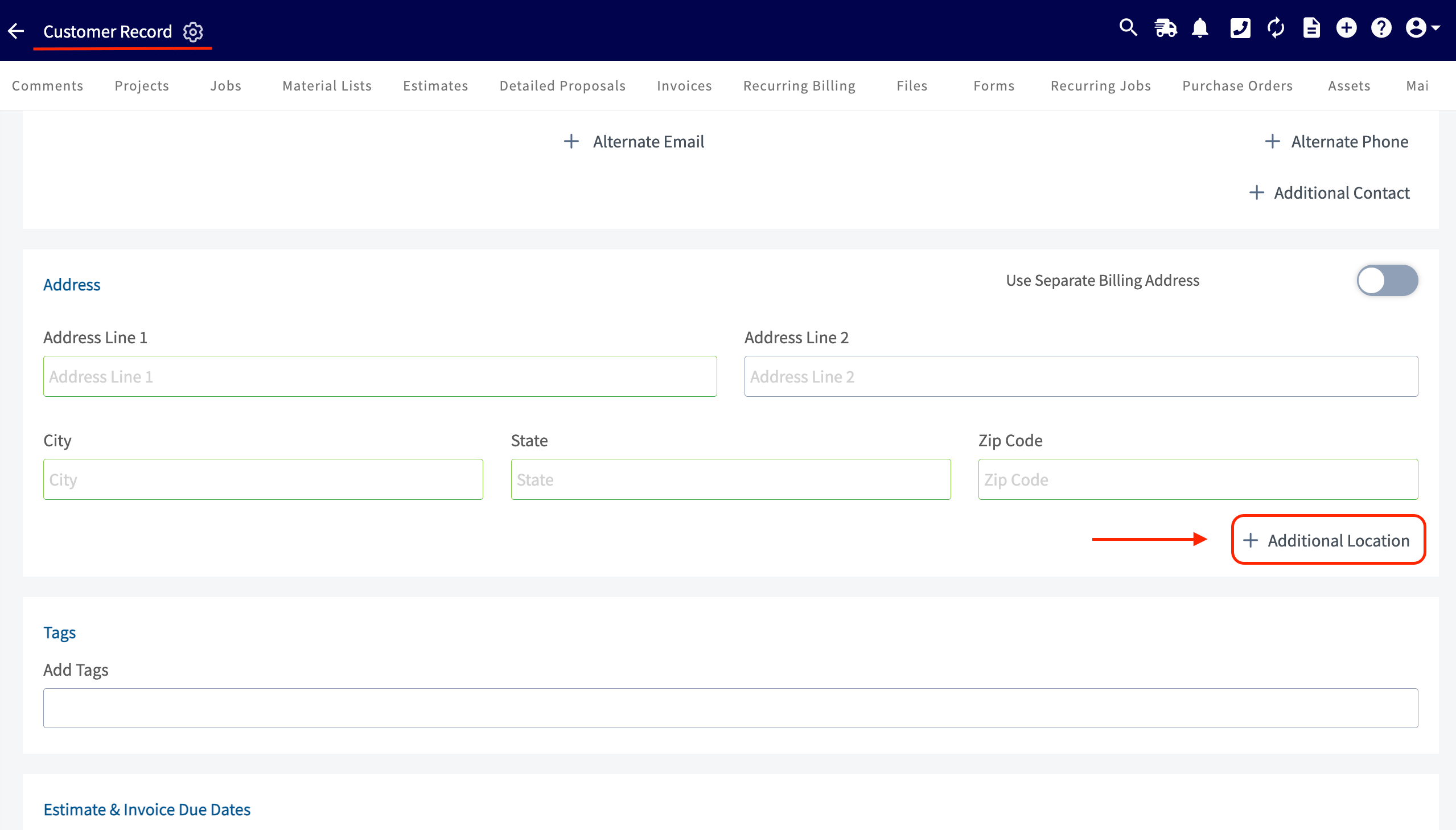
- Go to the Address section of the customer record.
- Select Additional Location to add each service address.