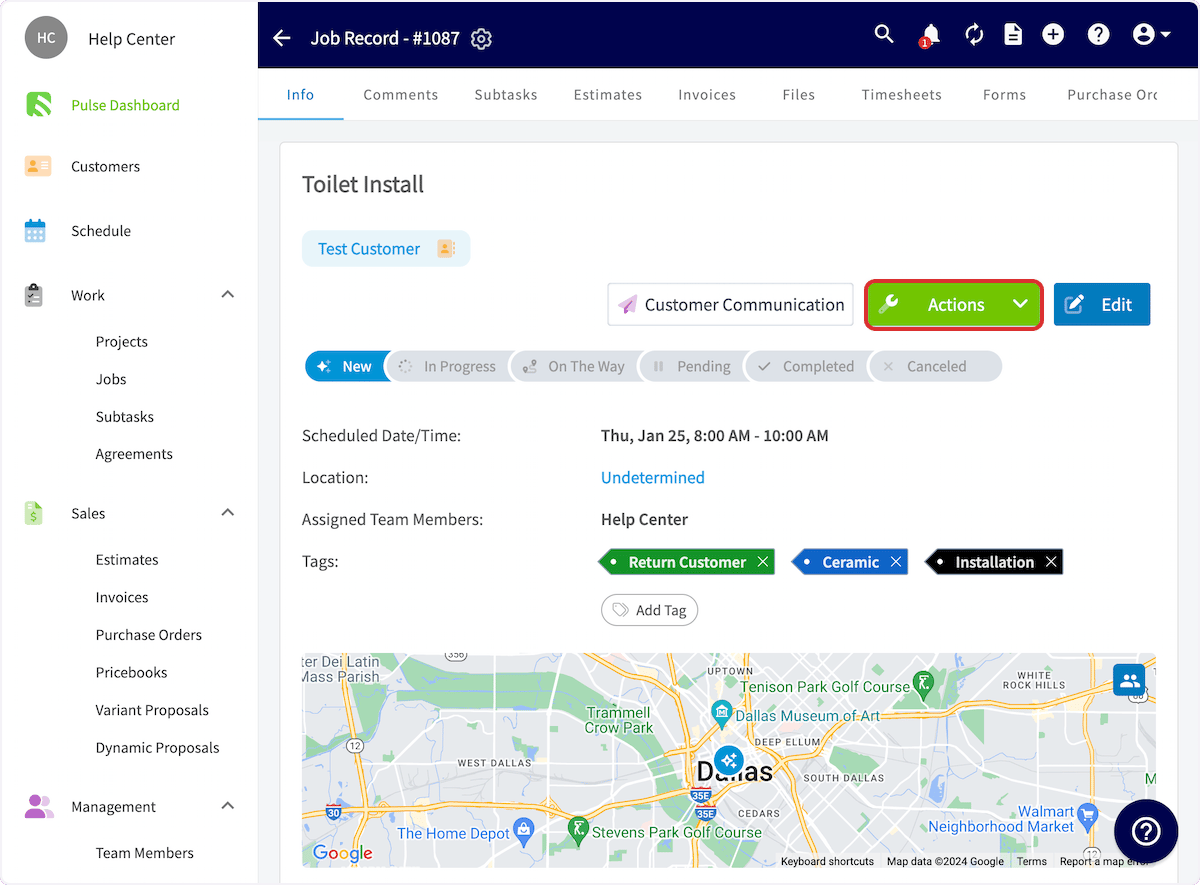
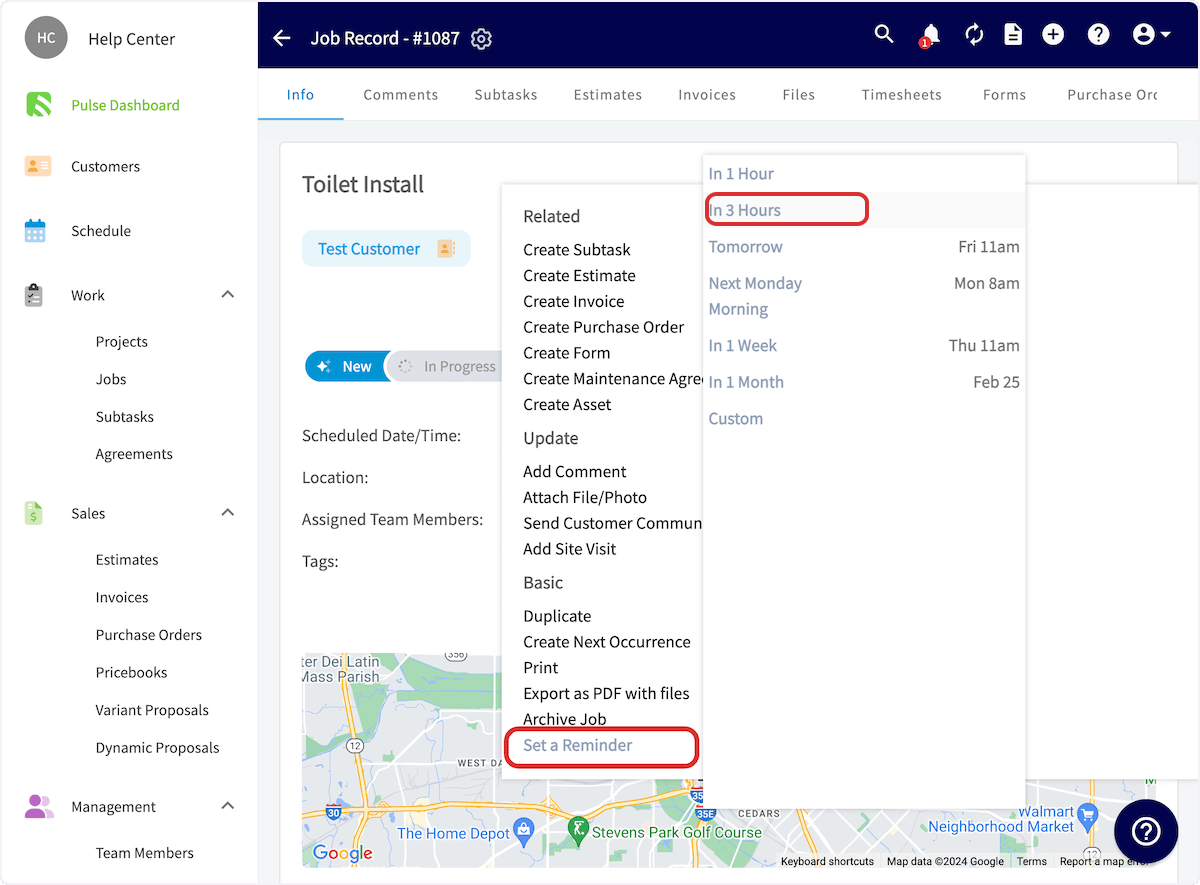
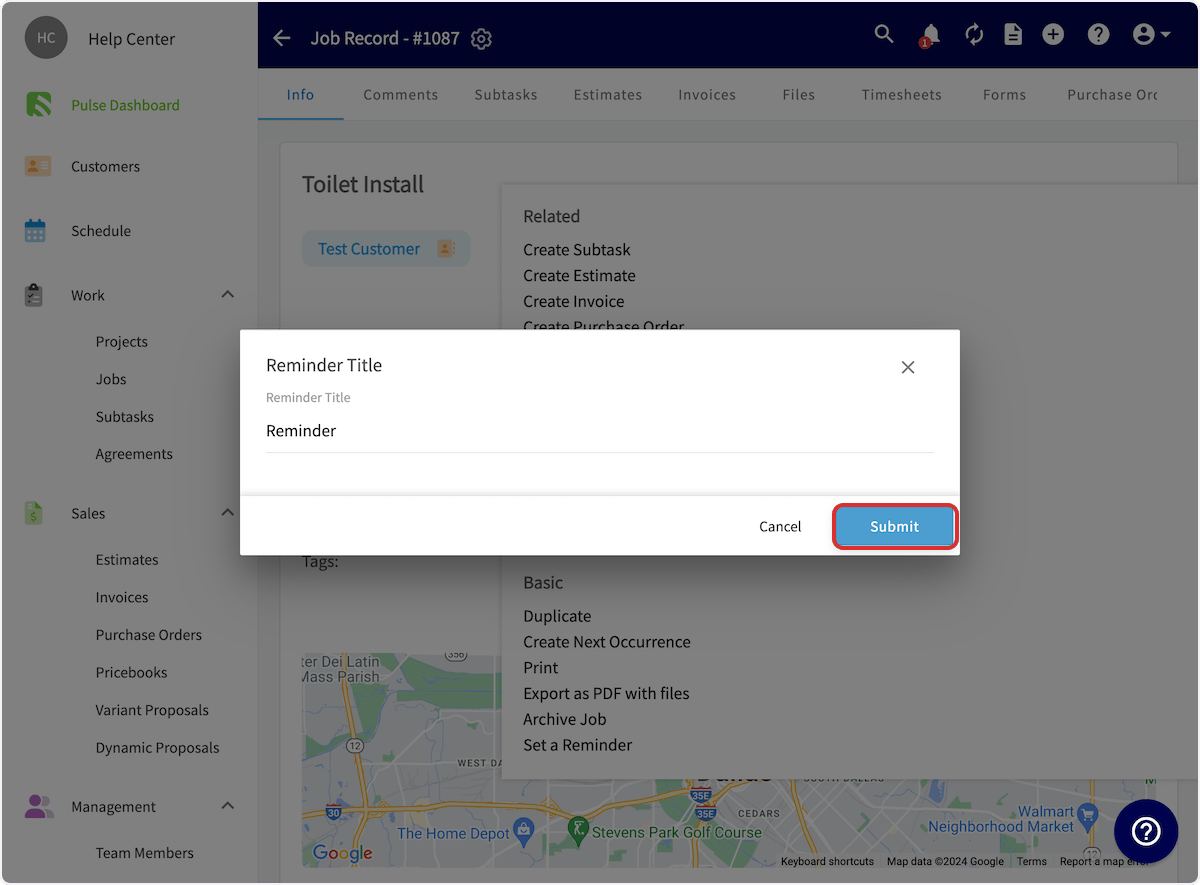
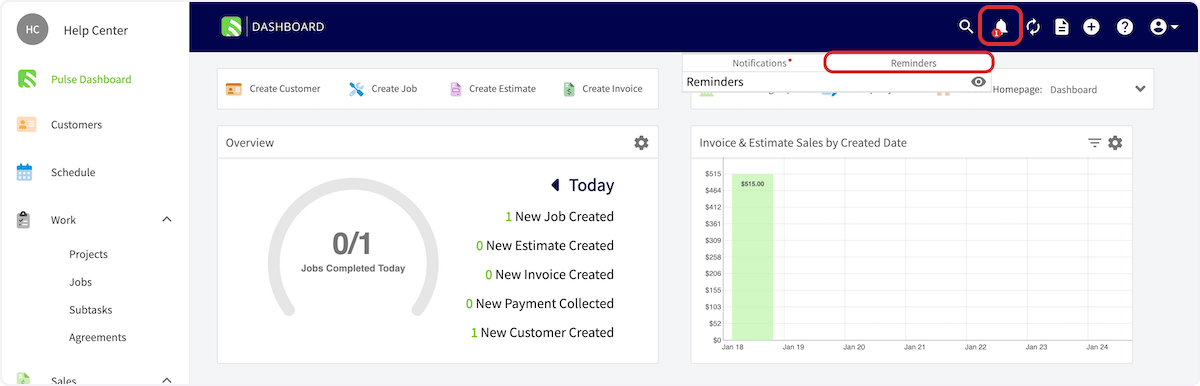
You can set reminders for jobs, customers, estimates, invoices, and more in FieldPulse. You will follow the same process regardless of the record type. For this example, we will set a reminder for a job. To set up a reminder, open the job you want to be reminded about and click Actions. Click on Actions In the dropdown menu, select Set a Reminder, then select when you’d like to receive the reminder. Click on In 3 Hours You can set the reminder message, then click Submit. You’ll see a pop up confirming you have set the reminder. Now you’ll be reminded at the selected time. Click on Submit Your reminders are housed under the bell icon in the FieldPulse header. Untitled step

Video Tutorial


Have additional questions? Contact us at support@fieldpulse.com or use the chat feature in the bottom right corner of your screen.