
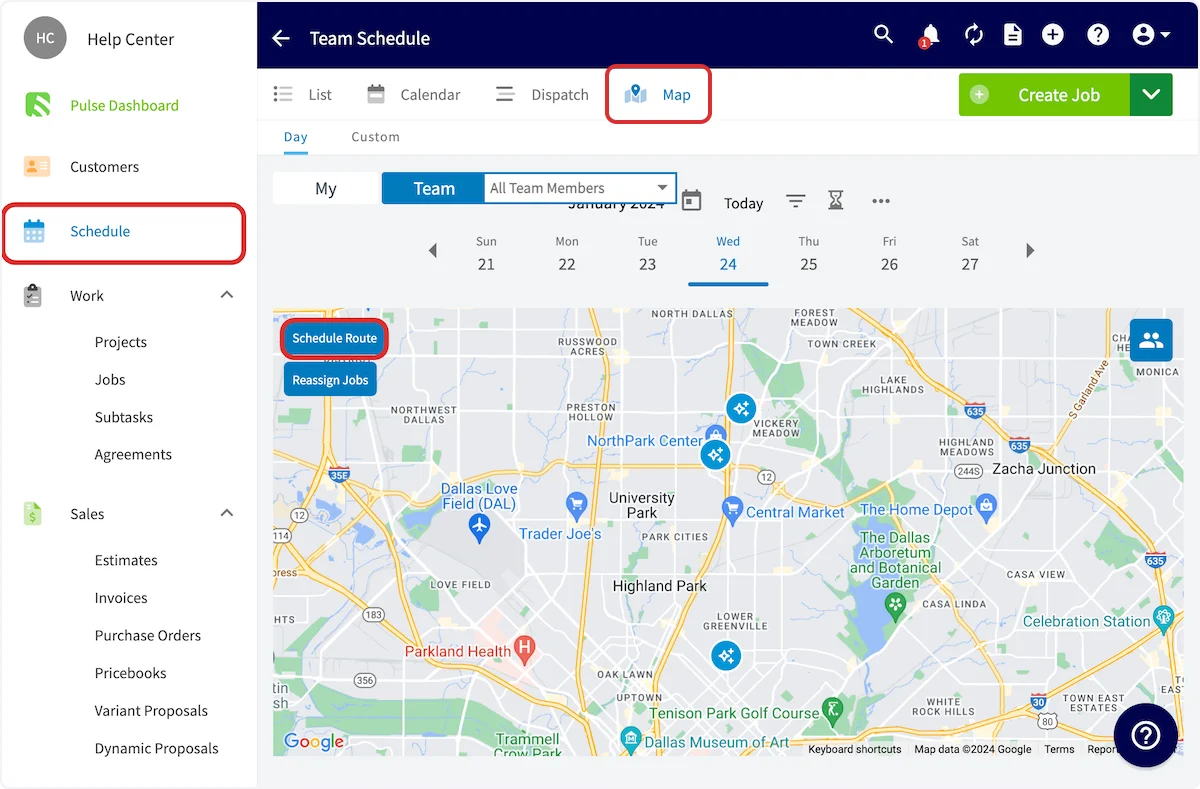
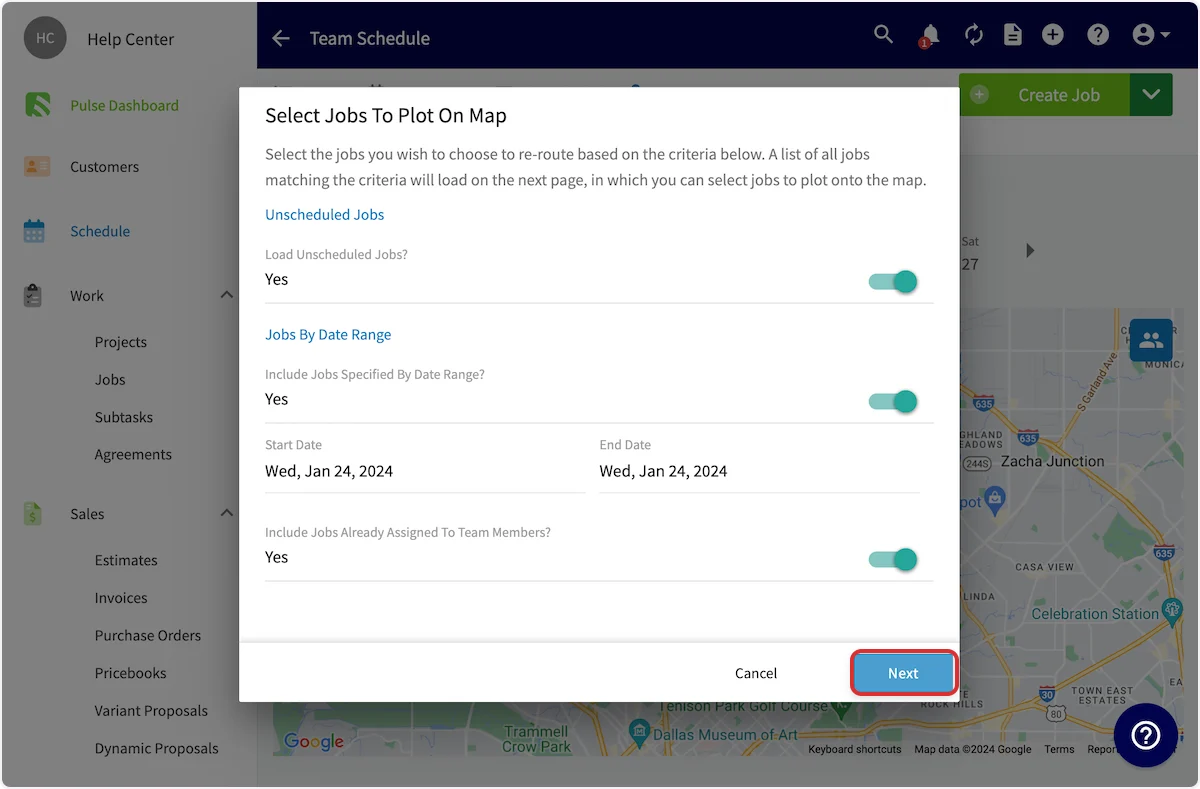
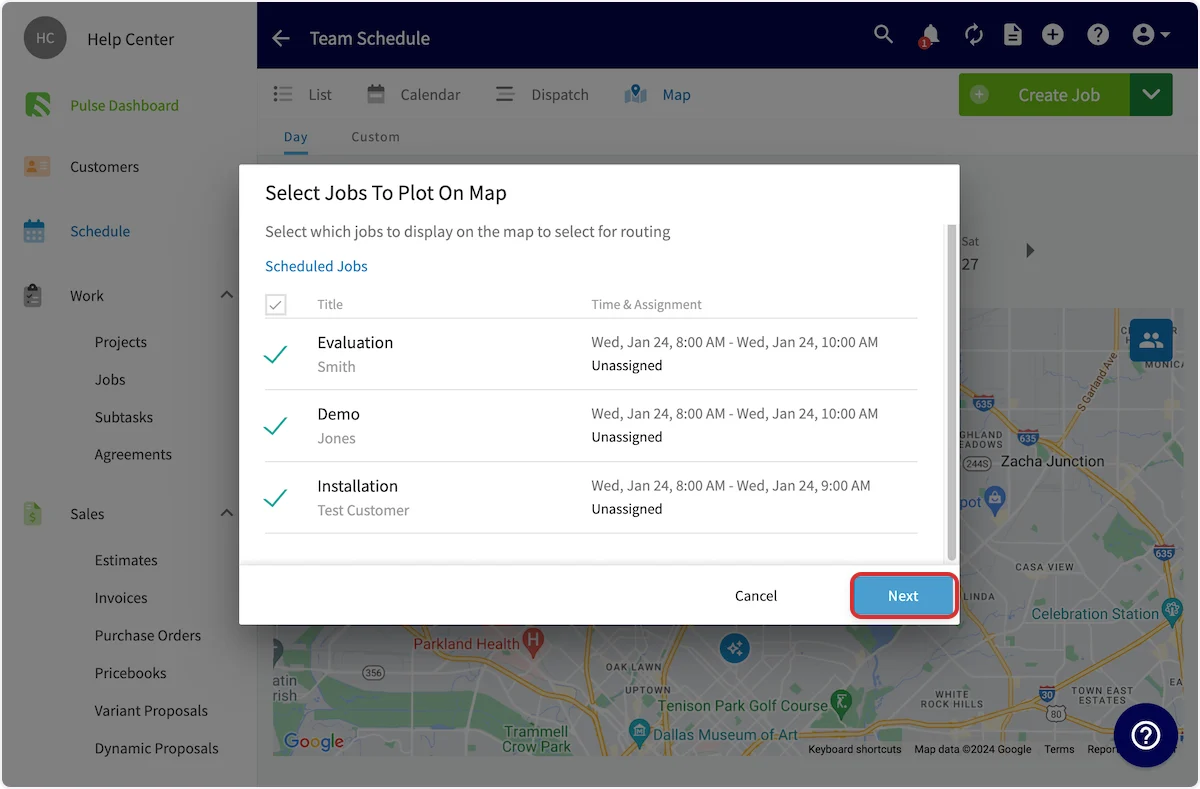
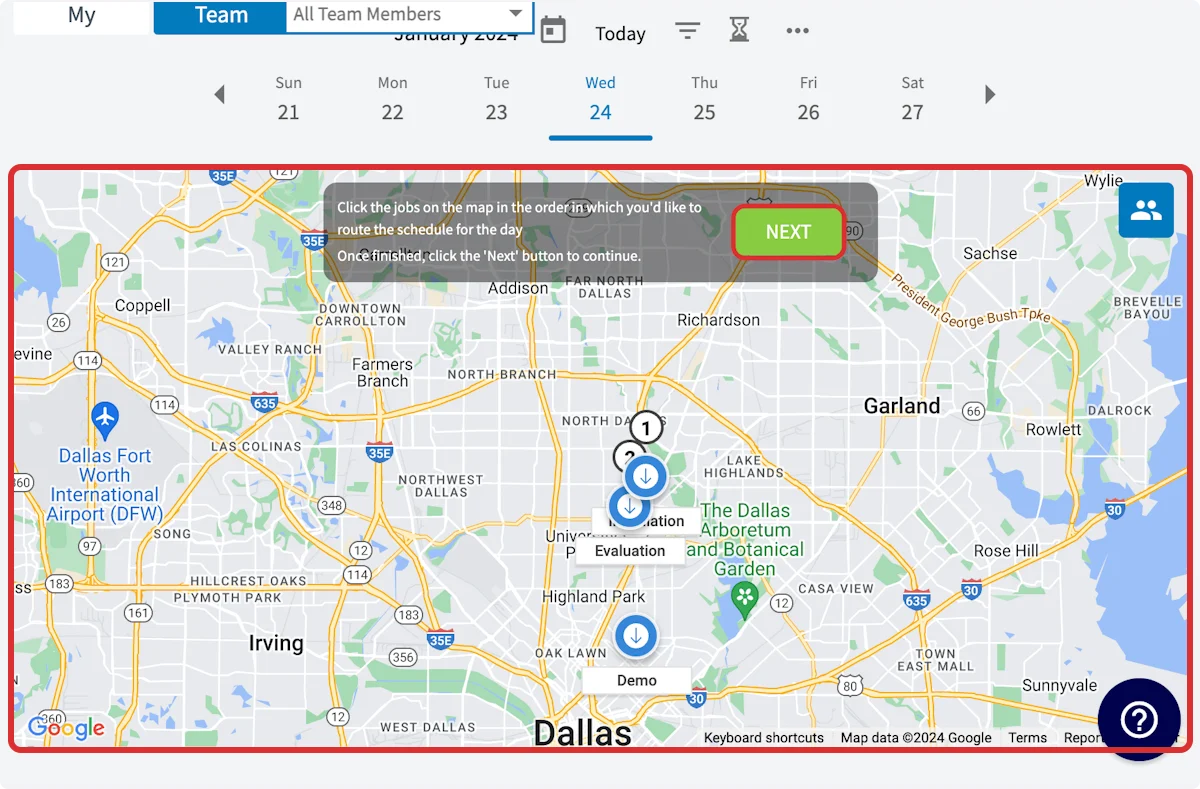
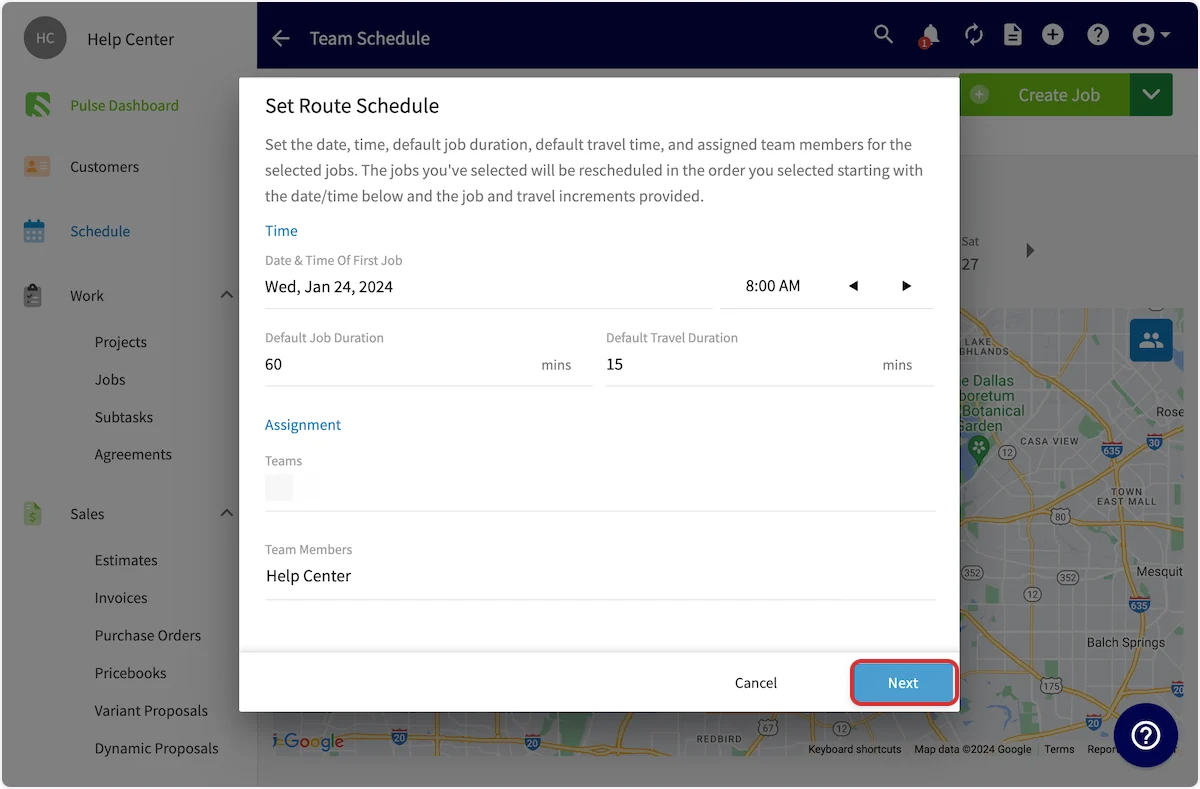
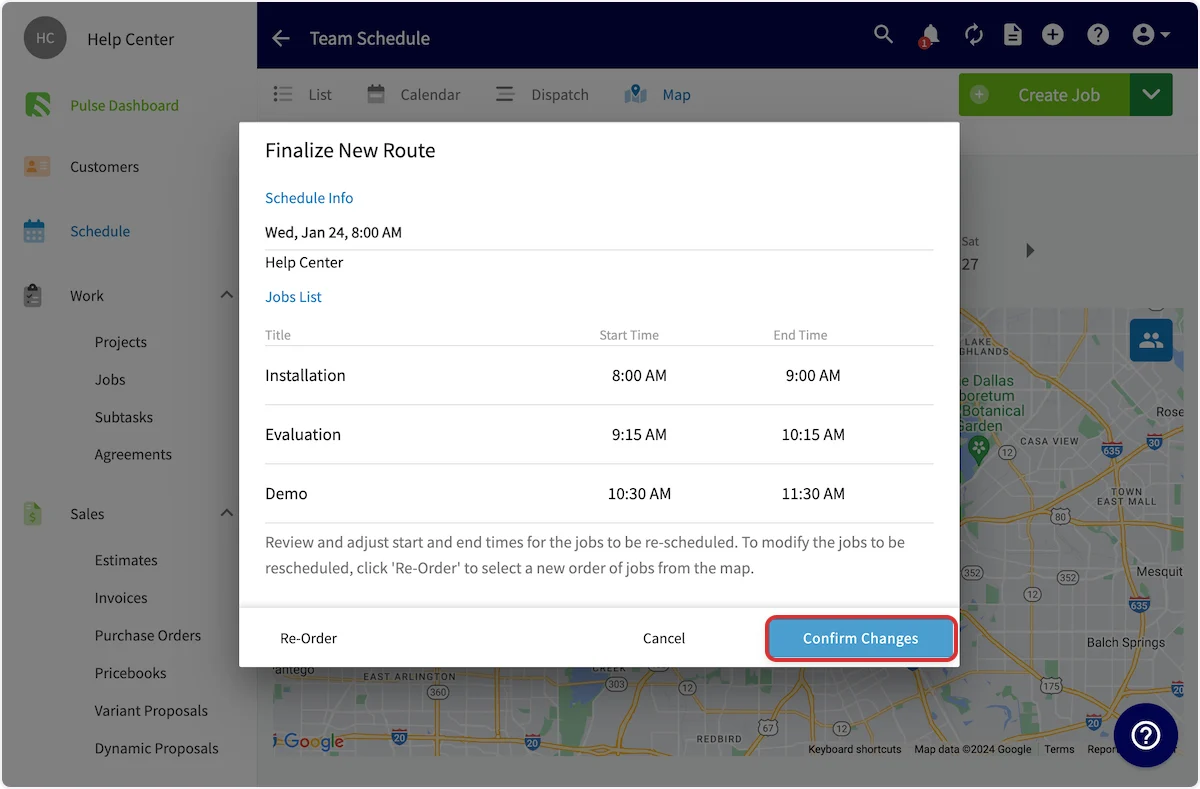
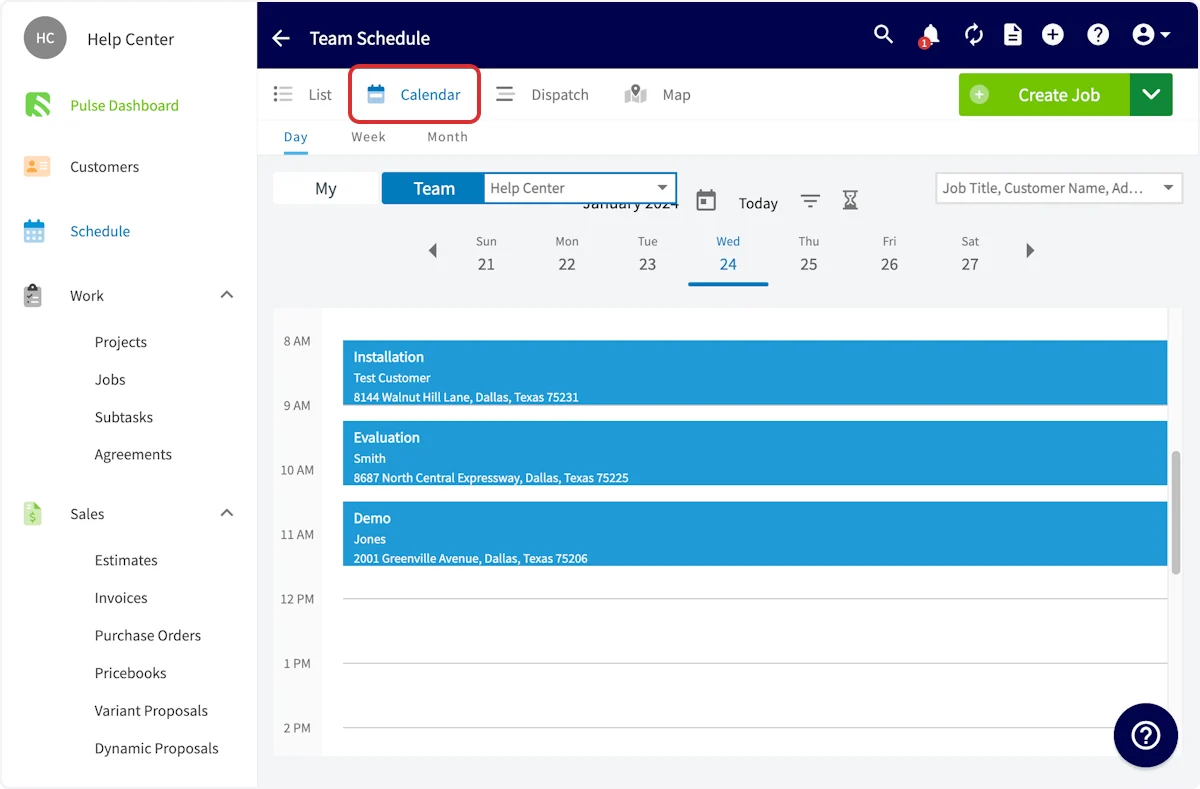
To begin optimizing your routes, select Schedule from the left-side menu, then click on the Map View in the Team Schedule. Finally, select the date you’d like to schedule a route for and select Schedule Route.
Have additional questions? Contact us at support@fieldpulse.com or use the chat feature in the bottom right corner of your screen.