

Documentation Index
Fetch the complete documentation index at: https://fieldpulse.mintlify.app/llms.txt
Use this file to discover all available pages before exploring further.
Service Agent Schedule Visibility
As an administrator, you have the ability to restrict your service agent’s schedule view. This can be beneficial for schedule simplicity, internal adjustments, or general schedule privacy. Navigate to Company Settings, select User Accounts, then Users.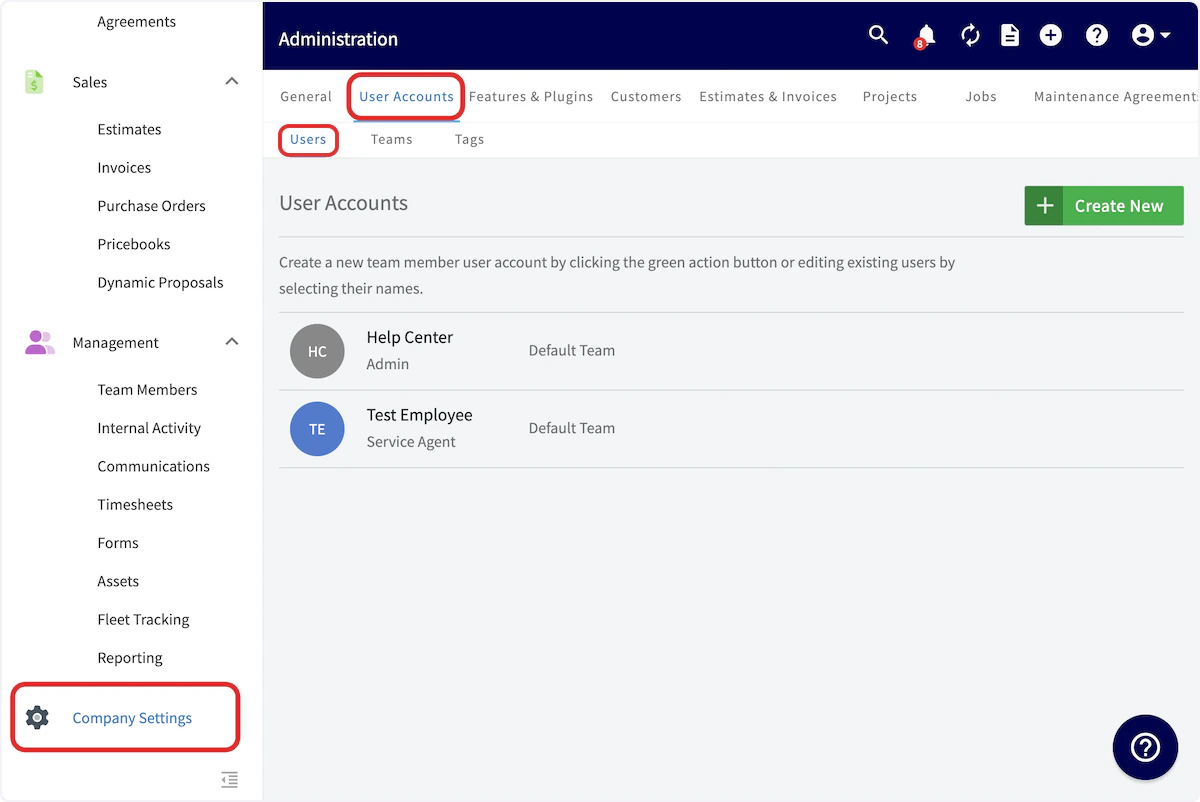
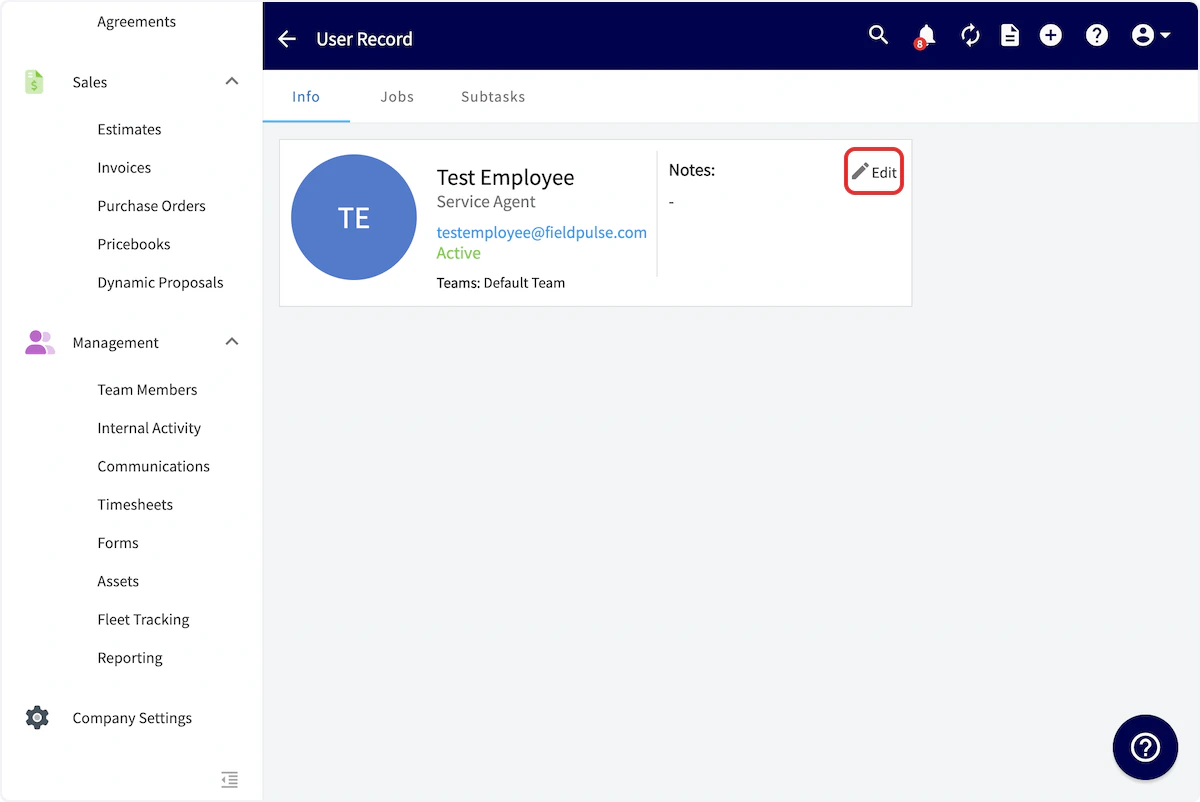
- View all assigned jobs
- View one open job at a time
- View jobs assigned today
- View jobs assigned today and tomorrow
- View jobs assigned today, tomorrow, and the day after
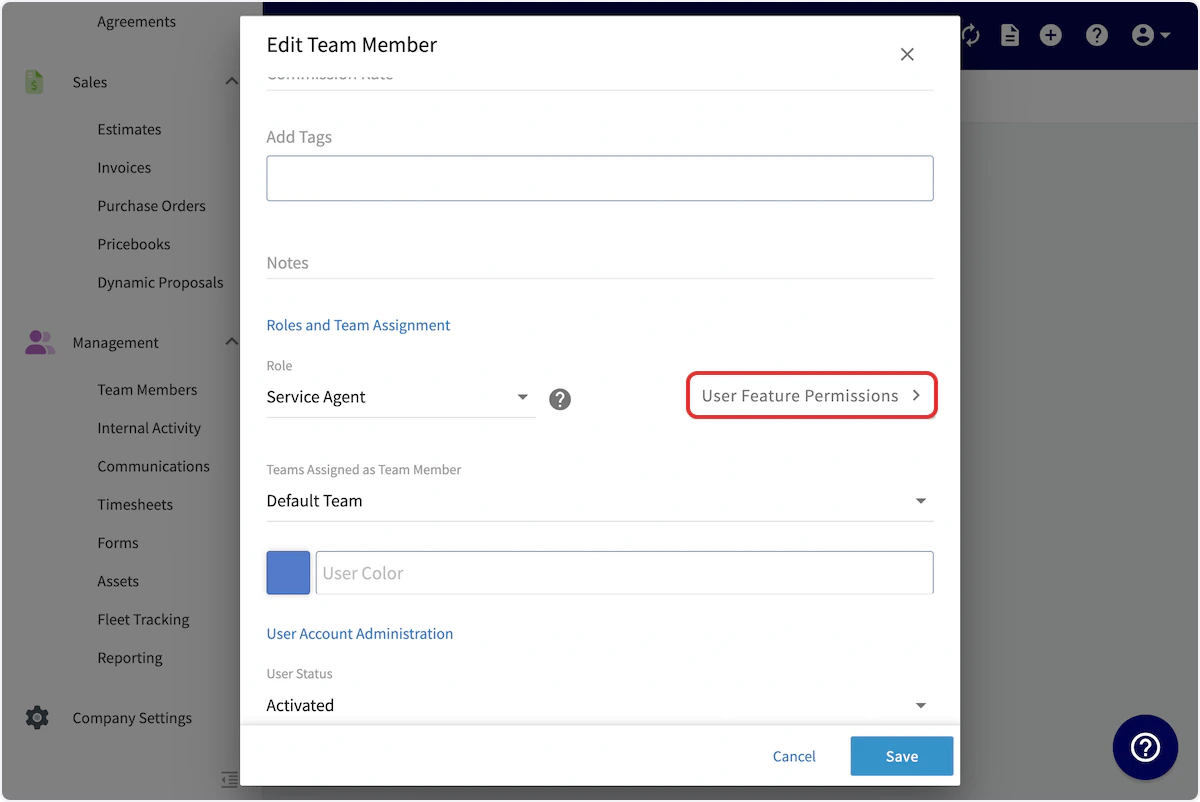

Manual Dispatch
Further manage your team members’ schedules by hiding or un-hiding jobs and site visits at your discretion, ensuring optimal control over assignments.Set Up
Navigate to Company Settings, then select Jobs. Remain on the General subtab.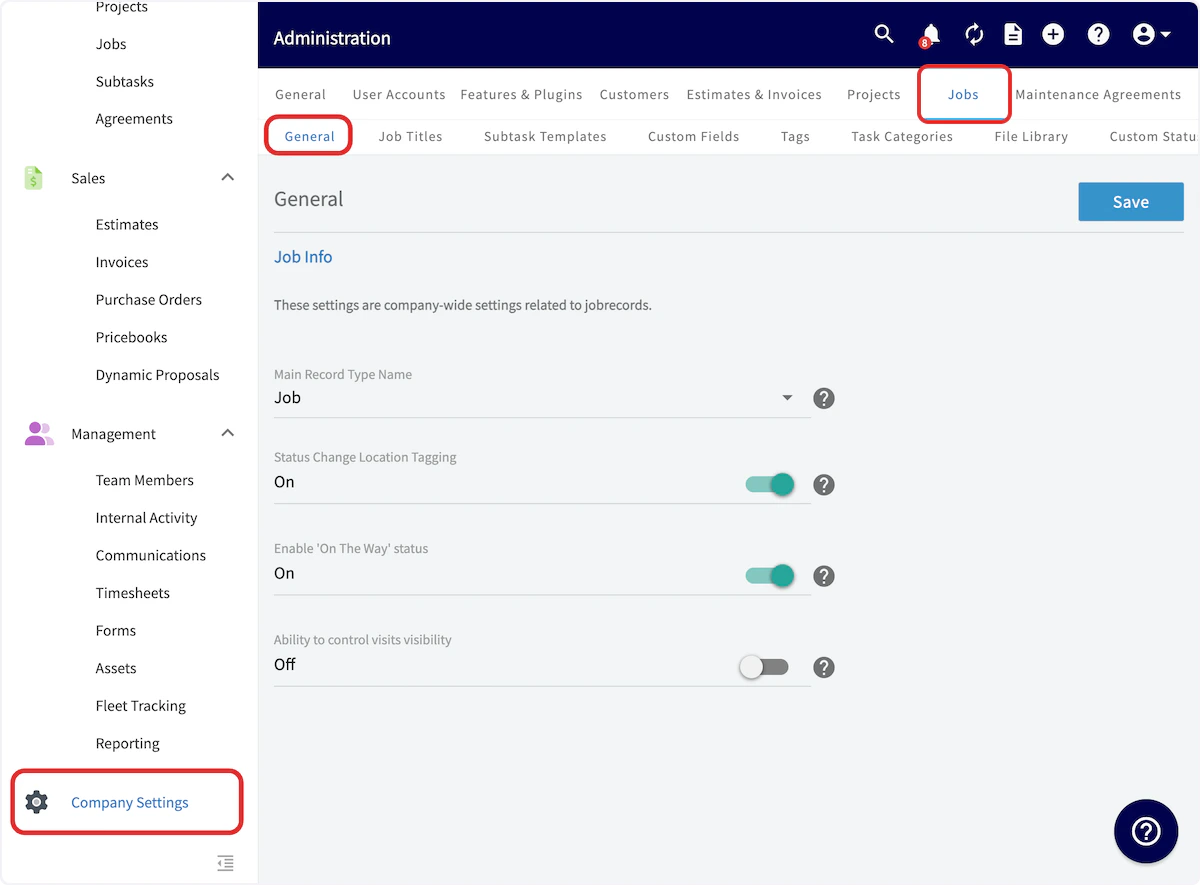
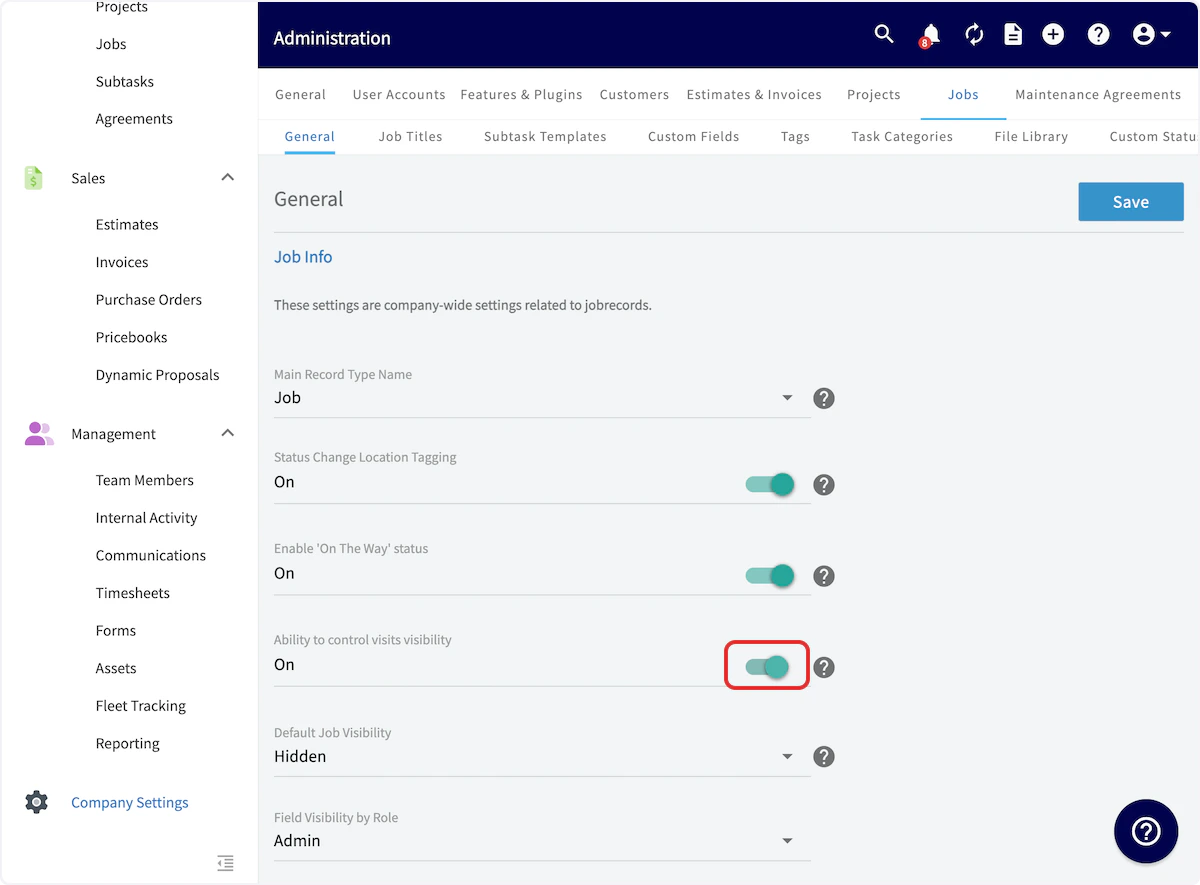
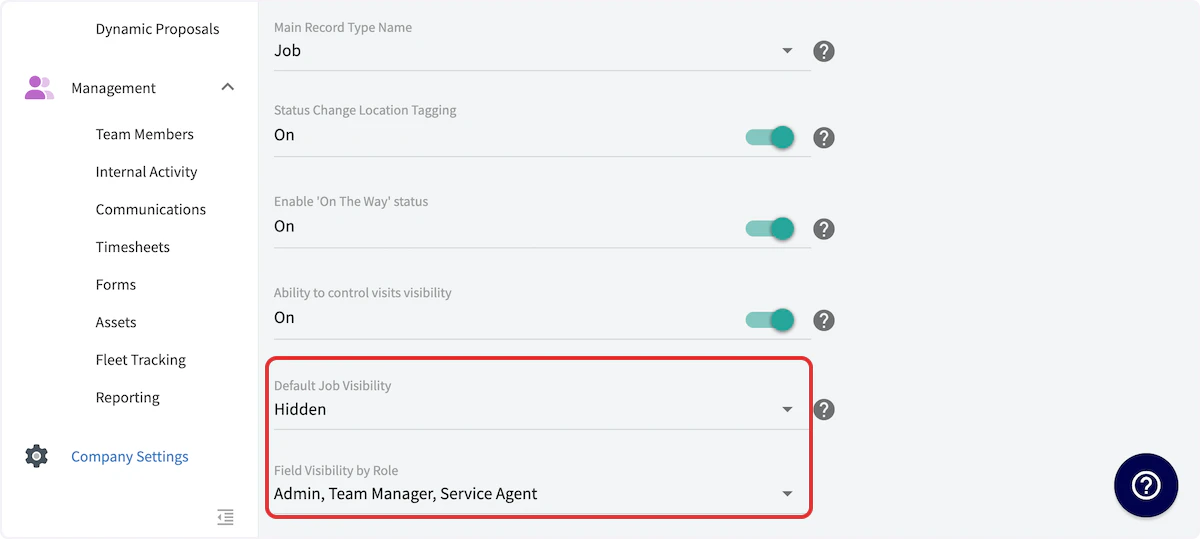
Use
The eye icon indicates whether a job is currently visible to the team members assigned to it. As shown below, the slashed eye icon indicates that a job is not visible. To adjust the visibility, right click on the job to view this menu. Then select Un-Hide Job (or Hide Job) to adjust the visibility.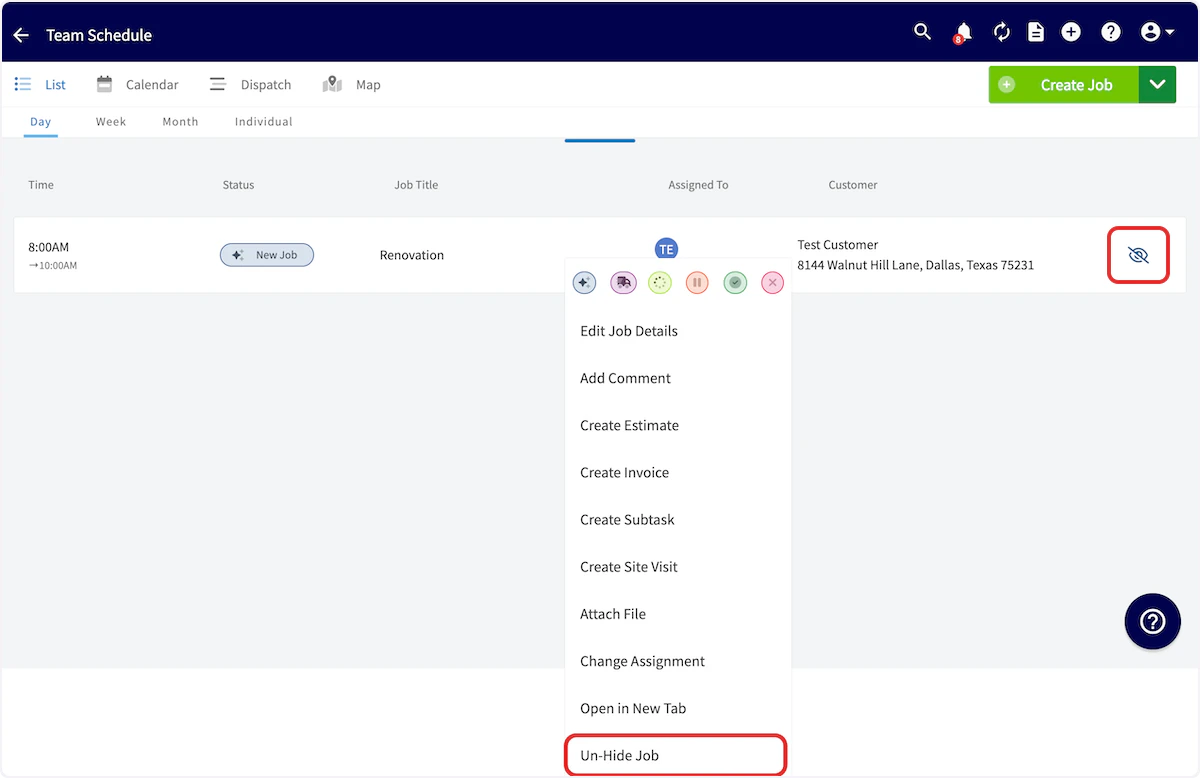

Video Tutorial
Have additional questions? Contact us at support@fieldpulse.com or use the chat feature in the bottom right corner of your screen.