
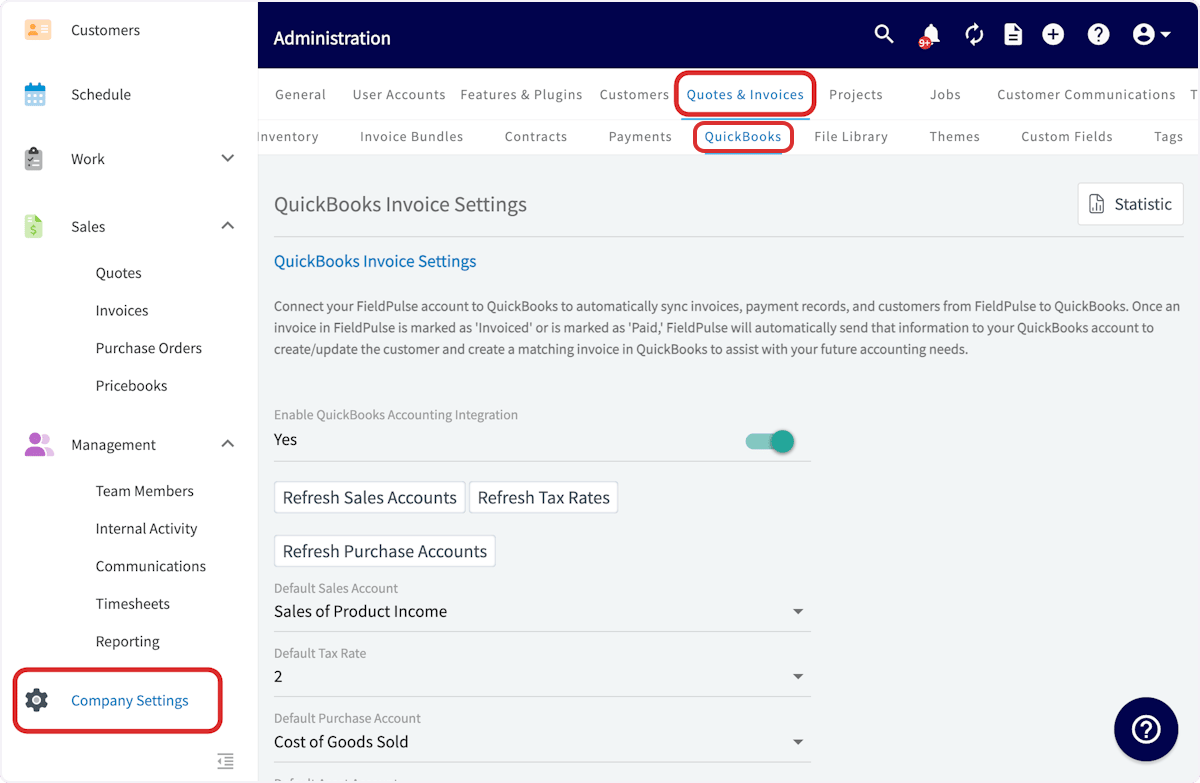
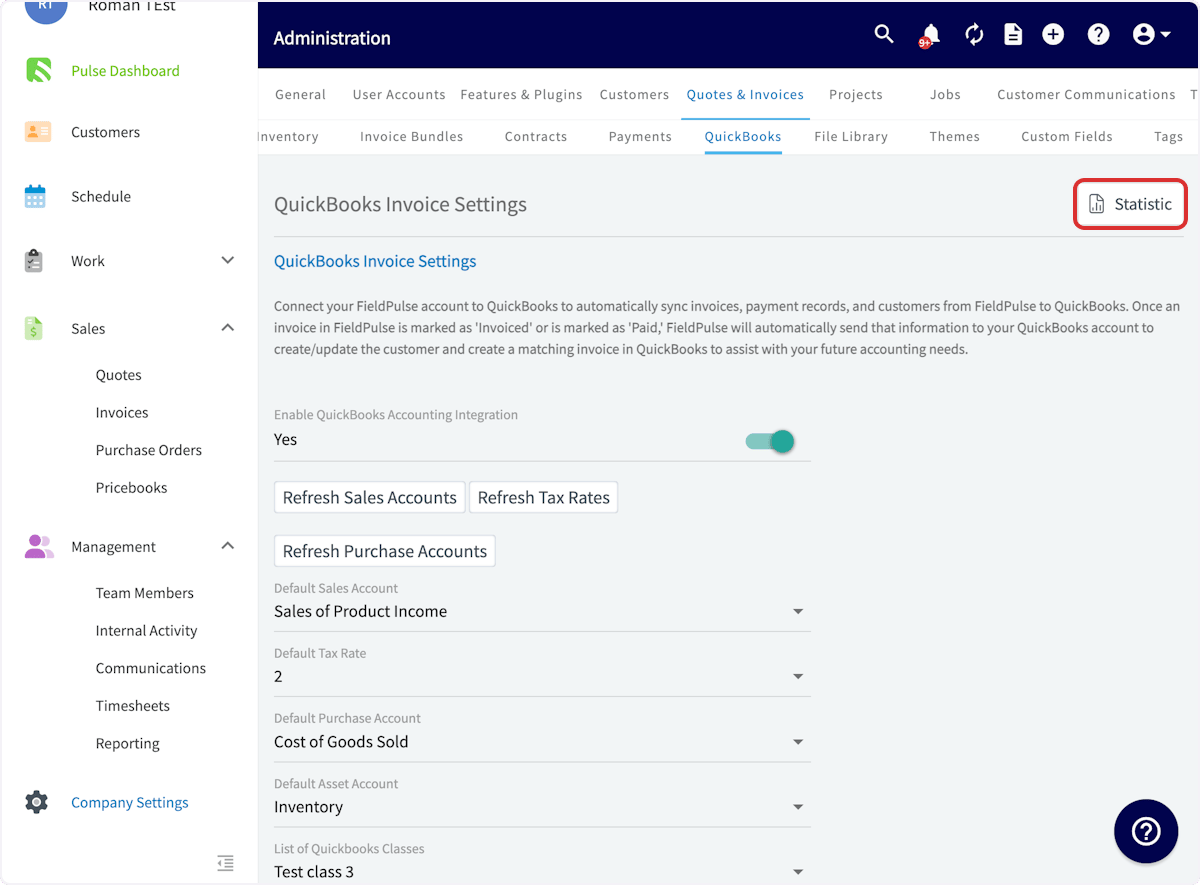
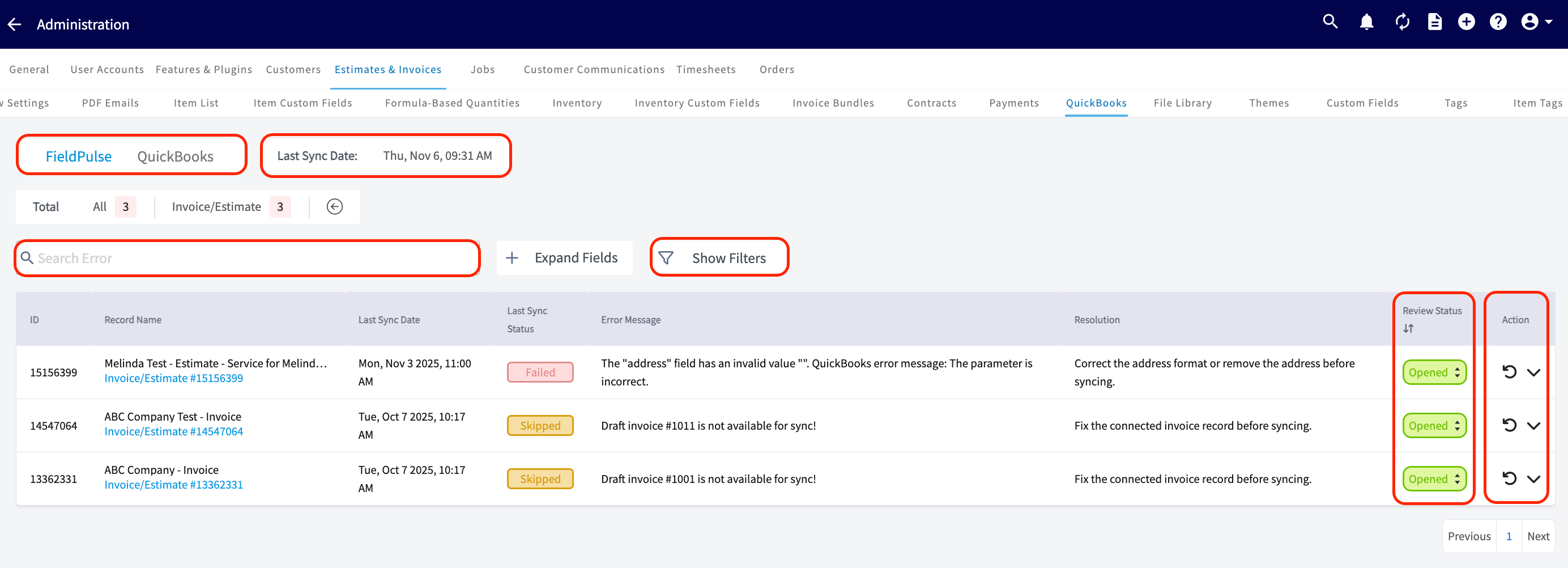
Here, you can view the following:
- Date and Time: See when your most recent sync occurred.
- Unsuccessful Records: Identify exactly which records haven’t synced and the reasons why.
- Search Functionality: Search among your records.
- Review Status Column: Close and filter out resolved errors.
Error Messages:
Use this table to better understand the Statistic page error messages, QuickBooks Desktop error messages, and the necessary actions to resolve the error and sync the affected records.Troubleshooting
Sometimes, records do not sync between FieldPulse and QuickBooks Desktop. Review the issues and potential causes below to troubleshoot and resolve your sync.The sync has not run recently because
Take a look at the Last Sync Date field on the Statistic page. If the date and time listed here indicate that the sync has not run recently, be sure your sleep settings are turned off on your device, and check that the web connector is running.A customer may not sync because
- The customer name is a duplicate of another customer.
- The customer name includes non-ASCII characters.
- The email address, phone number, or customer name exceeds 31 characters, or the notes exceed 4000 characters.
- The customer is archived in QuickBooks Desktop.
- The customer is the child of a parent customer that is not synced.
A line item may not sync because
- Fields are incorrect or missing (item name, item price, SKU, etc.).
- The item name exceeds 31 characters or your SKU exceeds 30 characters.
- The item name is a duplicate of another line item.
- The item name includes non-ASCII characters.
- The item is not marked as a product or service in QuickBooks Desktop.
- The related sales and/or purchase account is not active in QuickBooks Desktop.
- Unit of measure is not enabled in QuickBooks Desktop, but is used in FieldPulse.
An invoice may not sync because
- The Customer is archived or not synced.
- A line item is archived or not synced.
- Your notes exceed 4000 characters.
- Estimate/invoice is in a closed accounting period in QuickBooks Desktop.
A payment may not sync because
- There is an archived payment on the invoice already synced to QuickBooks Desktop.
- The related invoice is not synced.
Have additional questions? Contact us at support@fieldpulse.com or use the chat feature in the bottom right corner of your screen.