Who uses this: Admins enable and authenticate the integration; roles with Estimates, Invoices, and Purchase Orders permissions use it day to day. Availability: Australia and New Zealand (ANZ). Requires a Reece maX account.The Reece maX integration connects your FieldPulse account to your Reece maX account so you can add Reece items to estimates, invoices, and purchase orders, send orders to your Reece branch, and pull Reece supplier invoices back into FieldPulse for accurate job costing. This is the Australia and New Zealand (ANZ) Reece integration; the United States version is a separate product (see Reece (US) Overview).
Overview
The Reece maX integration links FieldPulse to Reece maX in two directions. Going out, you add Reece items to your records and send purchase orders to your chosen Reece branch. Coming back, Reece sends your supplier invoices to FieldPulse every 24 hours and links them to the right job when you reference a FieldPulse job number on the order.Video walkthrough
Watch the Reece maX walkthrough videos for a full run-through: part one and part two. The written steps below stand on their own.How it works
The Reece maX integration fixes the disconnect between what you buy at Reece and what your job costing shows. Parts get picked up at the branch or ordered through maX, and unless someone matches every supplier invoice back to the right job by hand, job costs drift. The Reece maX integration keeps catalog, pricing, ordering, and supplier invoices connected:- Catalog and pricing: Add Reece items two ways: the Reece Item Search (API) for searching by name or SKU inside FieldPulse, and the Reece maX Catalogue (PunchOut) for browsing the full Reece maX site and sending a cart back to FieldPulse. See How to Pull a Reece Branch Quote into FieldPulse for pulling pre-built Reece quotes, and CMP Pricing Details for applying Reece’s Competitive Market Price automatically.
- Purchase orders: Create a Reece purchase order in FieldPulse and send it to your branch, or convert a FieldPulse quote or estimate into a Reece purchase order. See How to Create a Reece Purchase Order.
- Supplier invoices and credit notes: Reece sends supplier invoices to FieldPulse every 24 hours and links them to a job when you reference the FieldPulse job number. Returns come back as credit notes that adjust job and project costs. See How to Track Reece Credit Notes by Job.
Two ways to add Reece items
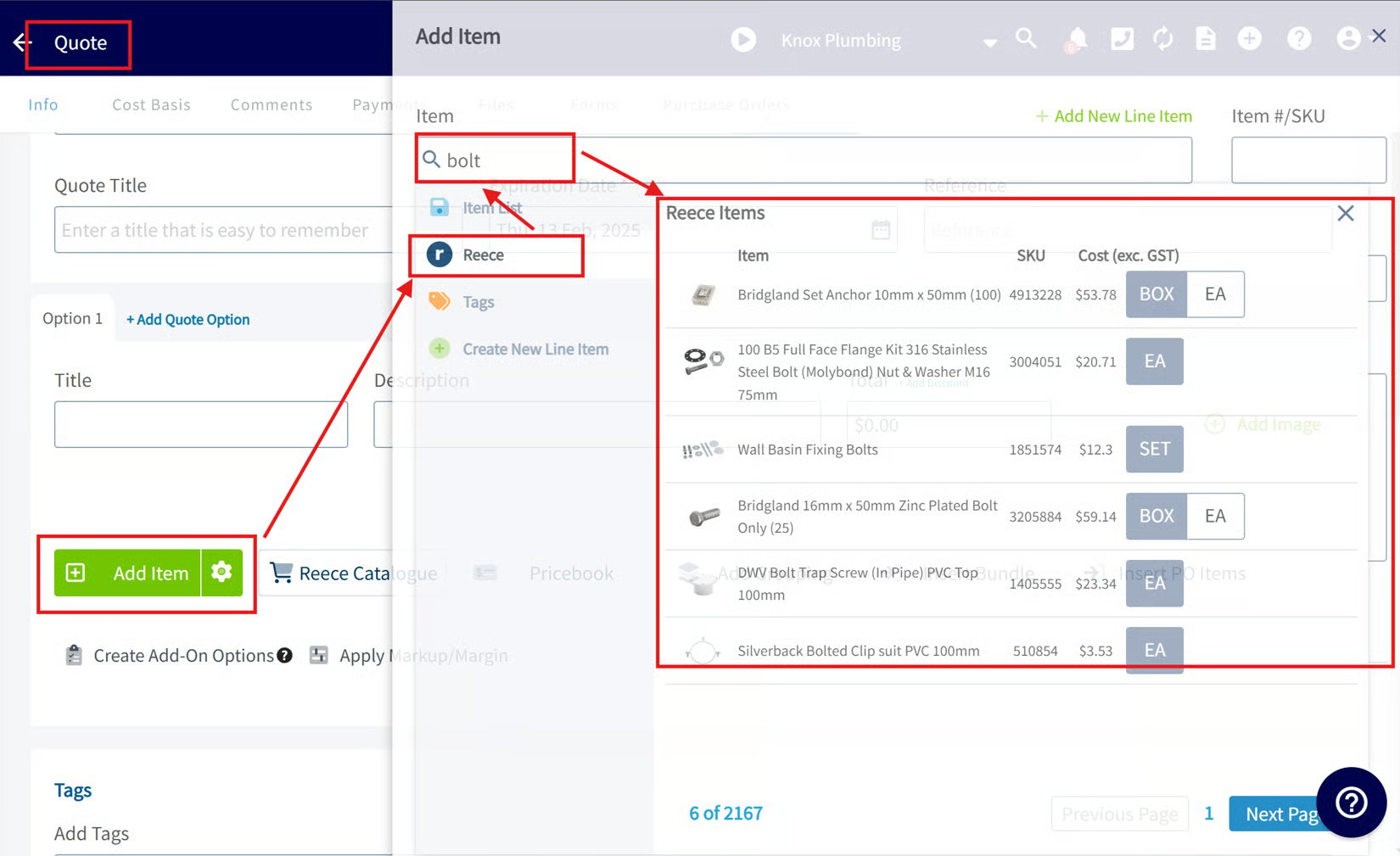
- Reece Item Search (API): Open an estimate, invoice, or purchase order, select Add Item, choose the Reece subtab, and enter the item name or SKU. FieldPulse adds the matching Reece product to the record.
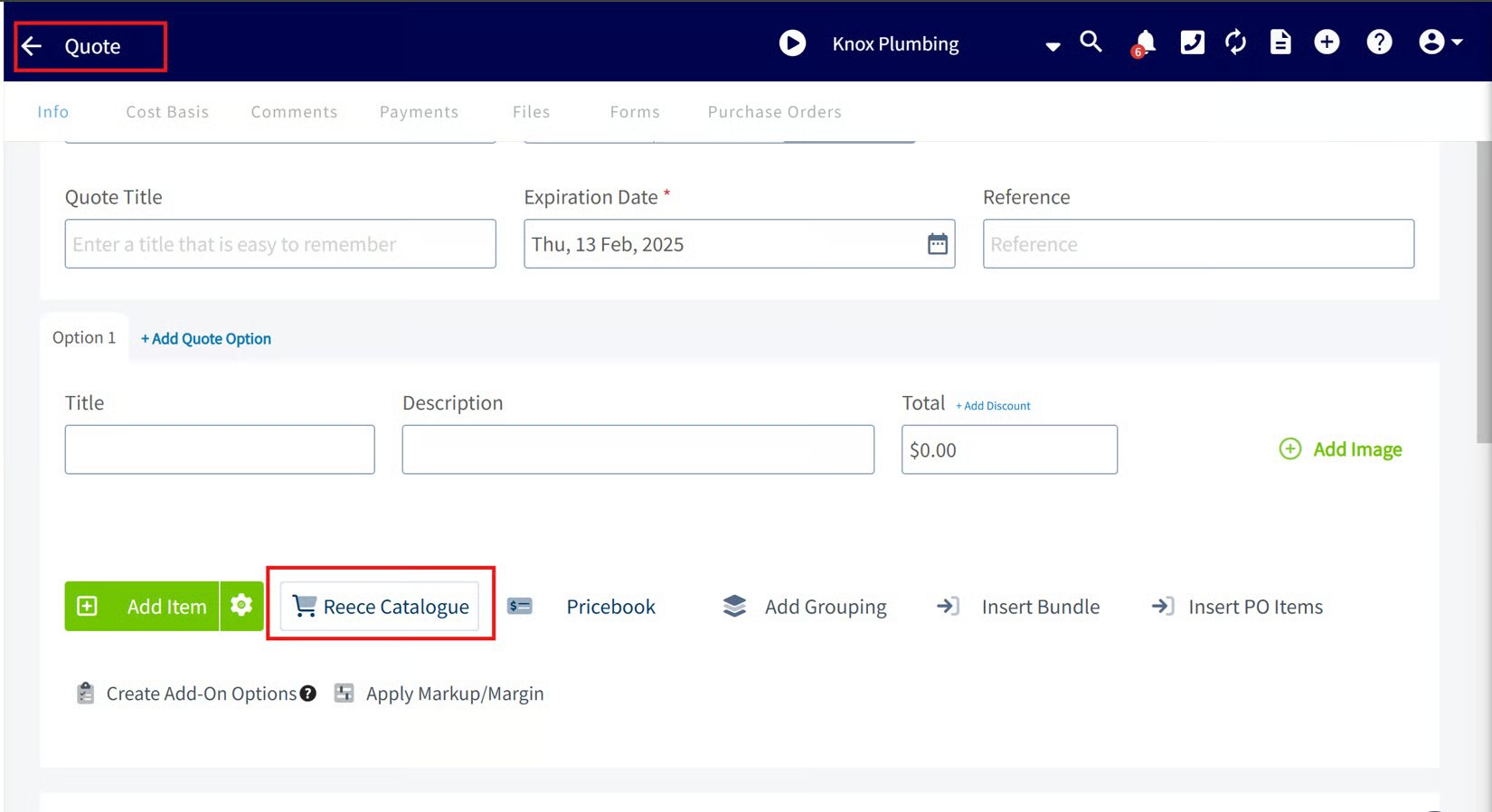
- Reece maX Catalogue (PunchOut): Select the Reece Catalogue button on a record to open Reece maX in a new tab (log in if prompted). Browse the catalog, add items or branch quotes to your cart, then go to your cart and select Process Order. The items are copied into your FieldPulse document with accurate Reece pricing; they are not purchased on Reece maX.
Link Reece supplier invoices to your jobs
To keep job costing accurate, reference your FieldPulse job number when you place a Reece order (in-store, over the phone, or in the maX app). Reece sends supplier invoices to FieldPulse every 24 hours, and you can view them under Sales > Purchase Orders > Supplier Invoice. If you provided the job number, the invoice links directly to that job record. Only the first supplier invoice for a job links automatically. To link any others, open the supplier invoice under Sales > Purchase Orders > Supplier Invoice and select Actions > Connect to Job or Project. See How to Track Reece Credit Notes by Job.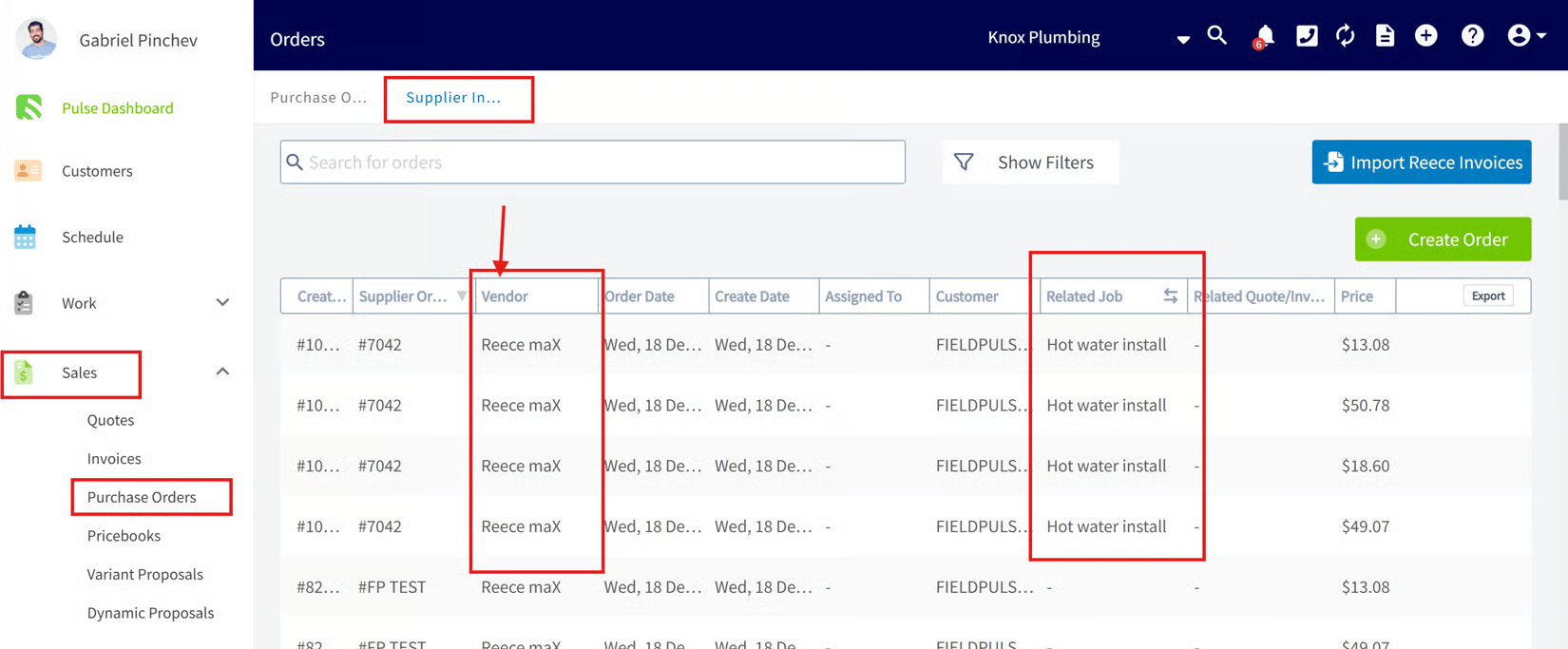
Before you begin
Enable and authenticate the Reece maX integration before your team can add Reece items or send Reece purchase orders.-
Log in to FieldPulse and go to Company Settings > Features and Plugins. Find the Reece maX integration and enable it.
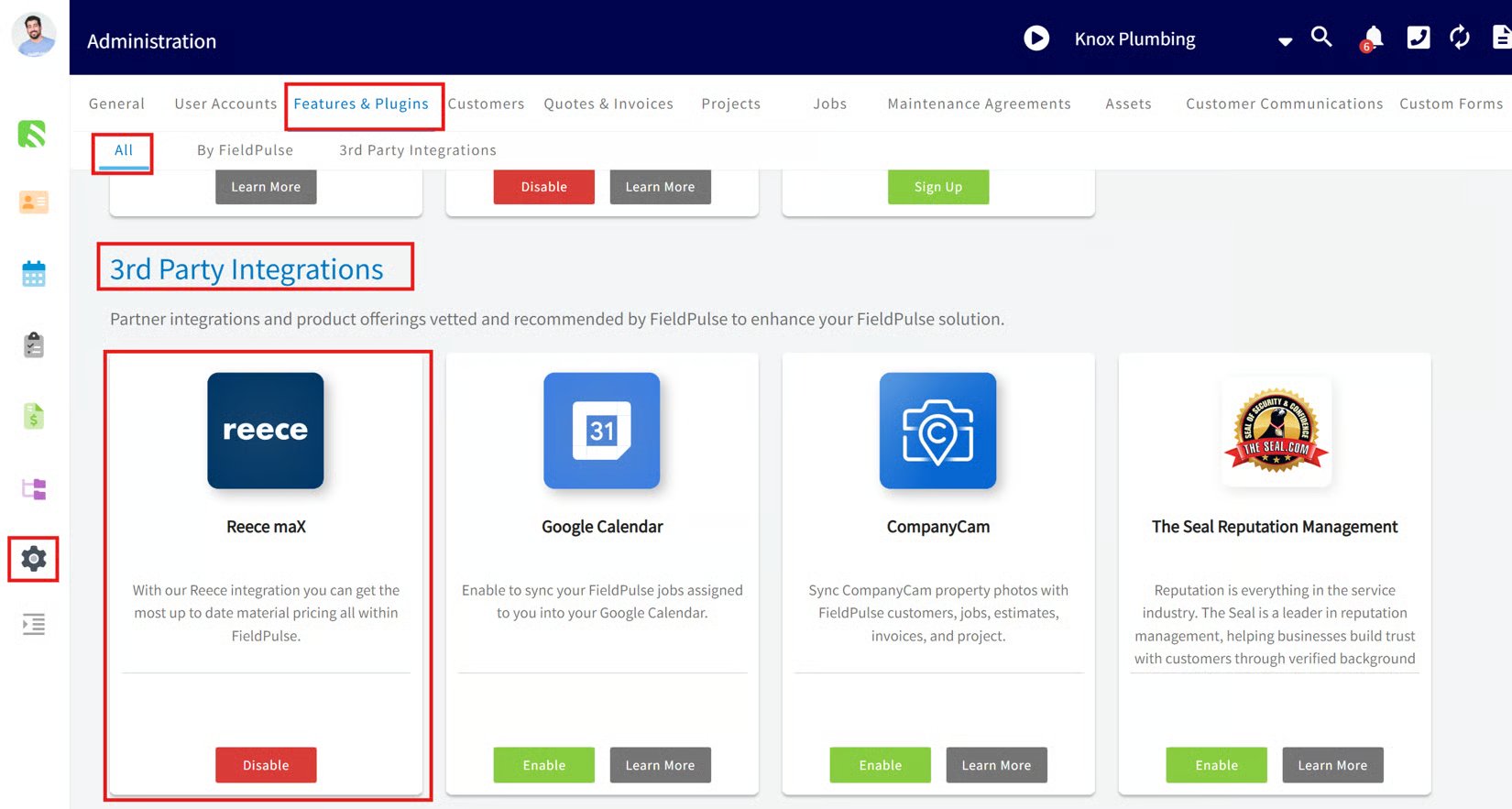
- In the pop-up, select the link to authenticate your FieldPulse account with your Reece maX account. FieldPulse redirects you to the Reece maX login page.
- Enter your Reece maX login details. On successful login, the integration is activated and your systems are connected.
Control who sees Reece costs
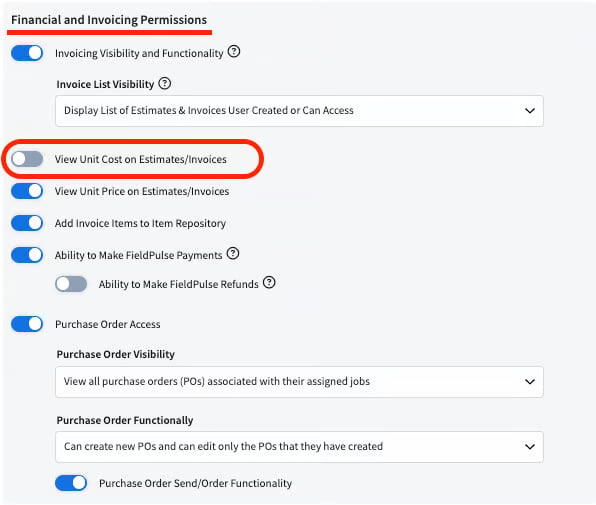
If you do not want your Service Agents to see the cost of Reece items, turn off the View Unit Cost on Estimates/Invoices permission for that role.