
Who uses this: Admins, Team Managers, and Service Agents — the roles that can use offline mode. Availability: FieldPulse mobile app only · All regions · requires custom forms enabled on your account.Your techs keep working when the signal drops in a basement, a mechanical room, or out past cell range. The FieldPulse mobile app switches to offline mode on its own when it loses its internet connection or the device goes into Airplane Mode, and custom forms keep working within the caps on this page. Everything your team fills out offline syncs to your FieldPulse account once the device reconnects.
Overview
In offline mode, the FieldPulse mobile app holds a cached set of existing custom forms your team can open and edit, lets them create as many new form drafts as they need, and keeps up to 20 custom form templates on the device. Cached forms cover three record types — jobs, projects, and customers — and each record type has its own cap. The forms cached for offline use include the custom forms attached to your job and project records for the current work week. Your team opens and edits those forms from the job or project record, and can also open and modify them from the associated customer record.What works offline
Offline mode caps how many custom forms and templates the mobile app keeps on the device. New drafts are the exception — your team can create as many as they need.Making a template available offline
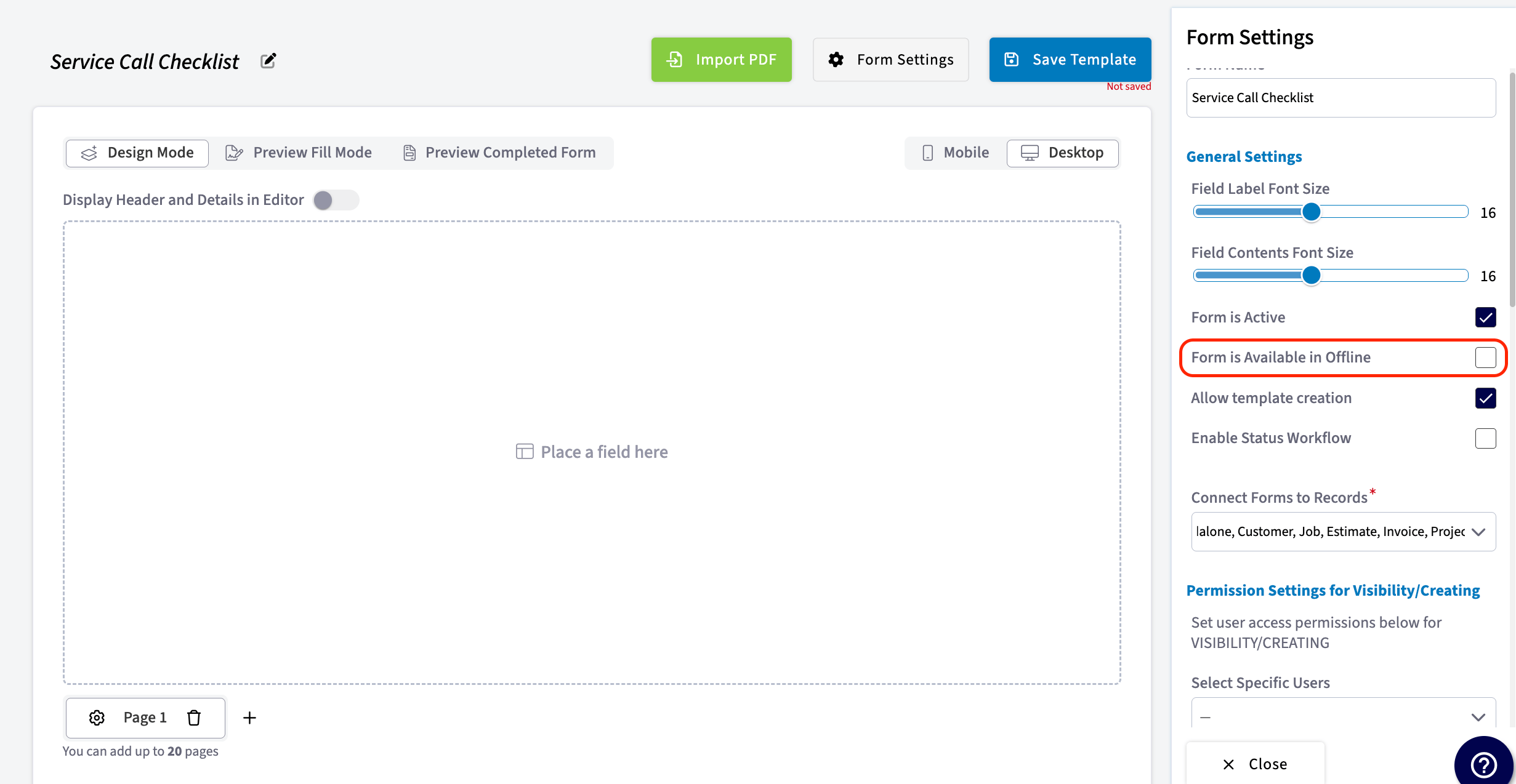
Each custom form template carries its own offline setting, so you choose which templates your team can reach without a signal.- Open the custom form template and select Form Settings.
- Turn on Form is Available in Offline.
Working with forms offline
Filling out a custom form works the same way offline as it does online. Three things behave differently while the device has no connection.Offline drafts
Every form your team edits or creates in offline mode is saved on the device as a draft. The mobile app confirms with a message that the form has been saved as a draft and will be uploaded once you are online.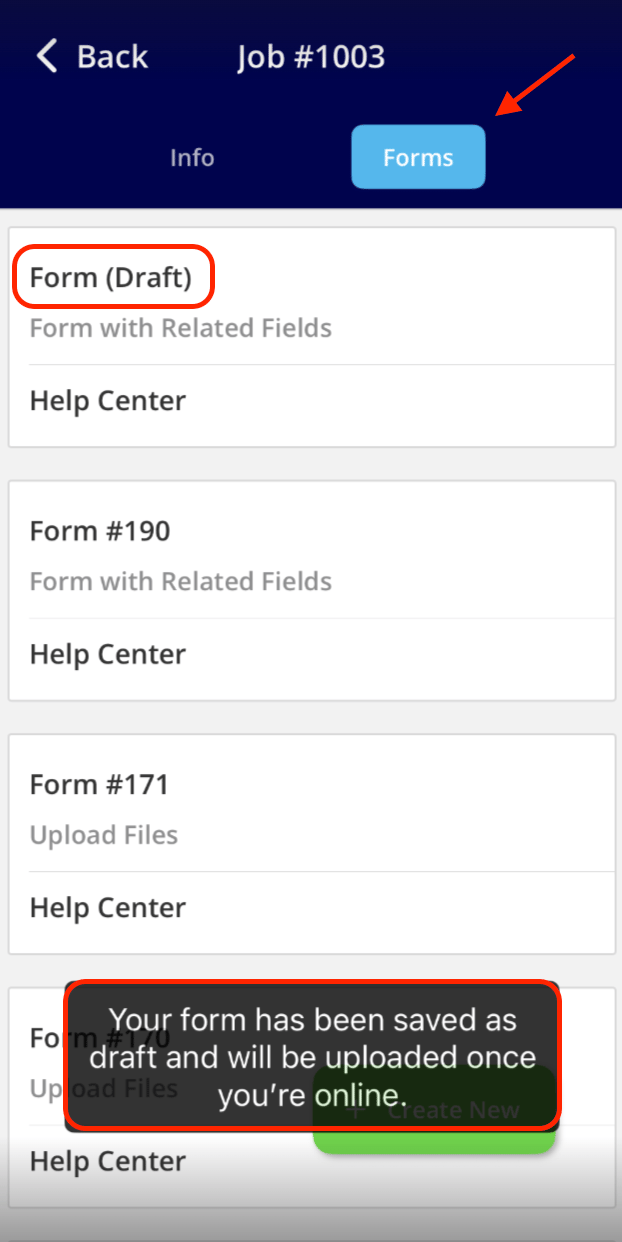
Related fields
Related fields do not pull in their values while the device is offline. Each related field shows the message The value will be filled automatically when you are back online instead, and the field fills in with the record’s information once the device reconnects. For what each related field pulls from the record, see Custom Form Field Types and Formulas Details.Photos and videos
Your team can add photos and video files to a custom form in offline mode. The files upload automatically once the device reconnects.How offline forms sync
Offline forms sync on their own — nobody has to push them. Once the device reconnects to the internet, the forms your team edited or created offline are saved permanently and the draft label comes off. When several users edit forms in offline mode, FieldPulse applies their updates in the order the users return to online mode. If User 1 comes back online first, their updates apply first; if User 2 comes back online next, their updates apply after that.Notes & limitations
- Offline mode is available in the FieldPulse mobile app only.
- The mobile app enters offline mode automatically when it loses its internet connection or the device is in Airplane Mode.
- Offline access covers up to 600 existing custom forms — 200 each for jobs, projects, and customers.
- New form drafts have no cap.
- Up to 20 custom form templates are available offline, and each template’s offline availability is set with Form is Available in Offline.
- Related field values stay empty until the device reconnects.
- Everything entered offline syncs automatically once the device is back online.
- Offline mode is available to Admins, Team Managers, and Service Agents.