
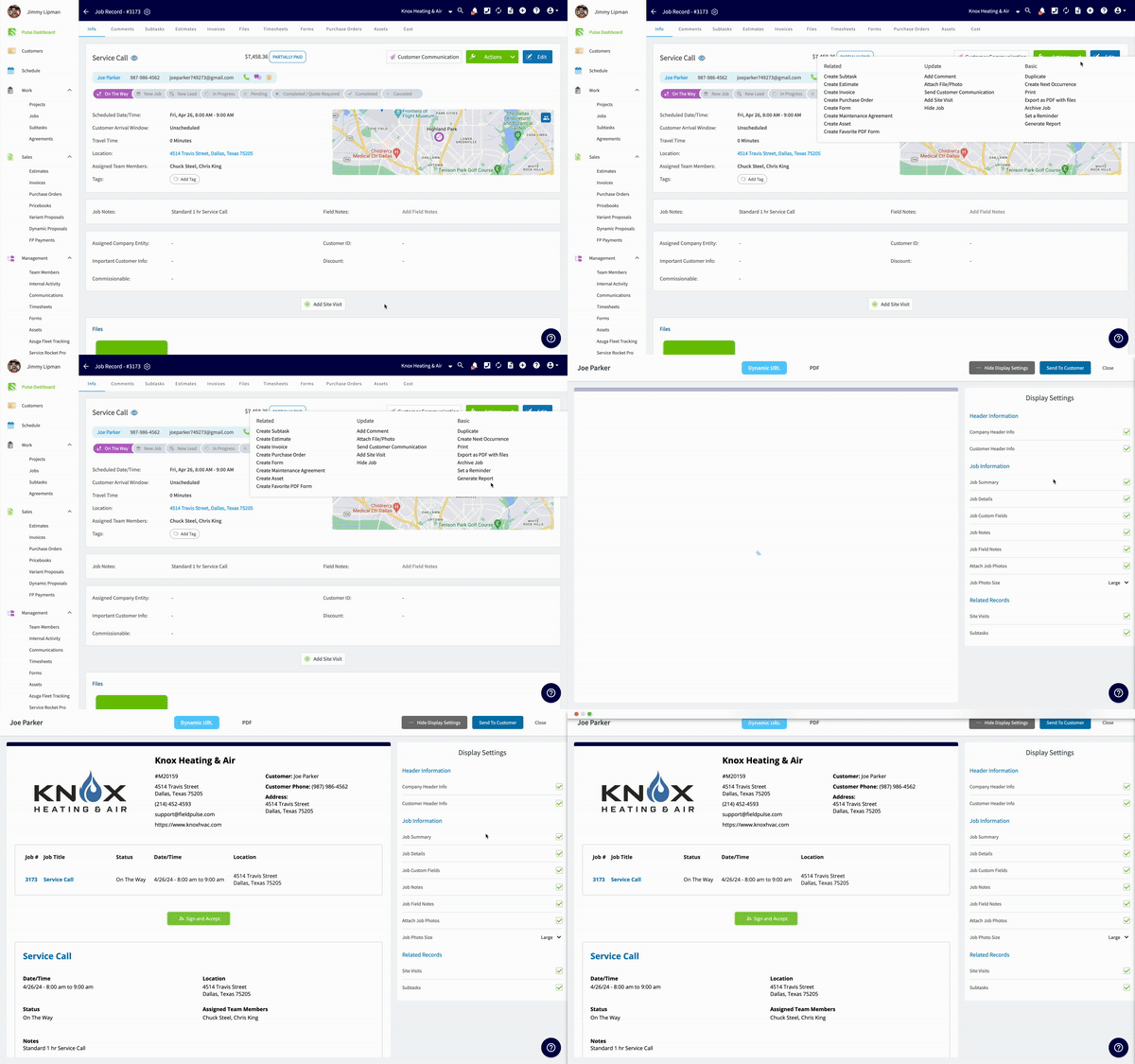
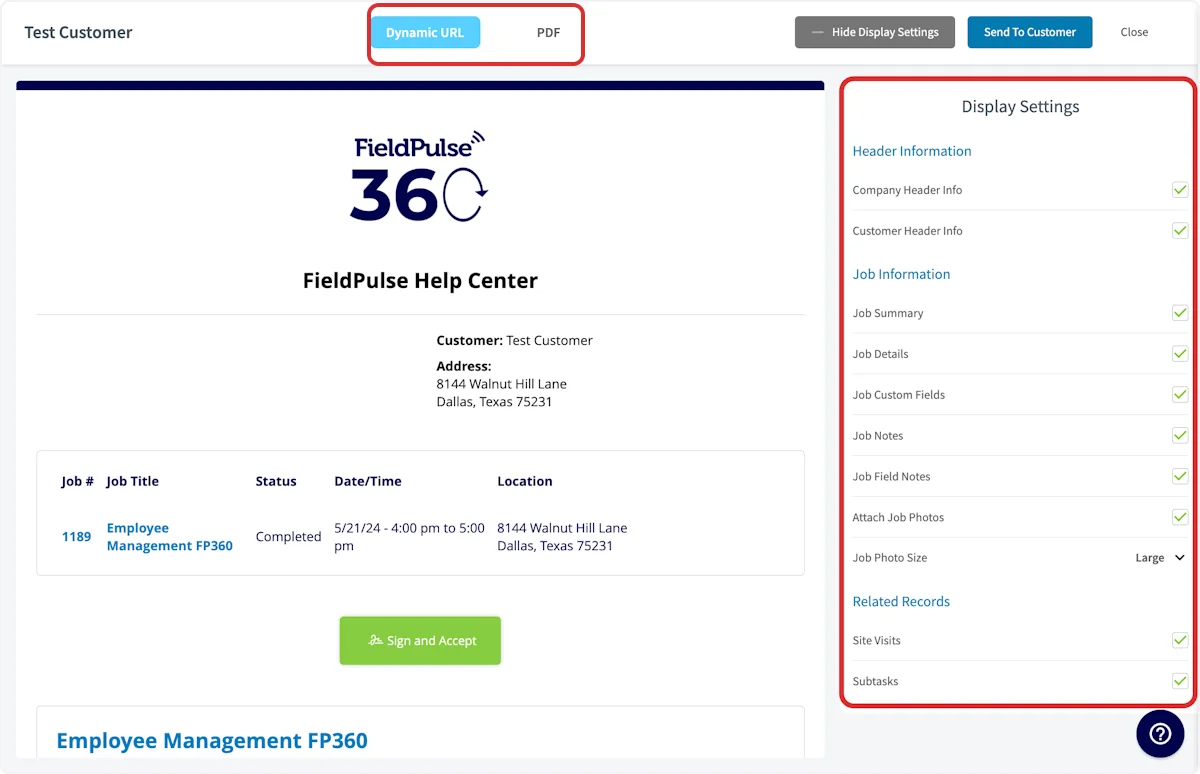
Creating a Dynamic Job Report
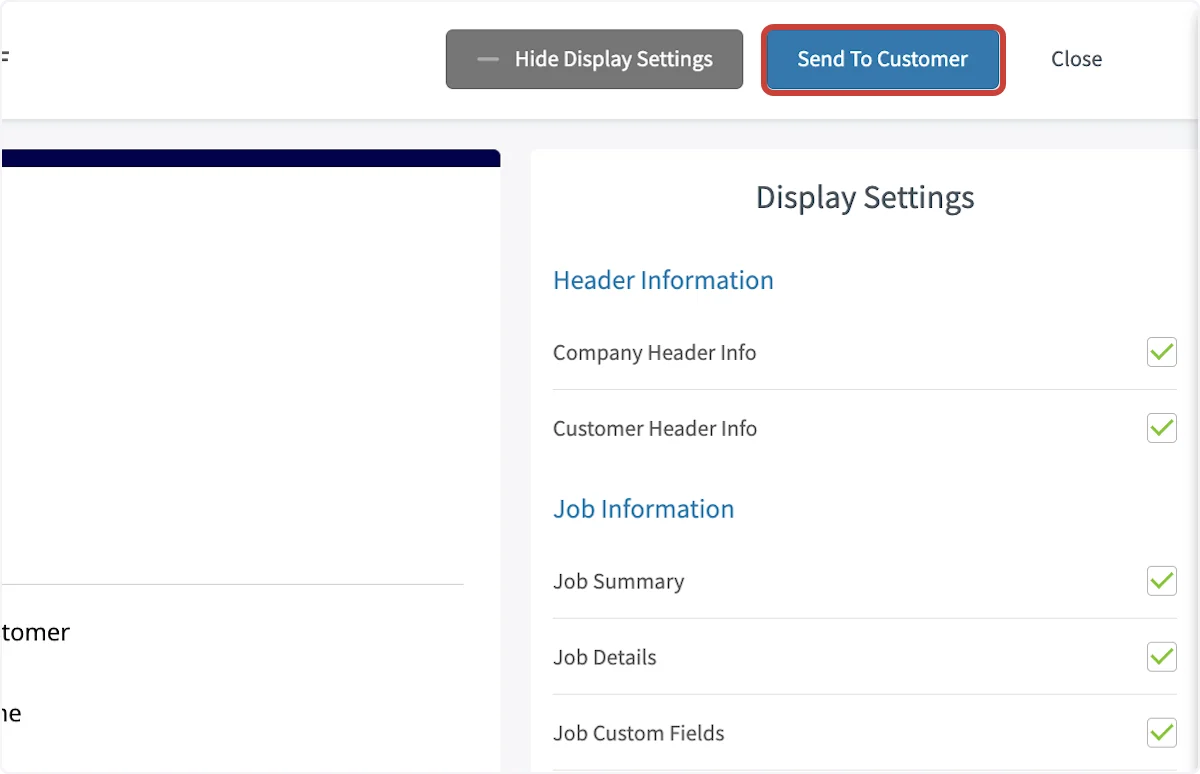
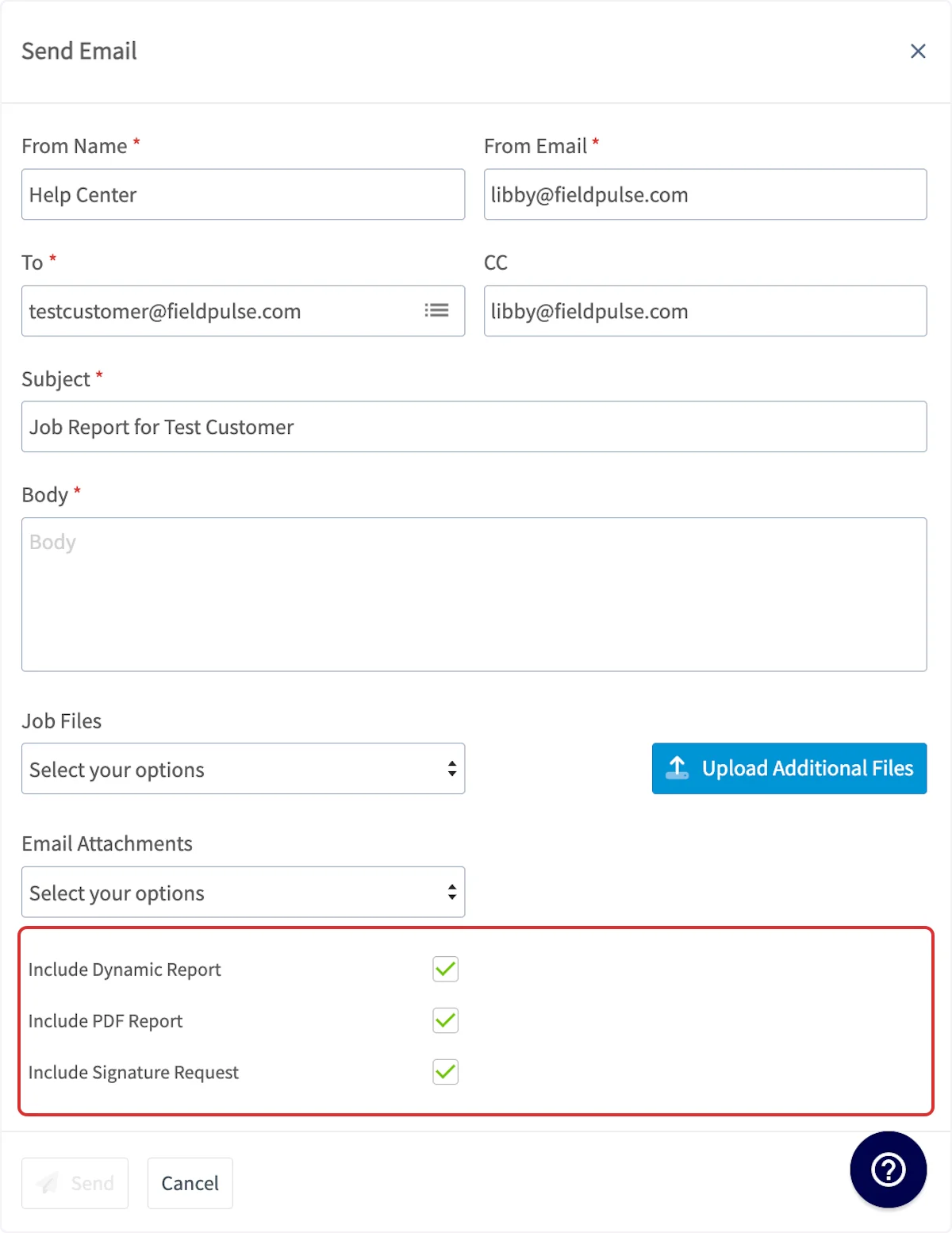
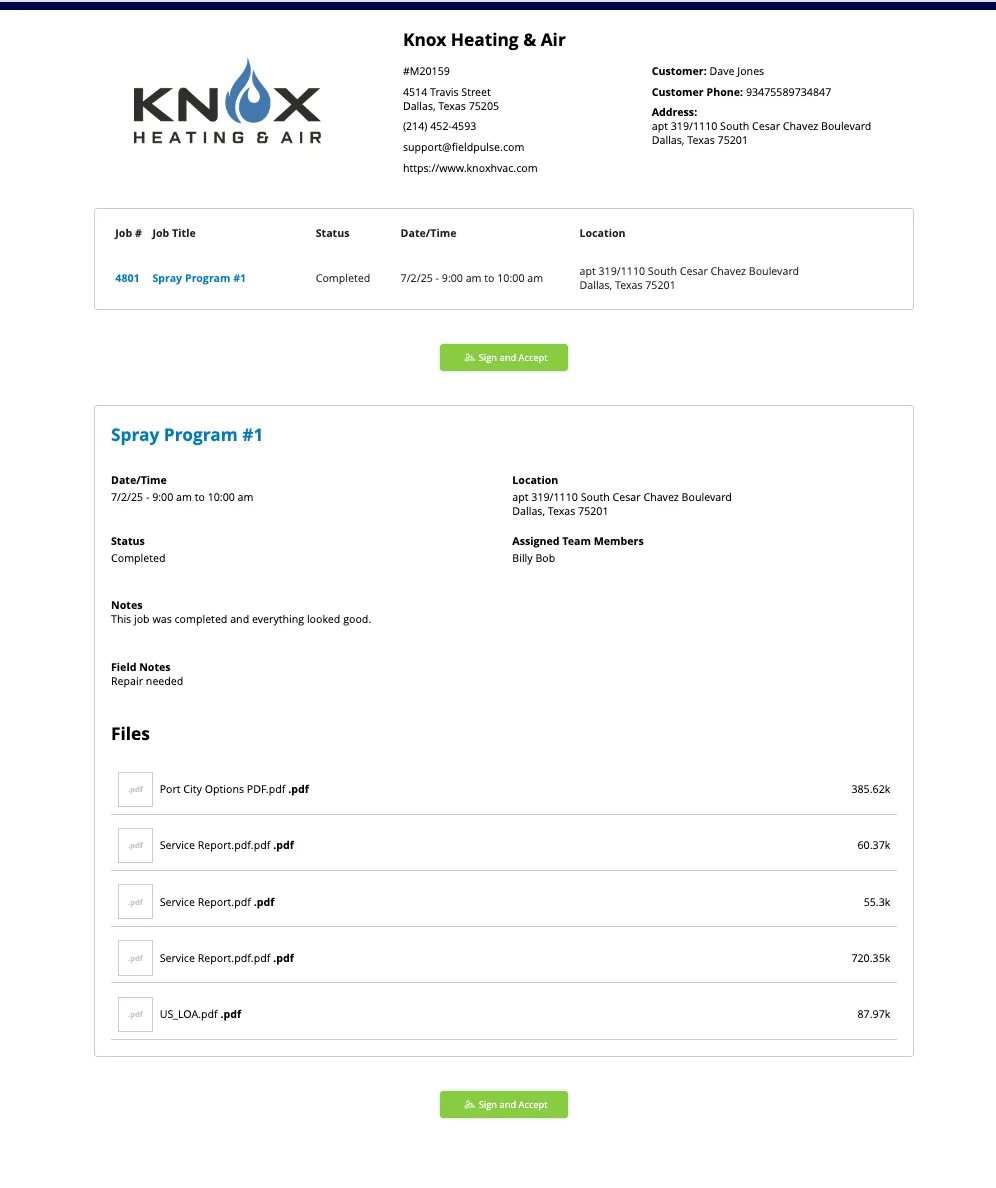
Begin by navigating to the job record for which you’d like to create a dynamic job report, select Actions then Generate Report.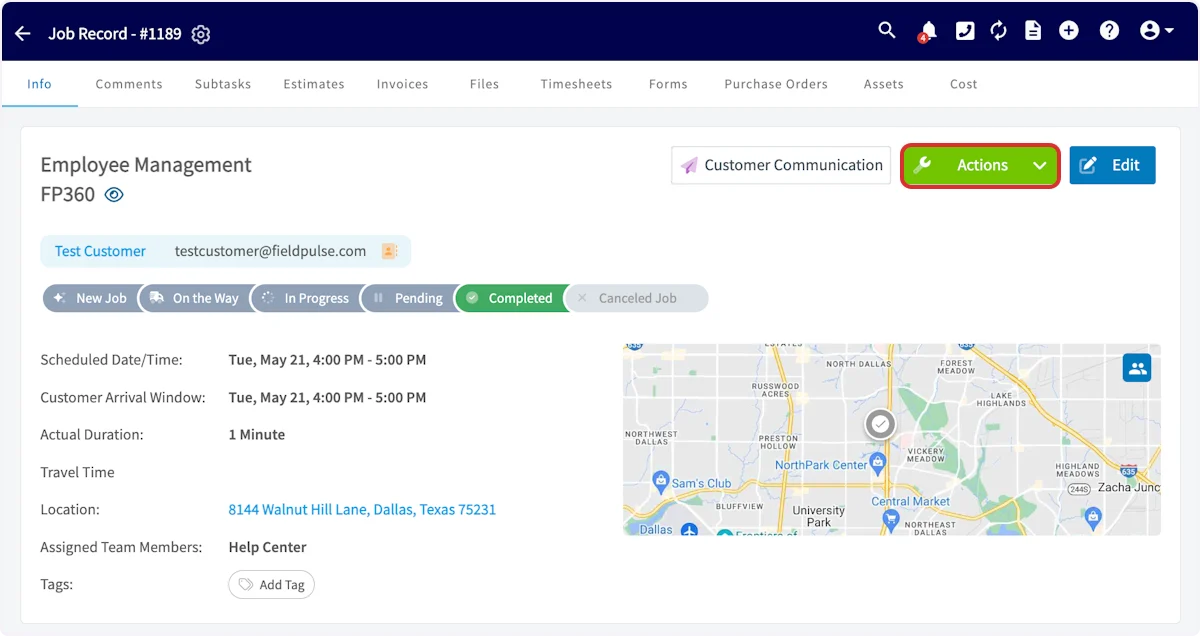
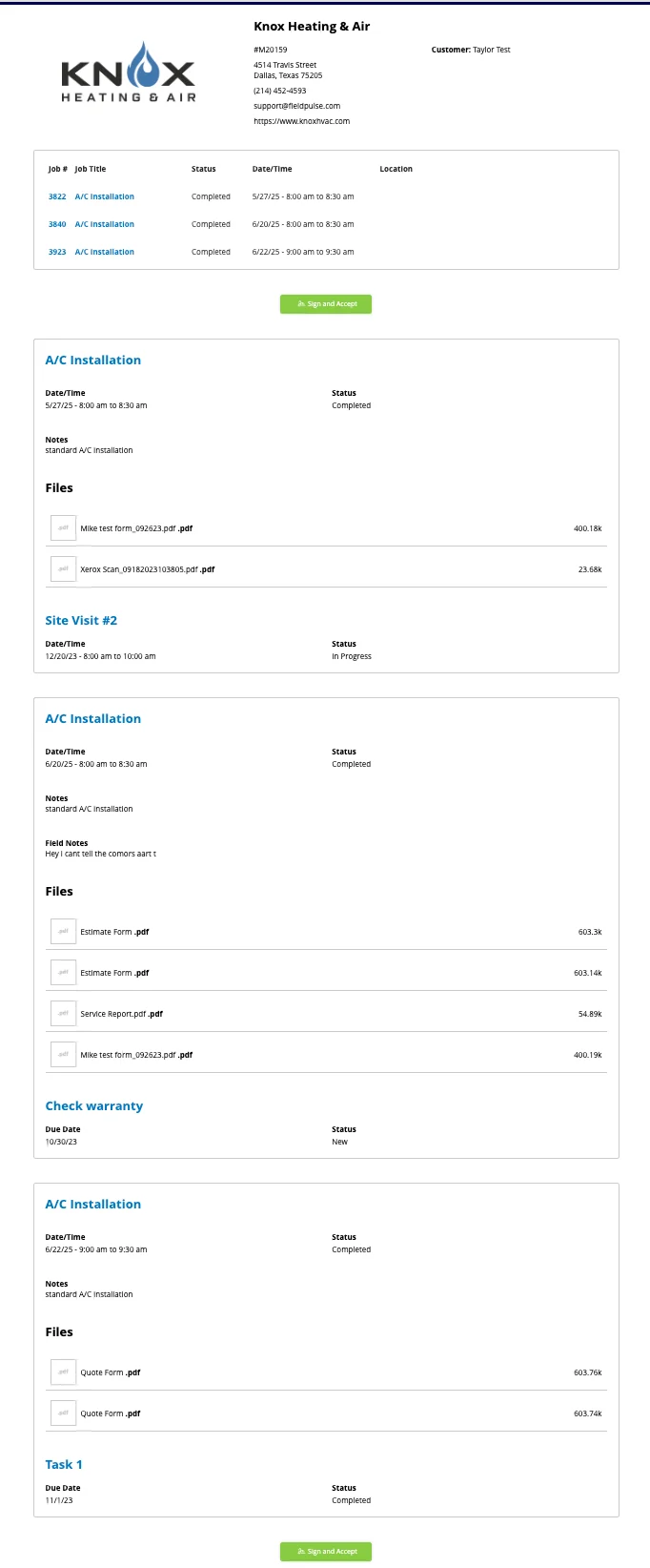
Creating a Multi-Job Report
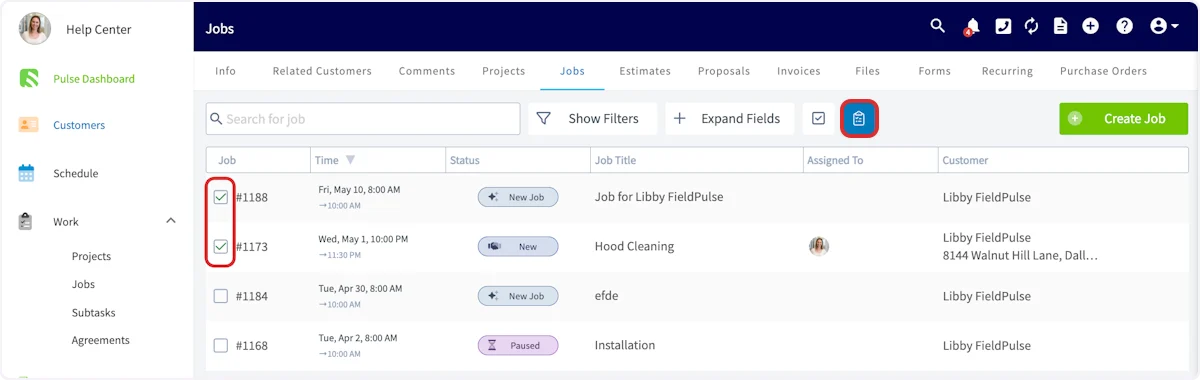
To create a report for multiple jobs, begin by navigating to the customer record associated with those jobs. Select Jobs from the top menu, then click the checkbox icon.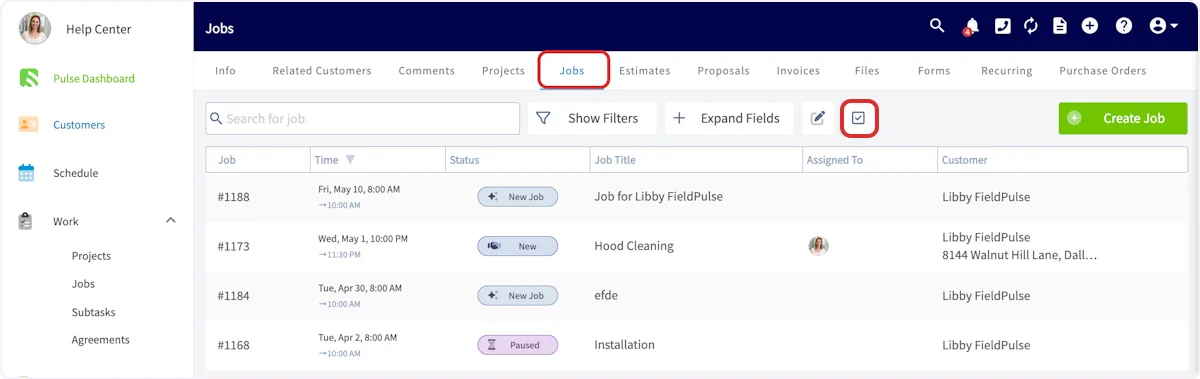
Creating a Job Report on the Mobile App
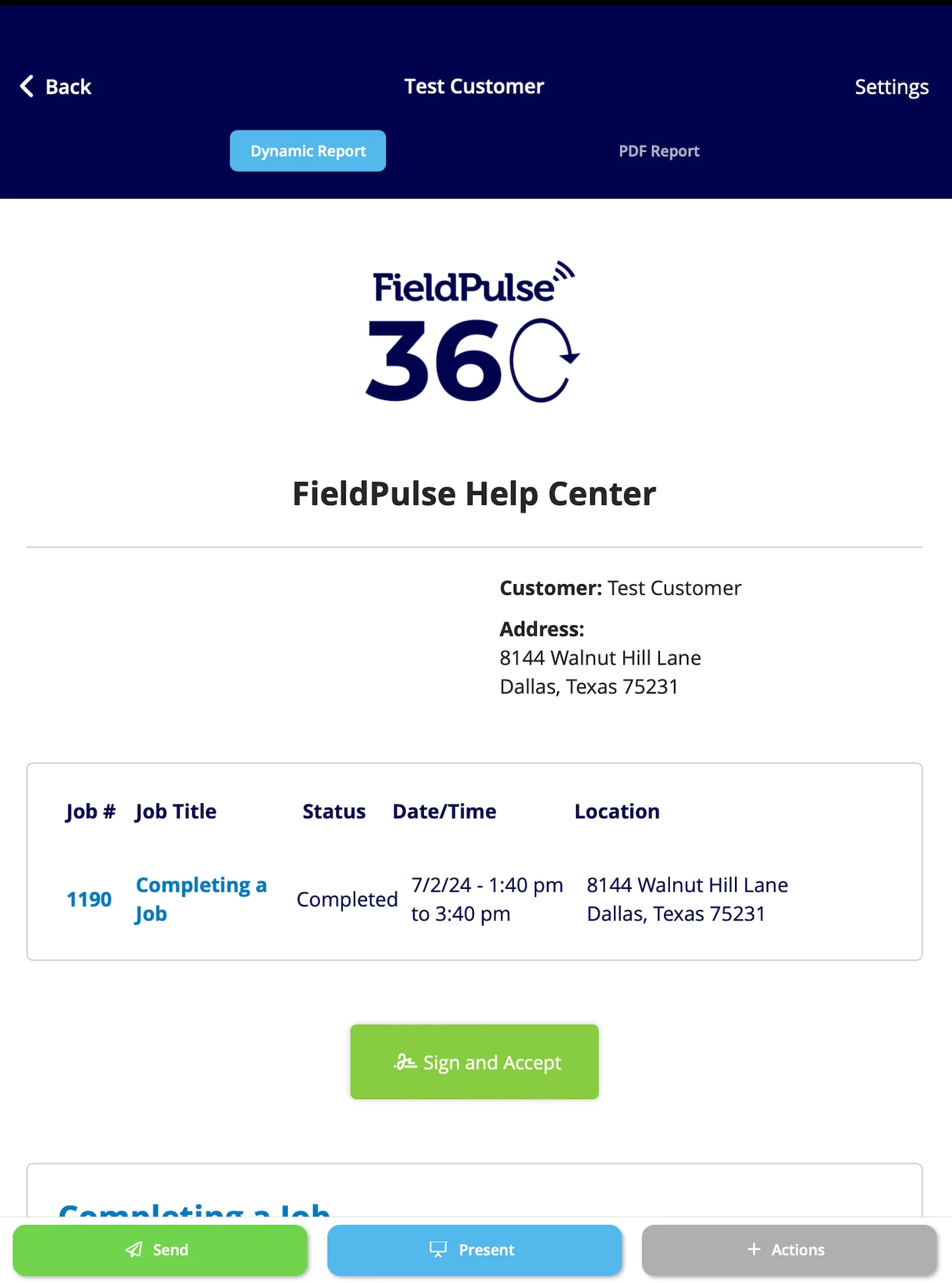
Begin by navigating to the job record for which you’d like to create a dynamic job report, select Generate Report. You can also select Actions then Generate Report.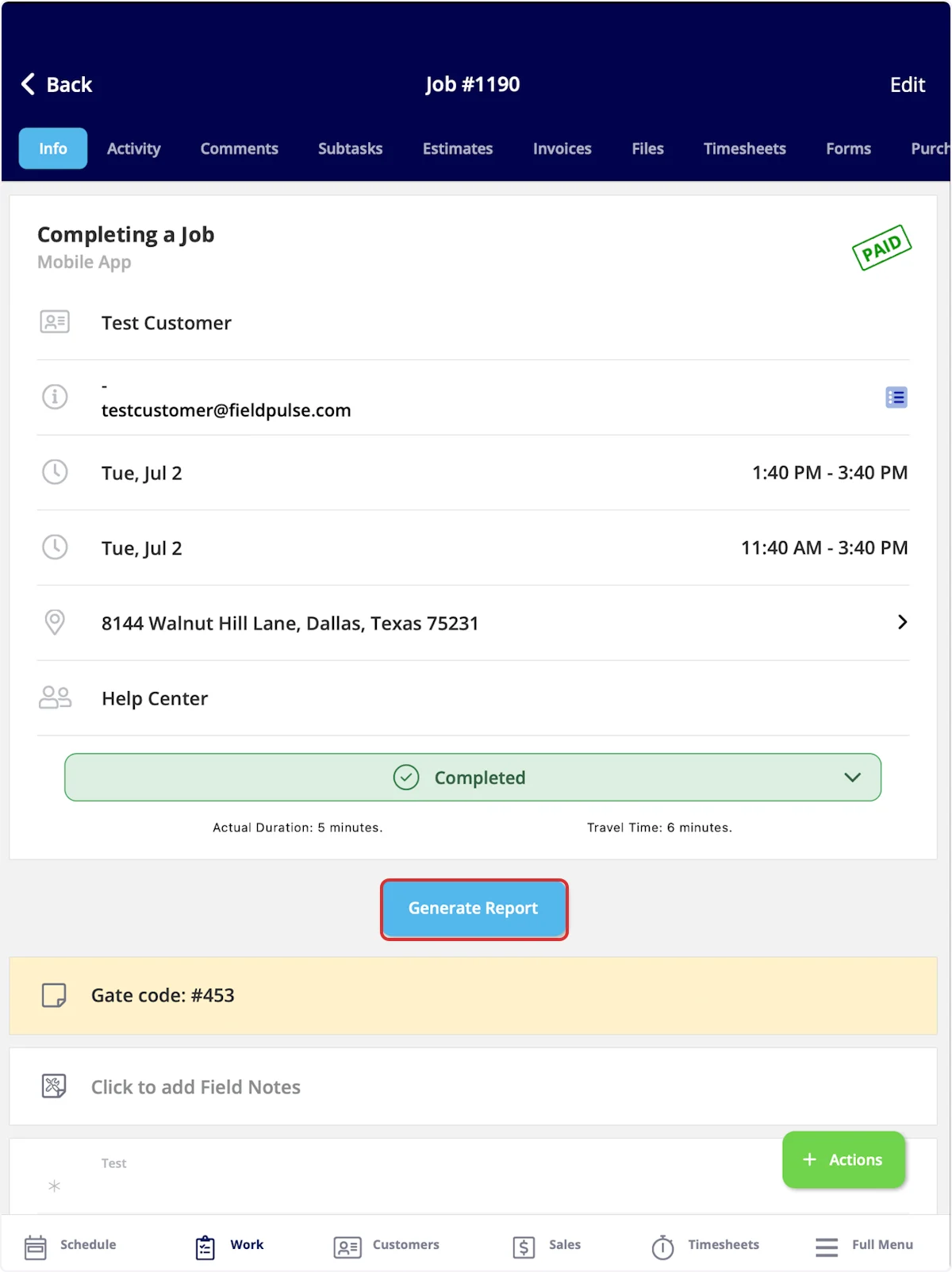
Have additional questions? Contact us at support@fieldpulse.com or use the chat feature in the bottom right corner of your screen.