

Your account is on FieldPulse Payments Legacy. Your current payment setup will continue to work, but won’t receive new features or add-ons. We’ve released our upgraded FieldPulse Payments, which is built directly into FieldPulse—no separate portal—and it’s where we’ll deliver all future enhancements. You’ll also have the option for features such as: Card Fee Recovery & Next-Day Funding on cards and validated ACH. To upgrade, navigate to Company Settings > Features & Plugins > FieldPulse Payments tile > Upgrade.Documentation Index
Fetch the complete documentation index at: https://fieldpulse.mintlify.app/llms.txt
Use this file to discover all available pages before exploring further.

You can accept payments in 3 ways
- Emailing an online payment request via web app or mobile app
- Processing the payment on the mobile app
- Processing the payment on the web app
Emailing an Online Payment Request
Web App
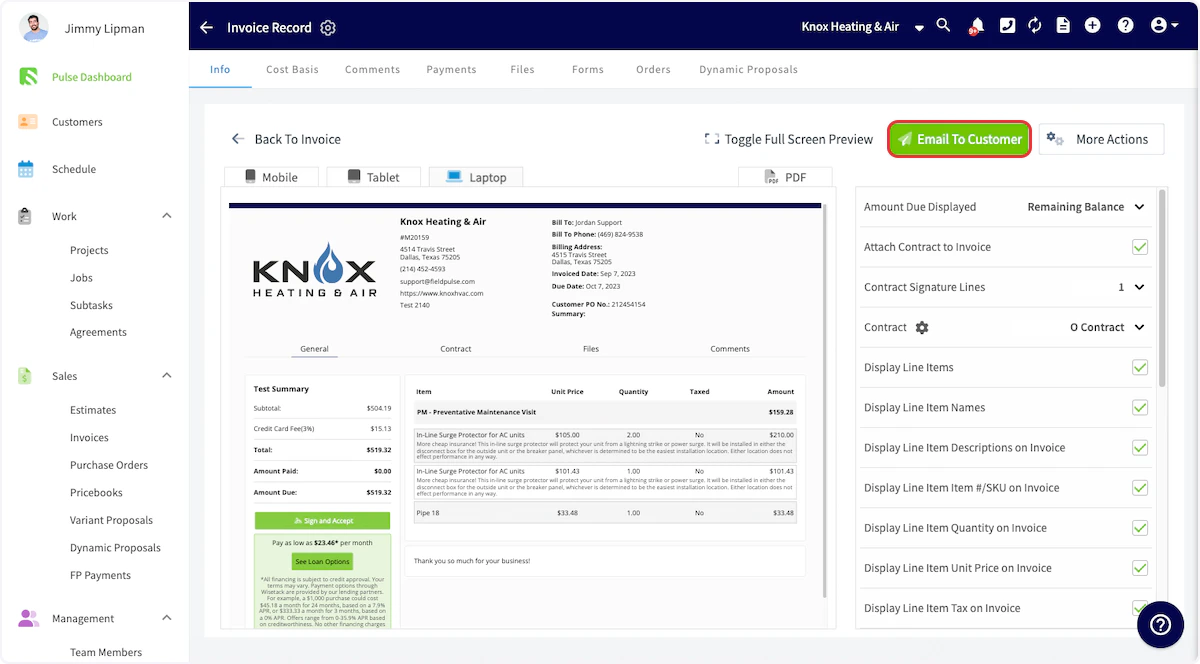
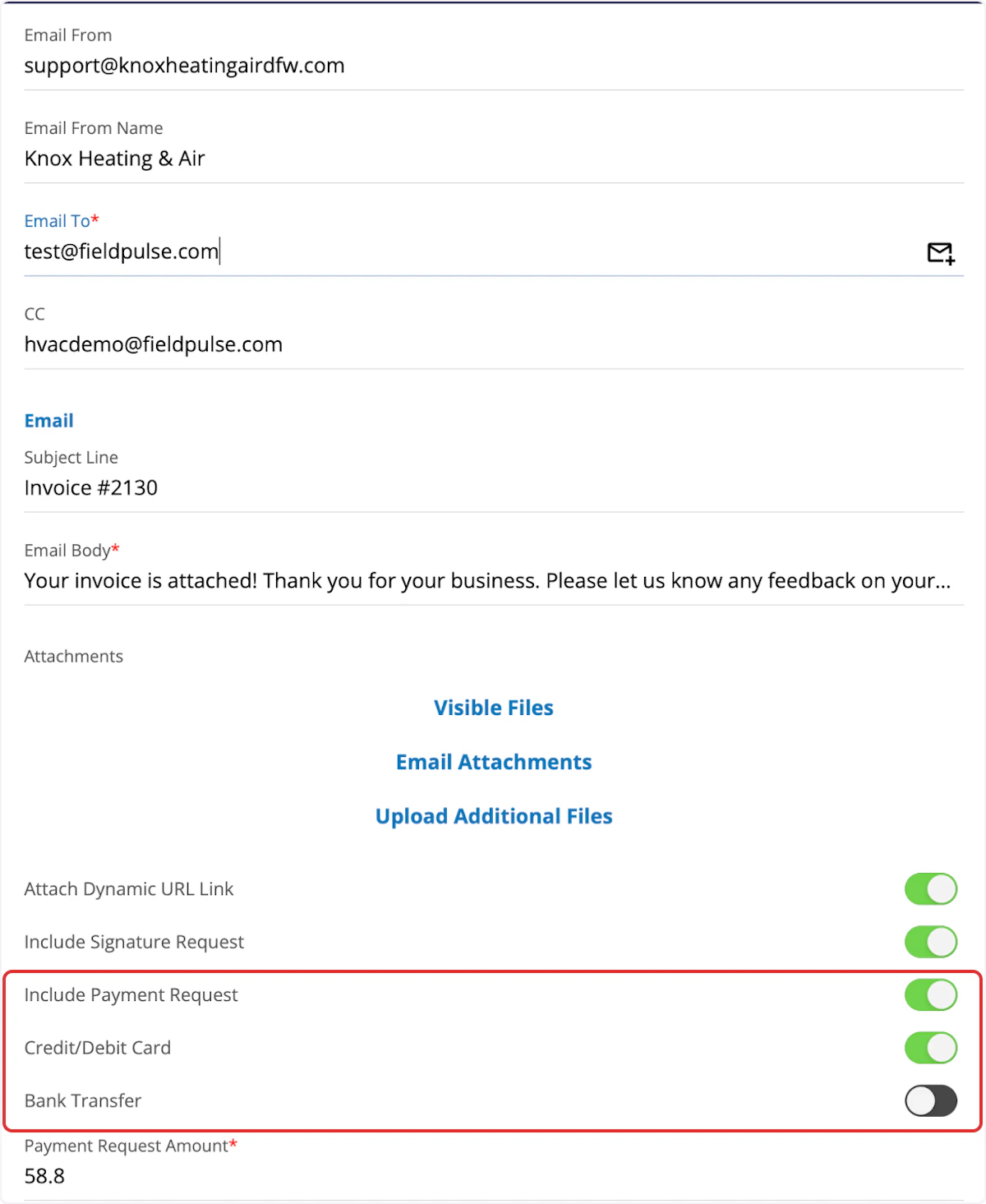
Here’s how to email an online payment request to the customer along with their FieldPulse invoice. This provides them with a Pay Invoice button in the email so they can pay online with their credit card or ACH.Web App: Method 1
You will first navigate to the Invoice tab on the left-side of your screen. From there, select or create the invoice that you would like to take payment on. Select Preview to generate the invoice for you.


Web App: Method 2
Another way to request payment by email is to return to the invoice record. Select the Payment button and choose Request Payment.


Mobile App
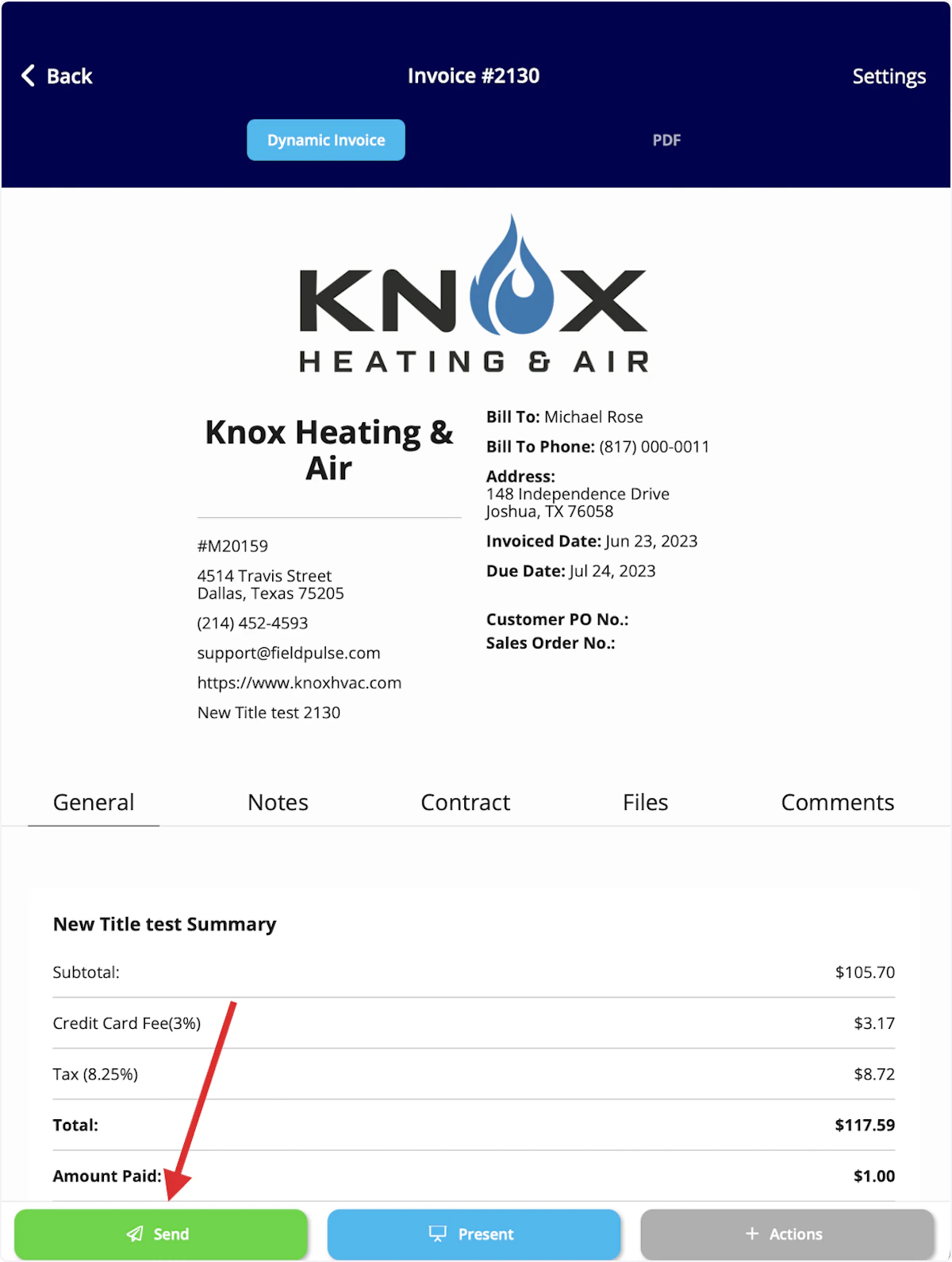
The process for emailing payment requests from the mobile app closely mirrors the process in the web app.Mobile App - Method 1
You will first navigate to the Sales tab at the bottom of your screen and select Invoices. Then, open or create the invoice record for which you want to send an email payment request. Once on the invoice record, select Actions.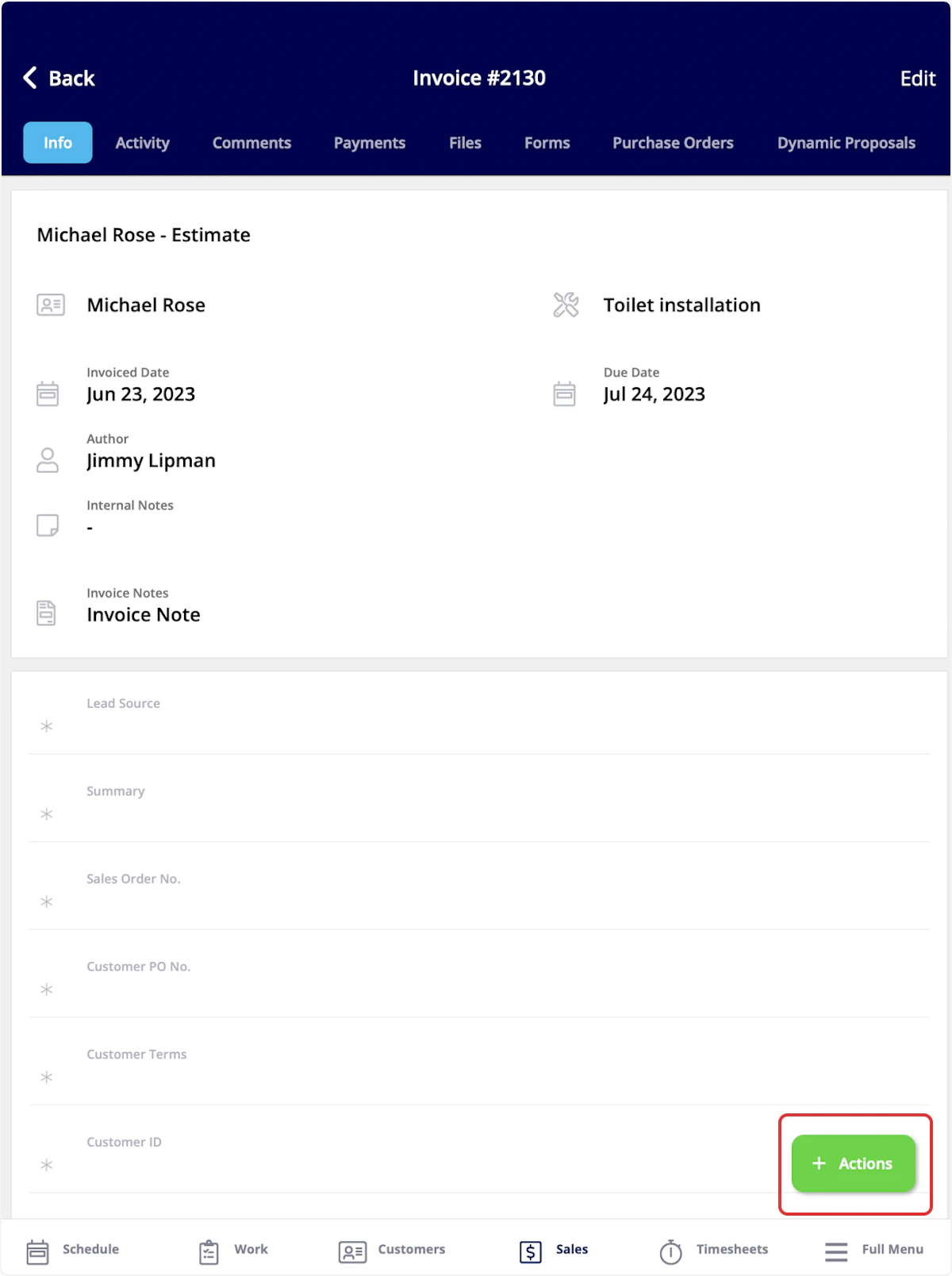


Mobile App - Method 2
Another way to request payment by email is to return to the invoice record. Select the Payment button and choose Send Payment Request via Email.


Processing Payments in FieldPulse
Here’s how to process payments in our mobile apps on iOS and Android. The card information can be typed in, scanned, or swiped.Web App
Here’s how to process payments via the WebApp. This would most likely be used for over the phone payments. To start, go to the invoice record that you are looking to collect payment on and click on Payment.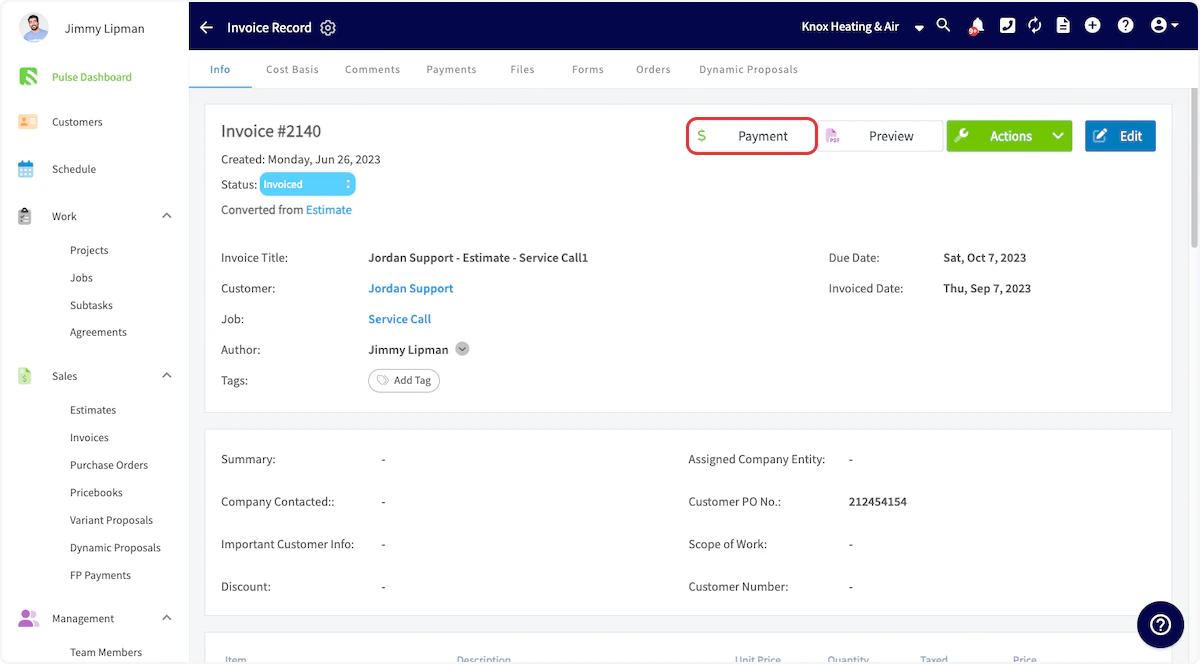

Mobile App
You will first navigate to the Sales tab at the bottom of your screen and select Invoices. Then, open or create the invoice record for which you want to collect payment.


Refunds in FieldPulse
To learn more about processing refunds in FieldPulse, Refunds.Video Tutorials
FAQs
Who is eligible to use FieldPulse Payments? Businesses located in the United States and Australia can use FieldPulse Payments. How can I get started? You can begin the application process at your convenience. Fieldpulse Payments Application to start! What are the associated costs? There is a processing fee for debit/credit cards and ACH payments, as well as a monthly cost. Chat with our team to learn more. Is there a transaction limit? Your transaction limit will be set at $500,000. If you need to change this limit, reach out to our team to submit documentation and request an increase! What are my funding options in the United States? Your account will default to Standard 2 Business Day Funding, which requires a 500,000. If you’d like to use Next Business Day Funding, please reach out to our team at support@fieldpulse.com or chat with us. What are the funding timelines in the United States? For Standard 2 Business Day Funding, transaction batches are sent daily to the processor for all transactions at 9:30 PM EST. Transactions processed after 9:30 PM EST will be captured in the next day’s batch.- Card payment transactions are settled, then your FBO account is funded the next business day.
- eCheck payment transactions are settled, then your FBO account account is funded within 3-5 business days.
Example eCheck Payment Transaction Funding Timeline
| Transaction Batch Close | FBO Account Funded | Bank Account Deposit |
|---|---|---|
| Wednesday | Monday | Monday |
| Thursday | Tuesday | Tuesday |
| Friday | Wednesday | Thursday |
Example Payment Transaction Funding Timeline
| Transaction Batch Close | FBO Account Funded | Bank Account Deposit |
|---|---|---|
| Wednesday morning | Wednesday evening | Thursday morning |
| Thursday morning | Thursday evening | Friday morning |
| Friday morning | Friday evening | Monday morning |
Have additional questions? Contact us at support@fieldpulse.com or use the chat feature in the bottom right corner of your screen.