

FieldPulse allows you to customize and adjust inventory permissions for each user. This feature is valuable for teams that work out of multiple inventory locations such as vans or warehouses. For example, a technician might have parts on-hand but need to view inventory for another part which could only be available elsewhere.Documentation Index
Fetch the complete documentation index at: https://fieldpulse.mintlify.app/llms.txt
Use this file to discover all available pages before exploring further.
Adjusting Inventory Permissions
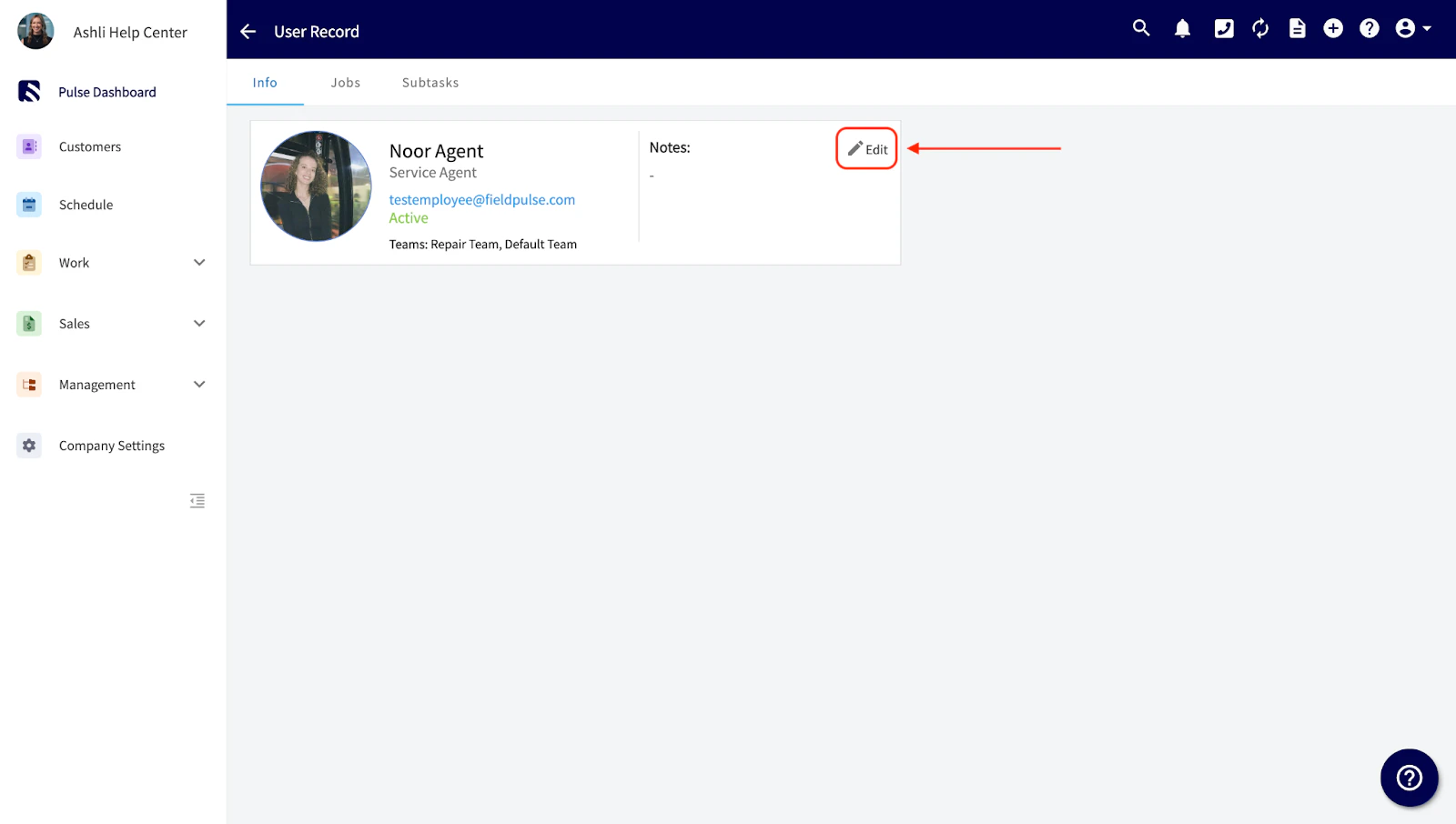
Navigate to Company Settings, then select User Accounts. Click directly on a user, then click Edit .
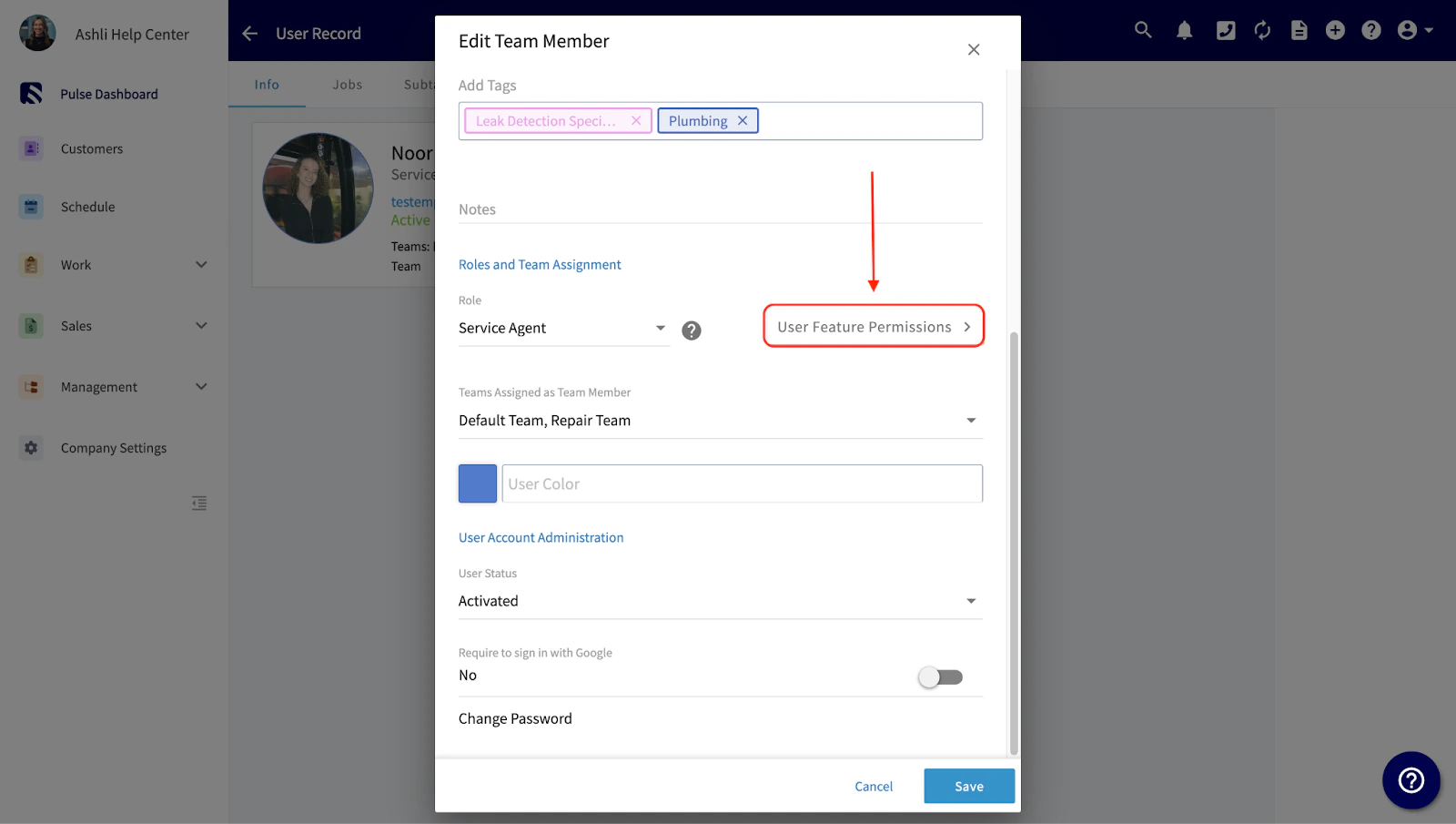
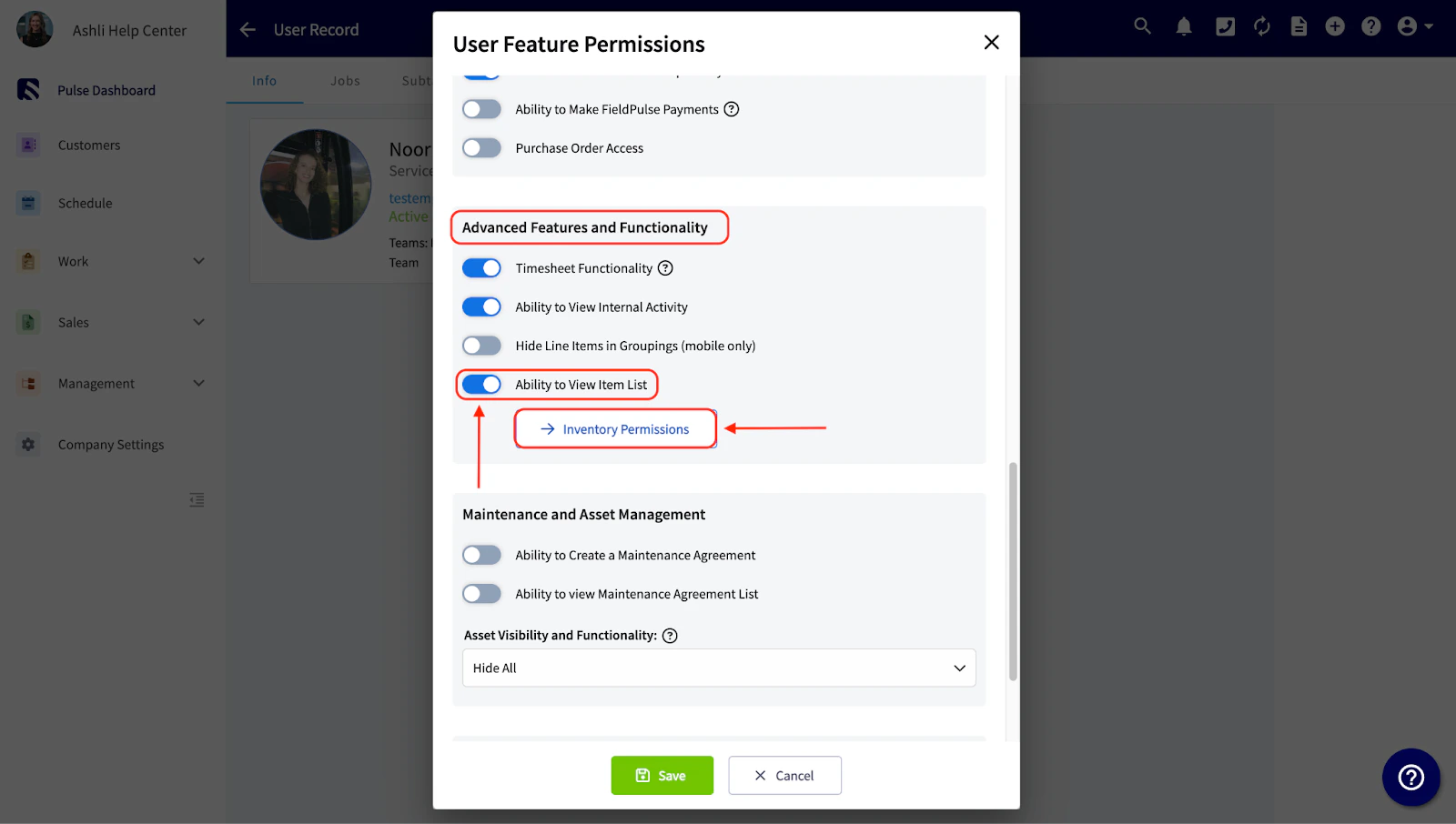

- Admin or Founding User: Permissions cannot be edited as they have full system access.
- Team Manager: Permissions can be edited.
- Service Agent: Permissions can be edited.
- Limited Agent: Permissions not available.
- Assignment User: Permissions not available as they cannot access the FieldPulse app.
See it in Action
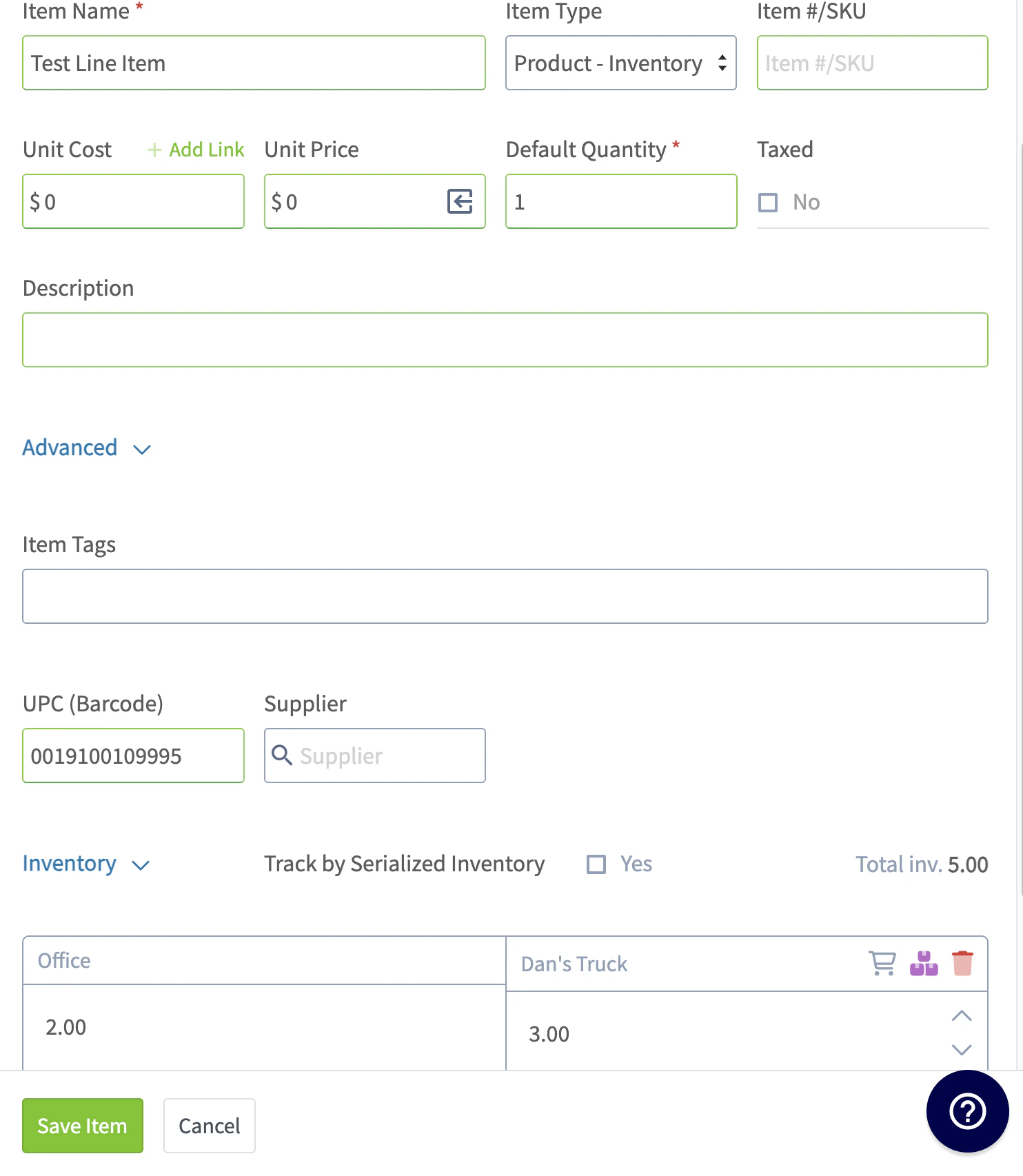
These images show a user with Full Adjustment for “Dan’s Truck” and View Access for “Office”.
Video Tutorial
Have additional questions? Contact us at support@fieldpulse.com or use the chat feature in the bottom right corner of your screen.