

Documentation Index
Fetch the complete documentation index at: https://fieldpulse.mintlify.app/llms.txt
Use this file to discover all available pages before exploring further.
Item List vs. Inventory
When creating an estimate or invoice, line items are added from your Item List. Therefore, your Item List will include all of the products and services you offer, including services, products - inventory, and products - non inventory, along with relevant information such as quantity, value, and other attributes. In contrast, your Inventory is a catalog of only the line items you have designated as product - inventory along with relevant information such as quantity, value, location, and other attributes.Adding Line Items
Option 1: Mass Import- To learn more about mass importing your line items, click here.
- Integrate your QuickBooks Online, QuickBooks Desktop, or Xero and to sync your line items. To learn more, click here.
- Utilize the Add New Item button in FieldPulse to create new line items.
Manually Adding Line Items
Select Invoices in the left-side menu, then click the Item List tab in the header, and then select Create Item.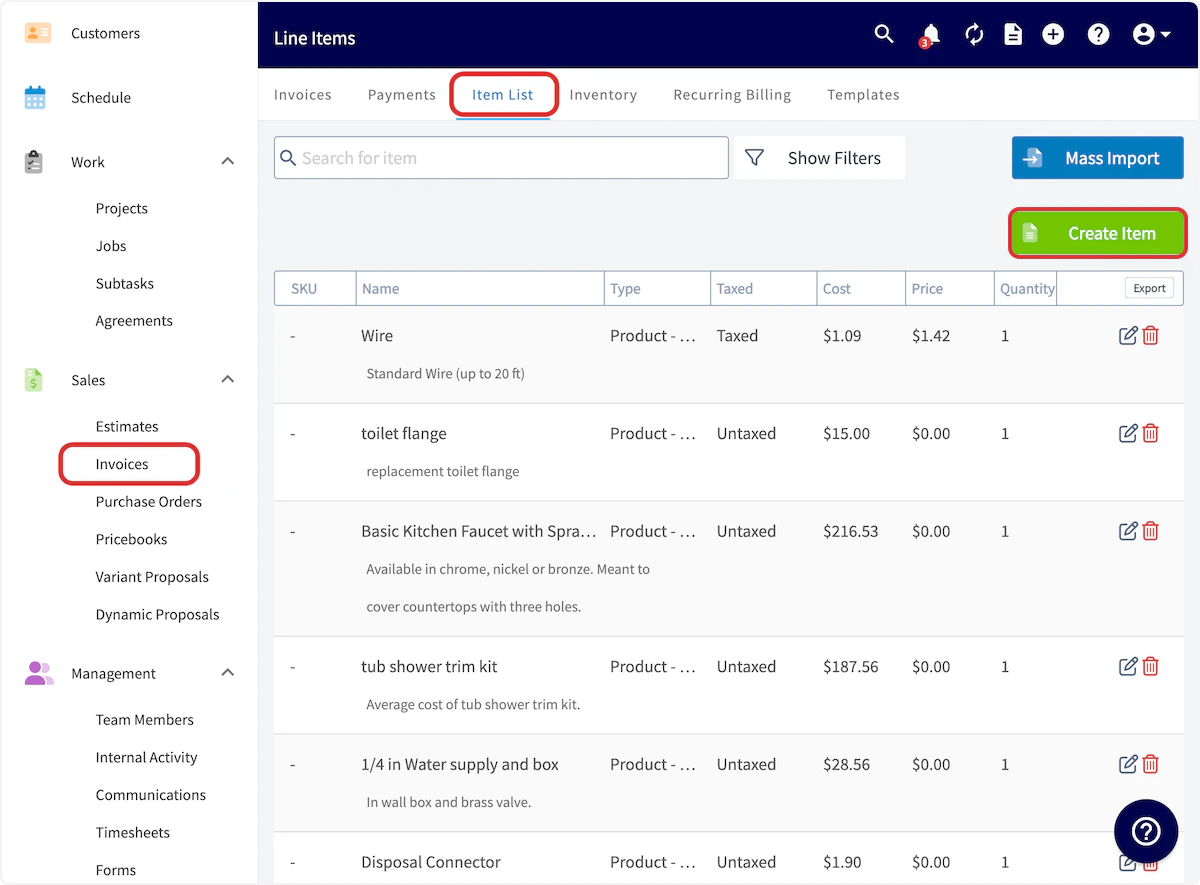
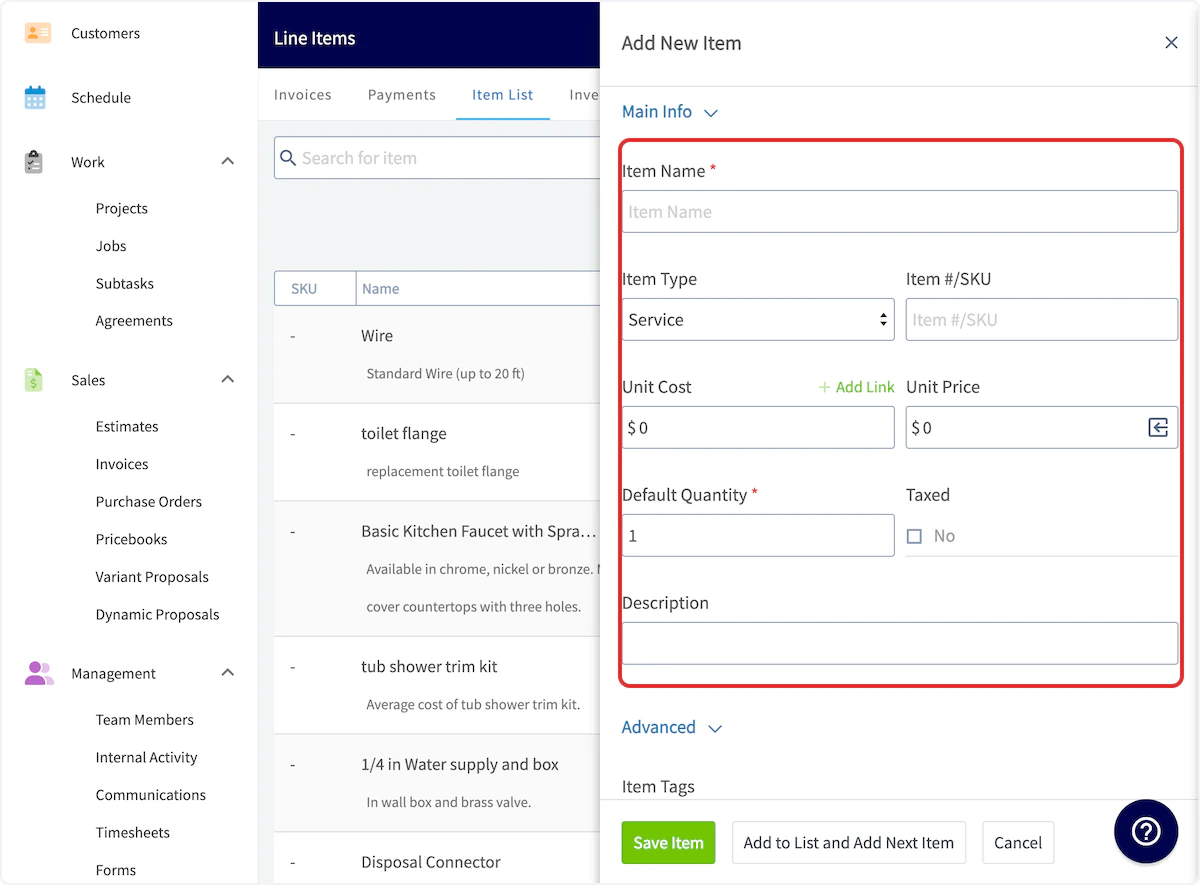
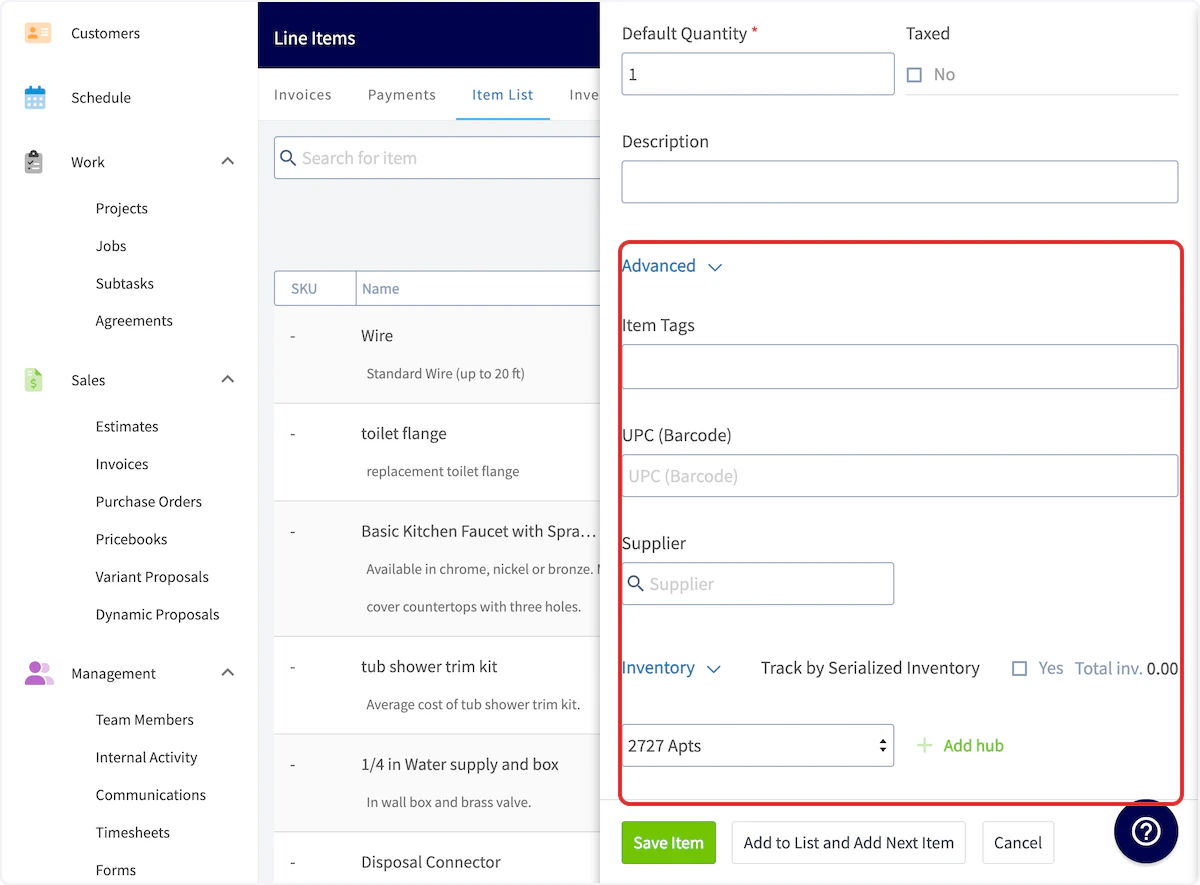
Item List & Inventory Glossary
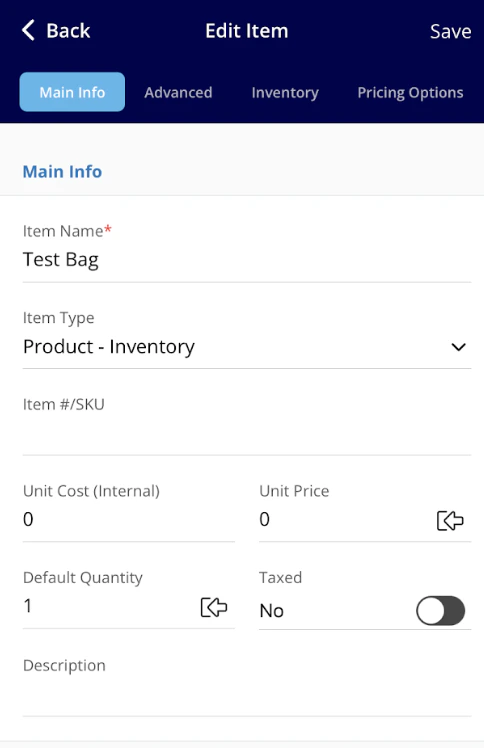
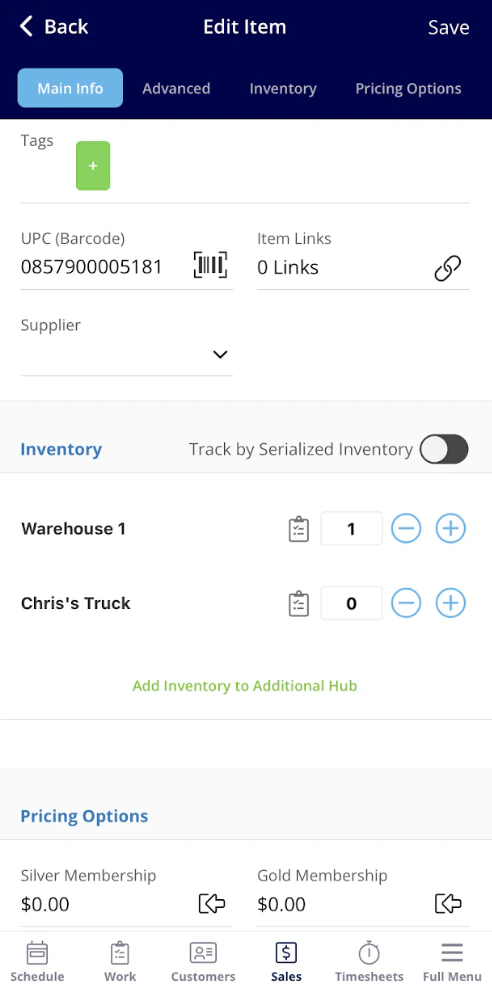
Field Title Explanation Example Item Name A descriptive name for the inventory item Copper Pipe - 1/2 inch x 10 feet Item Type Service: A non-physical item Product Inventory: Materials which you track Product Non-Inventory: Materials you don’t track- materials you will order from a supplier as needed Service: Labor, Equipment Hire, Overhead Product Inventory: Pipe, Hot Water Unit Product Non-Inventory: Water Softener System Item #/ SKU A unique identifier or stock-keeping unit for tracking the item CP125-10FT Unit Cost The cost incurred per unit for the item $5.00 per unit Unit Price The price at which the item is sold per unit $10.00 per unit Default Quantity The default quantity on hand for the item 100 units Taxed Indicates whether the item is subject to taxes Select Yes or No Item Tag A label or tag for additional categorization or grouping “High-Demand” “Special Order” UPC (Barcode) The Universal Product Code or barcode for the item 012345678912 Supplier The company or entity from which the item is sourced Plumbing Supply Co. Track by Serialized Inventory Indicates whether each item has a unique serial number for tracking Select Yes or No Hub Selection A button to select from current hubs and add inventory levels to specific hub “Office” “Brice’s Truck”Barcode Scanning for Item List Management
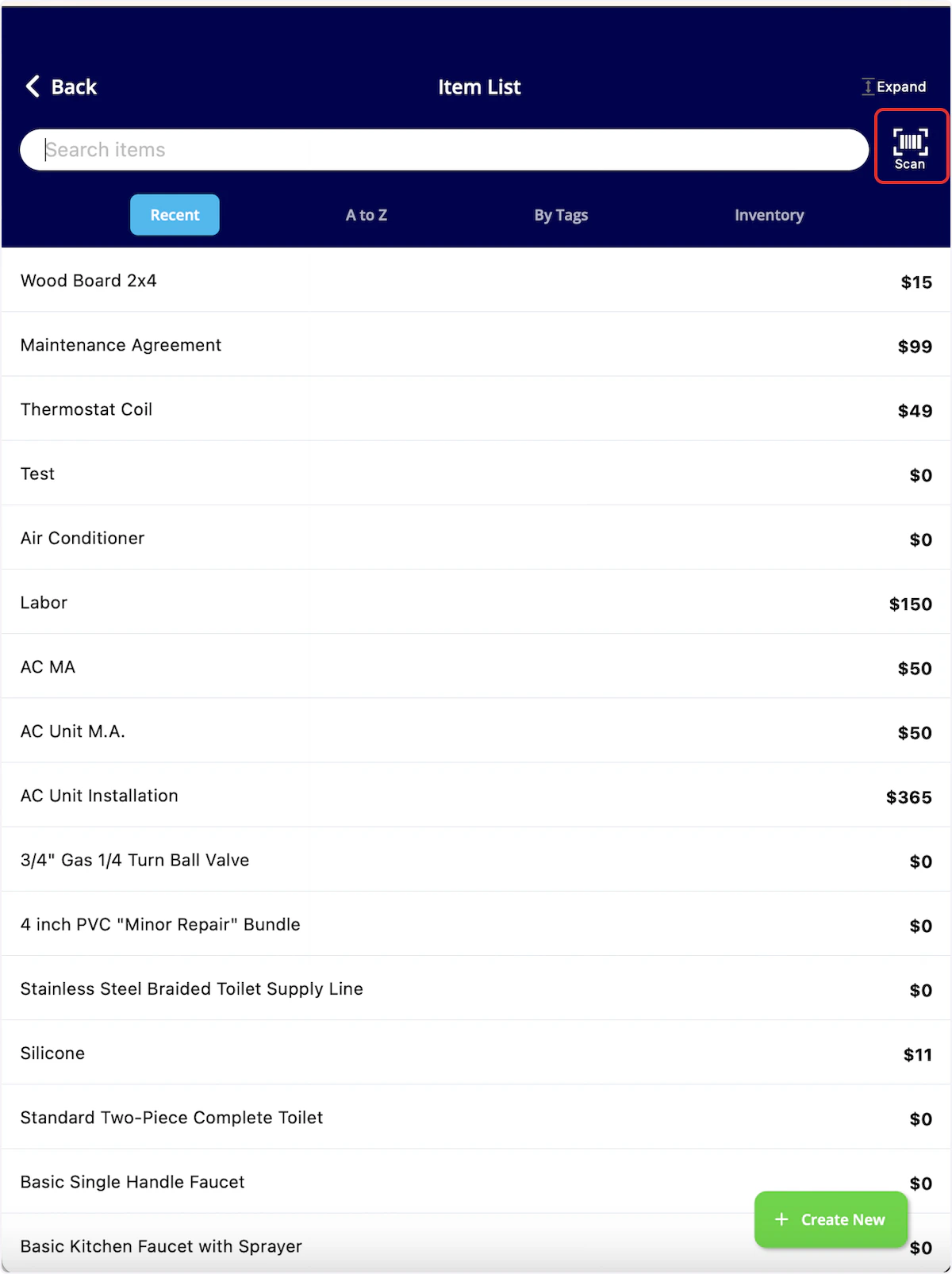
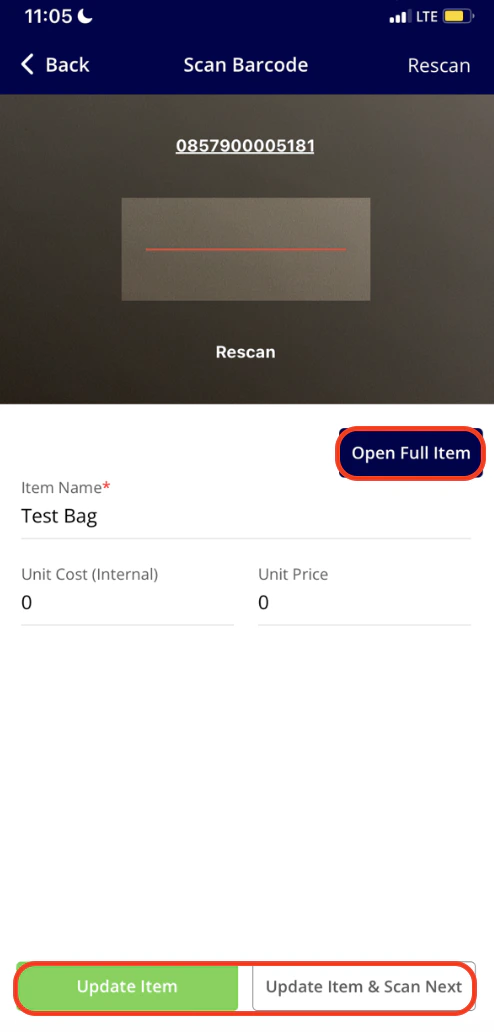
To easily update or add line items, use the barcode scanner. Our barcode scanner feature makes finding line items efficient and allows you to update your costs, pricing, inventory, and inventory location quickly. To get started, select Full Menu then navigate to your Item List in the mobile app. From here, select the Scan Barcode icon.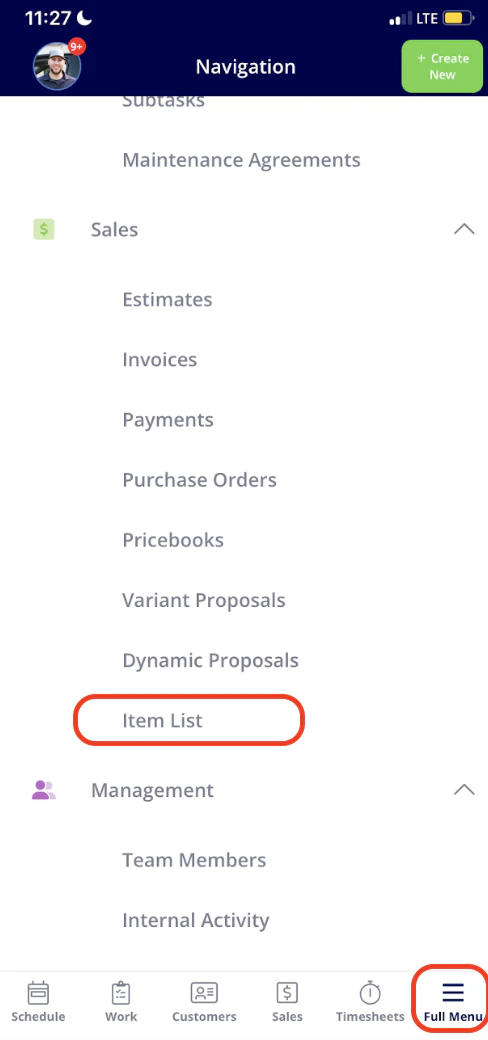
Video Tutorial
Have additional questions? Contact us at support@fieldpulse.com or use the chat feature in the bottom right corner of your screen.