
Who uses this: Admins and Team Managers who manage Engage phone lines. Availability: United States and Canada · requires the Engage add-on.There are two ways to add a phone number to Engage: purchase a new local or toll-free number directly in Engage, or port in a business number you already have from another carrier. Purchasing adds the number to your account right away; porting takes longer but lets you keep the number your customers already know.
Overview
Purchasing a number happens inside Engage’s settings and adds the number to your account as soon as you reserve it. Porting moves an existing number from your old carrier to Engage. It requires a signed Letter of Authorization (LOA) and can take up to 30 days, but your number keeps working with your old carrier the whole time until the switch completes.Before you begin
- Porting prep: before you request a port, remove all call routing features from the number with your current carrier: call forwarding, phone tree, sequential call ring, and similar.
- Toll-free porting: 1-800 numbers cannot be ported into FieldPulse without a specific request. Contact the Customer Success team for more information on porting 1-800 and toll-free numbers into Engage.
- Images (MMS): Engage numbers support sending and receiving images.
- Verification codes: Engage lines do not support verification codes (OTPs).
Purchase a new number
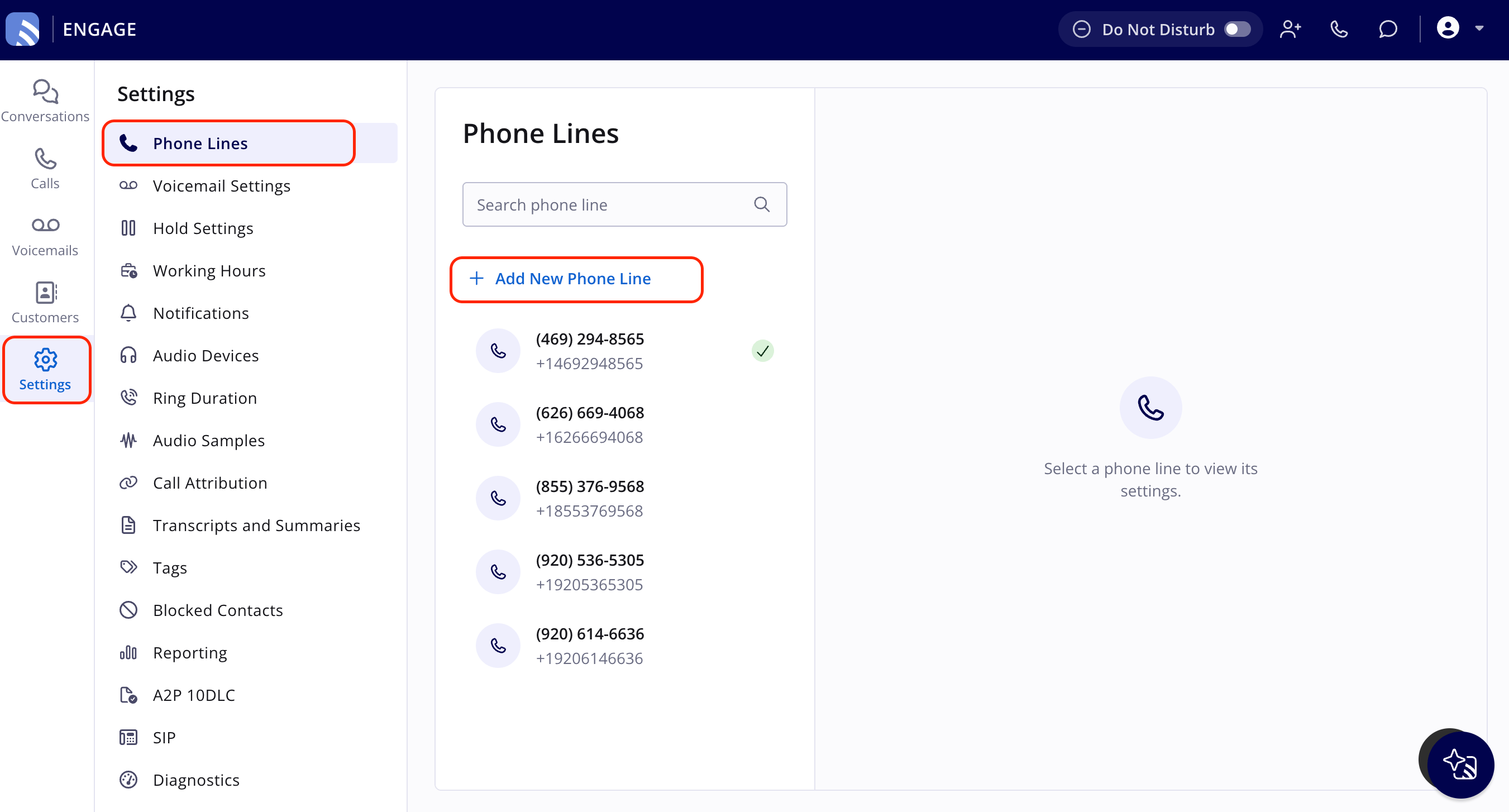
To buy a new phone number for use in Engage:- In Engage, select Settings in the left navigation bar, then select Phone Lines.
-
Select + Add New Phone Line. The Purchase Number window opens.
-
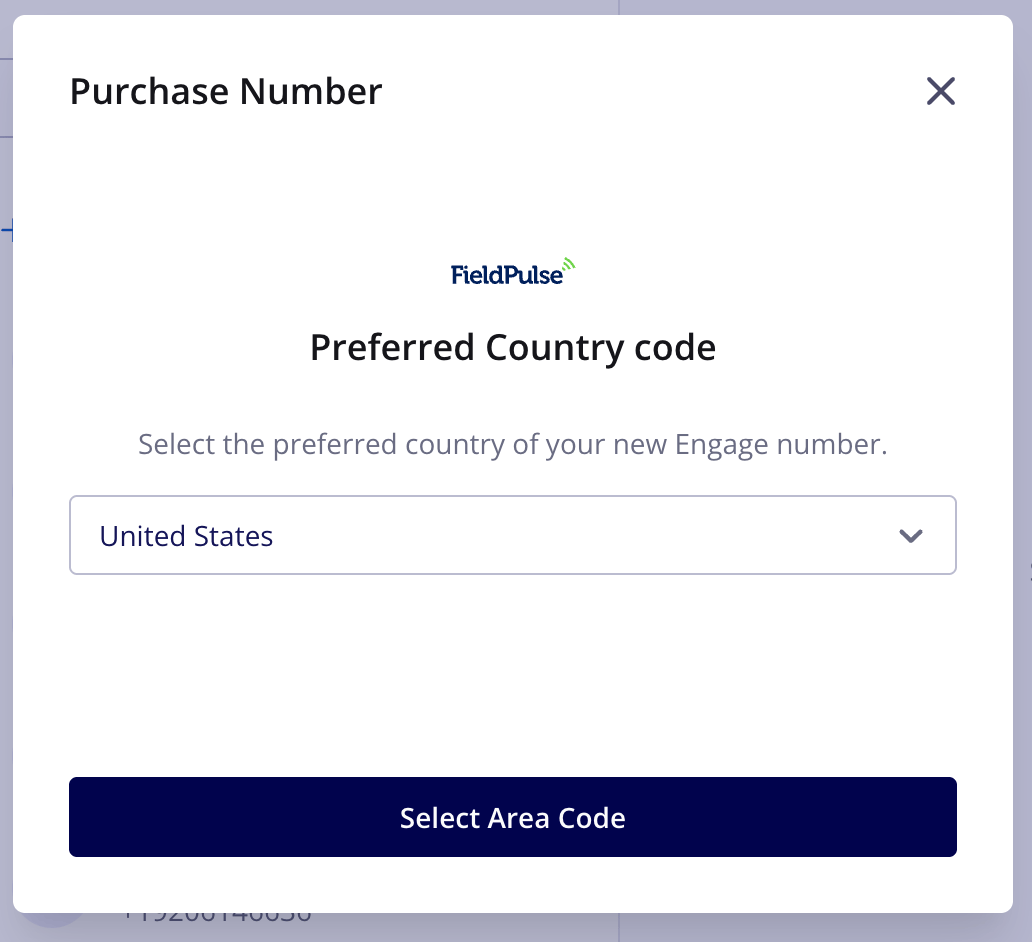
On the Preferred Country code screen, confirm the country for your new number, then select Select Area Code.
-
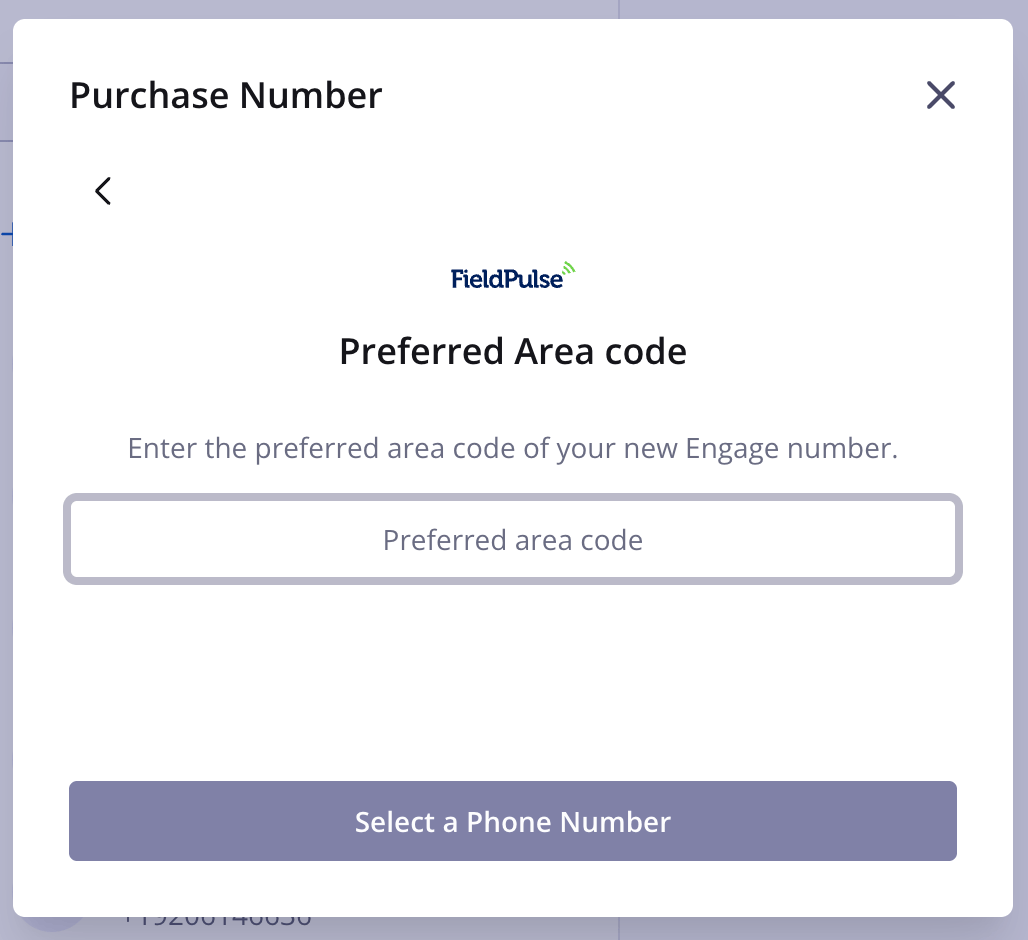
On the Preferred Area code screen, enter your preferred area code, then select Select a Phone Number.
-
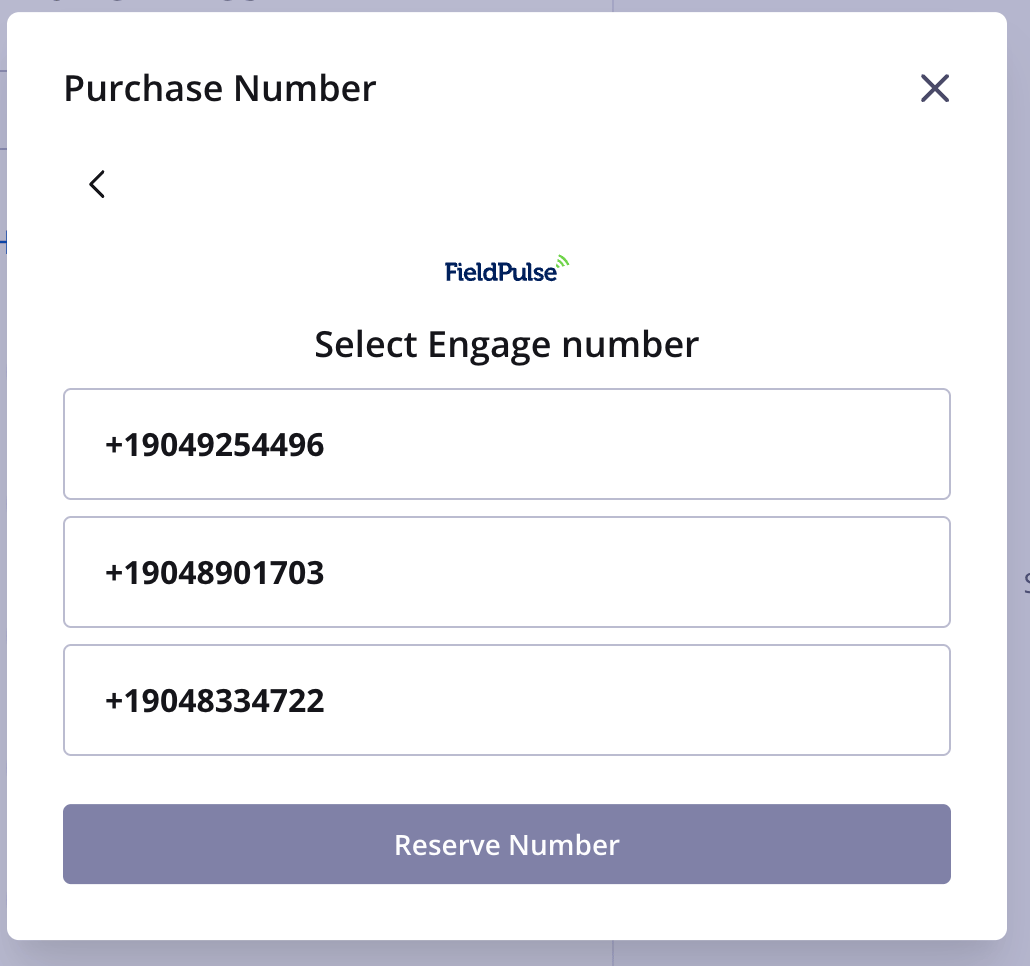
On the Select Engage number screen, choose one of the three numbers that populate, then select Reserve Number. The number is added to your Engage account.
Port an existing number
To bring an existing phone number from a prior service provider into Engage:- Contact FieldPulse using the chat feature in the bottom right corner of your screen, or email support@fieldpulse.com.
- Complete the Letter of Authorization (LOA) FieldPulse provides. Your company is responsible for completing the LOA within a reasonable timeframe. Porting time is measured from when the completed LOA is received.
- FieldPulse handles the port with the carriers from there.
- Timeframe: porting can take up to 30 days from when FieldPulse receives your completed LOA.
- Service: your number stays active with your old carrier until the port is finished, so you can still make and receive calls and texts as normal.
- Switching day: there is a brief transition window (minutes to a few hours) when the number switches to Engage. During this rare window, the number may not be reachable from all networks, and some calls may briefly fail or go to voicemail.
- After completion: the number is fully owned and serviced by the Engage network, and your old carrier automatically deactivates it.