Create a Estimate Report
Date Range
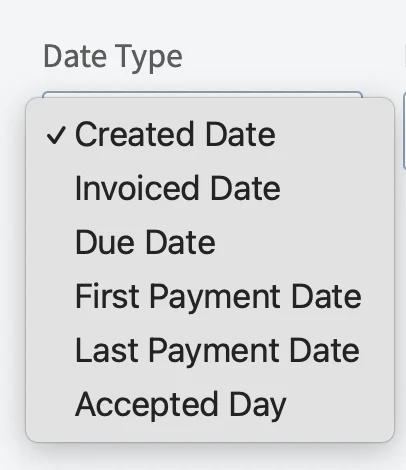
Begin by selecting date type you’d like to use to generate the report.
- Created Date: When the estimate was created
- Invoiced Date: When the estimate was sent to the customer
- Due Date: When the estimate was due
- First Payment Date: When the customer made their first payment on the estimate
- Last Payment Date: When the customer made their last payment on the estimate
- Accepted Date: When the estimate was accepted by the customer

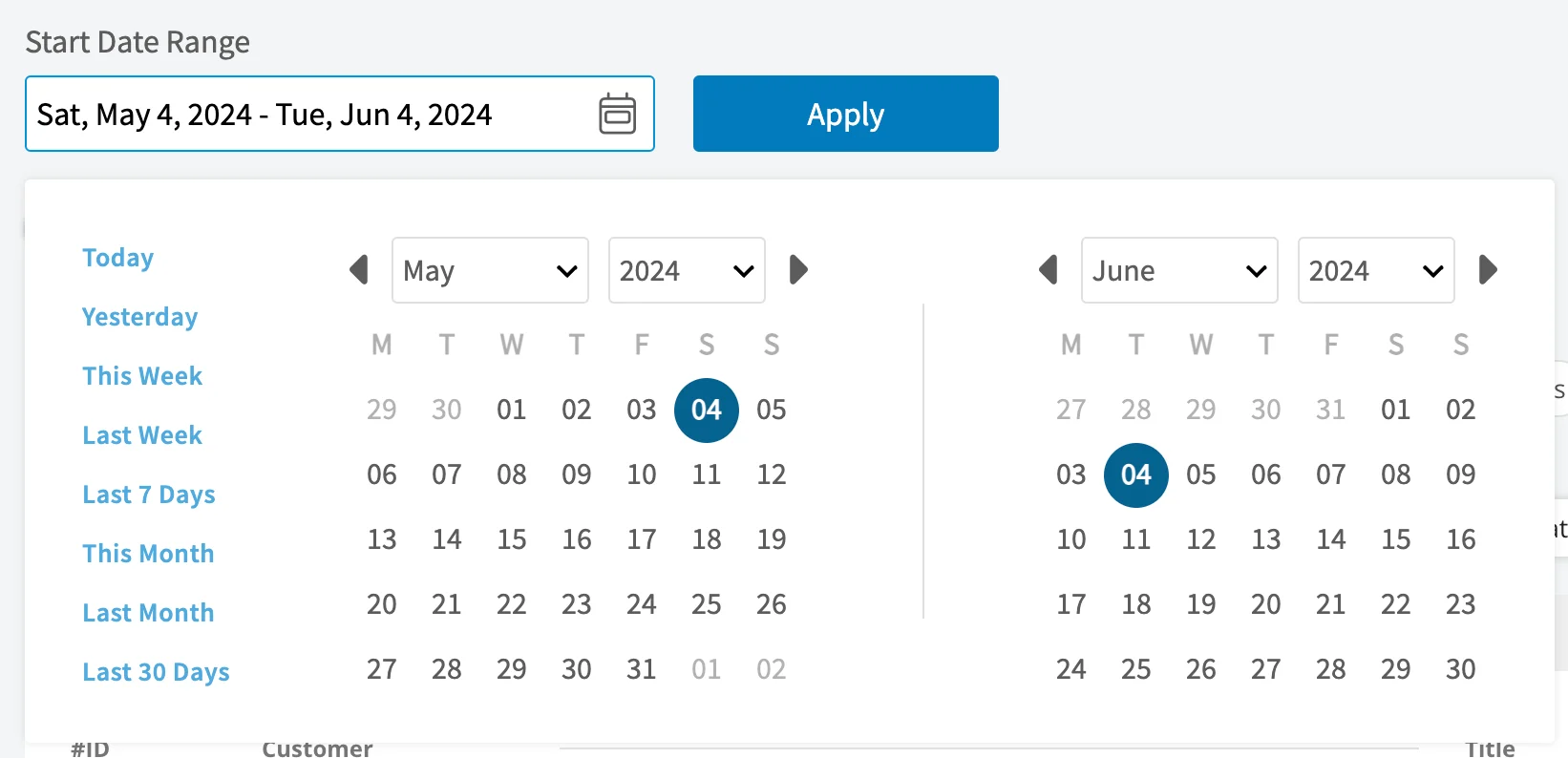
- Today: From 12:00 AM to the current time
- Yesterday: Previous day from 12:00 AM to 11:59 PM
- This Week: From Monday through Sunday of the current week
- Last Week: Previous week
- Last 7 Days: Previous seven days, including today
- This Month: From the first of the current month to the current day
- Last Month: Entire month before the current month
- Last 30 Days: Previous 30 days, including today
- Custom: Use the calendar to select start and end dates
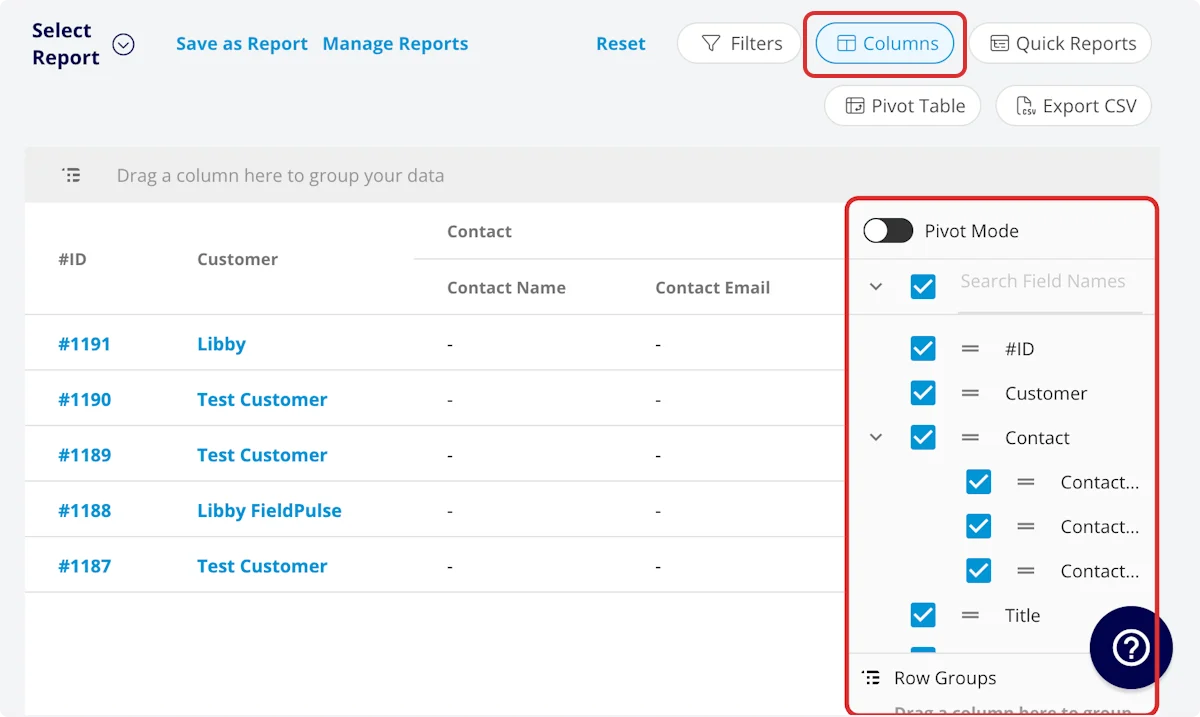
Columns

- #ID: Estimate number
- Customer: Customer linked to the estimate
- Estimate Title: Estimate title
- Parent Job: Job linked to the estimate
- Status: Estimate status
- Estimate Creator: Author of the estimate
- Created Date: Date and time the estimate was created in FieldPulse
- Invoiced Date: Date and time the estimate was sent to the customer
- Expiration Date: Date and time the estimate expires
- Accepted Date: Date and time the estimate was accepted by the customer
- Estimate Total: Total dollar amount on estimate
- QuickBooks Class: If you sync with QuickBooks, the class will be displayed here.
- Pre-Tax Subtotal: Total dollar amount on estimate before tax
- Cost Basis: Total costs associated with the estimate
- Profit Margin: Estimate profit in dollars
- Profit Margin Percentage: Estimate profit margin percentage
- Converted: Whether the estimate has been converted to an invoice or not
- Payment Status: Status of payment on estimate or converted invoice
- Related Invoices: Record numbers for invoices linked to the estimate
- Estimate Notes: Notes on estimate
- Internal Notes: Internal notes on estimate
- Tags: Tags on estimate
- Tax Rate: Tax rate percentage on estimate
- Tax: Dollar amount of tax on estimate
- Commission Method: Method for commission on estimate
- Commission %: Commission rate percentage
- Commission: Dollar amount of commission on estimate
- Related Project: Project linked to the estimate
- Location: Service location on the estimate
- QuickBooks Originated: Yes or No indicating if the record originated in QuickBooks.
- Custom Fields: User-created fields related to the estimate
-
Customer
- Custom Fields: User-created fields related to the customer record
- Customer Lead Source: Lead source on the customer record
- Customer Phone: Customer’s primary phone number
- Customer Email: Customer’s primary email address
- Customer Phone 2: Customer’s secondary phone number
- Customer Email 2: Customer’s secondary email address
- Customer Assigned To: User assigned to customer record
- Customer Pipeline Status: Customer’s custom sales pipeline status
- Customer Next Steps: Next steps listed on custom sales pipeline
- Customer Notes: Notes on customer record
- Customer Job Notes: Job notes on customer record (automatically inserted onto job records)
- Customer Created Date: Date and time the customer was added to FieldPulse
- Customer Tags: Tags attached to the customer record
- Parent Customer: Group and analyze data by the Parent Customer
-
Job
- Custom Fields: User-created fields related to the job record
- Notes: Notes on job record
- Field Notes: Notes left by assigned user(s) on the job
- Tags: Tags attached to the job record
- Assigned Team Members: Users assigned to the job
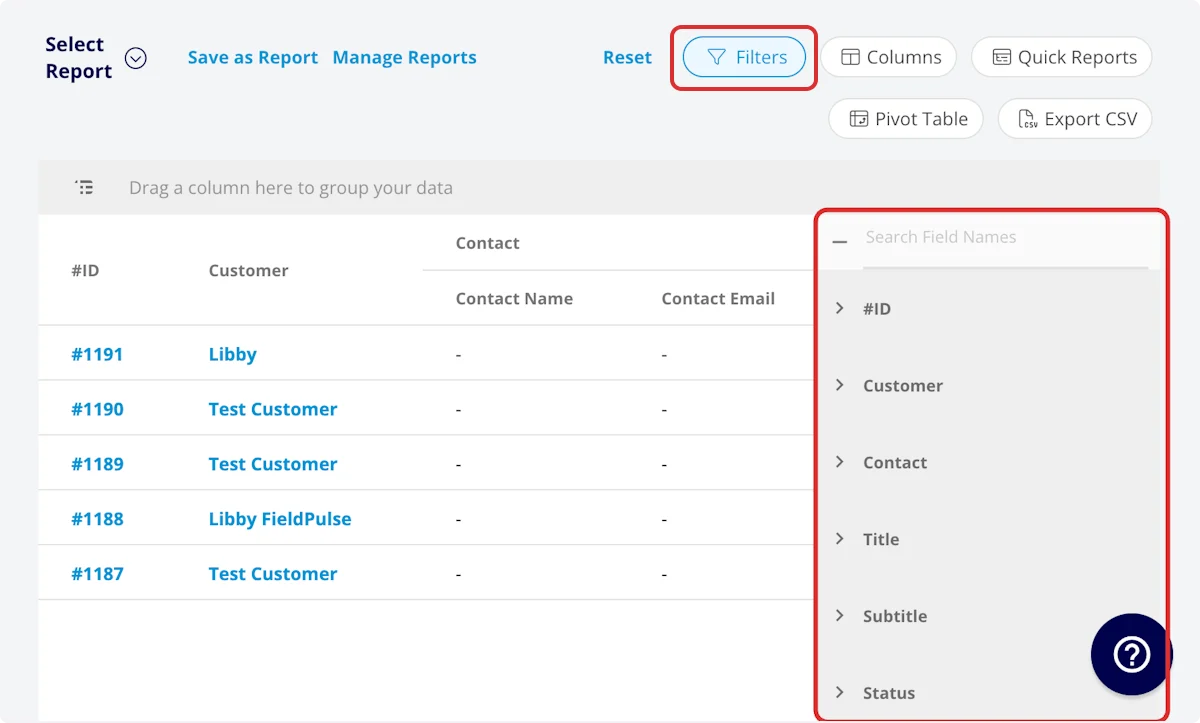
Filters

- Company: select company
- #ID: filter by contents
- Customer: filter by contents
- Estimate Title: filter by contents
- Parent Job: filter by contents
- Status: select status
- Estimate Creator: filter by contents
- Created Date: filter by date
- Invoiced Date: filter by date
- Expiration Date: filter by date
- Accepted Date: filter by date
- Estimate Total: filter by contents
- Pre-Tax Subtotal: filter by contents
- Cost Basis: filter by contents
- Profit Margin: filter by contents
- Profit Margin Percentage: filter by contents
- Payment Status: select status
- Related Invoices: filter by contents
- Estimate Notes: filter by contents
- Internal Notes: filter by contents
- Tags: select tag
- Tax Rate: filter by contents
- Tax: filter by contents
- Commission Method: select method
- Commission %: filter by contents
- Commission: filter by contents
- Related Project: select project
- Location: filter by contents
- Custom Fields: select custom field
-
Customer
- Customer Phone: select phone number
- Customer Email: select email address
- Customer Phone 2: select phone number
- Customer Email 2: select email address
- Customer Assigned To: filter by contents
- Customer Lead Source: select lead source
- Customer Pipeline Status: select status
- Customer Next Steps: filter by contents
- Customer Notes: filter by contents
- Customer Job Notes: filter by contents
- Customer Created Date: filter by contents
- Customer Tags: filter by contents
-
Job
- Status: select status
- Notes: filter by contents
- Field Notes: filter by contents
- Tags: filter by contents
- Assigned Team Members: filter by contents
| Operator | Retrieves Data | Example | Data Retrieved |
|---|---|---|---|
| Equals | Equal to a specified value | Created By - Equals Tom Gause | For all records created by Tom Gause only |
| Not Equal | Different from a specified value | Tag - Not Equal to HVAC | For all records except those using the HVAC tag |
| Less Than | Lower than a specified value | #ID - Less than 1144 | For all records below #1144 |
| Less Than or Equal To | Lower than or equal to a specified value | Job Date/Time - Less than or equal to 12/13/2023 | For jobs scheduled before or on 12/13/2023 |
| Greater Than | Greater than a specified value | Job Duration - Greater than 60 minutes | For jobs in the In Progress status type for over 60 minutes |
| Greater Than or Equal To | Greater than or equal to a specified value | Job Date/Time - Greater than or equal to 1/1/2024 | For jobs scheduled on or after 1/1/2024 |
| In Range | Including and between two specified values | #ID - Between 1225 and 1236 | For all estimate records with #IDs between 1225 and 1236 |
| Starts With | Begins with a specified value | Title - Annual | For all job records beginning with Annual |
| Ends With | Ends with a specified value | Location - TX | For all job locations ending with TX |
| Blank | No values are in the field | Subtitle | For all job records with blank subtitles |
| Not Blank | Values in the field | Notes | For all job records with values in the notes field |
Common Estimate Reports
Estimates by Status
Use this report to view how many estimates are sent/accepted/rejected and the total dollar amount in each status. Columns: Customize to your needs, but must include Status and Estimate Total Group by: StatusEstimate Conversion Rate
Use this report to view the percentage of estimates converted to invoices by each member of your team.- Select Quick Reports
- Primary Field = Conversion Rate
- Group by = Created By
- Click Configure Pivot Table
Estimates by Location
Use this report to view estimate data by city or zip code to inform your business decisions. By Tags: Columns: Customize to your needs, but must include Tags Group by: Tags By Location: Columns: Customize to your needs, but must include Location Filter: Location- contains [Zip Code] or [City]
- does not contain [Zip Code] or [City]
Closing Rates per Technician
Columns: Customize to your needs, but must include Converted Group by: Creator to organize the report by the team member who created each estimate.Have additional questions? Contact us at support@fieldpulse.com or use the chat feature in the bottom right corner of your screen.