
Who uses this: Admins have full reporting access, and Team Managers can be given it. Service Agents and Limited Agents do not have reporting access. Availability: All regions.A maintenance agreement report is built from the Maintenance Agreement tab in raw data reporting, and it pulls your recurring service contracts — total annual fee, price per bill, service frequency, billing frequency, status, and the last and next job occurrences — into one table. That table is where you see the recurring revenue your agreements carry and which agreements are due for service.
Overview
A maintenance agreement report answers one question about your recurring work: which agreements match the conditions you care about. Use it to total the annual fees you are carrying, group agreements by how often you service them or how often you bill them, and see everything one customer is signed up for. Building a maintenance agreement report follows the same path as every other raw data report — set a date range, choose the columns, set filters, then read the table. Reporting on maintenance agreements is part of FieldPulse’s dashboards and reporting. For the parts of the reporting flow that are the same on every record type — saving a report, adding it to your dashboard, and exporting to CSV — see How to Use Raw Data Reporting.Video walkthrough
Video walkthrough: Creating a report in raw data reporting
Before you begin
- Create the maintenance agreements you want to report on, and confirm maintenance agreements are enabled in your account. See How to Create a Maintenance Agreement.
- Check that your role has reporting access. An Admin has full reporting access; a Team Manager needs Full Reporting access turned on.
Set the date range
- Select Reporting under the Management tab in the left-side menu.
- Select the Maintenance Agreement tab, then select Raw Data.
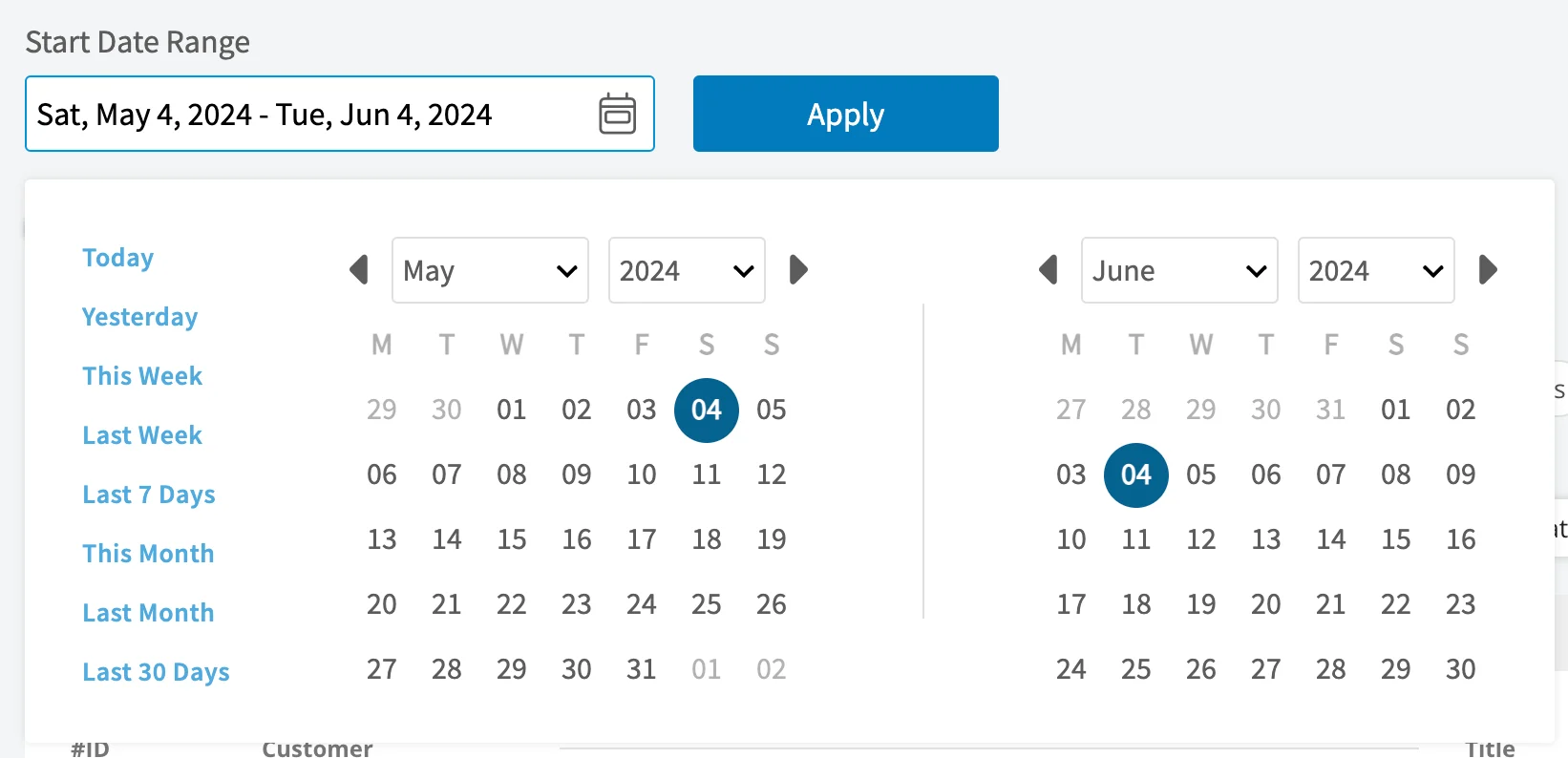
- Select the calendar icon and choose the start date range you want to report on.
- Select Load Data.
Choose your columns
Select Columns to choose which maintenance agreement fields appear in the report table and the order they appear in.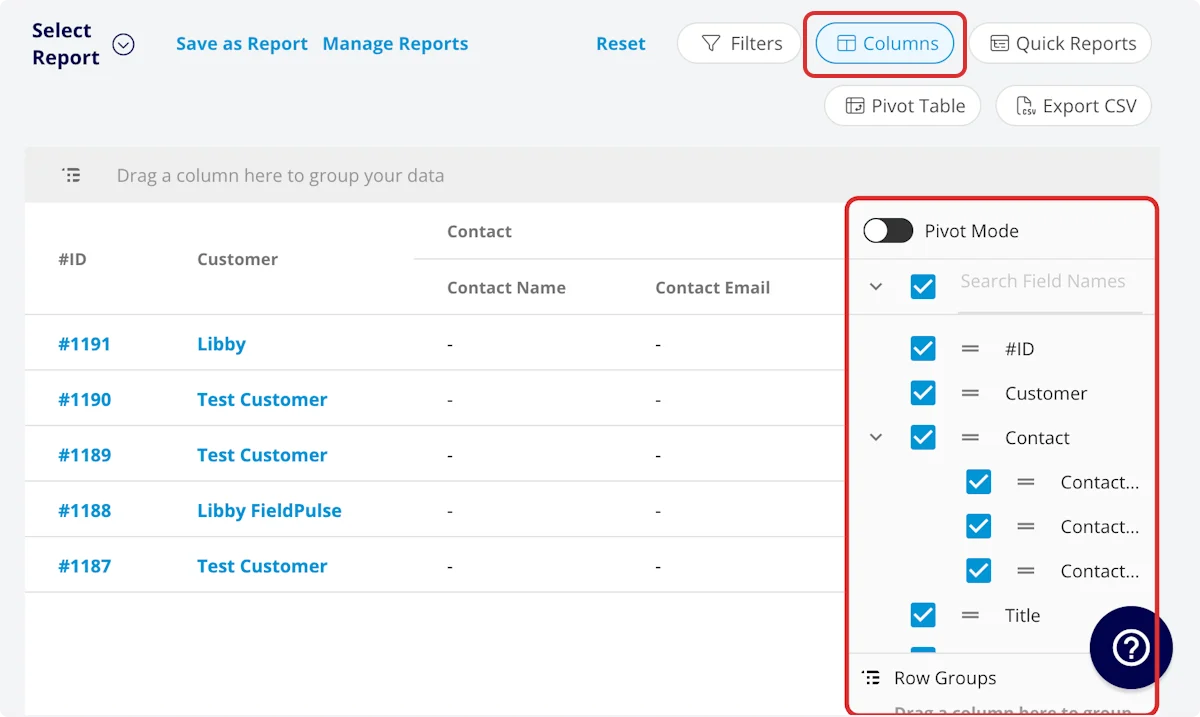
Set your filters
Before running the report, set filters to narrow the results. Select the Filters icon, then choose how you want to filter the report.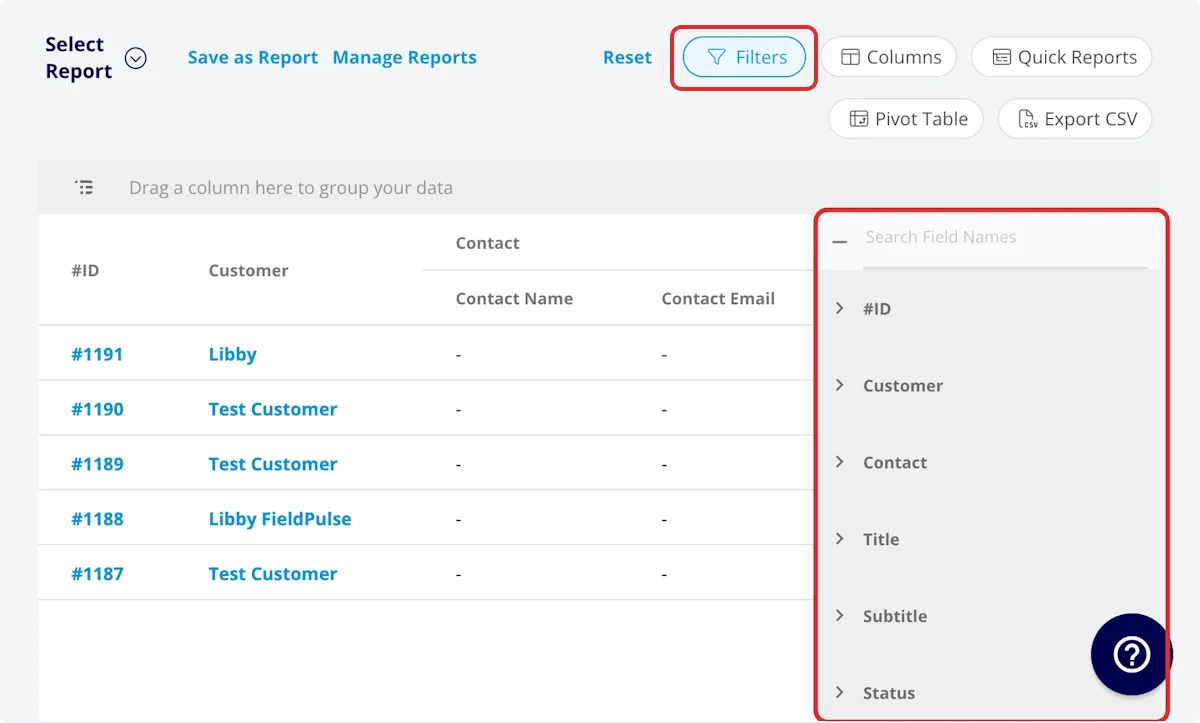
Filter operators
When you filter by contents, choose an operator and then enter the values to filter the data on.Common maintenance agreement reports
Three reports cover most of what teams pull from the Maintenance Agreement tab. Each one keeps whichever columns you want, plus the one column it groups on — drag that column into the grouping bar above the table.Video walkthrough: Building the by-frequency, by-billing-frequency, and by-customer reports
Tips
- Total Annual Fee is the column to add up when you want the recurring revenue your agreements represent.
- Add the Next Occurrence columns when you want to see which upcoming services already have a job created, what that job’s status is, and when it is booked.
FAQs
Can I save a maintenance agreement report to use again?
Yes. Select Save as Report, then Save as New to store it under Select Report, or Save as Widget to add it to your Pulse Dashboard. See How to Use Raw Data Reporting for the full saving flow.Can I export a maintenance agreement report to a spreadsheet?
Yes. Select Export CSV to download the report currently on your screen as a CSV file to your device.Related articles
- How to Use Raw Data Reporting
- How to Create a Maintenance Agreement
- How to Manage Assets
- How to Create Asset Reports