
Who uses this: Admins have full reporting access, and Team Managers can be given it. Service Agents and Limited Agents do not have reporting access. Availability: All regions.A project report is built from the Projects tab in raw data reporting, and it pulls your project records — status, completion percentage, assigned teams, and estimate and invoice totals — into one table over the date range you choose.
Overview
A project report shows where each project stands across your pipeline. Use it to sort projects by status, group them by assigned team to compare workloads, and see how far along each project is. The most common versions are projects by status, projects by tag, and projects by assigned team. Building a project report follows the same path as every other raw data report — set a date range, choose the columns, set the filters, then read the table. Project reporting is part of FieldPulse’s dashboards and reporting. For the parts of the reporting flow that are the same on every record type — saving a report, adding it to your dashboard, and exporting to CSV — see How to Use Raw Data Reporting.Video walkthrough
Video walkthrough: Creating a report in raw data reporting
Before you begin
- Create the projects you want to report on. See Project Management Overview.
- Check that your role has reporting access. An Admin has full reporting access; a Team Manager needs Full Reporting access turned on.
Set the date range
- Select Reporting under the Management tab in the left-side menu.
- Select the Projects tab, then select Raw Data.
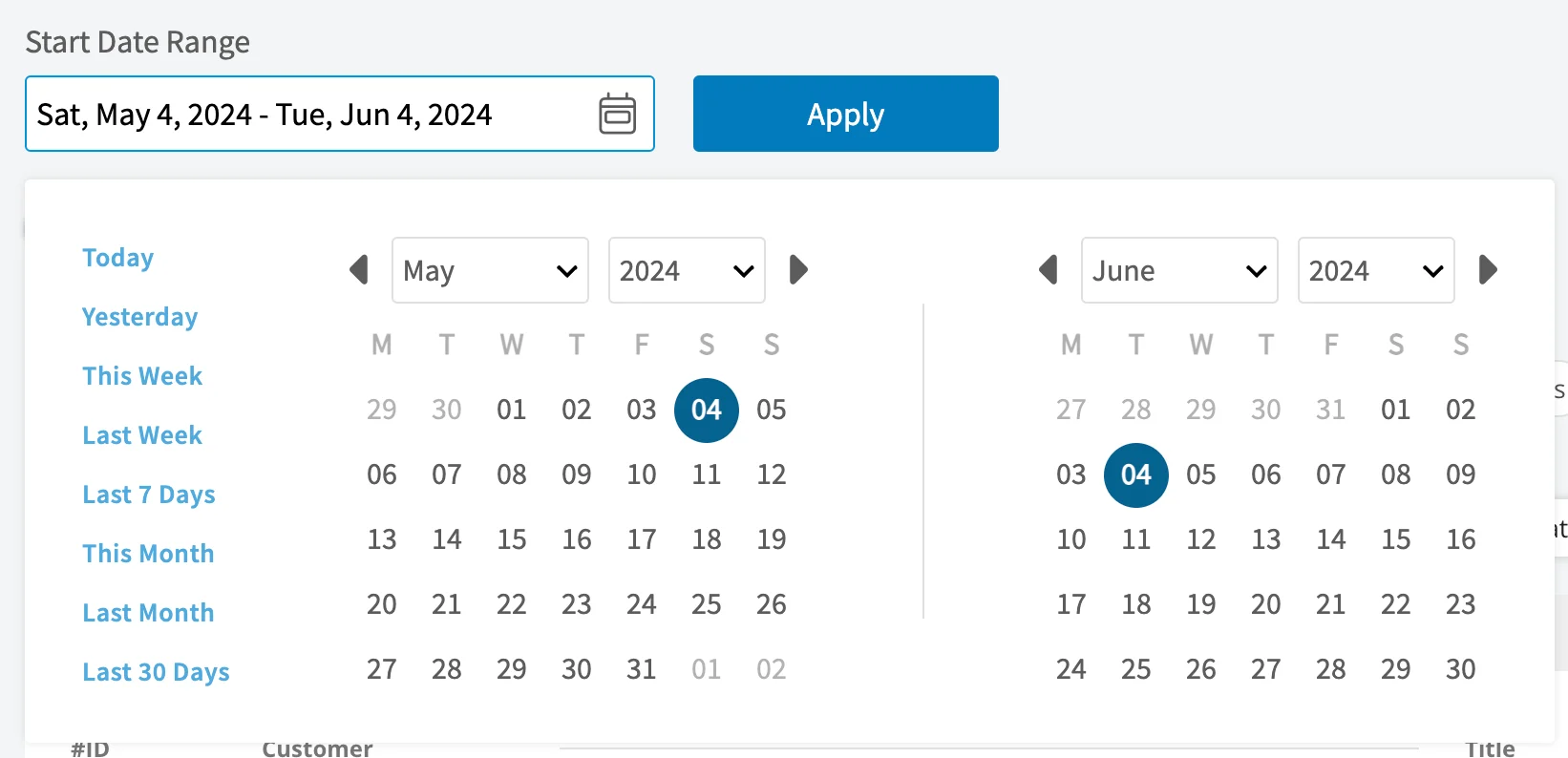
- Select the calendar icon and choose the start date range you want to report on.
- Select Load Data.
Choose your columns
Select Columns to choose which project fields appear in the report table and the order they appear in.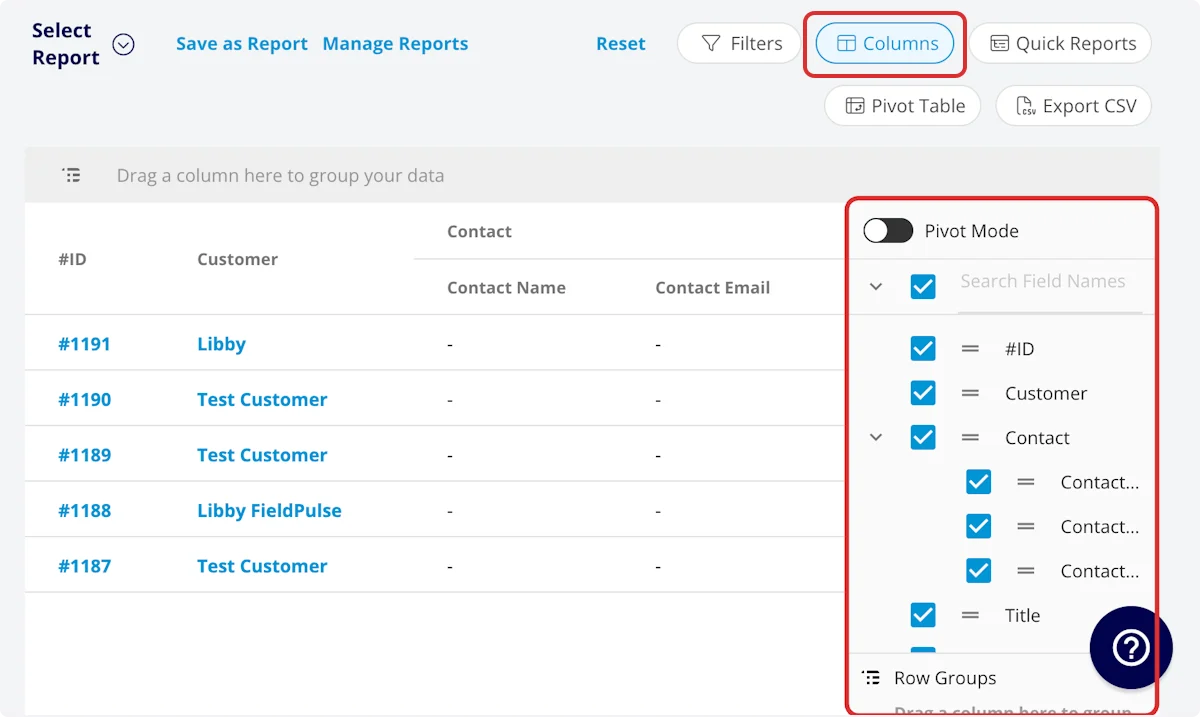
Job Status Workflow includes each status in your custom status workflow.
Set your filters
Before running the report, set filters to narrow the results. Select the Filters icon, then choose how you want to filter the report.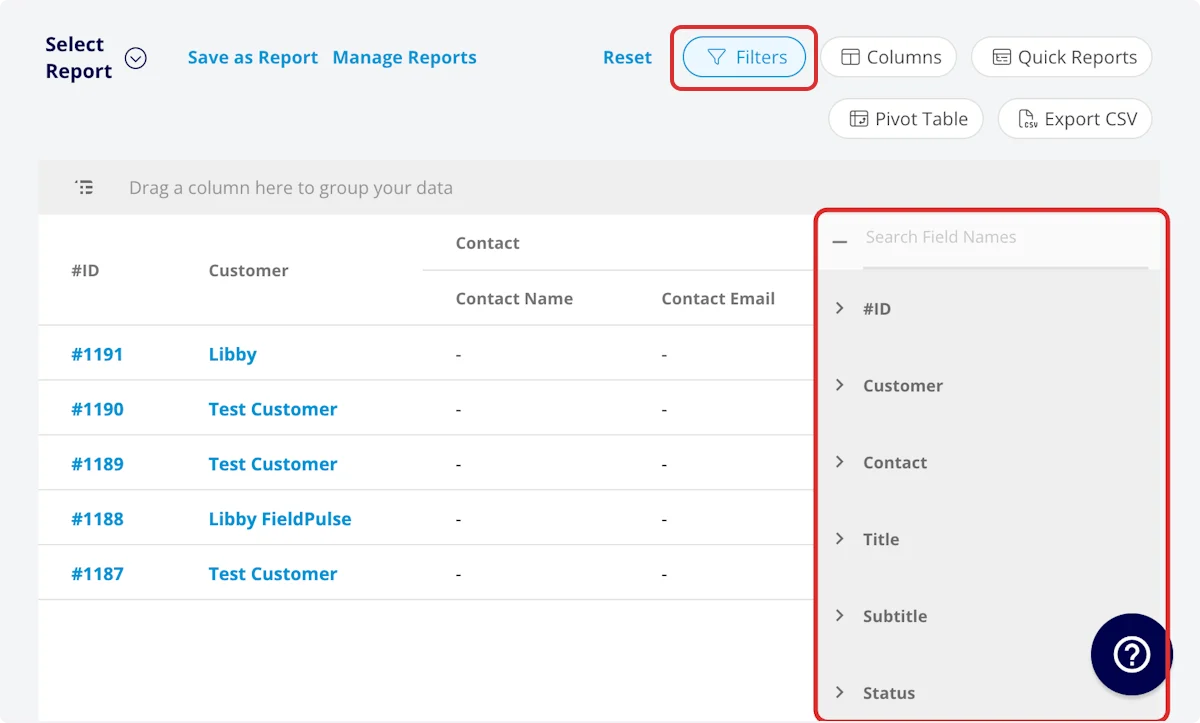
Older Than, Within the Last, and Within the Next take a whole number and a duration unit, from Minutes through Decades. These filters calculate dynamically from the current time in your timezone every time the report runs, so your saved reports never go stale.
Filter operators
When you filter by contents, choose an operator and then enter the values to filter the data on.Common project reports
Common project reports include projects by status, projects by tag, and projects by assigned team. Here is how the first and the last of those are built.Projects by status
Use this report to view your projects sorted by status.- Columns: customize to your needs, but include Status.
- Group by: Status
Projects by assigned team
Use this report to view your current projects sorted by assigned team, so you can compare workloads across your business.- Columns: customize to your needs, but include Assigned Teams and Status.
- Filter: Status = In Progress
- Group by: Assigned Teams
Video walkthrough: Building common project reports
Tips
- The project report tracks work at the team level. It has an Assigned Teams column and a Completion Percentage column, and no column for the individual users on the work. The job report carries an Assigned Team Members column for the users assigned to a job — see How to Create Job Reports.
- To see money alongside progress, keep the Related Estimates, Accepted Estimates Total (Pre-Tax), Total Invoice Pre-Tax Subtotal, and Related Invoice columns next to Status and Completion Percentage.
FAQs
Can I save a project report to use again?
Yes. Select Save as Report, then Save as New to store it under Select Report, or Save as Widget to add it to your Pulse Dashboard. See How to Use Raw Data Reporting for the full saving flow.Can I export a project report to a spreadsheet?
Yes. Select Export CSV to download the report currently on your screen as a CSV file to your device.Related articles
- How to Use Raw Data Reporting
- Project Management Overview
- Projects vs. Jobs vs. Site Visits Details
- How to Create Job Reports