
Create a Site Visit Report
Date Range
Begin by selecting the start date range for which you’d like to report on. Click on the calendar icon to select a preset date range and click Load Data.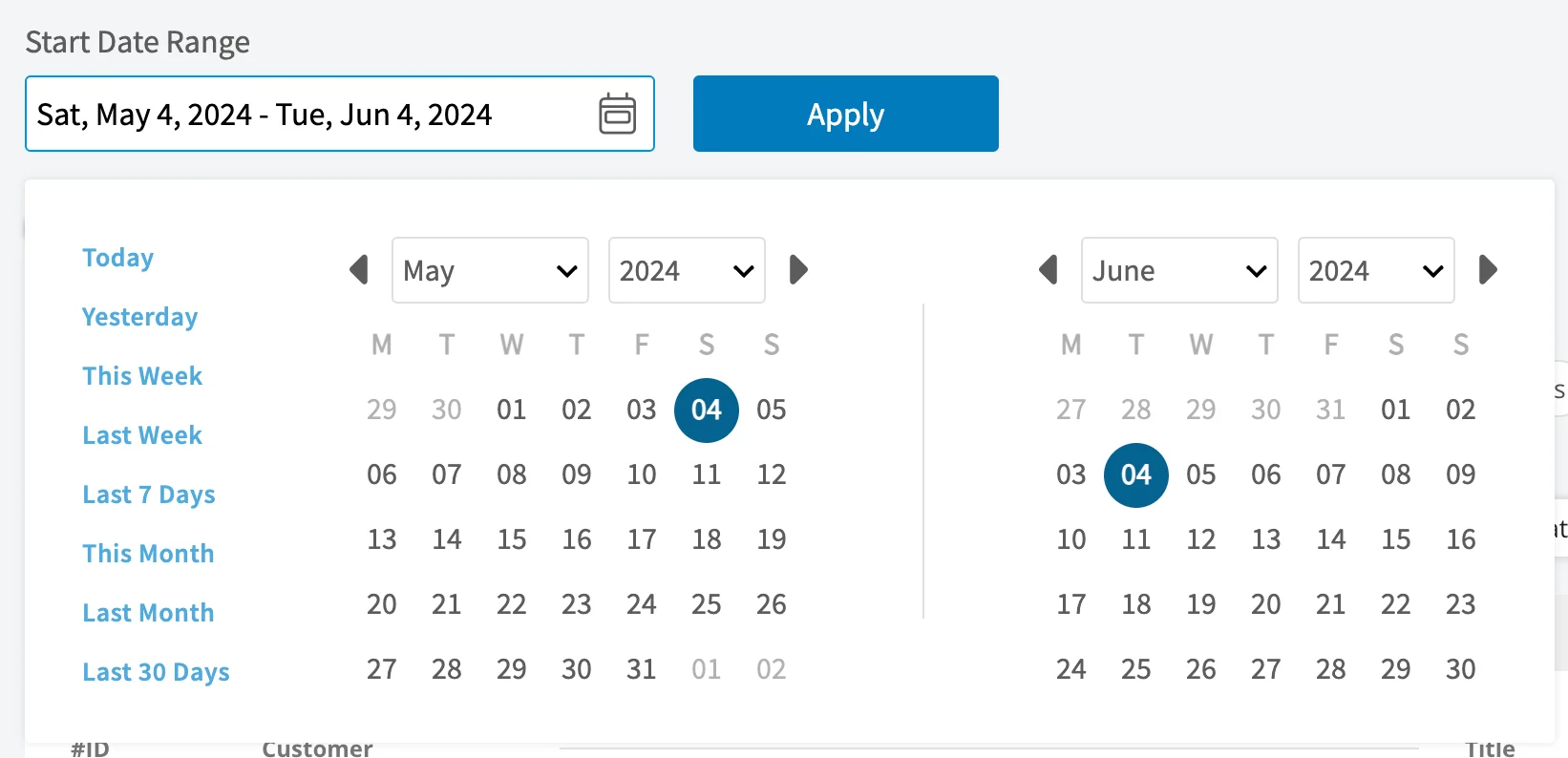
- Today: From 12:00 AM to the current time
- Yesterday: Previous day from 12:00 AM to 11:59 PM
- This Week: From Monday through Sunday of the current week
- Last Week: Previous week
- Last 7 Days: Previous seven days, including today
- This Month: From the first of the current month to the current day
- Last Month: Entire month before the current month
- Last 30 Days: Previous 30 days, including today
- Custom: Use the calendar to select start and end dates
Columns
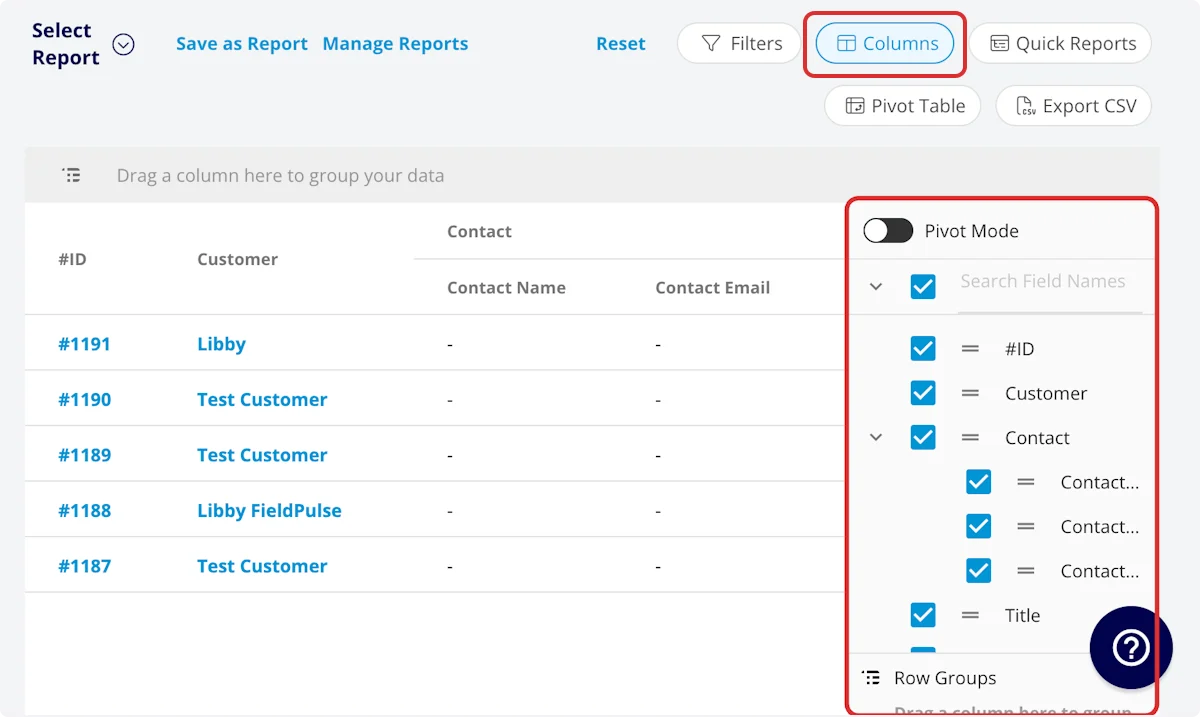
- #ID: Job number
- Customer: Customer linked to the site visit
-
Contact
- Contact Name: Customer contact selected on job record
- Contact Email: Customer contact’s email address selected on job record
- Contact Phone: Customer contact’s phone number selected on job record
- Title: Site visit title
- Subtitle: Site visit subtitle
- Status: Site visit workflow status
- Start Date/Time: Date and time the site visit was scheduled to begin
- End Date/Time: Date and time the site visit was scheduled to end
- Clock In Date/Time
- Clock Out Date/Time
- Created At: Date and time the site visit was created in FieldPulse
- Created By: Author of the site visit
- Location: Service location for the site visit
- Assigned Team Members: Users assigned to the site visit
- Assigned Teams: Teams assigned to the site visit
- Related Invoice Status: Status of the linked invoice
- Total Invoice Amount: Total amount on related invoice
- Total Estimate Amount: Total amount on related estimate
- Total Invoice Amount Due: Remaining balance on related invoice
- Total Amount Paid: Amount paid on related invoice
- Assets: Assets linked to the job record
- Related Estimates and Invoices: Record numbers for estimates and invoices linked to the job record
- Notes: Notes on job and site visit records
- Field Notes: Notes left by assigned user(s) on the job record
- Tags: Tags attached to the job record
- Related Project: Project linked to the job record
- Job Duration: Time spent in In Progress status type, recorded in HH:MM:SS
- Job Duration Decimal: Time spent in In Progress status type, recorded in hours
- Scheduled Duration: Time scheduled for the site visit, recorded in HH:MM:SS
- Scheduled Duration Decimal: Time scheduled for the site visit, recorded in hours
- Travel Duration: Time spent in On The Way status type, recorded in HH:MM:SS
- Travel Duration Decimal: Time spent in On The Way status type, recorded in hours
- Total Timesheet Duration: Sum of all timesheets related to the job record, recorded in HH:MM:SS
- Total Timesheet Duration Decimal: Sum of all timesheets related to the job record, recorded in hours
- Custom Fields: User-created fields related to the job record
-
Estimate - Product
- Estimate - Total Product Cost: Sum of product line item costs on related estimate
- Estimate - Total Product Amount: Sum of product line item prices on related estimate
- Estimate - Total Product Margin: Overall margin on product line items on related estimate
-
Estimate - Service
- Estimate - Total Service Cost: Sum of service line item costs on related estimate
- Estimate - Total Service Amount: Sum of service line item prices on related estimate
- Estimate - Total Service Margin: Overall margin on service line items on related estimate
-
Invoice - Product
- Invoice - Total Product Cost: Sum of product line item costs on related invoice
- Invoice - Total Product Amount: Sum of product line item prices on related invoice
- Invoice - Total Product Margin: Overall margin on product line items on related invoice
-
Invoice - Service
- Invoice - Total Service Cost: Sum of service line item costs on related invoice
- Invoice - Total Service Amount: Sum of service line item prices on related invoice
- Invoice - Total Service Margin: Overall margin on service line items on related invoice
-
Customer
- Custom Fields: User-created fields related to the customer record
- Customer Phone: Customer’s primary phone number
- Customer Email: Customer’s primary email address
- Customer Phone 2: Customer’s secondary phone number
- Customer Email 2: Customer’s secondary email address
- Customer Assigned To: User assigned to customer record
- Customer Lead Source: Lead source
- Customer Pipeline Status: Customer’s custom sales pipeline status
- Customer Next Steps: Next steps listed on custom sales pipeline
- Customer Notes: Notes on customer record
- Customer Job Notes: Job notes on customer record (automatically inserted onto job records)
- Customer Created Date: Date and time the customer was added to FieldPulse
- Customer Tags: Tags attached to the customer record
-
Job Status Workflow: Includes each status in your custom status workflow
- Current Total Time in Status: Recorded in HH:MM:SS
- Completed Total Time in Status: Recorded in HH:MM:SS
Filters
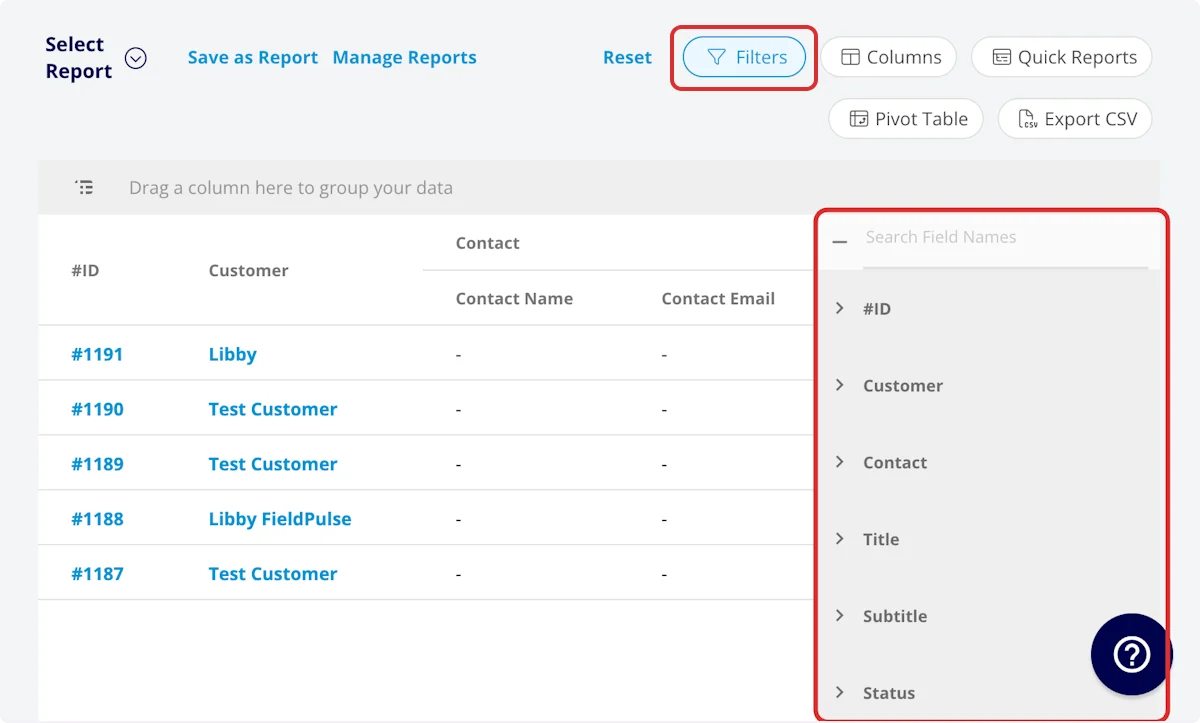
- #ID: filter by contents
- Customer: filter by contents
-
Contact
- Contact Name: select name
- Contact Email: select email address
- Contact Phone: select phone number
- Title: filter by contents
- Subtitle: filter by contents
- Status: select status
- Start Date/Time: filter by date
- End Date/Time: filter by date
- Created At: filter by contents
- Created By: filter by contents
- Location: filter by contents
- Assigned Team Members: filter by contents
- Assigned Teams: filter by contents
- Related Invoice Status: select status
- Assets: filter by contents
- Related Estimates and Invoices: filter by contents
- Notes: filter by contents
- Field Notes: filter by contents
- Tags: filter by contents
- Related Project: select project
- Job Duration: filter by contents
- Job Duration Decimal: filter by contents
- Scheduled Duration: filter by contents
- Scheduled Duration Decimal: filter by contents
- Travel Duration: filter by contents
- Travel Duration Decimal: filter by contents
- Total Timesheet Duration: filter by contents
- Total Timesheet Duration Decimal: filter by contents
- Custom Fields: select custom field
- Older Than: Here you will enter a whole number and pick a duration unit (Minutes through Decades). Your filters calculate dynamically from the current time in your timezone for every report run, so your saved reports never go stale.
- Within the Last: Here you will enter a whole number and pick a duration unit (Minutes through Decades). Your filters calculate dynamically from the current time in your timezone for every report run, so your saved reports never go stale.
- Within the Next: Here you will enter a whole number and pick a duration unit (Minutes through Decades). Your filters calculate dynamically from the current time in your timezone for every report run, so your saved reports never go stale.
-
Customer
- Customer Phone: select phone number
- Customer Email: select email address
- Customer Phone 2: select phone number
- Customer Email 2: select email address
- Customer Assigned To: filter by contents
- Customer Lead Source: select lead source
- Customer Pipeline Status: select status
- Customer Next Steps: filter by contents
- Customer Notes: filter by contents
- Customer Job Notes: filter by contents
- Customer Created Date: filter by contents
- Customer Tags: filter by contents
Common Site Visit Reports
Site Visits by Status
Use this report to sort your site visits by workflow status. Columns: Customize to your needs, but must include Status Group By: StatusSite Visits by Assigned Team Member
Use this report to sort your site visits by the team member assigned to complete them. Columns: Customize to your needs, but must include Assigned Team Member Group By: Assigned Team MemberHave additional questions? Contact us at support@fieldpulse.com or use the chat feature in the bottom right corner of your screen.