
Who uses this: Admins and Team Managers hold the Create & send Estimates/Invoices permission by default, and an Admin can enable it for a Service Agent; the hourly rates themselves are set in Company Settings, which only the Admin role can view. Availability: All regions.A labor line item bills a technician’s time on an estimate or invoice at that technician’s hourly rate. When your team records time with job timesheets, the Quantity on the labor line item pulls directly from the hours clocked on the job, so the time you bill matches the time the technician recorded.
Overview
To bill labor, you add a line item to the estimate or invoice and choose how its quantity is measured. Selecting Total Job Timesheets Clocked bases the quantity on the timesheets from that job, and FieldPulse fills the Unit Price from the technician’s hourly billing rate. Marking the item as Service - Labor also categorizes its costs as Labor in your job costing calculations. The steps below add labor to an invoice created from a completed job. Labor line items are also used on estimates, and on both record types the technician’s hourly billing and cost rates are pulled in only before the line item is added.Video walkthrough
Watch the adding labor to estimates and invoices walkthrough, then follow the written steps below.Before you begin
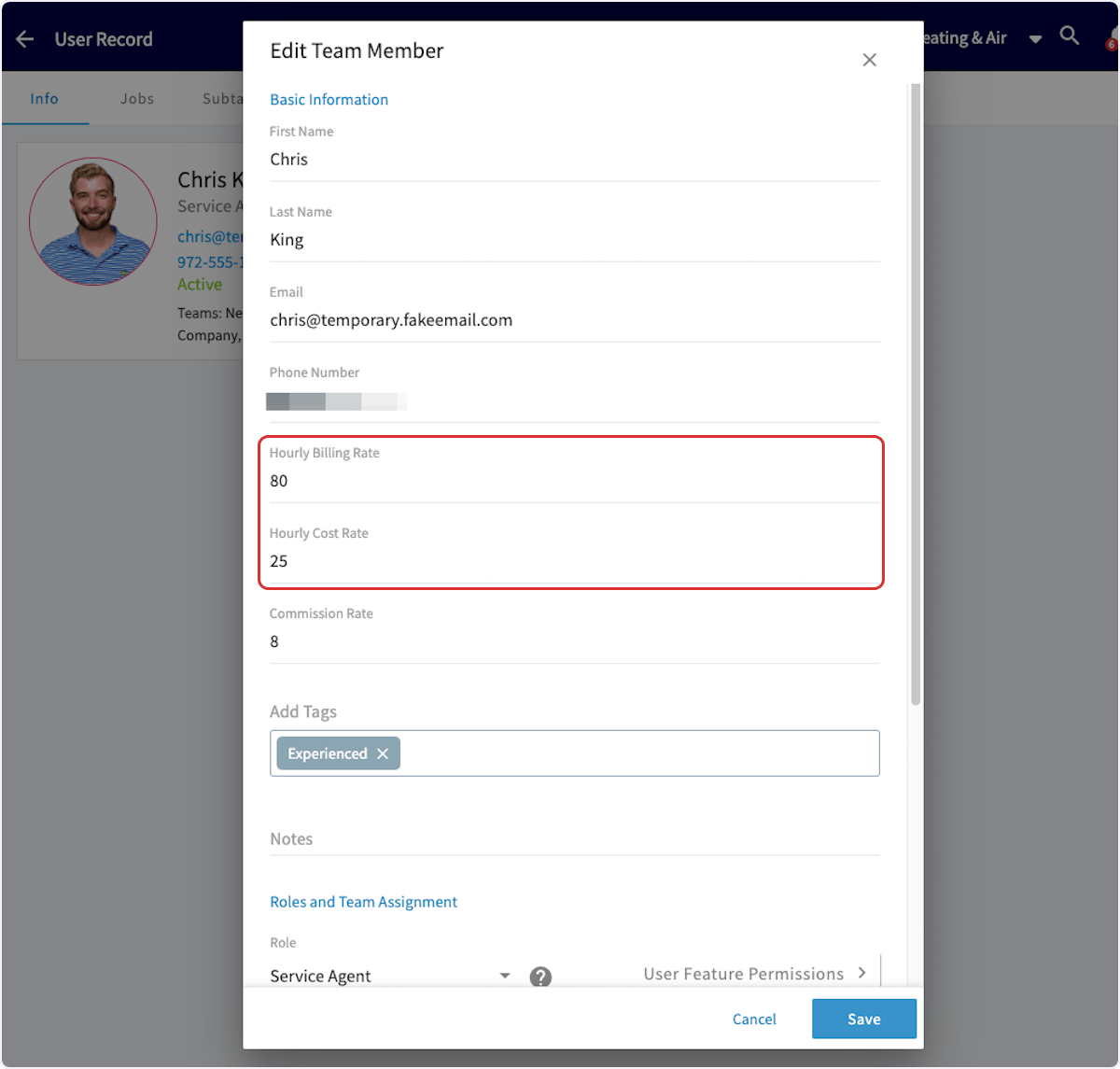
- Set both hourly rates on every team member whose time you bill. Hourly Billing Rate and Hourly Cost Rate are set on the team member’s record in Company Settings — see How to Add New Users.
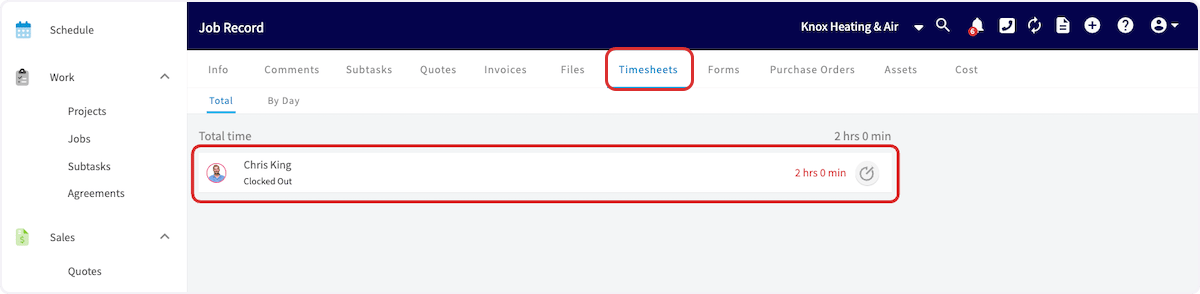
- Have the technician clock in and out on the job. The Total Job Timesheets Clocked quantity option uses the time recorded on the job record’s Timesheets tab — see How to Use Employee Timesheets.
- Confirm your role can create estimates and invoices. Admins and Team Managers hold the Create & send Estimates/Invoices permission by default, and an Admin can enable it for a Service Agent — see User Roles and Permissions Details.
Add a labor line item from job timesheets
-
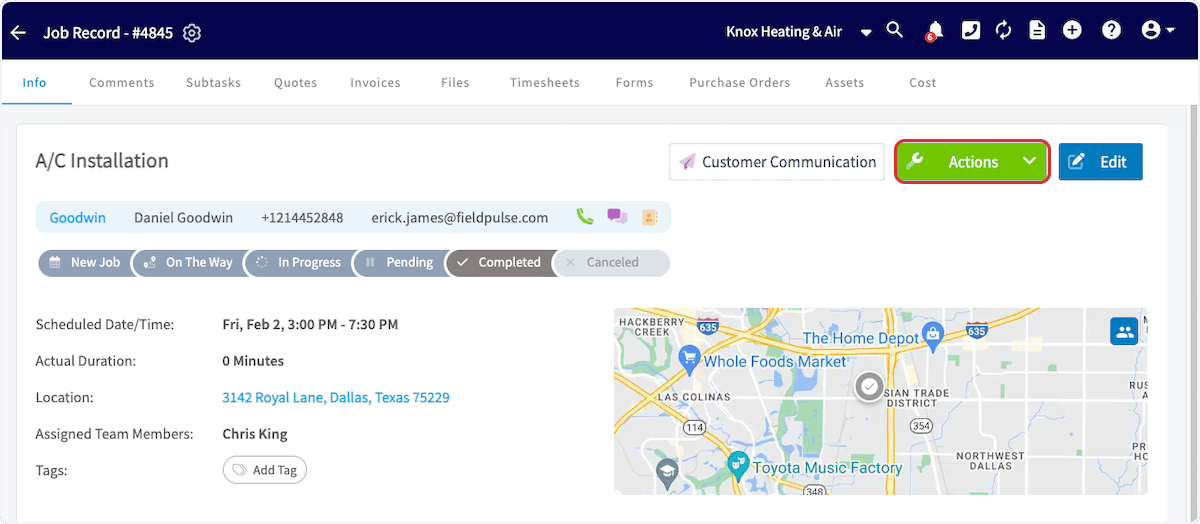
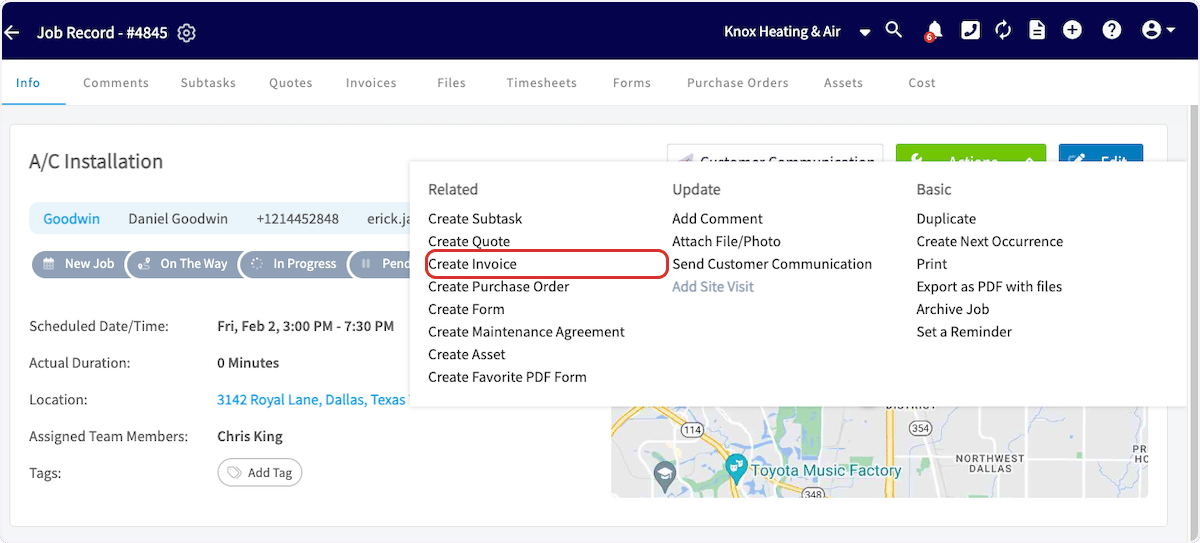
After the job is complete, create the invoice. Either create a new invoice and link the job to it, or open the Job Record, select Actions, then select Create Invoice.
- Select Add Item and add your Labor line item.
-
Mark the line item’s item type as Service - Labor.
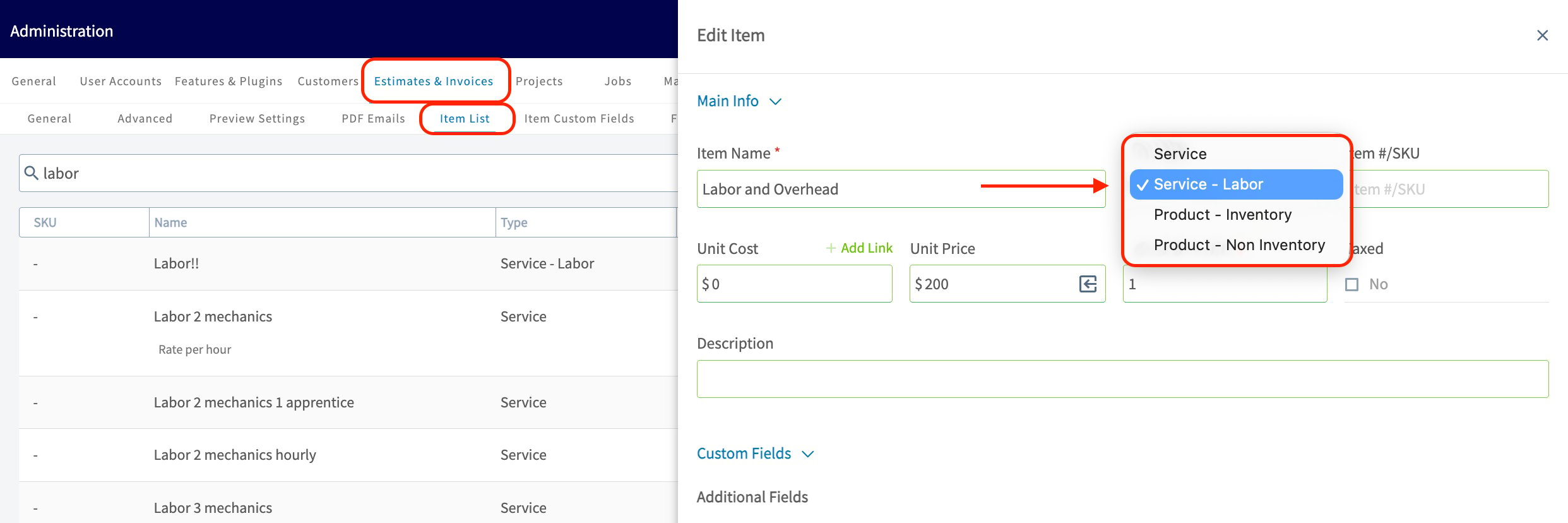
FieldPulse Pro Tip: Marking the item as Service - Labor automatically categorizes any costs associated with that item as Labor in your job costing calculations. For existing service items, you can update the item type manually.
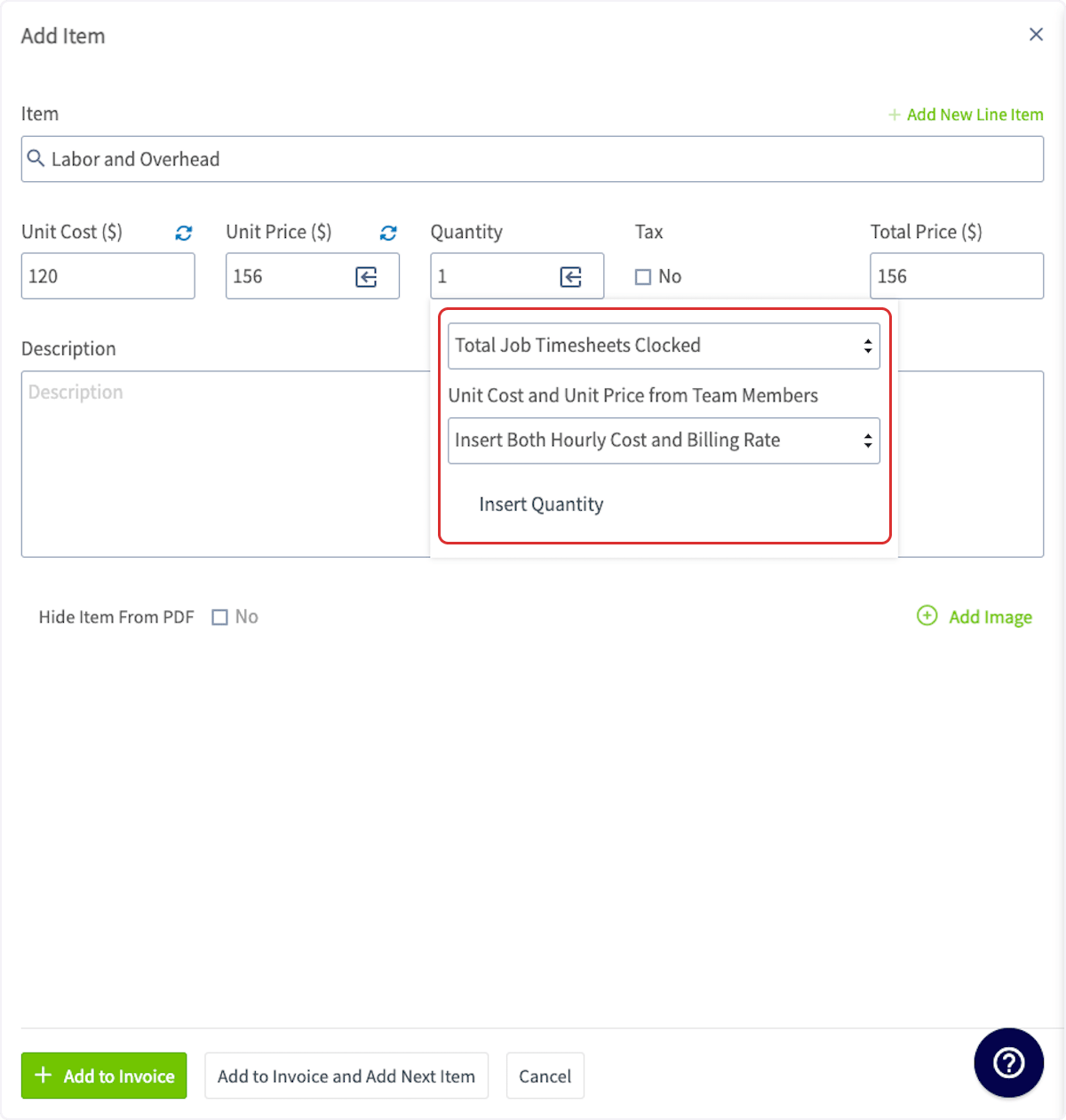
- Select the arrow/box icon in the Quantity field to choose how the quantity of the line item is measured.
- Select Total Job Timesheets Clocked to base the labor time on the timesheets from this job.
- Choose whether to include the hourly cost rate, the hourly billing rate, or both on the record. Your customer does not see the hourly cost rate.
- Select Insert Quantity, then add the item to the invoice.
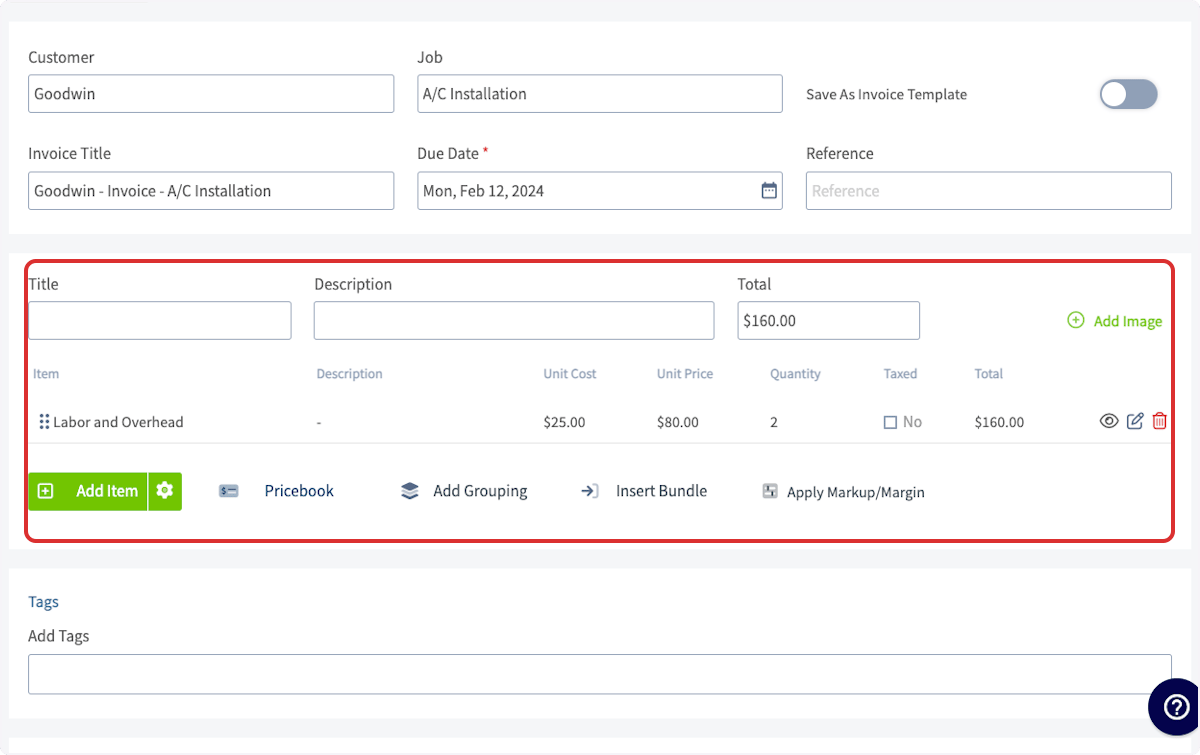
Please note: If you edit a Labor line item that has already been added to your estimate or invoice, the hourly billing and cost rates for your technicians cannot be retrieved. These rates can only be pulled in before the line item is officially added to an estimate or invoice.Your labor line item is right when the unit price matches the technician’s hourly billing rate, the quantity matches the hours clocked on the job, and the line total reflects the time the technician actually worked.