

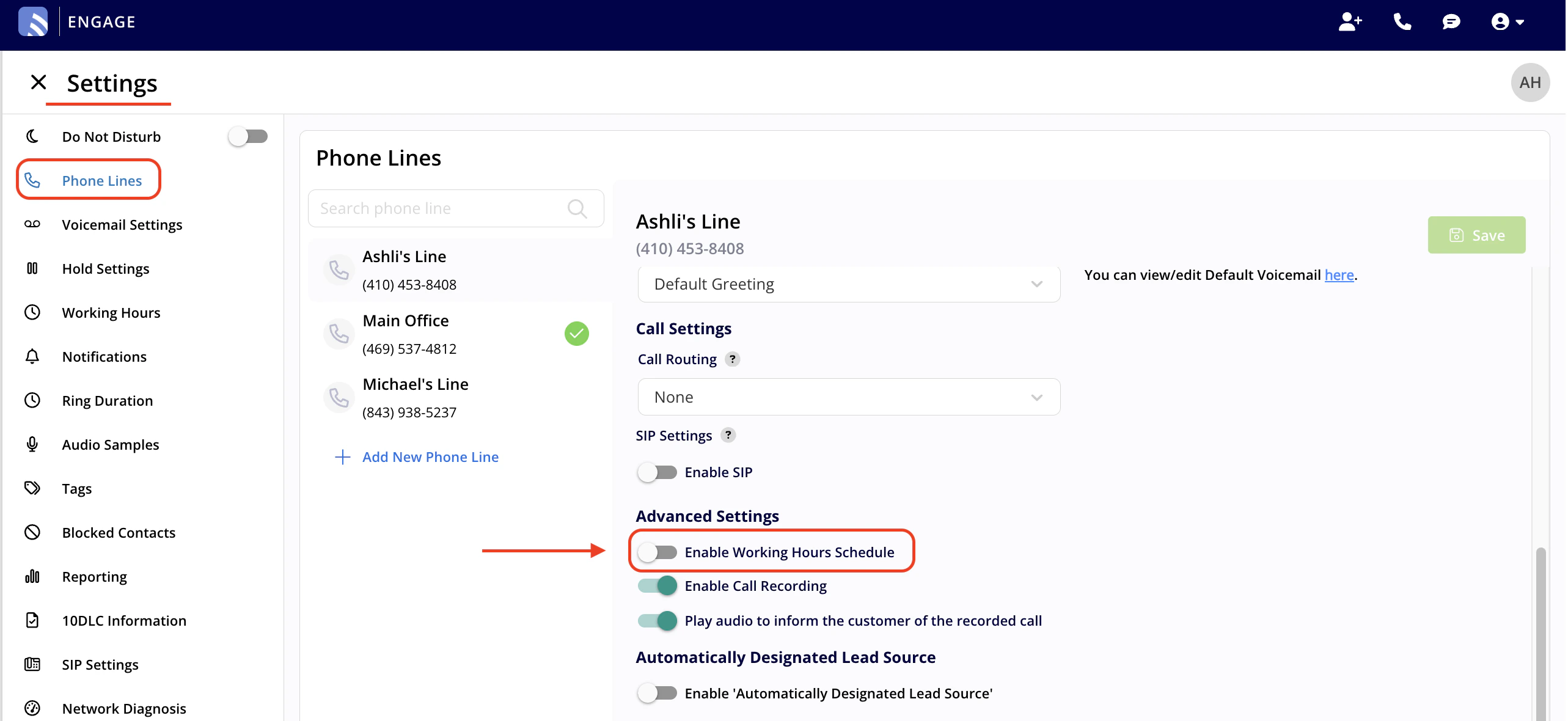
Yes, you totally can! Go to your Engage Settings, navigate to the Phone Lines tab, select the specific line you wish to manage, and under Advanced Settings, enable the Working Hours Schedule. Customize your hours as needed and save your changes.Documentation Index
Fetch the complete documentation index at: https://fieldpulse.mintlify.app/llms.txt
Use this file to discover all available pages before exploring further.
Have additional questions? Contact us at support@fieldpulse.com or use the chat feature in the bottom right corner of your screen.