

Engage allows you to set a default voicemail, as well as to create different voicemails for each of your phone lines.Documentation Index
Fetch the complete documentation index at: https://fieldpulse.mintlify.app/llms.txt
Use this file to discover all available pages before exploring further.
Default Voicemail
This section allows you to set a default voicemail for all Engage phone lines. Here, you can record your voicemail greeting, or type your message to be read using text to speech. Simply select Text to Speech or Audio Recording based on your preference. Make sure to press Save after making changes.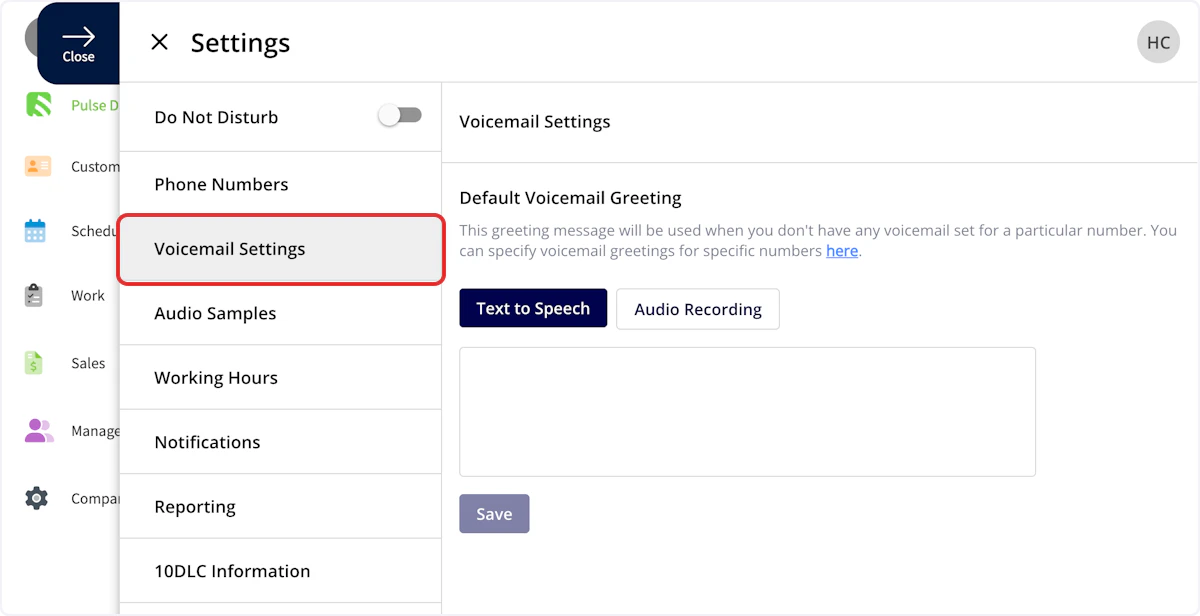
Phone Line Settings
To specify a voicemail for individual phone lines, select Phone Numbers, then click on the phone line where you’d like to make changes.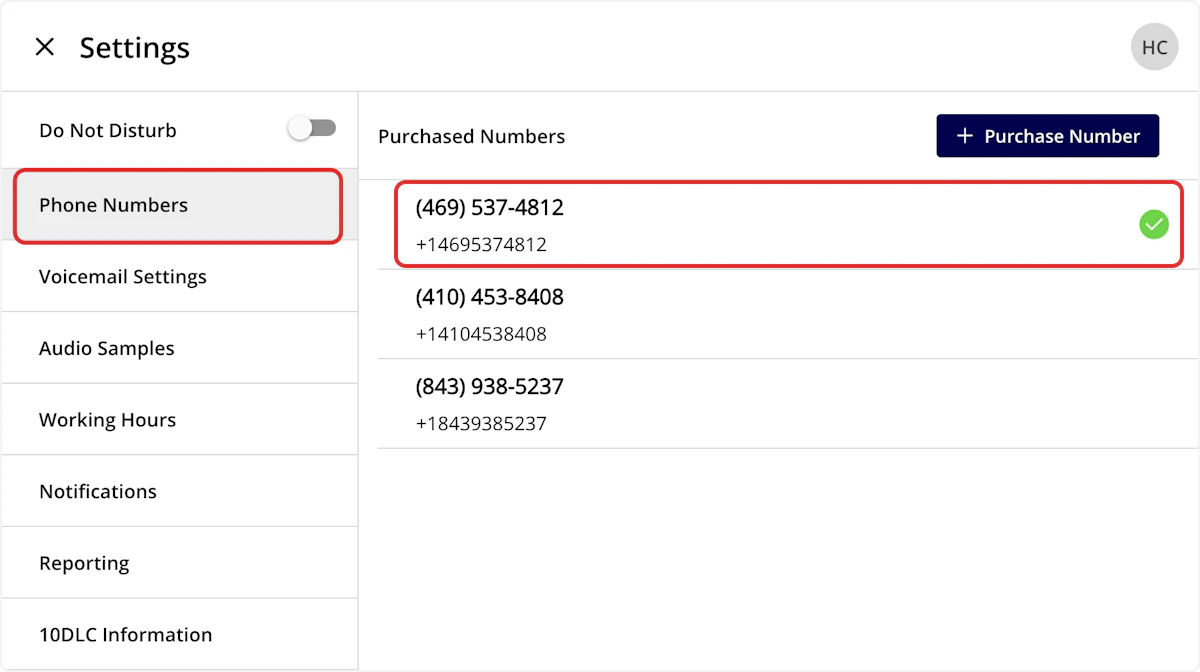
Default Voicemail
Default Voicemail will use the default voicemail set up under Voicemail Settings as the voicemail for this line.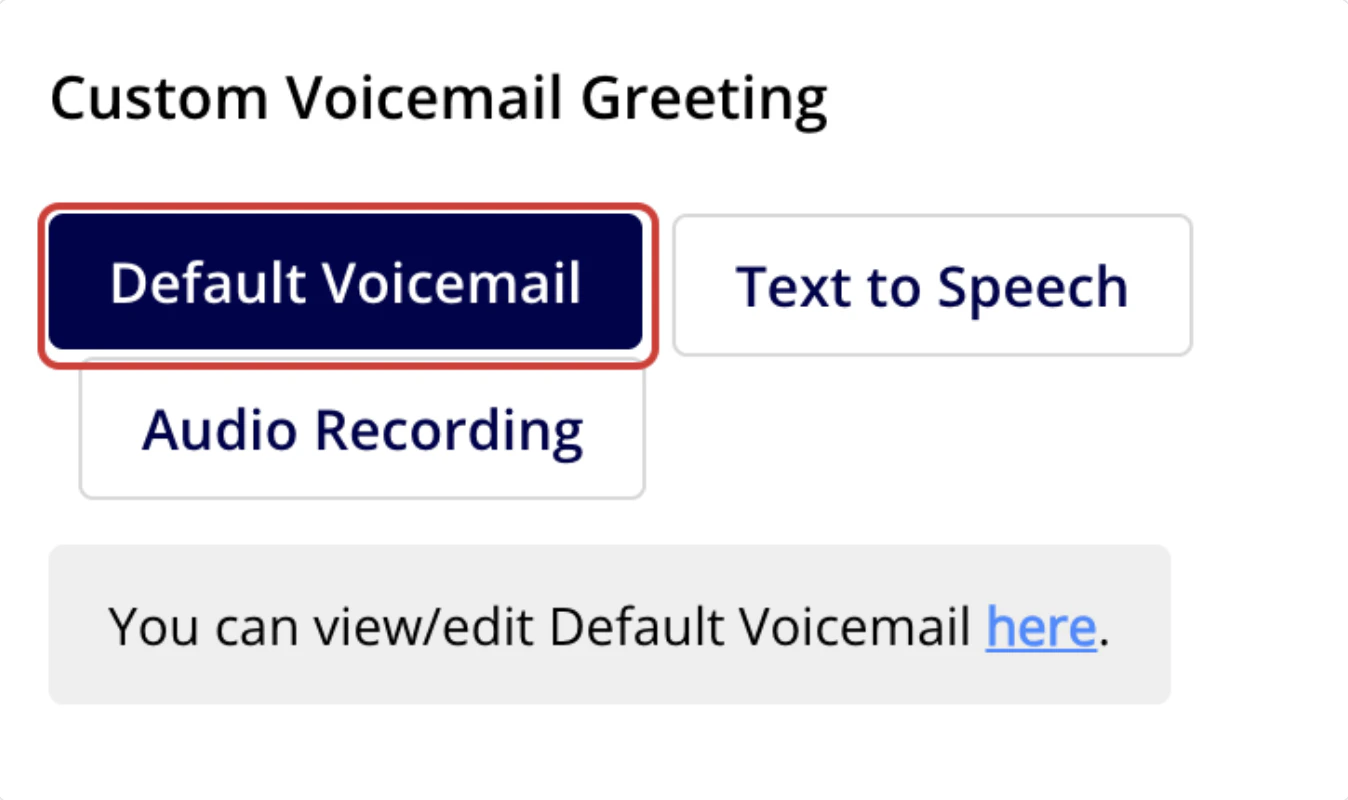
Text to Speech
Text to Speech will create a voicemail message that plays for this phone line based on the text you enter. Could not display contentAudio Recording
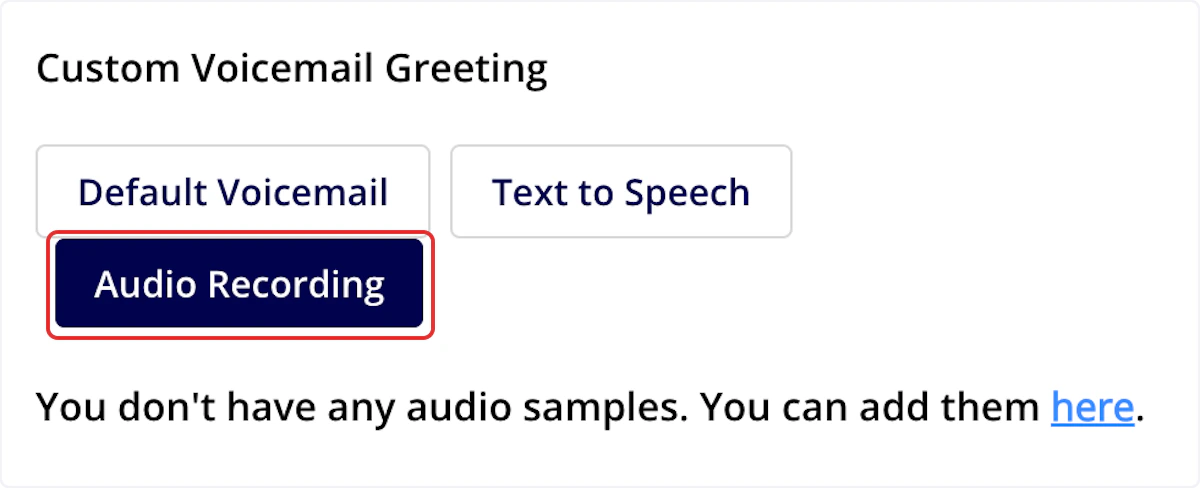
Audio Recording allows you to set a custom voicemail greeting. Record or upload an audio sample under the Audio Samples tab, then select the applicable sample here to use it as the voicemail for this phone line.Web App: Supports .mp3 audio files.Mobile App: Supports both .mp3 and .wav audio files.
Have additional questions? Contact us at support@fieldpulse.com or use the chat feature in the bottom right corner of your screen.