

Documentation Index
Fetch the complete documentation index at: https://fieldpulse.mintlify.app/llms.txt
Use this file to discover all available pages before exploring further.
How to Customize Ring Duration in FieldPulse Engage
This feature allows you to customize how long your calls ring before being sent to voicemail, tailoring it to the specific needs of your business.Accessing Ring Duration Settings
To find this setting, navigate to the Engage section and click on the settings wheel. On the left-hand side, under the audio samples section, you will find a tab labeled Ring Duration.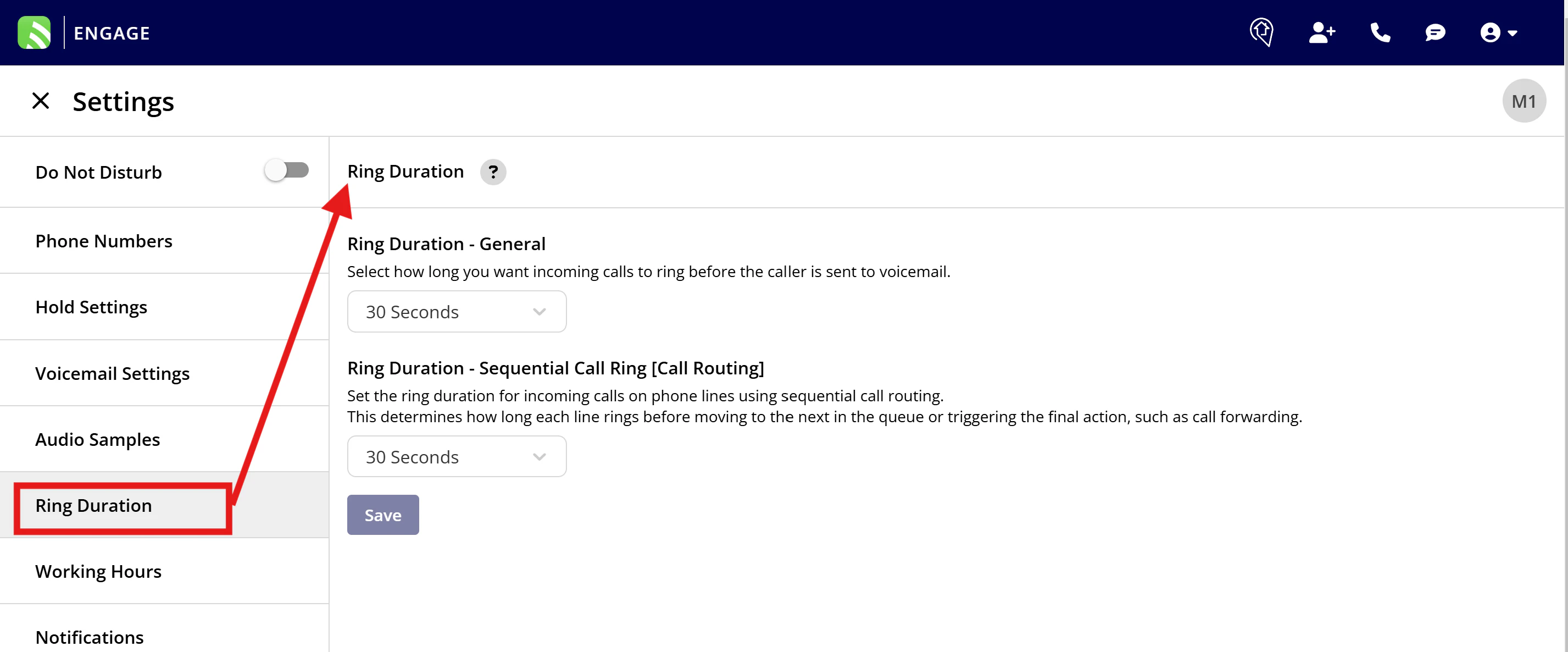
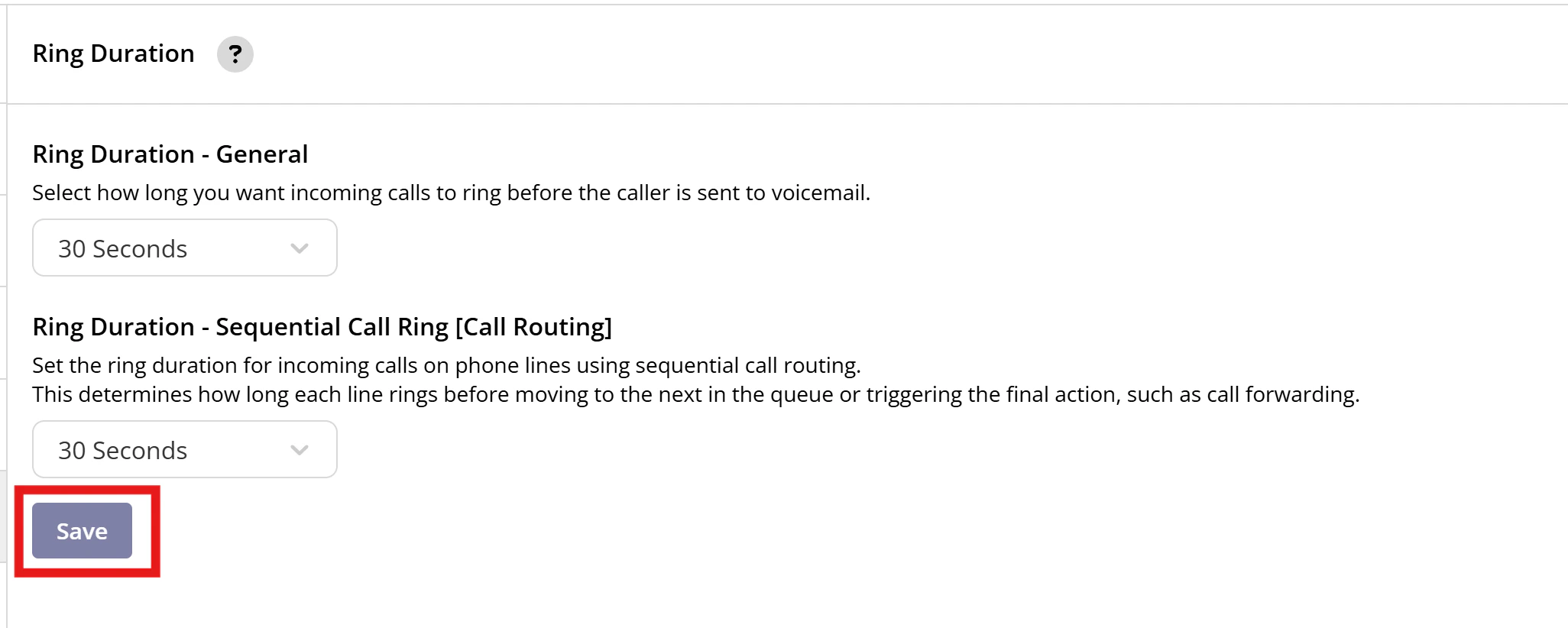
- General Calls: Set how long customer calls ring before going to voicemail when no call routing features are active. By default, this is set to 30 seconds.
- Sequential Call Ring: For calls that utilize Sequential Call Ring as a call routing method you can set the ring duration for each step in the sequence.
- For general calls, you might want to adjust the ring time based on your administrative needs. If your admins typically can’t answer within 10 seconds, setting a shorter ring duration might be more efficient.
- For technical staff who might need more time to answer, consider extending the ring time beyond the default 30 seconds to accommodate their availability.

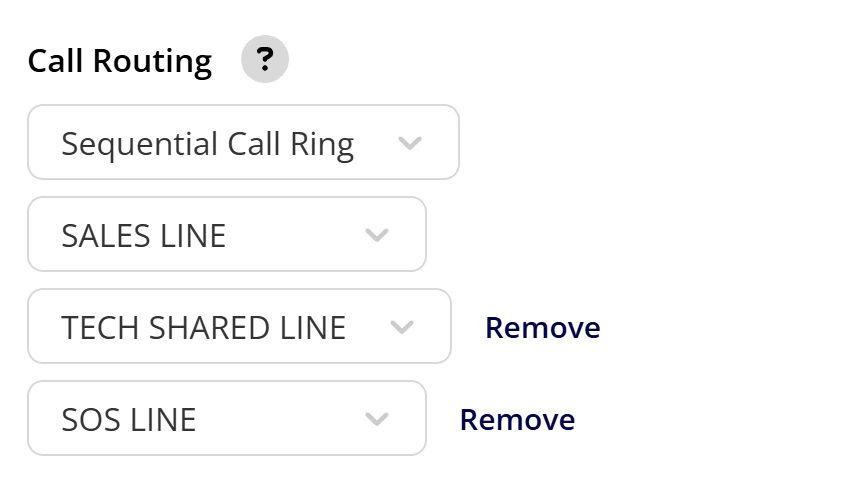
- If you use sequential call routing, the ring duration can be adjusted for each queue. For example, if a customer’s call goes unanswered on the main admin line, it can then try the sales tech line, followed by the tech shared line, and finally, an SOS line.
- Adjusting the ring time between these queues can help reduce overall wait time for the caller, ensuring a smoother experience.
Have additional questions? Contact us at support@fieldpulse.com or use the chat feature in the bottom right corner of your screen.