

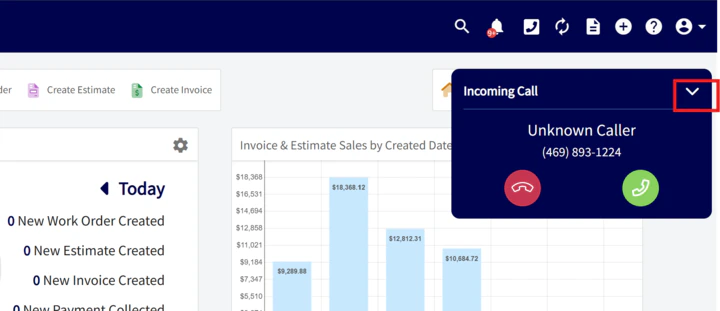
Yes, there is a way to silence the ringing without using Do Not Disturb. You can click the chevron icon (a small downward arrow) on the Engage or main app screen to silence the ringing for incoming calls.Documentation Index
Fetch the complete documentation index at: https://fieldpulse.mintlify.app/llms.txt
Use this file to discover all available pages before exploring further.
How to Silence Incoming Calls
To quickly silence the incoming ring on the web app:- Look for the Engage interface on your web app.
- Find the chevron icon (chevron pointing down) and click it.
Have additional questions? Contact us at support@fieldpulse.com or use the chat feature in the bottom right corner of your screen.