

Documentation Index
Fetch the complete documentation index at: https://fieldpulse.mintlify.app/llms.txt
Use this file to discover all available pages before exploring further.

Getting Started
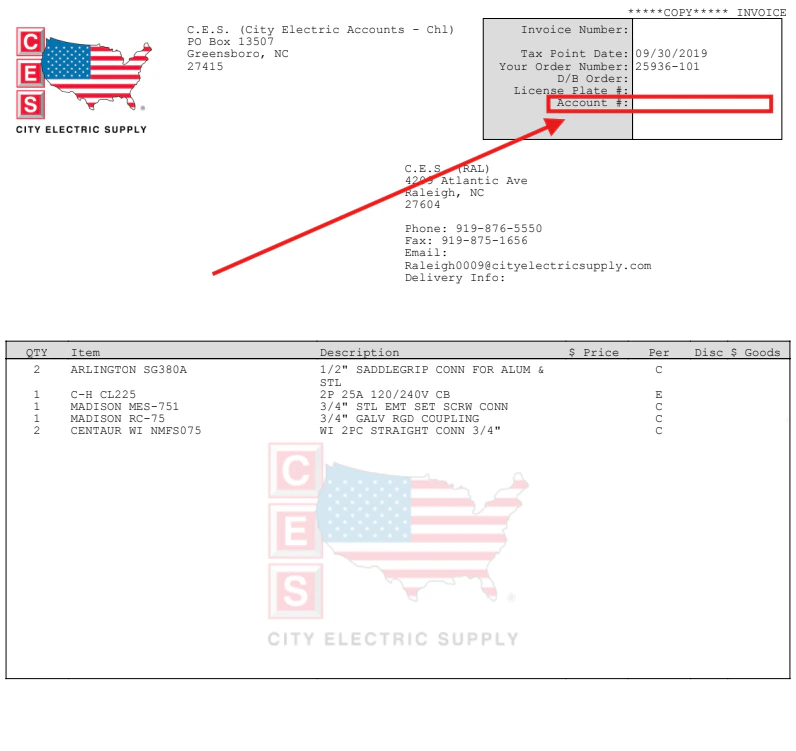
To enable the integration, please contact the FieldPulse Support team with your interest to enable the City Electric Supply Integration and share the following details:- City Electric Supply Customer ID / Account Number (11-digit number found in the top right corner of your CES invoice)
- Email Address (associated with your CES customer account)
- Company Name (as registered with CES)
Estimates & Invoices
To include City Electric Supply line items in your FieldPulse records, begin by creating a new estimate or invoice. Select Add Item, then select CES from the left-side menu of the pop-up. Use the search bar to begin searching for the line item you’d like to add.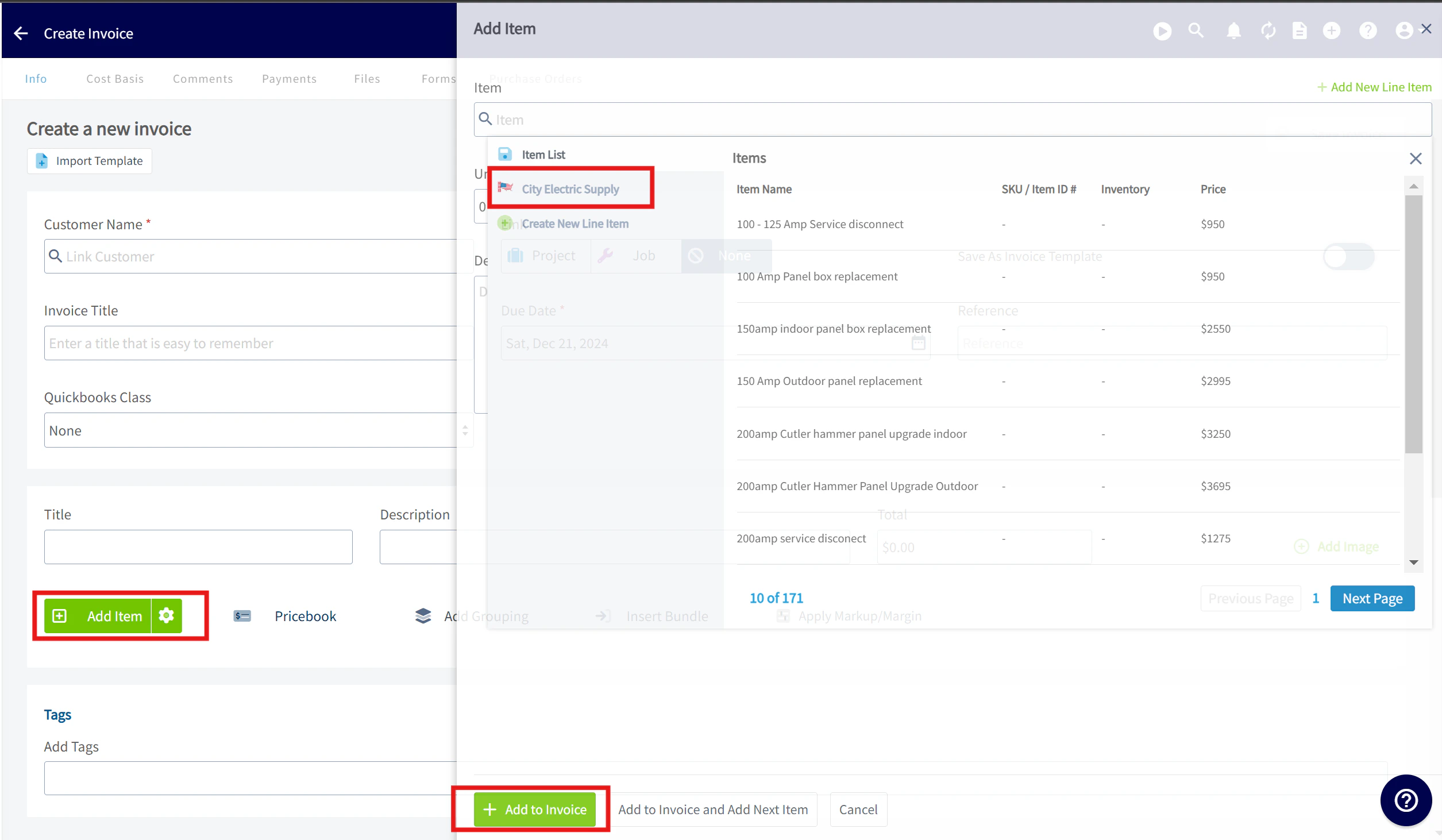
Product Category Filters for Smarter Search
Quickly find what you need by narrowing your item search using Product Category filters. Start typing your item name, then select one or more ‘Product categories’ to limit results to relevant items only. This makes searching faster, more accurate, and tailored to your workflow.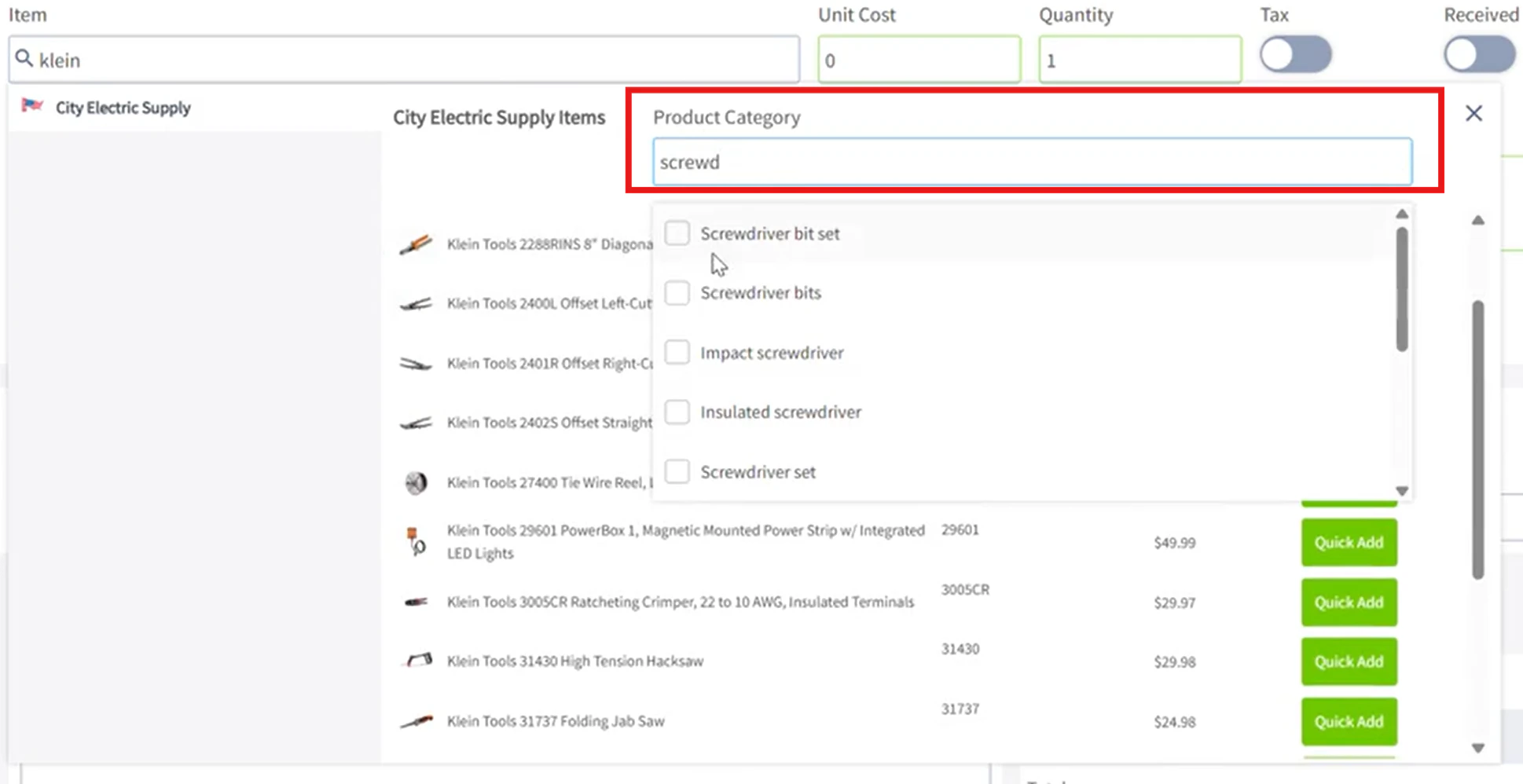
Purchase Orders
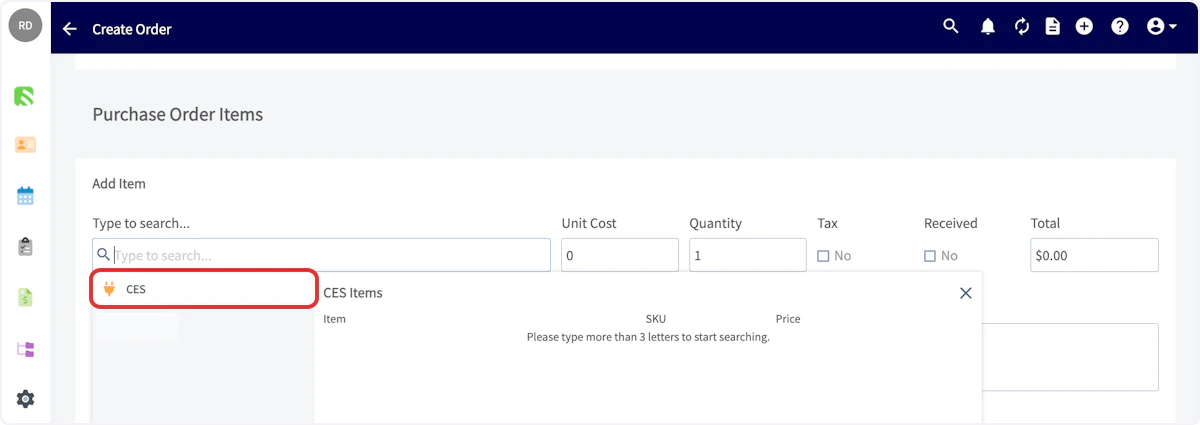
Begin by creating a new purchase order. Click in the Supplier search box and look for City Electric Supply in the dropdown menu. Once you’ve found City Electric Supply, click Select Supplier.- Add Supplier Order Number [This number is shared with CES, allowing you to reference it if you need to make any order adjustments].
- The pickup address will automatically be populated with the address of your local branch; this is fixed and cannot be adjusted. If you prefer delivery, please call the branch to make arrangements.”



Create a Purchase Order from Estimate/ Invoice
To convert your estimate or invoice into a purchase order, click on the ‘Actions’ button on your estimate or invoice page. Then, under ‘Related’, select ‘Purchase Order’.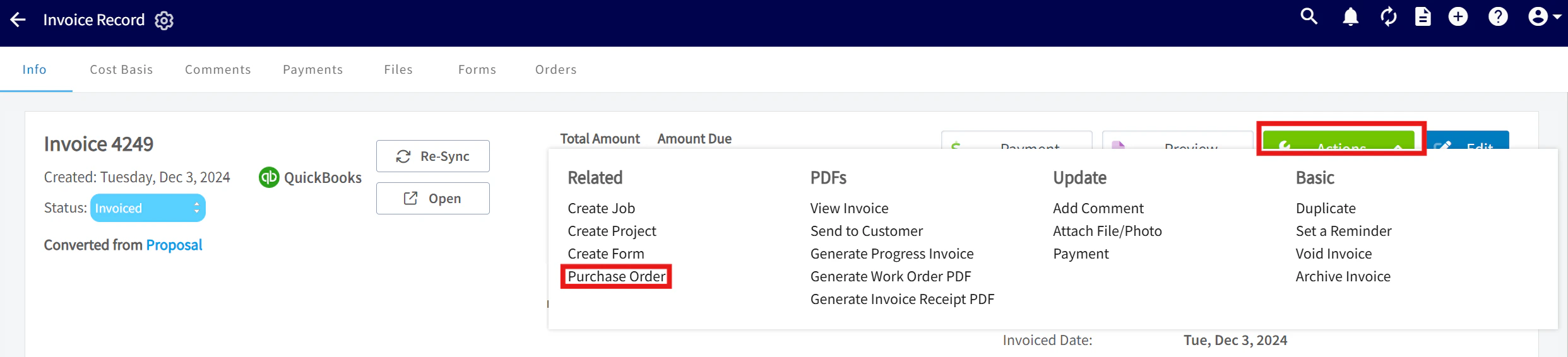

Permission Settings That Will Impact This Integration
If you do not want your Service Agents to have access to see the cost of items from City Electric Supply, ensure that the toggle is off for the ability to View Unit Costs on Estimates/Invoices.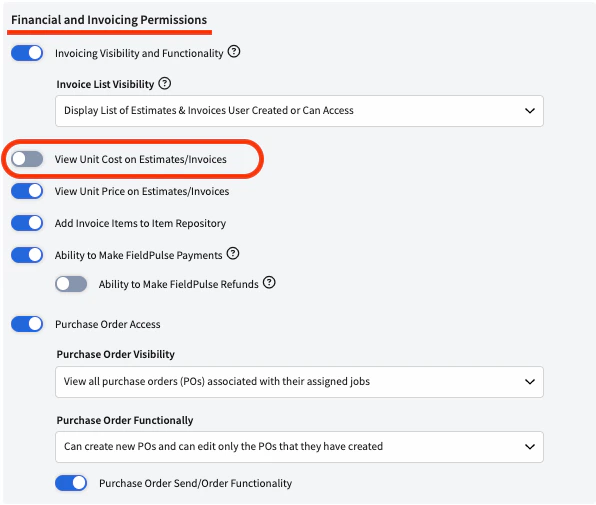

Video Tutorial
If you’d like to disable your City Electric Supply integration, contact us at support@fieldpulse.com or use the chat feature in the bottom right corner. (Note: all historic records including City Electric Supply line items will be maintained.)
Have additional questions? Contact us at support@fieldpulse.com or use the chat feature in the bottom right corner of your screen.