

Documentation Index
Fetch the complete documentation index at: https://fieldpulse.mintlify.app/llms.txt
Use this file to discover all available pages before exploring further.

- Customer Name
- Phone Number
- Email Address
- Address
- Lead Source
- Customer Type/Status
- Pipeline Status
- Custom Tags
Learn More about Marketing 360®
Marketing 360® is a technology company that provides business marketing and marketing software and services for SMBs and franchises. The Marketing 360 platform gives SMBs everything they need to manage and grow their business from a singular platform, including the ability to — build a professional website, manage content marketing, run multi-channel digital advertising campaigns, accept and manage payments, manage leads and customers, monitor reviews, manage SMS, syndicate business listings, and more. To learn more about setting up the integration, click here. If you’re interested in learning more about Marketing 360®‘s services and prices, click here.Integration Set Up
1. In Marketing 360, navigate to Dashboard, then select Settings.
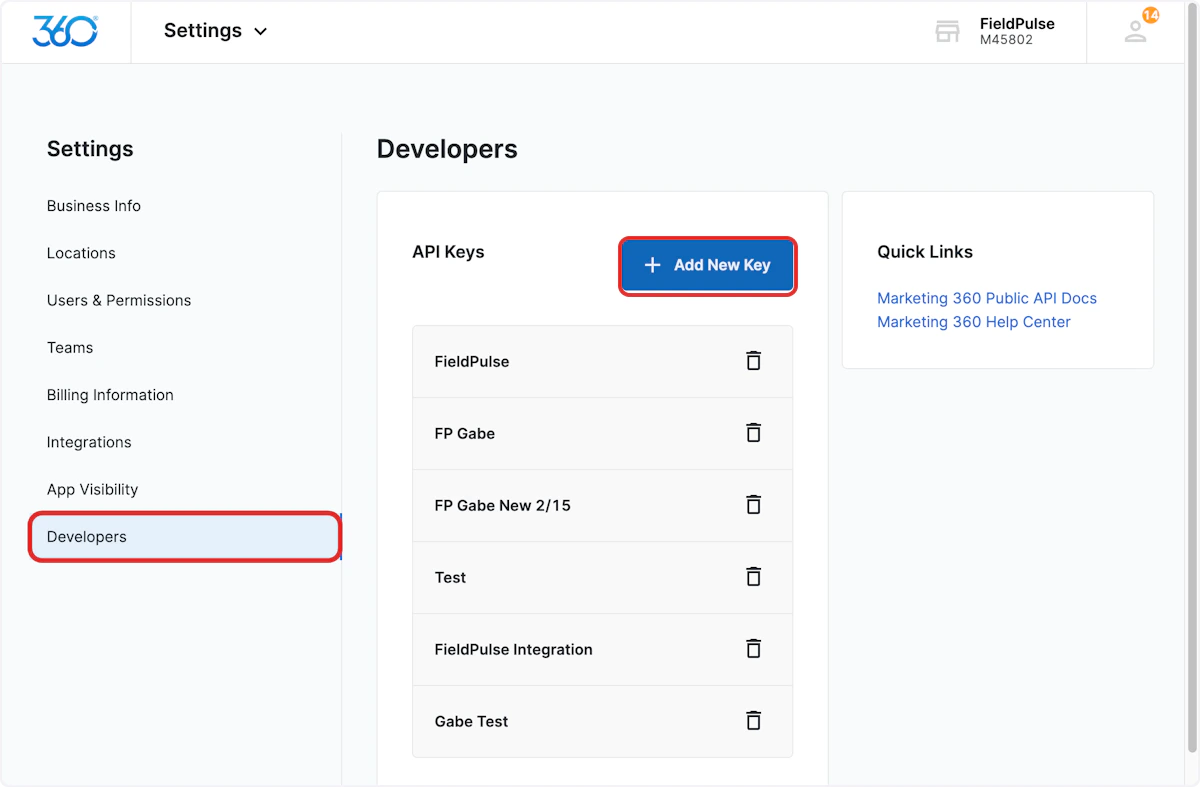
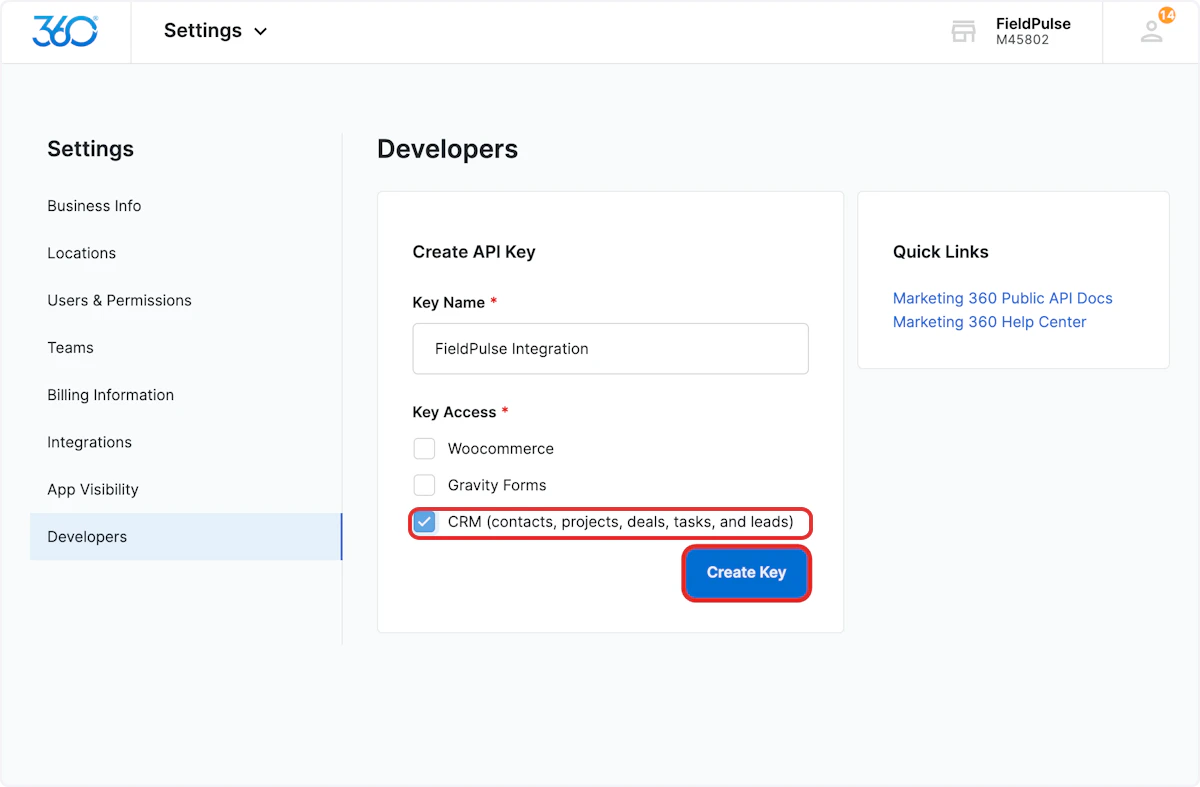

Sync Instructions
In order to sync lead sources, custom tags, customer types, and statuses, the list of options must exist in both Marketing 360® and FieldPulse. If the matching values are not available in Marketing 360®, then the value will not sync. 1. In Marketing 360, navigate to Dashboard, then select CRM.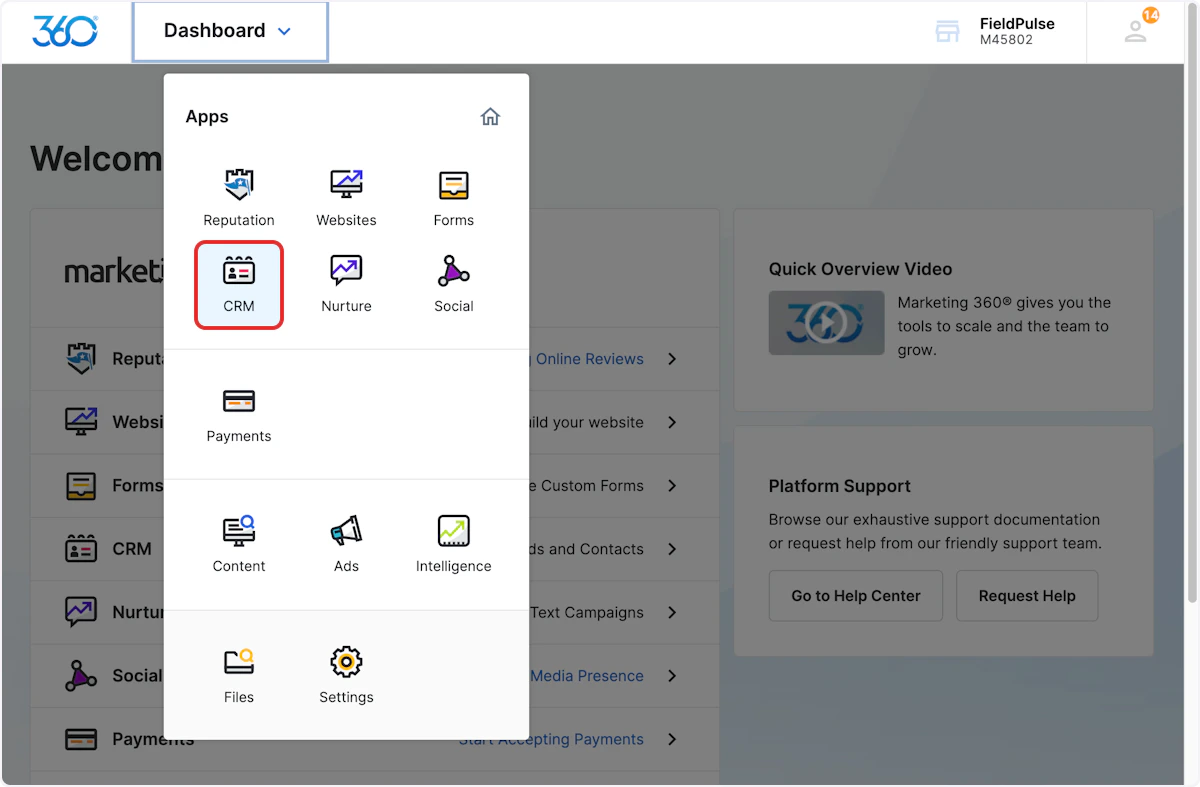
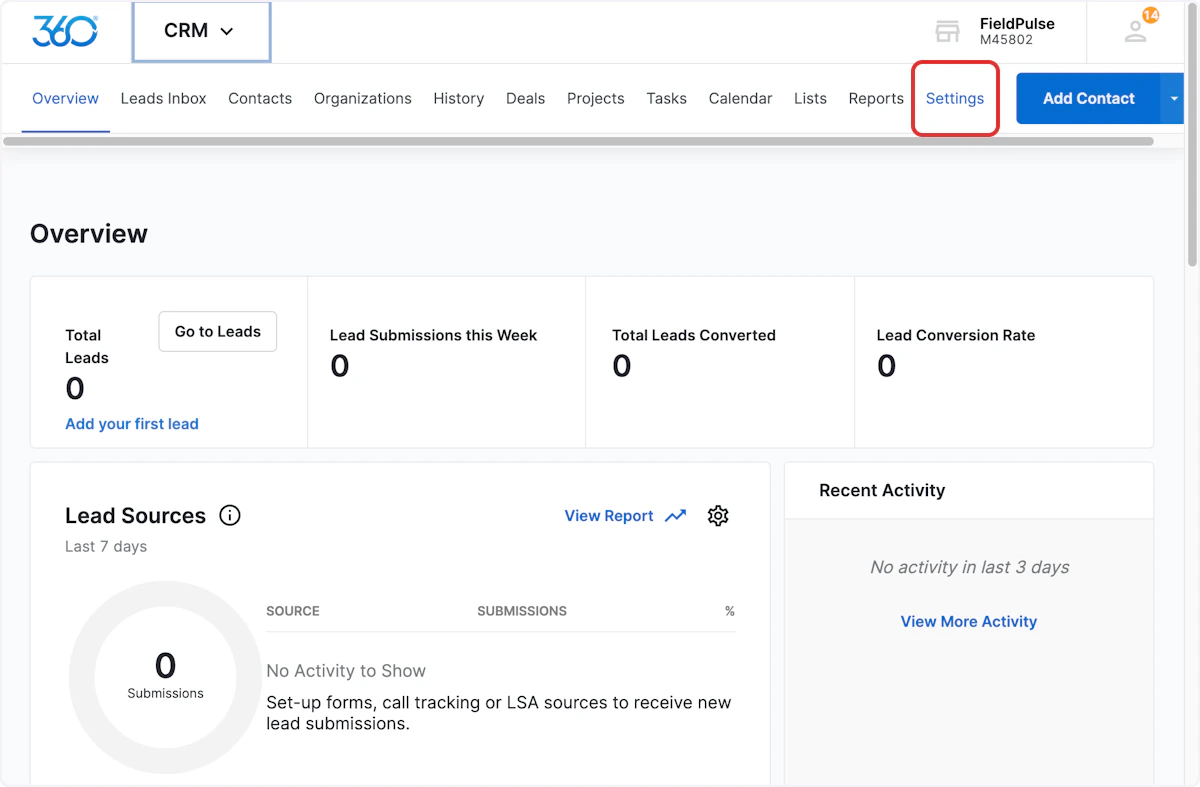

Syncing Existing Customers
Only customers created once the Marketing 360® integration has been set up will sync from FieldPulse to Marketing 360®. If you have been using FieldPulse before integrating with Marketing 360®, you’ll want to sync all existing customers from FieldPulse to Marketing 360®. To do so, contact us at support@fieldpulse.com or via the chat in the bottom right corner. (Note: the customers may sync to Marketing 360® slowly depending on the quantity.)Have additional questions? Contact us at support@fieldpulse.com or use the chat feature in the bottom right corner of your screen.