

Documentation Index
Fetch the complete documentation index at: https://fieldpulse.mintlify.app/llms.txt
Use this file to discover all available pages before exploring further.

- Quick and Easy Set-Up
- Improve Search Visibility
- 10% More Website Sales Guaranteed
- Instant Credibility & Reputation Boost
Enabling NiceJob
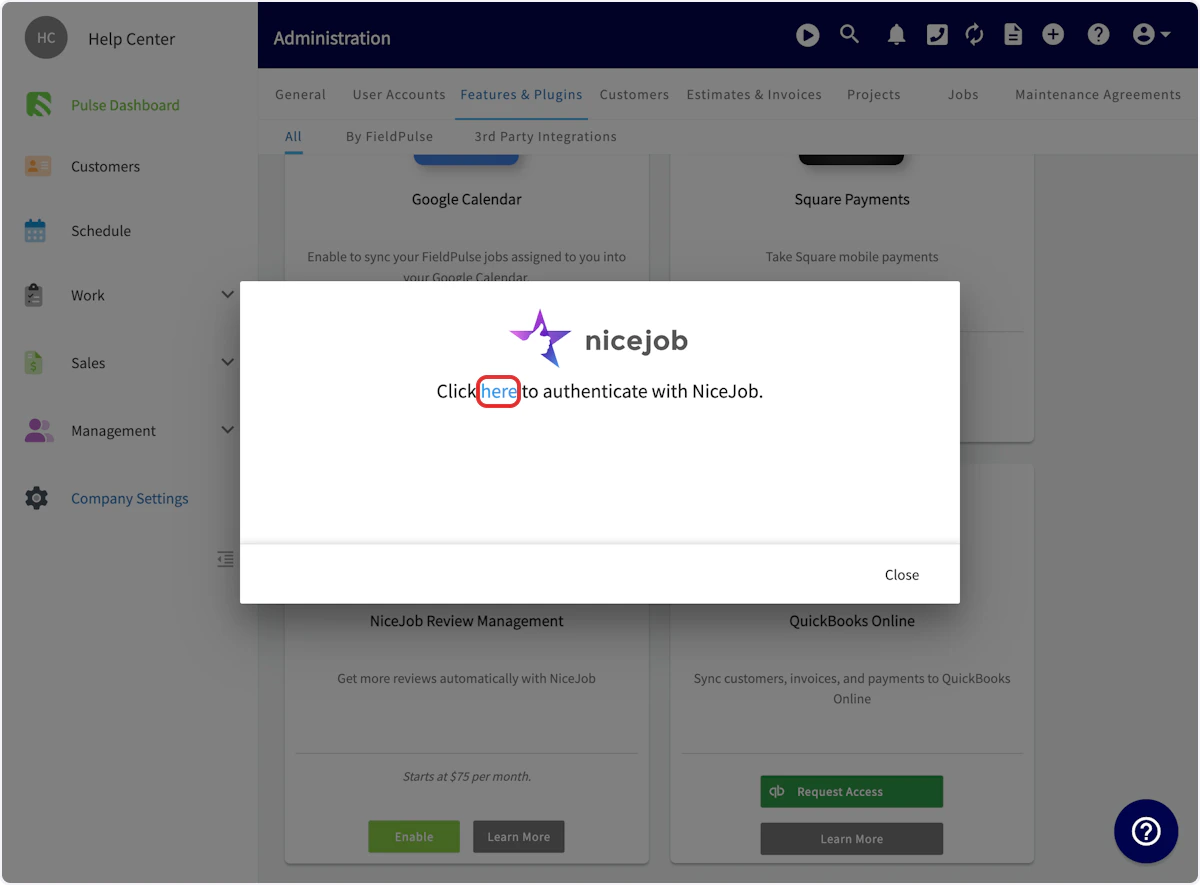
To begin using NiceJob, you’ll first need to enable it. Start by clicking on Company Settings and selecting Features & Plugins. Navigate to NiceJob and select Enable.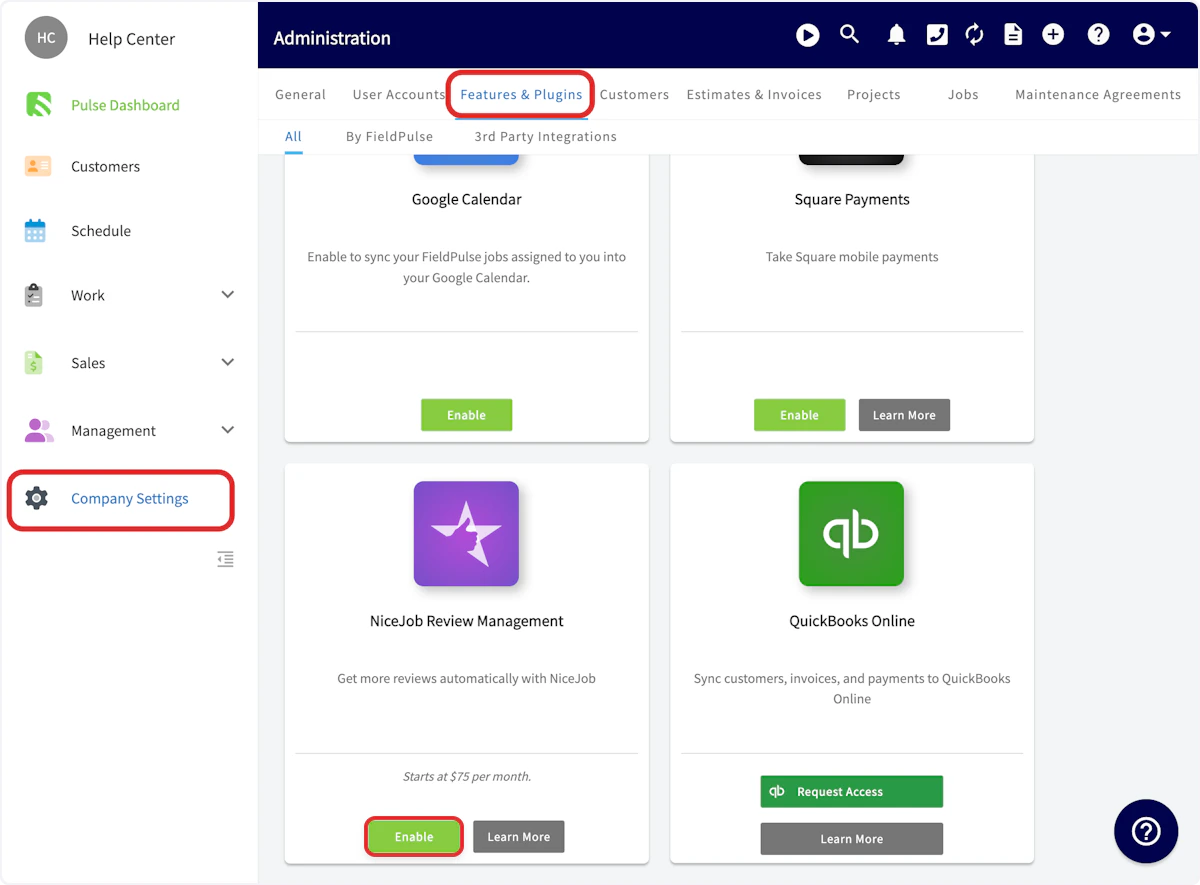
Using NiceJob with FieldPulse
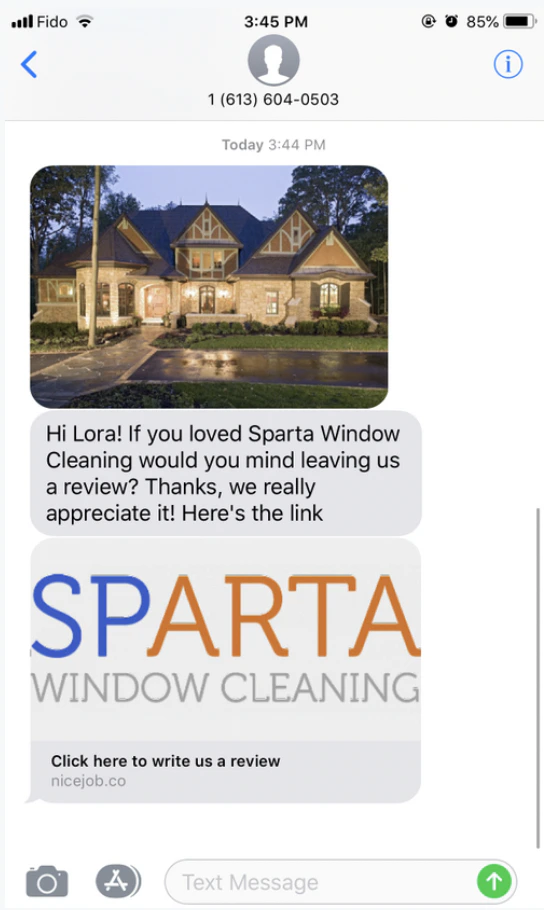
By linking NiceJob to FieldPulse’s CRM, you’ll be able to instantly sync your customer list to the platform and automate requests. Every time you close a job in FieldPulse, NiceJob will automatically follow up with an invitation to review each job. Then, NiceJob will share reviews from across the web to your Google My Business listing, Facebook page, and pages on BBB, HomeAdvisor, City Search, and YellowPages. NiceJob syncs instantaneously with FieldPulse. When you change customer contact information in FieldPulse, it updates in NiceJob. When you get customer referrals through NiceJob, those leads automatically come into FieldPulse for you to follow up. FieldPulse customer events will be used to trigger review and referral requests. These trigger events also carry employee attributions so users can see which of their employees and technicians are receiving the most and/or best reviews and referrals. The following customer events sync with NiceJob and can be used to trigger review and referral requests:- Jobs/Work Orders (created, updated, completed)
- Site Visits (created, completed)
- Estimates (created, updated, approved)
- Invoices (created, updated, paid)
- Payments (completed)
- Tags (users can use the “noreview” tag to prevent an unhappy customers from getting an automatic review request)
Video Tutorial
FAQs
What is the pricing for NiceJob? NiceJob plans start at $75 per month for the Grow plan. The Grow plan includes:- Automate review and referral campaigns
- Automate social sharing of your top reviews
- Generate repeat business with automated booking reminders
- Monitor reviews across the web for quick action
Have additional questions? Contact us at support@fieldpulse.com or use the chat feature in the bottom right corner of your screen.