

Documentation Index
Fetch the complete documentation index at: https://fieldpulse.mintlify.app/llms.txt
Use this file to discover all available pages before exploring further.

- Customers
- Jobs
How it Works
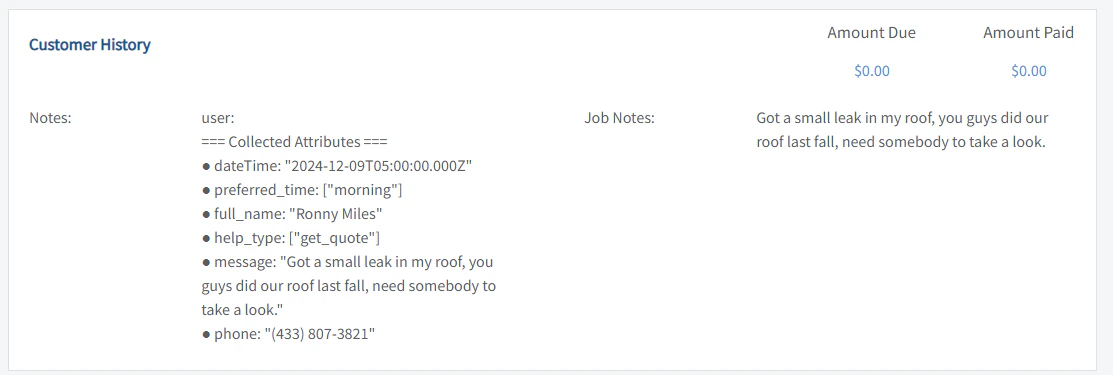
Depending on the channel (chat vs. form) and the type of information gathered, either just a customer lead will be created or a customer lead and pending job.Customer Lead
If only contact information and message is gathered (which is more typical from chat), only a customer lead will be created. You will find it in the “Customers” section.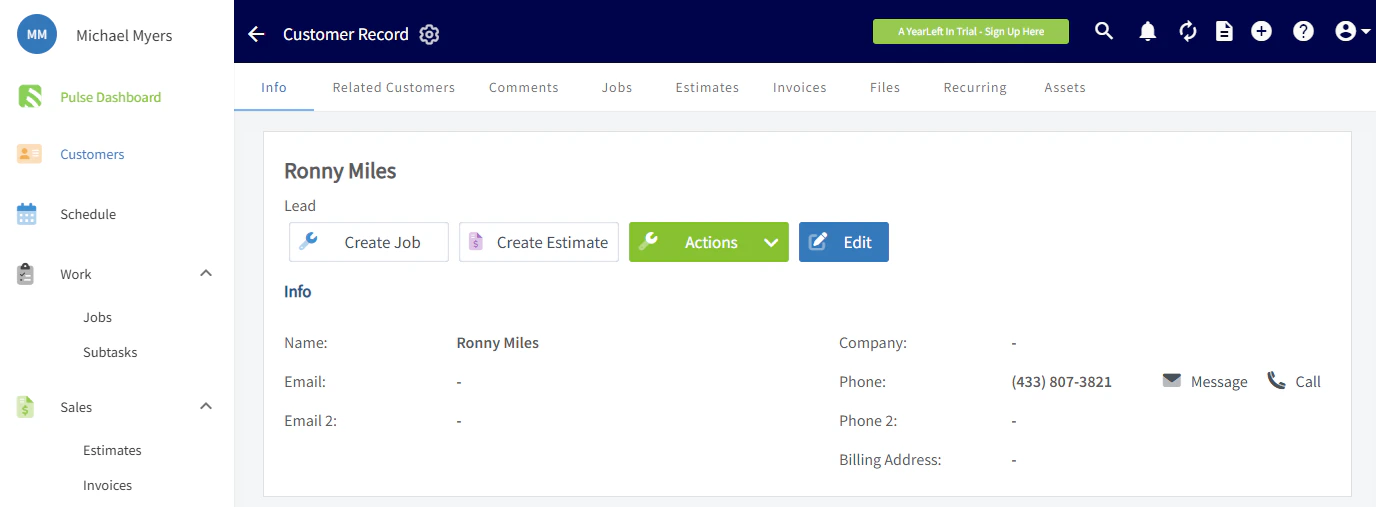
Job Creation
If the customer lead also specifies they need some type of service or visit, a job will be created for the customer with a description of the desired job in the title. It will also have a preferred time that will need to be confirmed with the customer.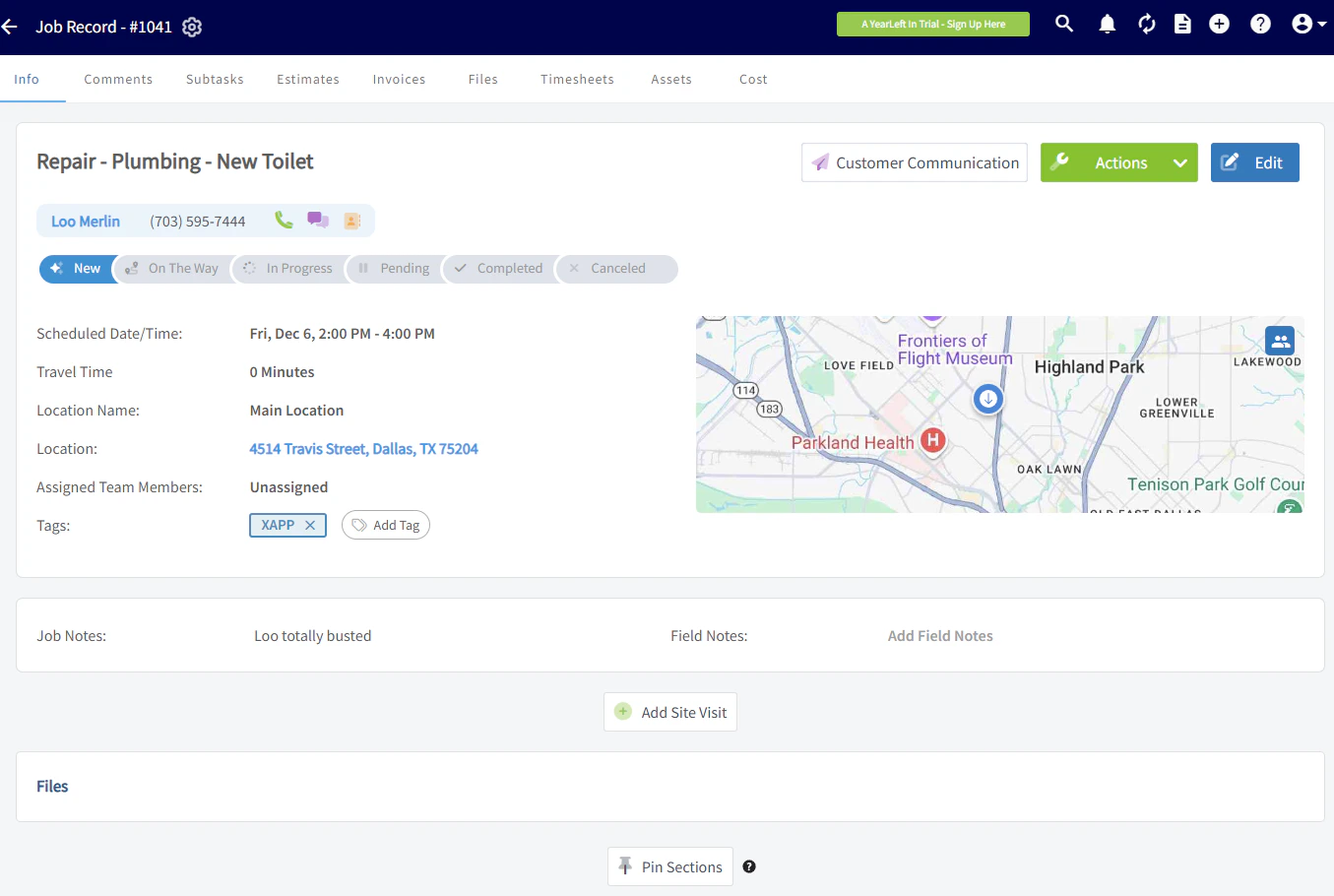
Integration Set Up
- Request API Key from FieldPulse through chat or by phone.
-
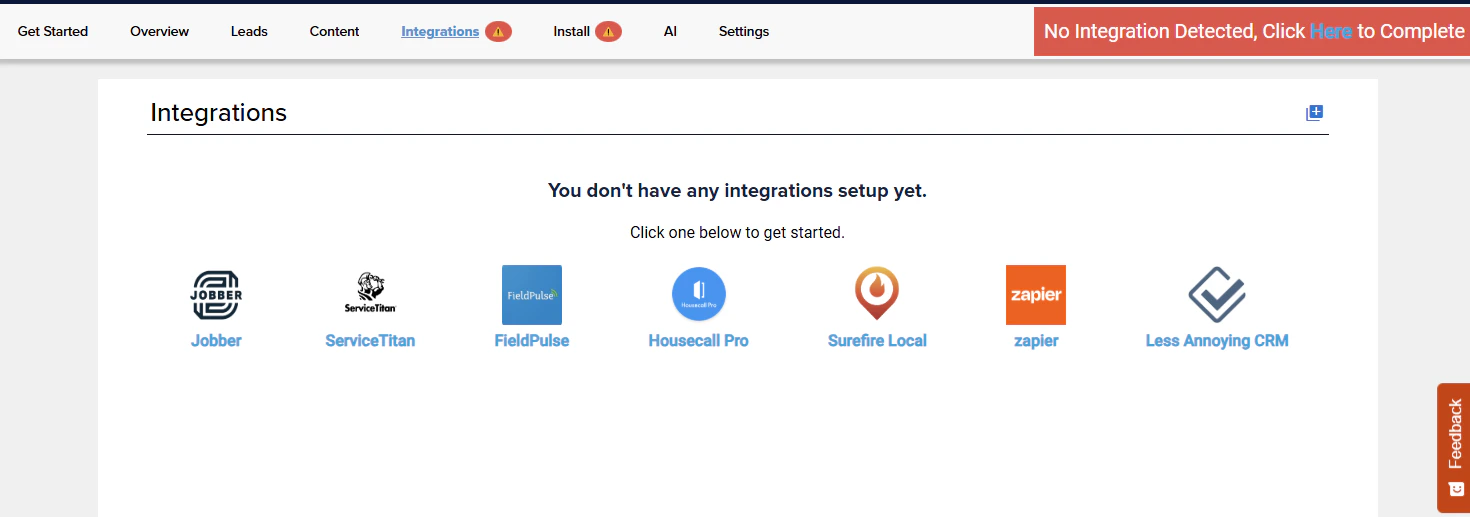
In XAPPAI, navigate to Studio > Integrations.
-
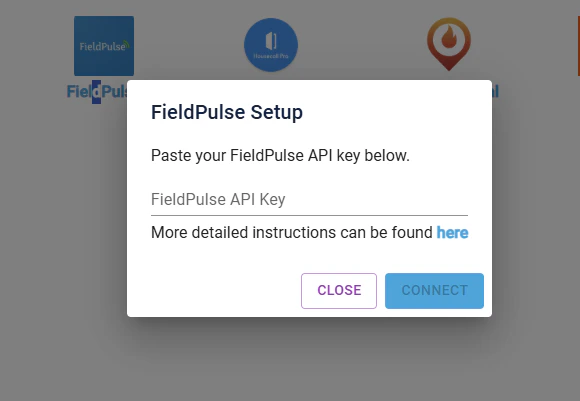
Select “FieldPulse” and paste your API key in the text field and click “Connect”.
-
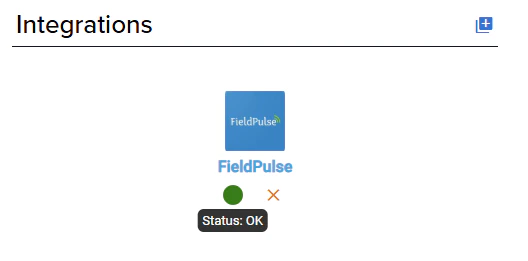
After the integration is setup, a status light will appear next to the integration. If it is green, the API key is working properly.
- To confirm the integration is working, complete a lead from the XAPPAI form or chat and confirm it is sent to FieldPulse.
Have additional questions? Contact us at support@fieldpulse.com or use the chat feature in the bottom right corner of your screen.