

This integration brings together the best of both worlds, enabling you to seamlessly manage your operations while harnessing the capabilities of Zapier. In this article, we’ll walk you through the simple steps to create a ‘Zap’ utilizing FieldPulse’s new integration functionalities. To learn more about the Zapier integration with FieldPulse, Integrations.Documentation Index
Fetch the complete documentation index at: https://fieldpulse.mintlify.app/llms.txt
Use this file to discover all available pages before exploring further.
What is Zapier?
Welcome to Zapier! - YouTube Zapier 73.9K subscribers Welcome to Zapier! Zapier Search Info Shopping Tap to unmute If playback doesn’t begin shortly, try restarting your device. You’re signed out Videos you watch may be added to the TV’s watch history and influence TV recommendations. To avoid this, cancel and sign in to YouTube on your computer. CancelConfirm Share Include playlist An error occurred while retrieving sharing information. Please try again later. Watch later Share Why am I seeing this? Watch on 0:00 / •Live •What is a Zap?
What’s a Zap? - YouTube Zapier 73.9K subscribers What’s a Zap? Zapier Search Info Shopping Tap to unmute If playback doesn’t begin shortly, try restarting your device. You’re signed out Videos you watch may be added to the TV’s watch history and influence TV recommendations. To avoid this, cancel and sign in to YouTube on your computer. CancelConfirm Share Include playlist An error occurred while retrieving sharing information. Please try again later. Watch later Share Why am I seeing this? Watch on 0:00 / •Live •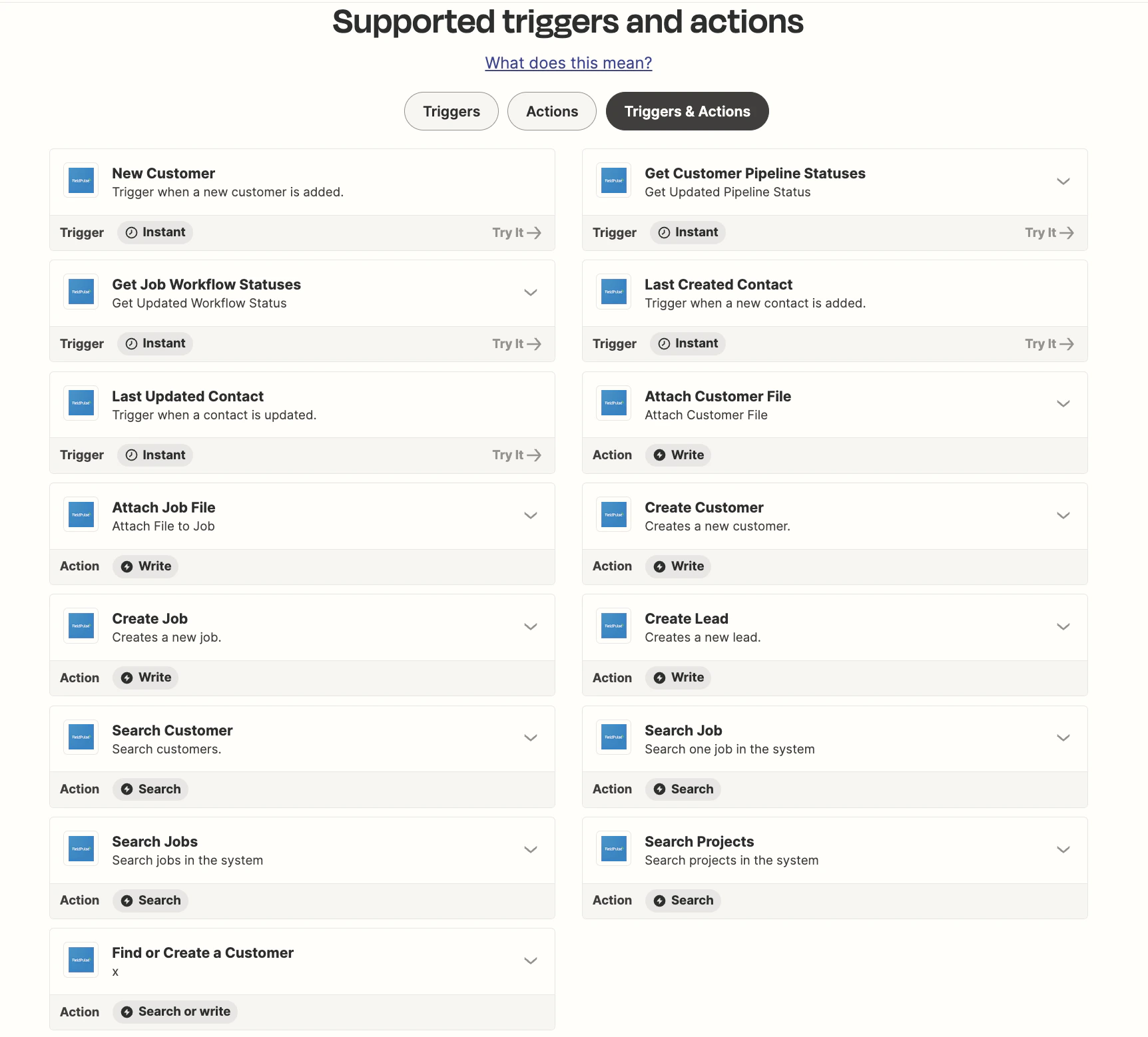
Zap Suggestions
Zapier can be a powerful tool for automating tasks and integrating your FieldPulse with other applications you use in the plumbing, electrical, and HVAC industries. Here are some Zap examples you can build to streamline your workflow:New Job in FieldPulse to Trello Card Creation
- Trigger: New job generated in FieldPulse.
- Action: Create a corresponding Trello card for task management.
- Use Case: Organize and manage tasks associated with jobs in Trello.
New Contact Form Submission to FieldPulse Customer
- Trigger: Someone submits a contact form on your website.
- Action: Create a new customer entry in FieldPulse.
- Use Case: Automatically add website leads as customers in FieldPulse for follow-up.
New FieldPulse Job to Google Tasks or Todoist
- Trigger: New task created in FieldPulse.
- Action: Create a corresponding task in Google Tasks or Todoist.
- Use Case: Keep your personal to-do list synchronized with your work tasks.
New FieldPulse Appointment to Slack Reminder
- Trigger: A new appointment is scheduled in FieldPulse.
- Action: Send a reminder message to a Slack channel or user.
- Use Case: Ensure your team is aware of upcoming appointments in real-time.
- Trigger: Customer moves to New Lead in FieldPulse.
- Action: Add the customer to a targeted marketing campaign in Marketing 360.
- Use Case: Continue communication with lead to convert them to customer.
- Trigger: Job status changes to Follow Up in FieldPulse.
- Action: Create a reminder event in Google Calendar.
- Use Case: Ensure the technician will follow up with the customer.
Other Integrations to Pair with FieldPulse in a Zap
There are over 6,000 possible integrations with Zapier!- Facebook Ads Manager
- Facebook Messenger for Business
- Instagram Ads Manager
- Instagram Direct Messages
- Google Ads (formerly AdWords)
- Google Analytics
- Google Workspace (formerly G Suite)
- Microsoft Office 365
- Zoom or Microsoft Teams
- Dropbox or Google Drive
- MailChimp
Video Tutorial
FAQs
Why would I want to use Zapier? Building a Zap means you can connect other applications to FieldPulse without needing a developer or learning how to code. How can I get help when setting up a Zap? Zapier offers a variety of supports, including: What is the cost to use Zapier? Zapier’s basic plan is completely free. Within this plan you can automate basic workflows with 100 tasks per month. Plus, you have access to:- Zapier automation platform
- Unlimited Zaps
- Two-step Zaps
- AI power-ups
Have additional questions? Contact us at support@fieldpulse.com or use the chat feature in the bottom right corner of your screen.