

Documentation Index
Fetch the complete documentation index at: https://fieldpulse.mintlify.app/llms.txt
Use this file to discover all available pages before exploring further.

How It Works
With this integration,The Seal automatically sends your customers notifications when jobs are scheduled, dispatched, or completed. These notifications include key details about the assigned employee—such as their photo, proof of background check, and bio—providing a professional and trustworthy experience.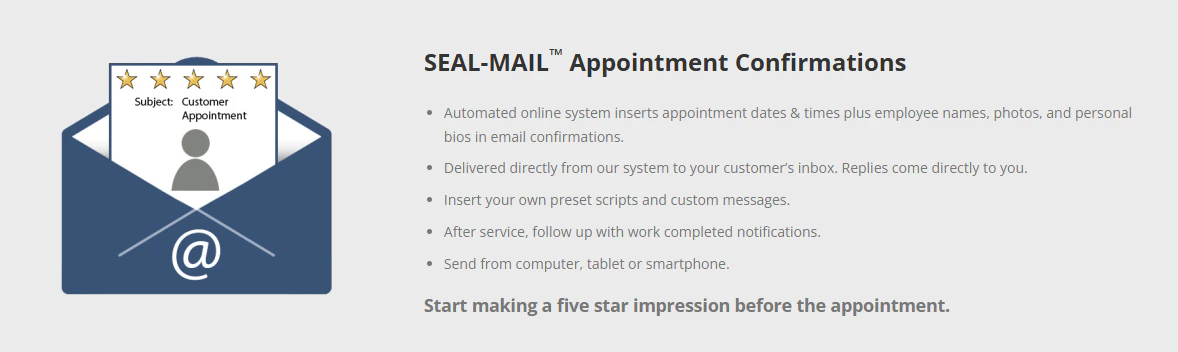
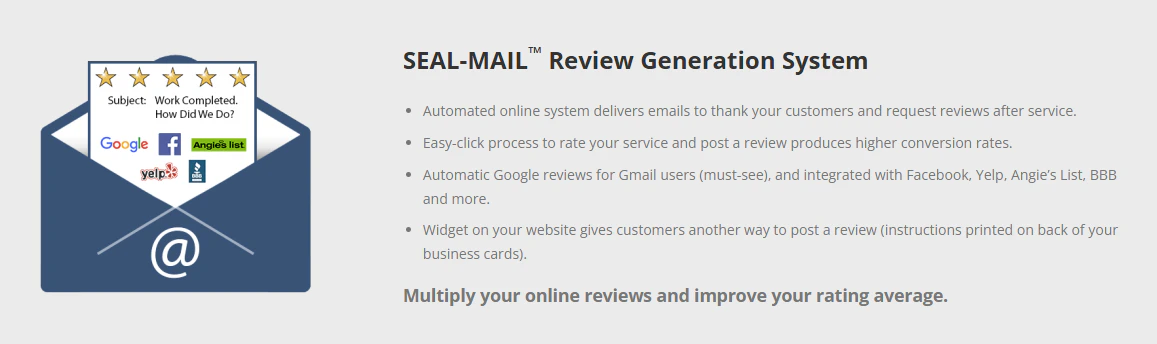
Why Use This Integration?
- Automatic Notifications: Save time and ensure consistency.
- Build Customer Confidence: Share verified details about your team.
- Improve Reputation: Strengthen trust with your customers.
Get Started
- Don’t have a Seal account? Sign up today!
-
Enable the Integration within FieldPulse:
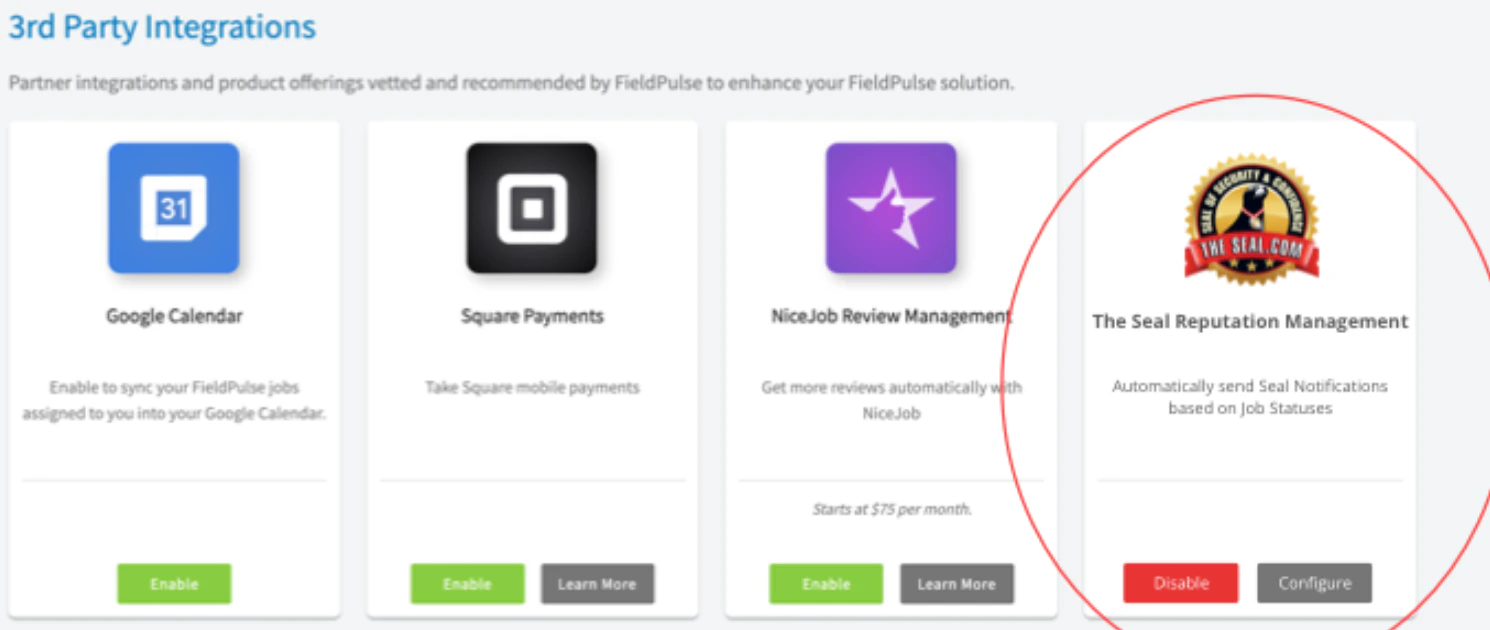
- Go to Company Settings > Features & Plugins and enable The Seal Reputation Management.
-
Log in to your The Seal account. This will direct you to a Microsoft Entra login page. This is the intended behavior. The Seal will then create a Microsoft tenant account for you. This is needed to ensure the integration is between FieldPulse and The Seal is linked correctly.
-
Map Users:
- FieldPulse automatically matches users with The Seal by email. Any unmatched users can be mapped manually by The Seal team.
-
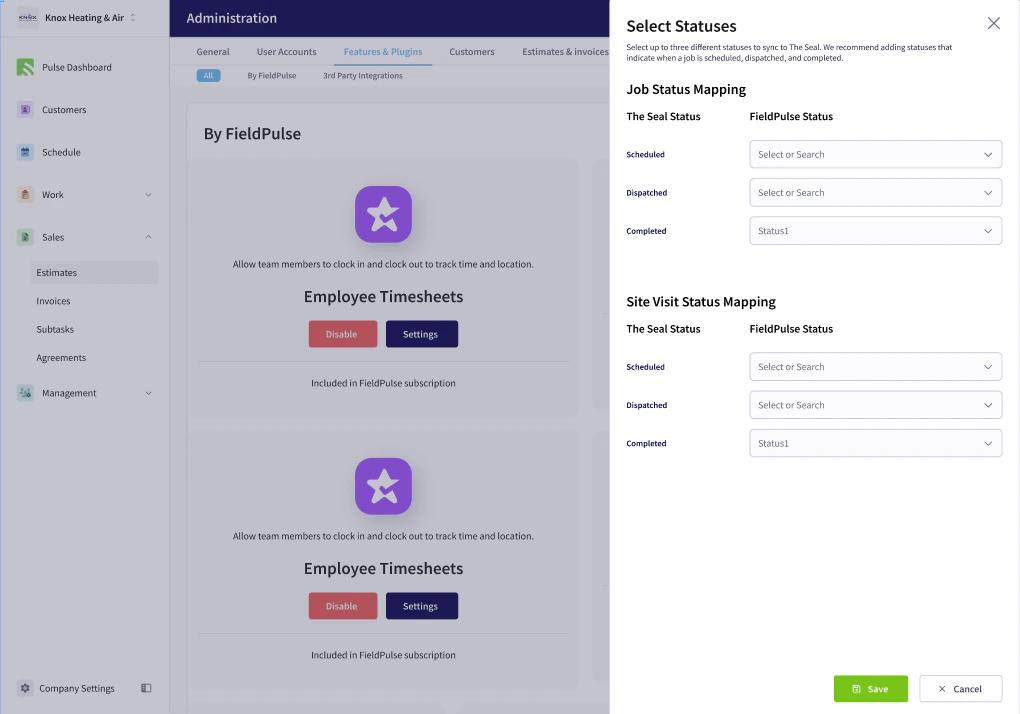
Configure Statuses:
- Map your FieldPulse statuses (Scheduled, Dispatched, Completed) to The Seal’s statuses.
If you need additional support, feel free to reach out to the team at The Seal by contacting them at info@theseal.com
Have additional questions? Contact us at support@fieldpulse.com or use the chat feature in the bottom right corner of your screen.