

Documentation Index
Fetch the complete documentation index at: https://fieldpulse.mintlify.app/llms.txt
Use this file to discover all available pages before exploring further.
What is Reece maX CMP?
CMP stands for Competitive Market Price — it’s an automated price designed to help you cost jobs more effectively.For more details or questions about CMP, please speak with your Reece Branch Manager.
What Does it Do?
✅ Automatically applies the Competitive Market Price (CMP) to all items imported from maX.✅ Works seamlessly across all Reece import methods — from catalogue to API. ⛔️ Does not apply to non-Reece items — your standard markup settings will be used instead.
⛔️ Customer-facing prices will not display your trade rate.
How to Enable CMP Pricing
- Go to Company Settings > Features & Plug-ins
- Scroll down to Reece maX (ANZ) and make sure it’s enabled
- Click Settings
- Toggle Enable CMP Pricing to ON
-
Click Save to apply your changes
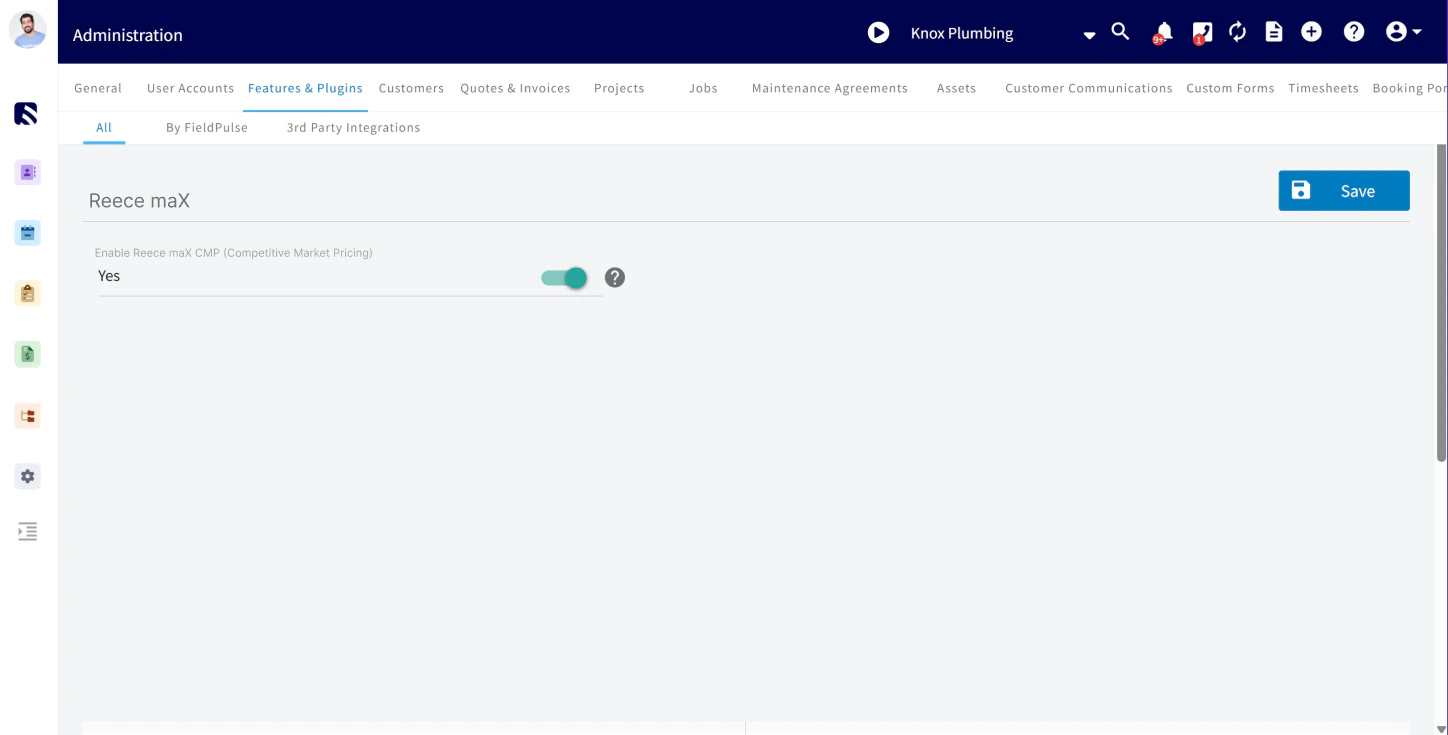
Important Notes About CMP Pricing:
- ✅ CMP applies automatically to all Reece (maX ANZ) items imported after it’s enabled
- ⚙️ Non-Reece items will still use your existing default markup settings [set in Company Settings > Estimates & Invoices > Advanced > Default Markup]
-
⛔ CMP does not retroactively update existing quotes or invoices — it only applies to new maX items imported after CMP is enabled.
Have additional questions? Contact us at support@fieldpulse.com or use the chat feature in the bottom right corner of your screen.