
Who uses this: Roles with permission to create jobs. Availability: All regions.A job template holds the setup for a kind of job you run again and again. Once the template exists, you start the next one from it — import the template on the new job, and the saved details fill themselves in.
Overview
Starting a job from a job template pulls the details saved on that template into the new job record. A job template can carry the job title, location, notes, scheduling parameters, custom forms, and a material list, so a new job is ready in one click. You import a template at the start of creating a job, in the web app and in the FieldPulse mobile app. Three parts of the template do their work after the job is created:- Custom forms attached to the template are available to fill out on every job created from that template.
- Materials saved on the template are automatically included in any new job created from that template.
- Scheduling parameters saved on the template are taken into account by How to Find Availability when you schedule a job built from that template.
Before you begin
- Build the template you want to start from. See Setting Up Job Templates.
- Import the template before you enter any job details — that is the point in the job form where the template’s details populate.
On web
Start a job from a template
- Go to Jobs in the left-side menu and select Create Job.
- Select Import Template, before entering any details.
-
Choose a template from the dropdown list. The list has a search field for finding a template by name.
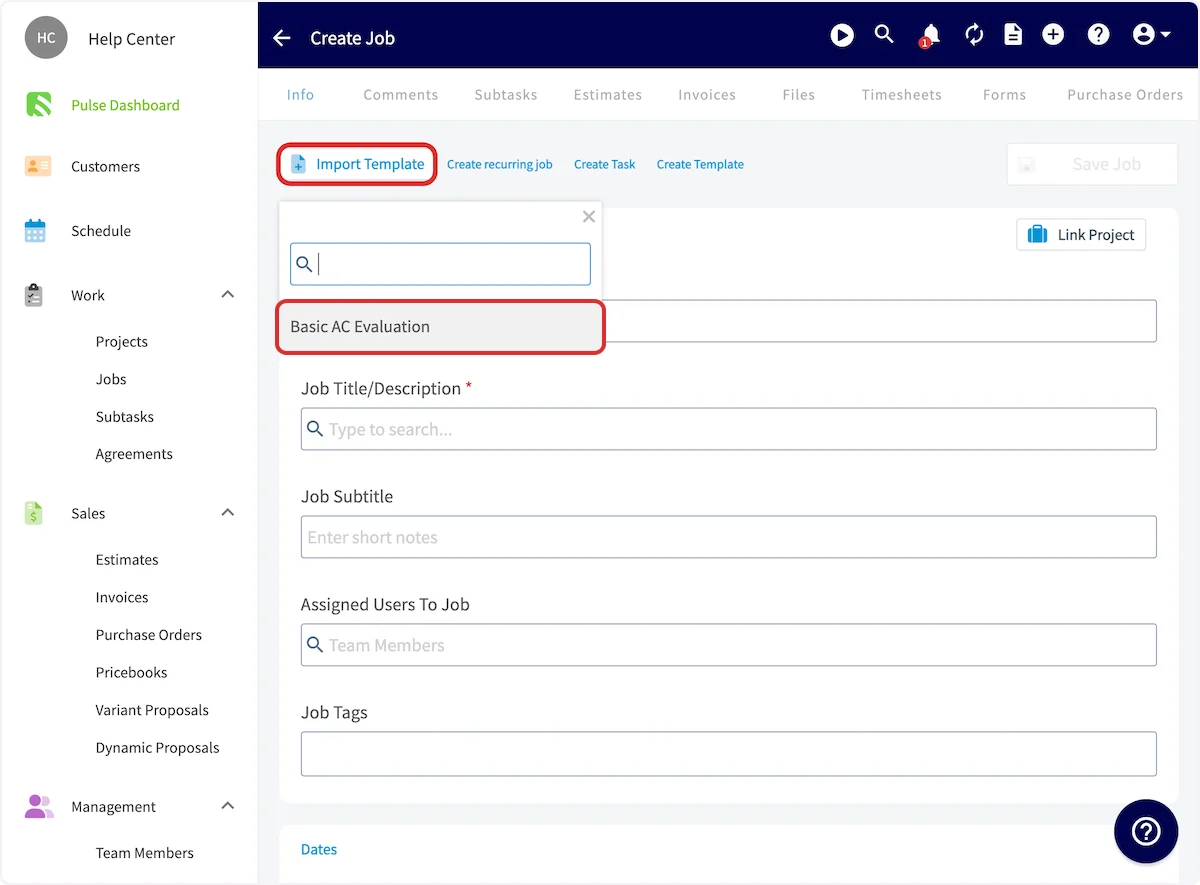
- The template details auto-populate into the job record. Add anything specific to this job, then select Save Job.
View your templates
Go to Jobs, then the Templates tab. Every saved job template is listed there, each with a pencil icon to edit it and a trash icon to delete it — see Setting Up Job Templates for what those two icons change.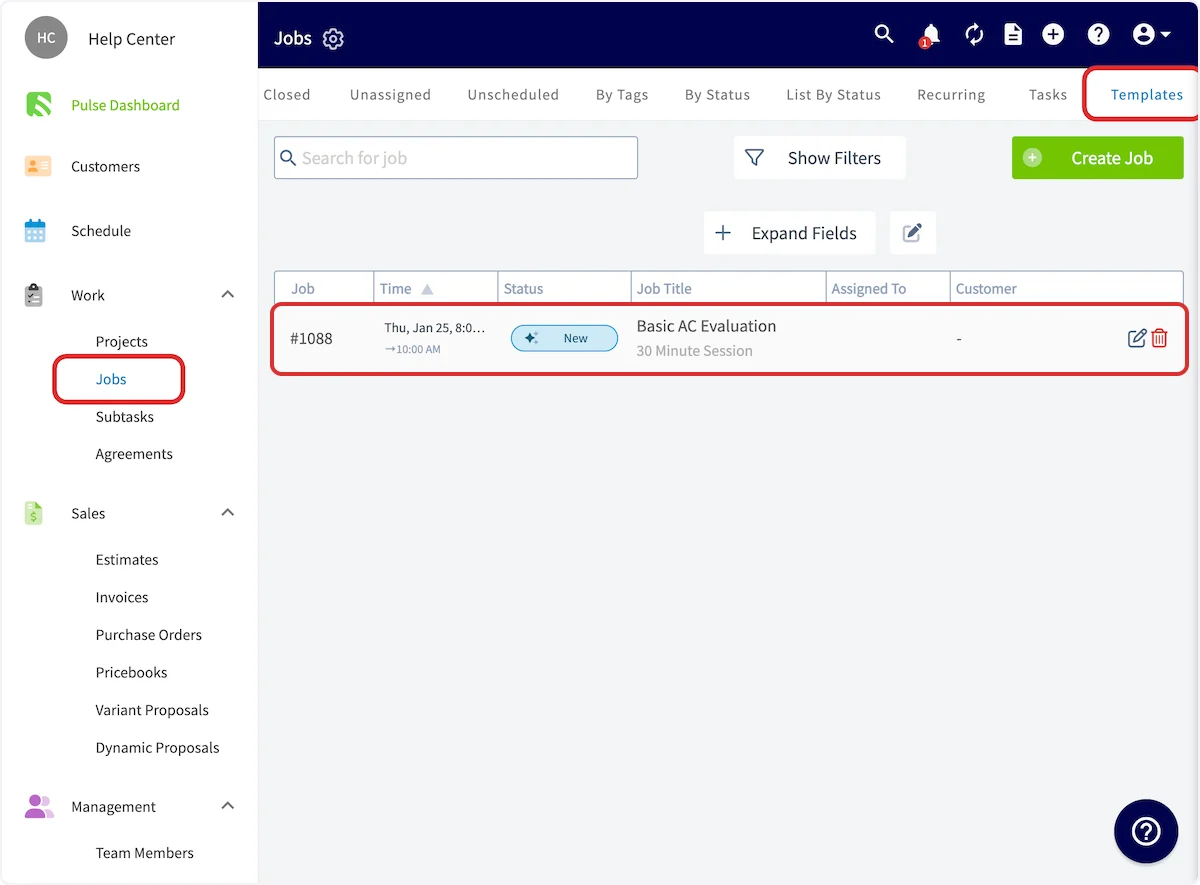
Video walkthrough: job templates in the web app
On mobile
Start a job from a template
- Start creating a new job.
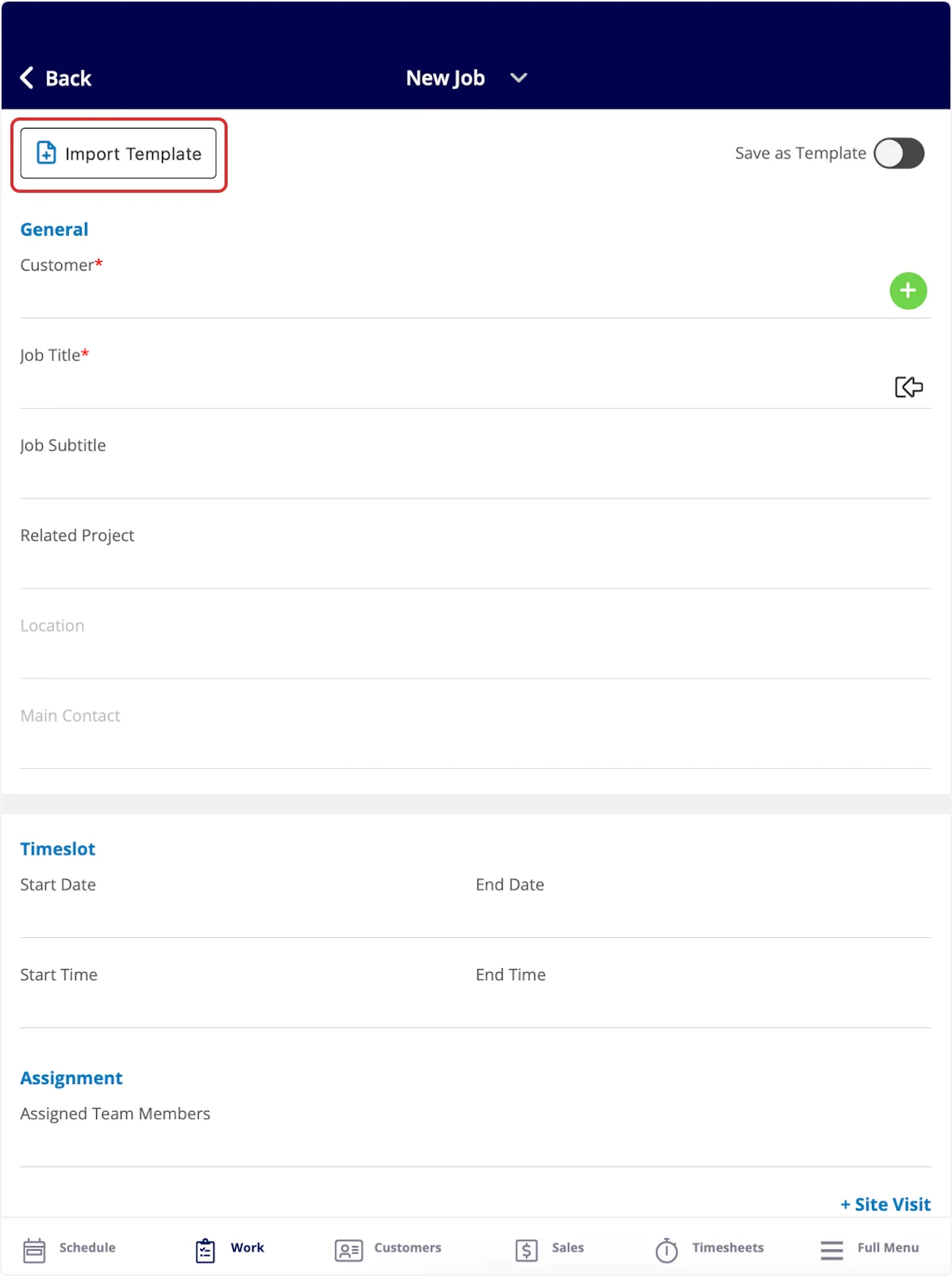
- Select Import Template in the top-left corner to pull from your saved templates.
View your templates
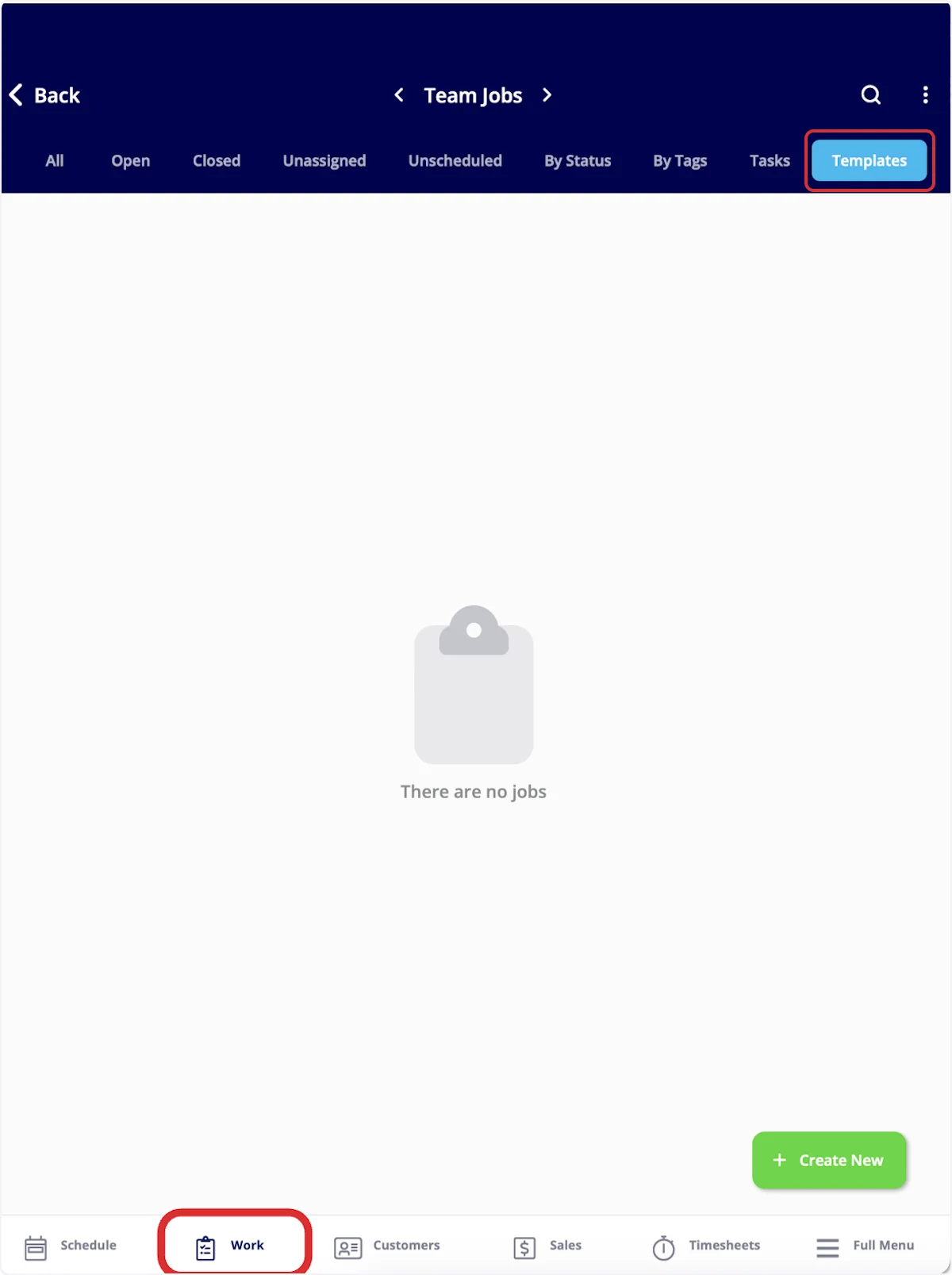
- Select Work in the bottom menu.
- Select Templates.
Video walkthrough: job templates in the mobile app