

FieldPulse Maintenance Agreements allow you to easily attach maintenance agreements, as well as create/schedule reminders for when the next service is needed. To learn how to enable maintenance agreements and use them in the WebApp, visit the Maintenance Agreements article.Documentation Index
Fetch the complete documentation index at: https://fieldpulse.mintlify.app/llms.txt
Use this file to discover all available pages before exploring further.
Creating a Maintenance Agreement
To view existing maintenance agreements or create a new one, navigate to the Work tab in the bottom menu. Then select Maintenance Agreements.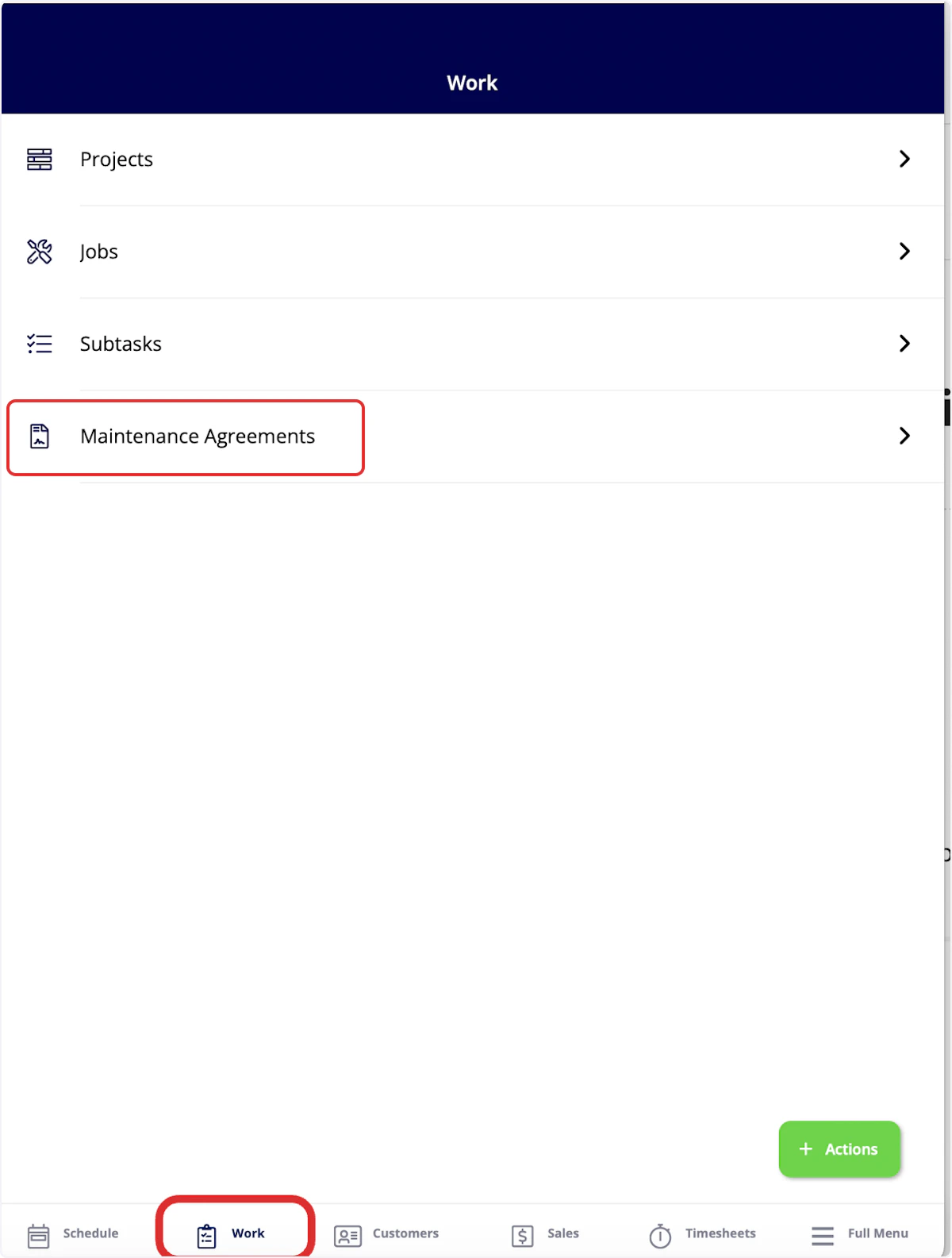
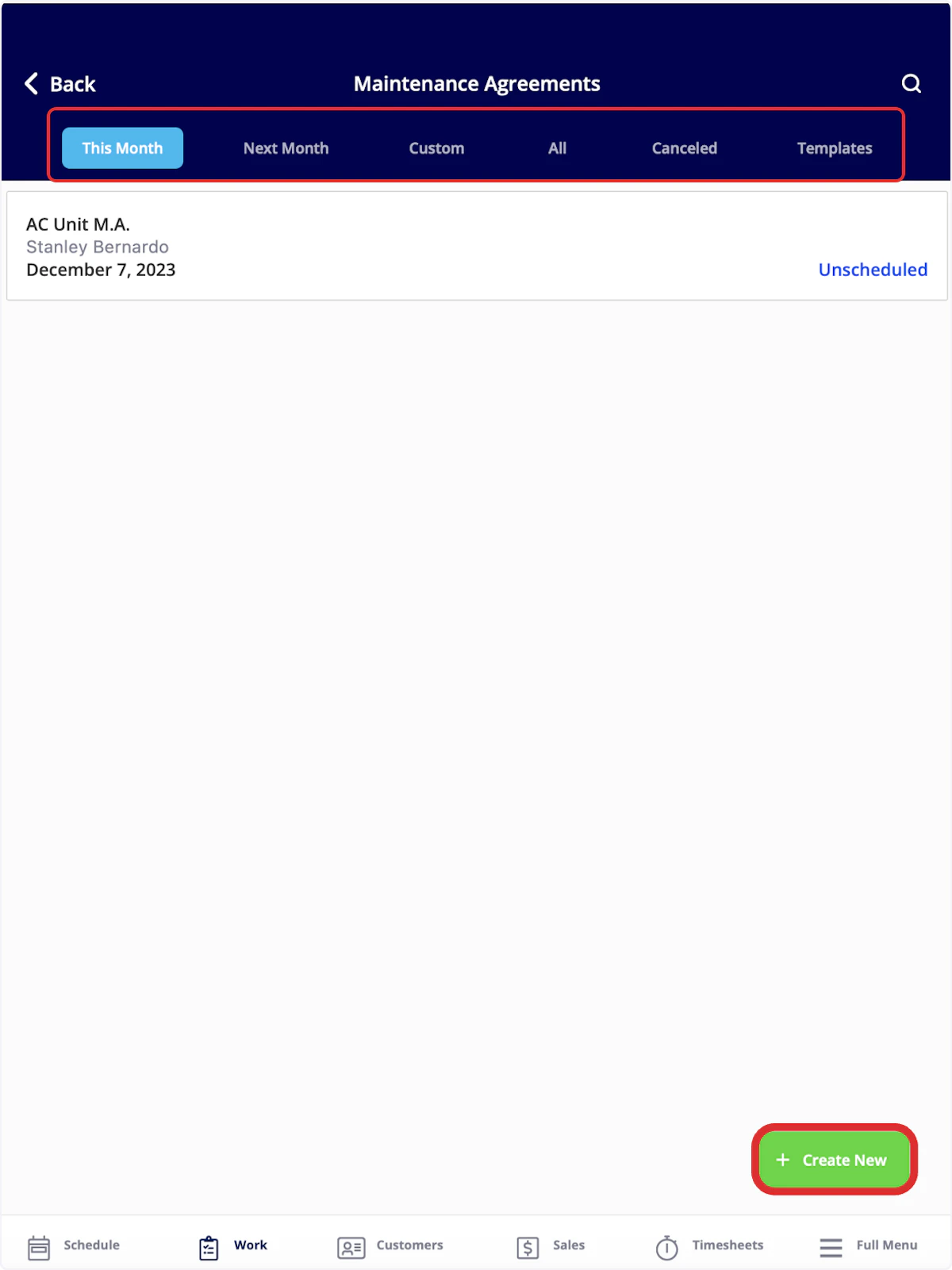
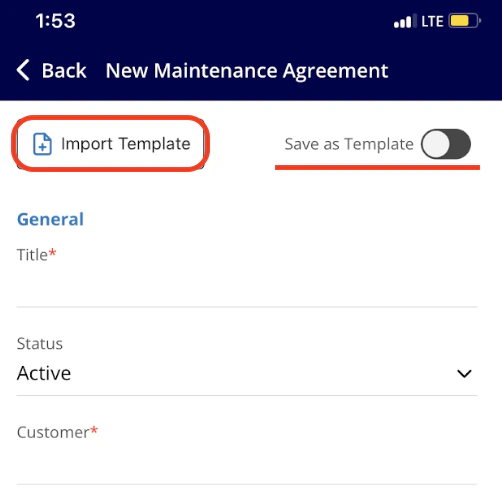
Attaching a Maintenance Agreement
In the mobile app, you can view maintenance agreements attached to your customers. To do so, click on the Customers tab in the bottom menu, then select a customer. At the top of the customer record, select Maintenance Agreements. Once here, you can view and edit existing maintenance agreements linked to this customer, as well as create a new maintenance agreement by selecting Create Maintenance Agreement.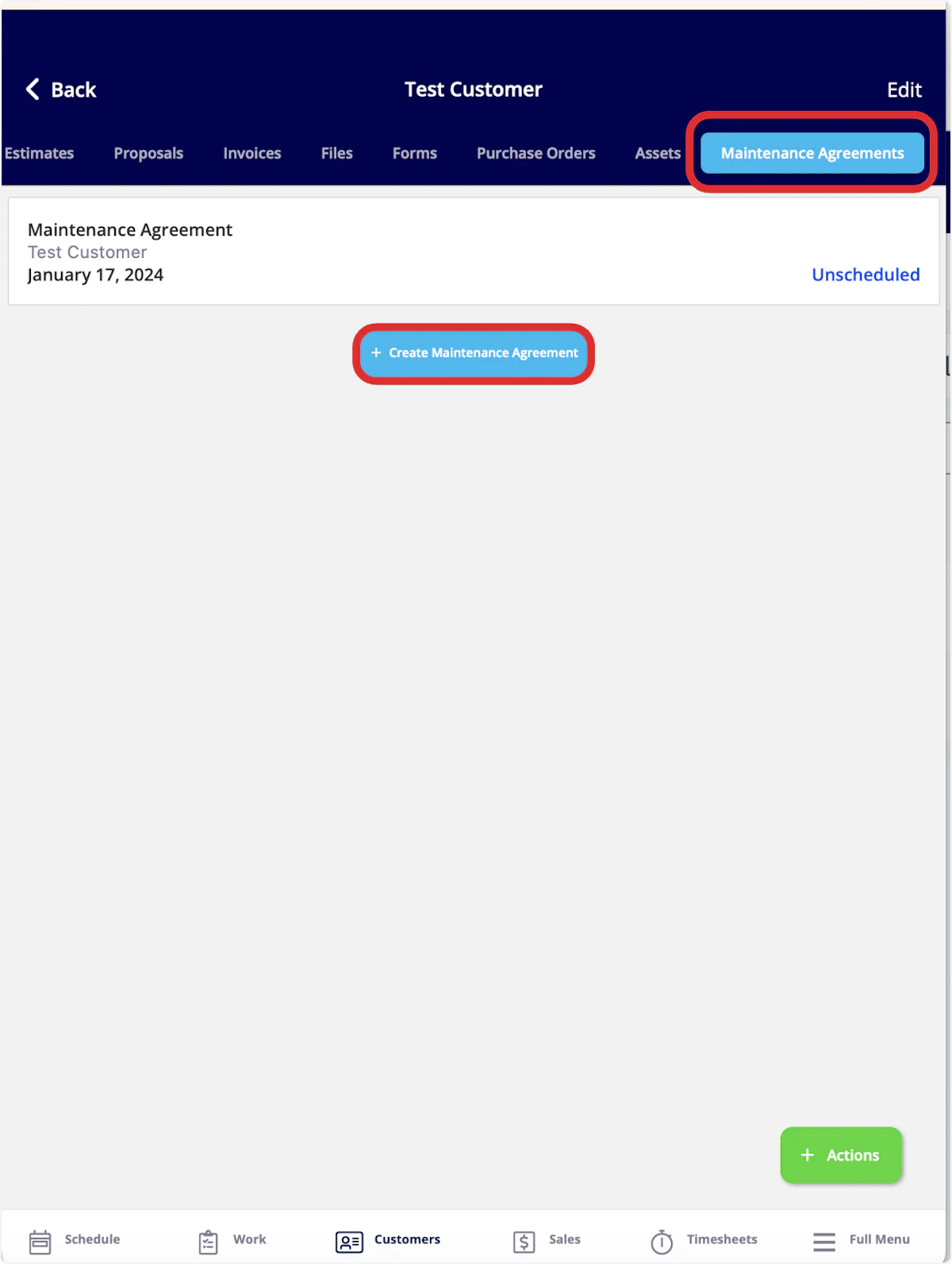
Video Tutorial
Have additional questions? Contact us at support@fieldpulse.com or use the chat feature in the bottom right corner of your screen.