

While jobs can span across several days, if you are dealing with long-term projects that involve intricate work assignments and specific invoicing requirements, it may be beneficial to utilize the Project record. This approach helps you manage initiatives that extend over a longer timeframe and encompass multiple tasks assigned to them. To enable Projects or learn more, visit the Project Management article.Documentation Index
Fetch the complete documentation index at: https://fieldpulse.mintlify.app/llms.txt
Use this file to discover all available pages before exploring further.
Creating a Project
To create a project, begin by selecting the Work tab from the bottom menu. Then select Projects.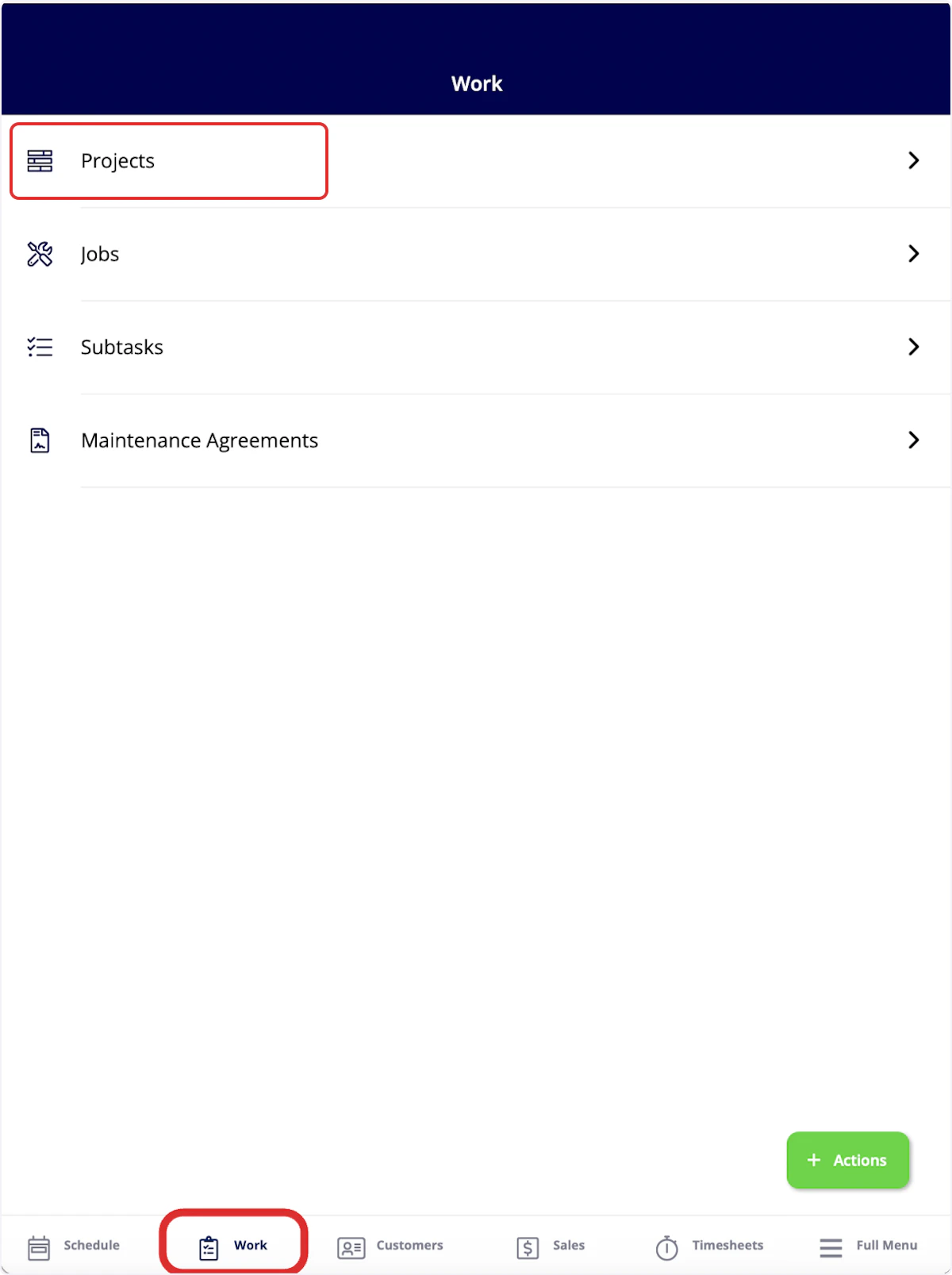
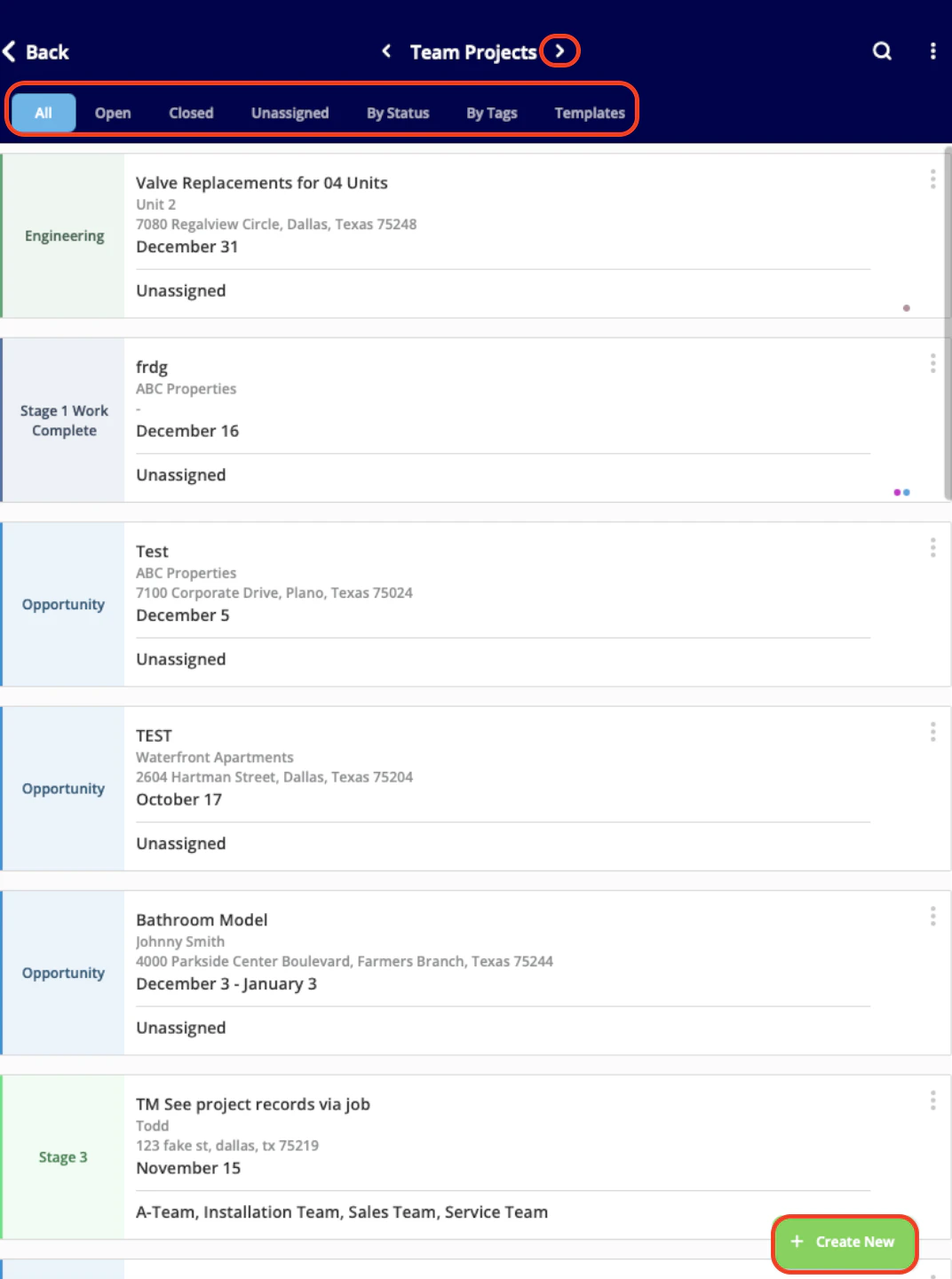
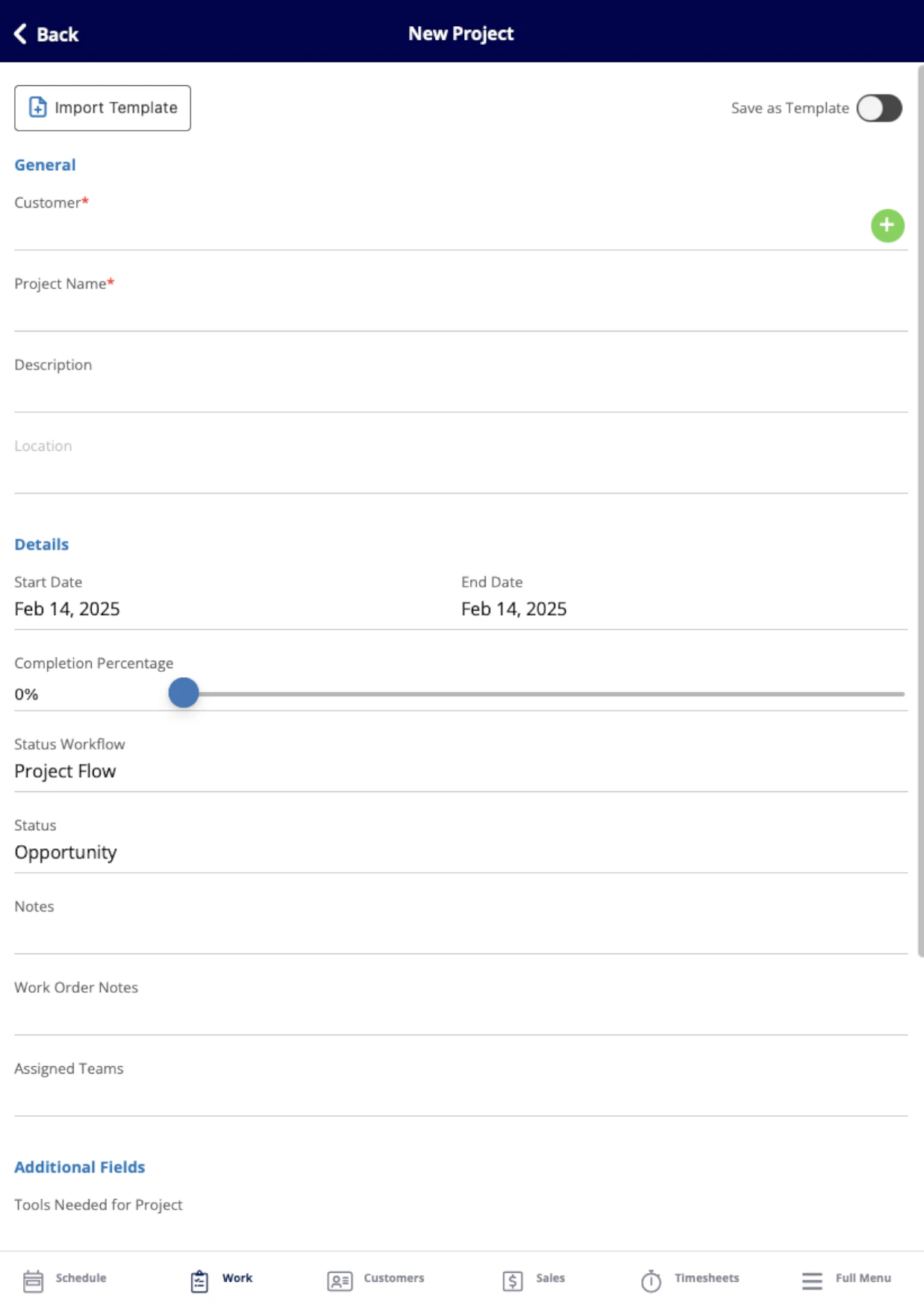
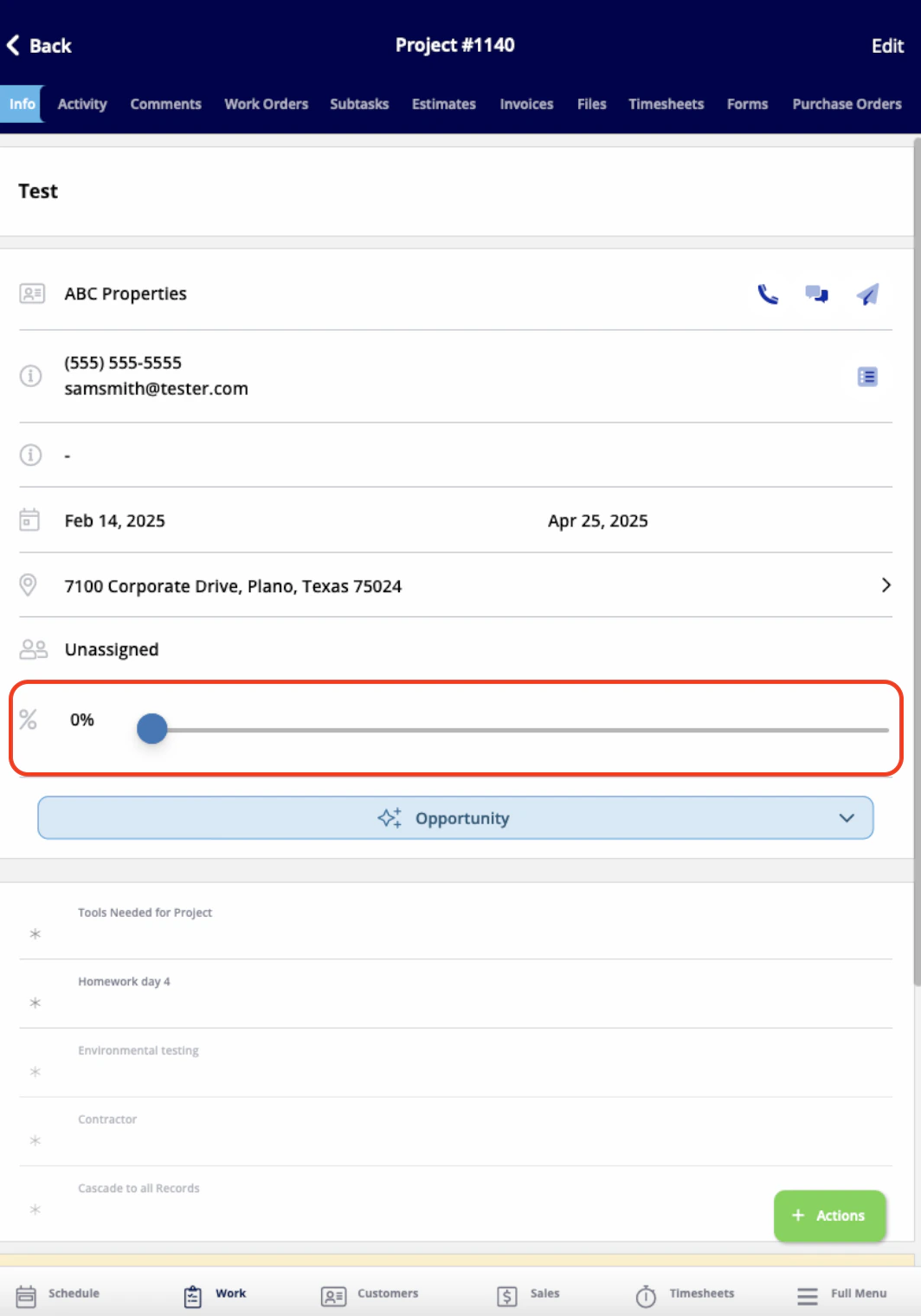
- View and edit all the details you just entered
- Add comments
- Add jobs or subtasks
- Create estimates and invoices
- Attach files
- Track employee timesheets
- And more!
Video Tutorial
Have additional questions? Contact us at support@fieldpulse.com or use the chat feature in the bottom right corner of your screen.
This article also relates to: Projects